Can A $3200 Kit Convert Your Car To Electric Power?

Whether hardcore petrolheads like it or not, we appear to be living through the final years of the internal combustion engine. In many countries there are legislative timetables in place for their eventual phasing out, and even those which remain in production are subject to ever more stringent emissions legislation. If there’s a problem with the EVs with which we’re expected to replace our fossil fuel vehicles it’s the cost, those things are still very expensive. An Aussie student has an interesting idea that’s won the James Dyson Prize: a low cost conversion for existing vehicles that bolts onto their rear wheel hubs.

Electric conversion of fossil fuel cars is nothing new, indeed we’ve brought you news of units designed to replace the original engine and transmission. Neither are wheel hub motors new, but the difference with this system is that it doesn’t require significant mechanical modification to the vehicle. It retains the old engine, and this motor sits inside each rear wheel.

It almost seems too good to be true, but a closer reading shows the rotor bolted on one side to the old wheel hub and on the other side to the wheel. The stator meanwhile is bolted to the existing brake caliper mountings. This would lead to a slightly wider track and a greater unsprung weight, but we can see that it would work. Besides the motor there’s a battery pack for the spare wheel well and a set of electrically-powered systems to supply the brake servo vacuum and other services. The idea is that this whole kit could be fitted for 5000 Australian dollars, which is somewhere south of $3200 USD. It’s not perfect and it still involves hauling around the dead weight of an unused engine, but we can see it might still have a niche. If, and that’s a big if, it ever makes it to market, that is.

Making A Concrete Sign

While paging through the feed a few days ago our attention was caught by something a little away from the ordinary in Hackaday terms, a DIY video about creating cast concrete signage from [Proper DIY] which we’ve placed below the break. A deceptively easy-looking mould-making process has a few tricks that  will make the difference between a hard-wearing sign that lasts for years, and a lump of concrete.

So, to make a cast concrete sign, you throw together a mould with some letters, and chuck in some concrete? Not so fast, because the key appears to be preparation, and ensuring that there are no 90-degree corners on the mould parts. The letters are carefully shaped and sealed with varnish before being attached to the mould with silicone adhesive, and all the corners are beveled. Finally a light oil is used as a release agent, and hefty vibration takes care of any air bubbles.

The result is a set of signs, but we can see these techniques finding uses outside signage. For example, how about casting using a 3D printed mould?

Continue reading “Making A Concrete Sign”

Because You Can: Linux On An Arduino Uno

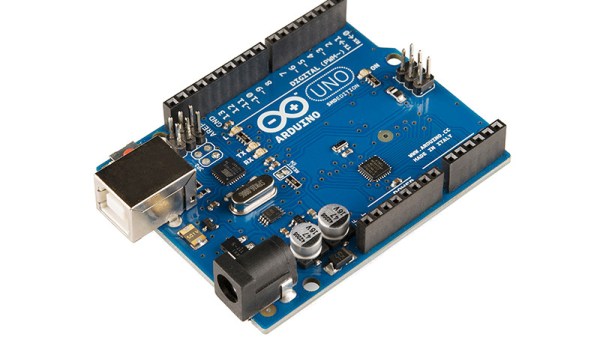
There are a few “Will it run” tropes when it comes to microcontrollers, one for example is “Will it run Doom?“, while another is “Will it run Linux?”. In one of the lowest spec examples of the last one, [gvl610] has got an up-to-date Linux kernel to boot on a vanilla Arduino Uno. And your eyes didn’t deceive you, that’s a full-fat kernel rather than the cut-down μClinux for microcontrollers.

Those of you who’ve been around a while will probably have guessed how this was done, as the ATmega328 in the Uno has no MMU and is in to way powerful enough for the job. It’s running an emulator, in this case just enough RISC-V to be capable, and as you’d imagine it’s extremely slow. You’ll be waiting many hours for a shell with this machine.

The code is written in pure AVR C, and full instructions for compilation are provided. Storage comes from an SD card, as the ATmega’s meagre 32k is nowhere near enough. If you’re having a bit of deja vu here we wouldn’t blame you, but this one is reputed to be worse than the famous 2012 “Worst PC Ever“, which emulated ARM instead of RISC-V.

Thanks [Electronics Boy] for the tip!

Teletext In Ireland, Another Broadcasting Leftover Bites The Dust

Over the years we’ve reported on the passing of a few of the broadcasting technologies of yesteryear, such as analogue TV in America, or AM radio in Europe. Now it’s the turn of an early digital contender, as one of the few remaining holdouts of old-style teletext is to shut down its service. The Irish broadcaster RTÉ is to turn off its teletext service Aertel, which has been live in some form continuously since 1986.

Like all European countries, Ireland has had only digital TV for quite a few years now. The linked RTÉ piece implies that the Aertel service has been carried as the old-style data in the frame blanking period even when part of a digital multiplex rather than the newer digital teletext system, so we’d be really grateful if some of our Irish readers could flick on their TVs and confirm that.

In an internet-connected world it seems quaint that a limited set of curated pages could once have been such a big deal, but it’s easy to forget that for many the teletext system provided their first ever taste of online information. As it shuffles away almost unnoticed we won’t miss counting through the page numbers cycling by in the top corner as we waited for our page to load, but it’s worth marking its final passing from one of the few places it could still be found.

Teletext does pop up in a few projects here, most recently as the display engine for a game of DOOM.

Debian Bookworm Comes To The Raspberry Pi, And Wayland Is Now Default

It must have been a busy week for the PR department at Raspberry Pi, with the launch of their latest single-board computer, the Pi 5. Alongside the new board comes something else, an updated Raspberry Pi OS version.

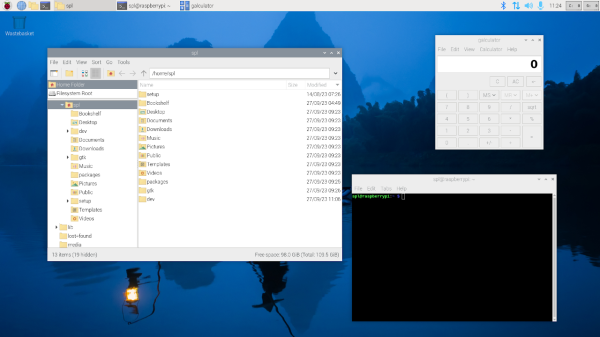
This is built from Debian 12 “Bookworm”, and supplants the previous “Bullseye” version. As well as the new OS base it comes with a pile of Pi-specific upgrades including an optimsied version of Mozilla Firefox. Probably most important is that henceforth (at least on 64-bit boards) its desktop will use the Wayland compositor rather than X11 to draw and manipulate windows. This is a development that has been in the works for a very long time — it must be almost a decade since the first Raspberry Pi blog entry about Wayland — so it’s welcome at last to see it.

The new tweaks as well as Wayland are supposed to deliver a much faster Pi experience, so we thought we’d break out the stopwatch and do some rough real-world tests. The bench 8GB Pi 4 here has a vanilla 64-bit Bullseye installed, so off we went to measure boot time, Chromium browser opening time, and Hackaday load time. It was time to download the new 64-bit Bookworm image and do the same. Have we just downloaded a power-up?

Both tests were done with an everyday boot, after the first-time OS set-up, and with all browser caches emptied. First up was a significant boost, with Bookworm booting in 37.14 seconds to Bullseye’s 53.5, but the Chromium opening was a little more disappointing. On Bullseye it took 7.15s, while Bookworm’s Chromium managed a more pedestrian 9.13s. The new Firefox takes only 7.95s to open. Both Chromium browsers load Hackaday in about 1.8s, while the new Firefox did the same job in a shade over 3s.

So allowing for our stopwatch reaction time and the ad-hoc nature of the test, this is a faster-booting OS, but the underlying hardware is still the limiting factor. We’re disappointed to see that there’s no update for the x86 version of the Raspberry Pi Desktop, and we hope they’ll be able to rectify this in the future.

Tiny Linux On A No-MMU RISC-V Microcontroller

In the vast majority of cases, running a Linux-based operating system involves a pretty powerful processor with a lot of memory on hand, and perhaps most importantly, a memory management unit, or MMU. This is a piece of hardware which manages virtual memory, seamlessly giving each process its own memory sandbox in which it shouldn’t be able to rain on its neighbours’ parade. If there’s no MMU all is not lost though, and [Uros Popovic] gives us a complete guide to building the MMU-less μClinux on a RISC-V microcontroller.

The result is something of a Linux-from-scratch for this platform and kernel flavour, but it’s so much more than that aside from its step-by-step explanation. It’s probable that most of us have heard something of μClinux but have little direct knowledge of it, and he leads us through its workings as well as its limitations. As examples, standard ELF binaries aren’t suitable for these systems, and programmers need to use memory-safe techniques.

Whether or not any of you will run with this guide and build a tiny MMU-less Linux system, anything which expands our knowledge on the subject has to be a good thing. it’s not the first time we’ve seen a RISC-V microcontroller turned to this task, with a nifty trick to get round the limitations of a particular architecture.

Jenny’s Daily Drivers: SerenityOS, And In Particular, Ladybird

As we continue on with the series in which I take a different OS for a spin every month I am afraid, dear reader, that this month I have a confession to make. Our subject here isn’t a Daily Driver at all, and it’s not the fault of the operating system in question. Instead I’m taking a look at a subject that’s not quite ready for the big time but is interesting for another reason. The OS is SerenityOS, which describes itself as “a love letter to ’90s user interfaces with a custom Unix-like core“, and the reason I’m interested in it comes from its web browser. I know that the OS is very much a work in progress and I’ll have to forgo my usual real hardware and run it in QEMU, but I’ve heard good things about it and I want to try it. The browser in question is called Ladybird, and it’s interesting because it has the aim of creating a modern fully capable cross-platform browser from scratch, rather than being yet another WebKit-based appliance.

A Pleasant Trip Into The 1990s

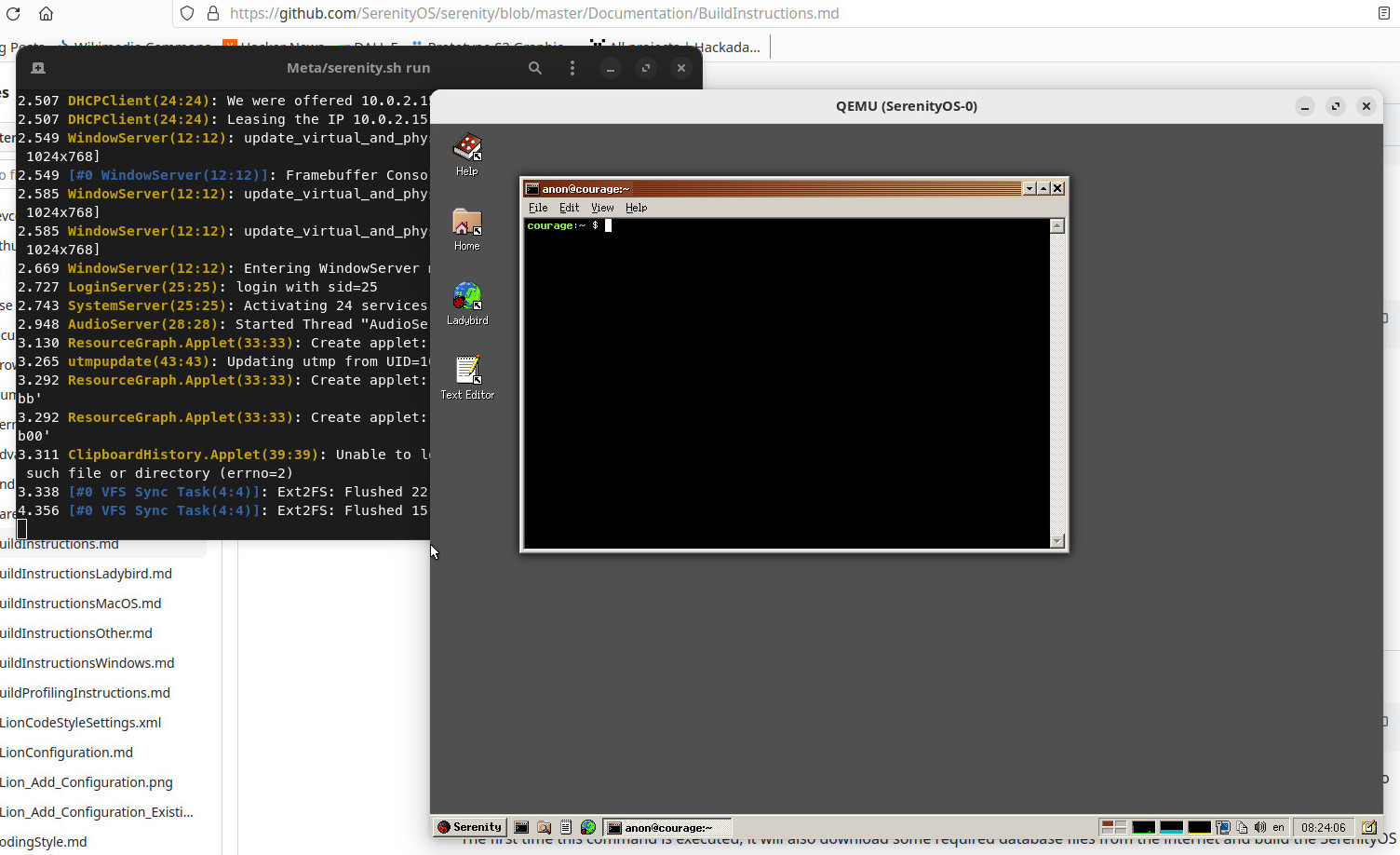
Part of a Linux desktop with the SerenityOS build instructions in the background, a terminal having built the OS, and the OS itself in a QEMU window.
My first look at SerenityOS after building it.

SerenityOS isn’t ready to be installed on real hardware, and there’s no handy ISO to download. Instead I had to clone the repository to my Linux machine and run the build script to compile the whole thing, something I was very pleased to observe only took about 40 minutes. It creates a hard disk image and opens QEMU for you, and you’re straight into a desktop.

When they mention ’90s user interfaces they definitely weren’t hiding anything, because what I found myself in could have easily been a Windows 9x desktop from the middle of that decade. There are  a bunch of themes including some Mac-like ones, but should you select the “Redmond” one, you’re on very familiar ground if you had a Microsoft environment back then. It’s only skin-deep though, because as soon as you venture into a command line shell there’s no DOS to be found. This is a UNIX-like operating system, so backslashes are not allowed and it’s familiarly similar to an equivalent on my Linux box. The purpose of this review is not to dive too far into the workings of the OS, but suffice it to say that both the underpinnings and the desktop feel stable and as polished as a Windows 95 lookalike can be. The various bundled utilities and other small programs seem to work well, and without any hint of the instabilities I’ve become used to when I’ve experimented with other esoteric operating systems. Continue reading “Jenny’s Daily Drivers: SerenityOS, And In Particular, Ladybird”