Tiny Linux On A No-MMU RISC-V Microcontroller

In the vast majority of cases, running a Linux-based operating system involves a pretty powerful processor with a lot of memory on hand, and perhaps most importantly, a memory management unit, or MMU. This is a piece of hardware which manages virtual memory, seamlessly giving each process its own memory sandbox in which it shouldn’t be able to rain on its neighbours’ parade. If there’s no MMU all is not lost though, and [Uros Popovic] gives us a complete guide to building the MMU-less μClinux on a RISC-V microcontroller.

The result is something of a Linux-from-scratch for this platform and kernel flavour, but it’s so much more than that aside from its step-by-step explanation. It’s probable that most of us have heard something of μClinux but have little direct knowledge of it, and he leads us through its workings as well as its limitations. As examples, standard ELF binaries aren’t suitable for these systems, and programmers need to use memory-safe techniques.

Whether or not any of you will run with this guide and build a tiny MMU-less Linux system, anything which expands our knowledge on the subject has to be a good thing. it’s not the first time we’ve seen a RISC-V microcontroller turned to this task, with a nifty trick to get round the limitations of a particular architecture.
Jenny’s Daily Drivers: SerenityOS, And In Particular, Ladybird

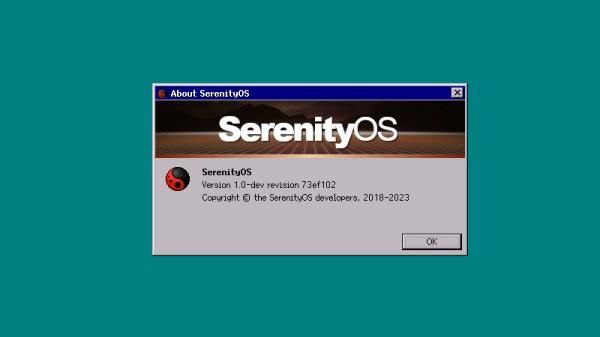
As we continue on with the series in which I take a different OS for a spin every month I am afraid, dear reader, that this month I have a confession to make. Our subject here isn’t a Daily Driver at all, and it’s not the fault of the operating system in question. Instead I’m taking a look at a subject that’s not quite ready for the big time but is interesting for another reason. The OS is SerenityOS, which describes itself as “a love letter to ’90s user interfaces with a custom Unix-like core“, and the reason I’m interested in it comes from its web browser. I know that the OS is very much a work in progress and I’ll have to forgo my usual real hardware and run it in QEMU, but I’ve heard good things about it and I want to try it. The browser in question is called Ladybird, and it’s interesting because it has the aim of creating a modern fully capable cross-platform browser from scratch, rather than being yet another WebKit-based appliance.

A Pleasant Trip Into The 1990s

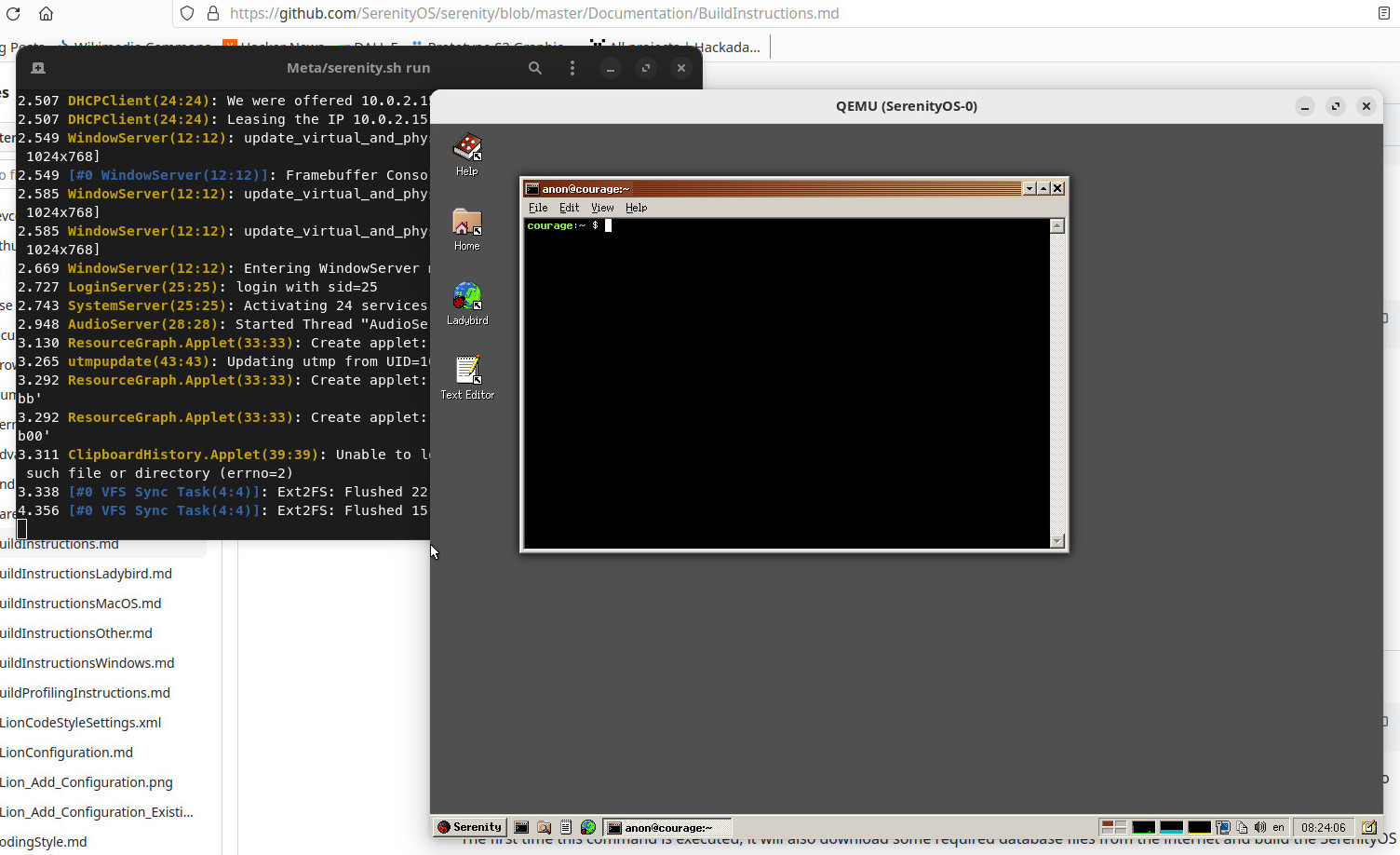
Part of a Linux desktop with the SerenityOS build instructions in the background, a terminal having built the OS, and the OS itself in a QEMU window.
My first look at SerenityOS after building it.

SerenityOS isn’t ready to be installed on real hardware, and there’s no handy ISO to download. Instead I had to clone the repository to my Linux machine and run the build script to compile the whole thing, something I was very pleased to observe only took about 40 minutes. It creates a hard disk image and opens QEMU for you, and you’re straight into a desktop.

When they mention ’90s user interfaces they definitely weren’t hiding anything, because what I found myself in could have easily been a Windows 9x desktop from the middle of that decade. There are  a bunch of themes including some Mac-like ones, but should you select the “Redmond” one, you’re on very familiar ground if you had a Microsoft environment back then. It’s only skin-deep though, because as soon as you venture into a command line shell there’s no DOS to be found. This is a UNIX-like operating system, so backslashes are not allowed and it’s familiarly similar to an equivalent on my Linux box. The purpose of this review is not to dive too far into the workings of the OS, but suffice it to say that both the underpinnings and the desktop feel stable and as polished as a Windows 95 lookalike can be. The various bundled utilities and other small programs seem to work well, and without any hint of the instabilities I’ve become used to when I’ve experimented with other esoteric operating systems. Continue reading “Jenny’s Daily Drivers: SerenityOS, And In Particular, Ladybird”

Raspberry Pi Reveals A Little About Their RP1 Peripheral

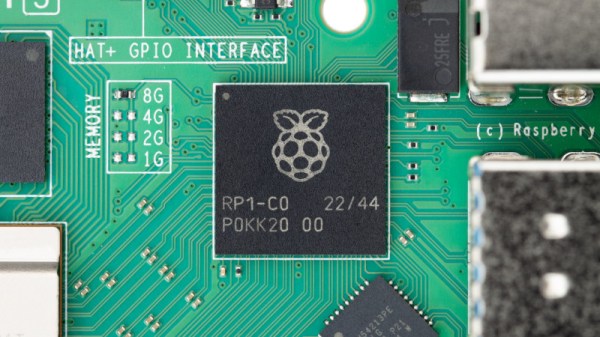
The Raspberry Pi 5 is the new hotness from the Cambridge-based single board computer vendor, thanks in part to its new wonder-chip peripheral that speeds up much of its interfacing with the world. The RP1 hangs of the CPU’s PCIe bus and takes on many functions previously in the SoC, and those curious about it now have a little bit of information. Eben Upton has posted an article about the chip, and there’s a partial datasheet and a video in which the engineers talk about the chip as well.

The datasheet is intended to help anyone wishing to write a hardware driver for a Pi 5, and they admit that it doesn’t reveal everything on the silicon. We don’t expect them to put this chip up for sale on its own because doing so would enable their competitors to produce something much closer to a Pi 5 clone. It does reveal a few nuggets, though; there are a couple of Cortex M3 cores for housekeeping, and alongside all the interfaces we know from earlier boards it has, perhaps most interestingly for Hackaday readers, a 12-bit analogue-to-digital converter. This has always been on our Pi wishlist and is a welcome addition.

So, if you read the datasheet and watch the video below, you’ll learn a lot about the interfaces and how to talk to them, but not quite so much about the full workings of the chip itself. They hint that there’s more to be released, but since the Pi people have a history of not letting go of the family silver, we won’t expect the keys to the kingdom.

Have a read of our Pi 5 launch coverage.

Continue reading “Raspberry Pi Reveals A Little About Their RP1 Peripheral”

Use Your Old SLR As A Digital Camera?

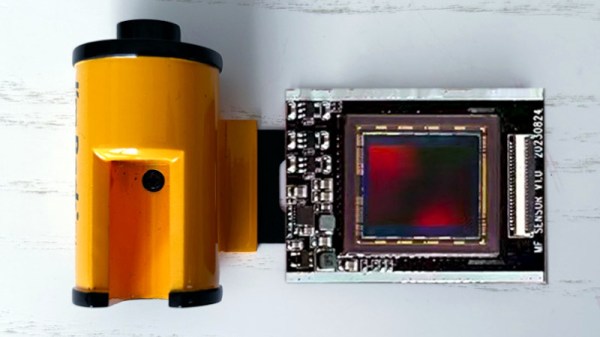
Back in the late 1990s as the digital revolution overtook photography there were abortive attempts to develop a digital upgrade for 35mm film cameras. Imagine a film cartridge with attached sensor, the idea went, which you could just drop into your trusty SLR and continue shooting digital. As it happened they never materialised and most film SLRs were consigned to the shelf. So here in 2023 it’s a surprise to find an outfit called I’m Back Film promising something very like a 35mm cartridge with an attached sensor.

The engineering challenges are non-trivial, not least that there’s no standard for distance between reel and exposure window, and there’s next-to-no space at the focal plane in a camera designed for film. They’ve solved it with a 20 megapixel Micro Four Thirds sensor which gives a somewhat cropped image, and what appears to be a ribbon cable that slips between the camera back and the body to a box which screws to the bottom of the camera. It’s not entirely clear how they solve the reel-to-window distance problem, but we’re guessing the sensor can slide from side to side somehow.

It’s an impressive project and those of us who shot film back in the day can’t resist a bit of nostalgia for our old rigs, but we hope it hasn’t arrived too late. Digital SLRs are ubiquitous enough that anyone who wants one can have one, and meanwhile the revival in film use has given many photographers a fresh excuse to use their old camera the way it was originally intended. We’ll soon see whether it catches on though — the crowdsourcing campaign for the project will be starting in a few days.

Oddly this isn’t the first such project we’ve seen, though it is the first with a usable-size sensor.

Just When You Think Everything In Robotic Combat Has Been Tried Before…

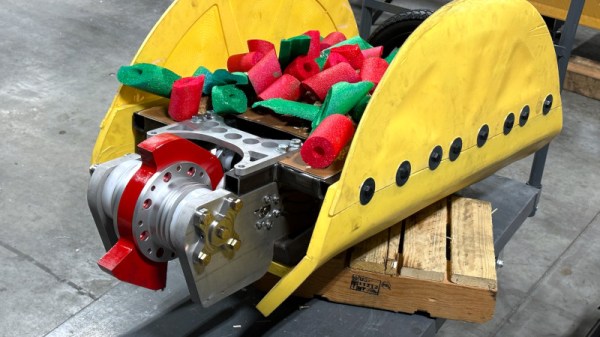
Since the first combat robots emerged around three decades ago, it seems as though every conceivable configuration has been tried at some point or other. Whether it’s a two-wheeled wedgebot, a walker, a four-wheeled flip-bot, or whatever, someone’s already been there. But how about a self-righting taco with a novel two-wheel drive system? It’s called Taco Tuesday, its team lead [Carter Hurd] has sent us the video below the break, and it’s worth a second look because the technique might find a place outside the arena.

The robot with [Carter] sitting behind it

So what exactly is novel about this bot? It has a single big fat wheel near the front in a longitudinal direction, and a larger slimmer one at the back in a transverse direction. The former wheel propels it around the arena while the latter wheel acts as a rear-wheel steering system, allowing it to pivot round and face an attacker very quickly indeed.

It’s this maneuverability which we think could find an application in other machines, though the same problem they have of sideways friction on that rear wheel would need to be overcome.

The video follows the bot through a BattleBots competition in Las Vegas, and shows us some of the damage they receive in combat. The drive system needs a bit more refinement, but this outing certainly proves it has plenty of potential.

Some of us here at Hackaday have a bit of a soft spot for fighting robots.

Continue reading “Just When You Think Everything In Robotic Combat Has Been Tried Before…”

Just What Is Tone, In A Microphone?

As long-time Hackaday readers will know, there is much rubbish spouted in the world of audio about perceived tone and performance of different hi-fi components. Usually this comes from audiophiles with, we’d dare to suggest, more money than sense. But oddly there’s an arena in which the elusive tone has less of the rubbish about it and it in fact, quite important. [Jim Lill] is a musician, and like all musicians he knows that different combinations of microphones impart a different sound to the recording. But as it’s such a difficult property to quantify, he’s set out to learn all he can about where the tone comes from in a microphone.

He’s coming to this from the viewpoint of a musician rather than an engineer, but his methodology is not diminished by this. He’s putting each mic on test in front of the same speaker at the same position, and playing a standard piece of music and a tone sweep through each. He doesn’t have an audio analyser, reference speaker and microphone, or anechoic chamber, so he’s come up with a real-world standard instead. He’s comparing every mic he can find with a Shure SM57, the go-to general purpose standard in the world of microphones for as long as anyone can remember, being a 1960s development of their earlier Unidyne series. His reasoning is that while its response is not flat the sound of the SM57 is what most people are used to hearing from a microphone, so it makes sense to measure the others against its performance.

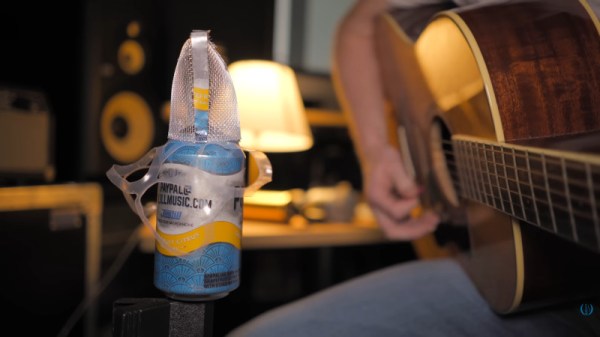
Along the way he tests a huge number of microphones including famous and expensive ones from exclusive studios and finally one he made himself by mounting a cartridge atop a soda can. You’ll have to watch the video below the break for his conclusions, we can promise it’s worth it.

Continue reading “Just What Is Tone, In A Microphone?”

Spuds Lend A Hand In The Darkroom

If film photography’s your thing, the chances are you may have developed a roll or two yourself, and if you’ve read around on the subject it’s likely you’ll have read about using coffee, beer, or vegetable extracts as developer. There’s a new one to us though, from [cm.kelsall], who has put the tater in the darkroom, by making a working developer with potatoes as the active ingredient.

The recipe follows a fairly standard one, with the plant extract joined by some washing soda and vitamin C. The spuds are liquidised and something of a watery smoothie produced, which is filtered and diluted for the final product. It’s evidently not the strongest of developers though, because at 20 Celcius it’s left for two hours to gain an acceptable result.

The chemistry behind these developers usually comes from naturally occurring phenols in the plant, with the effectiveness varying with their concentration. They’re supposed to be better for the environment than synthetic developers, but sadly those credentails are let down somewhat by there not being a similar green replacement for the fixer, and the matter of a load of silver ions in the resulting solutions. Still, it’s interesting to know that spuds could be used this way, and it’s something we might even try ourselves one day.

We’ve even had a look at the coffee process before.