How Does Your McDonald’s Burger Get To You?

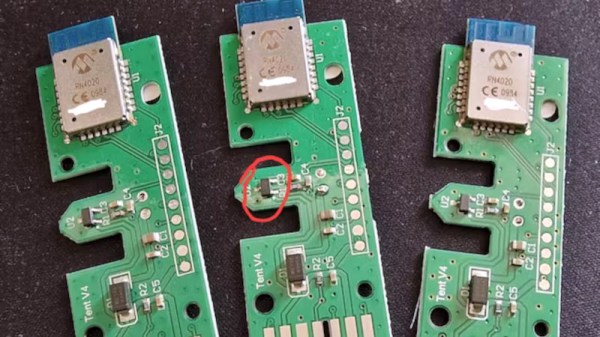
Table service and McDonalds sound as though they should be mutually exclusive as a fundamental of the giant chain’s fast food business model, but in many restaurants there’s the option of keying in the number from a plastic beacon when you order, placing the beacon on the table, and waiting for a staff member to bring your food. How does the system work? [Whiterose Infosec] scored one of the beacons, and subjected it to a teardown and some probing.

The beacon in question has the look of being an older model judging by the 2009 date codes on its radio module and the evident corrosion on its battery terminals. Its Bluetooth 4 SoC is end-of-life, so it’s possible that this represents a previous version of the system. It has a few other hardware features, including a magnet and a sensor designed to power the board down when it is stacked upon another beacon.

Probing its various interfaces revealed nothing, as did connecting to the device via Bluetooth. However some further research as well as asking some McD’s employees revealed some of its secret. It does little more than advertise its MAC address, and an array of Bluetooth base stations in the restaurant use that to triangulate its approximate position.

If you’ve ever pondered how these beacons work while munching on your McFood, you might also like to read about McVulnerabilities elsewhere in the system.
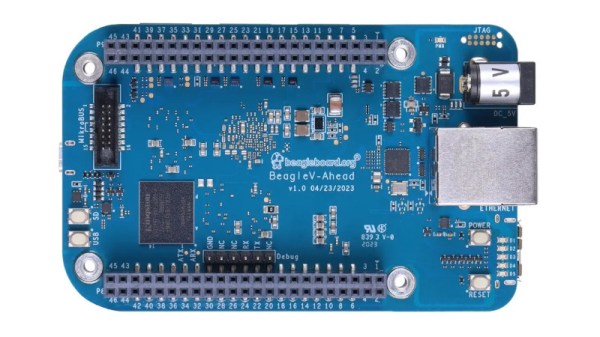

At Last, A Beagle V In The Wild

The RISC-V ISA specification contains the recipe for everything from the humblest of microcontrollers to the most accomplished of high-end application processors, but it’s fair to say that at our end of the market it’s mostly been something for the lower end. There are plenty of inexpensive small RISC-V microcontrollers, but so far not much powerful enough for example to run a Linux-based operating system.

It’s a situation that’s slowly changing though, and it looks as though things may have taken a turn for the better as a new BeagleBoard has appeared using a RISC-V chip. The BeagleV-Ahead has a BeagleBone form factor and packs an Alibaba T-Head TH1520 SoC, a 2GHz quad-core part with a GPU and DSP components on-board. They link to a selection of distributors, from which one can seemingly be bought for about $170.

It’s a departure from the ARM chips that have until now powered the BeagleBoard line, but its appearance shouldn’t come as a surprise to seasoned Beagle watchers as they announced their RISC-V developments back in 2021. We’re guessing they too had to contend with the chip shortage which hit other players such as Raspberry Pi, so we’re pleased to see a product on the market. In particular though we’re pleased to see one on a BeagleBoard. because unlike a random no-name single board computer they’re a manufacturer who supports their products.

There’s a page with a good choice of operating systems for the board, and we hope that this means they provide kernel support for this SoC. This is the real benefit of buying a BeagleBoard or a Raspberry Pi, because cheap competitors will typically support only one kernel version compared with their years of support. So while this board is by no means cheap, we’re hoping it heralds a new wave of powerful RISC-V computers. Something to look forward to indeed.

SuSE Take On Red Hat, Forking RHEL

One of the Linux stories of the moment has come from Red Hat, with their ongoing efforts to make accessing the source of their Red Hat Enterprise Linux product a paid-for only process. This has caused consternation and annoyance alike, from the open source community angry at any liberties taken with the GPL, and from the community of RHEL users and customers concerned as to what it might mean for them.

Now a new player has entered the fray in the form of SuSe, who have announced the creation of an RHEL fork with the intention of maintaining a freely-available Red Hat compatible operating system distribution.

This is good news for all who use Red Hat derived software and we expect the likes of Rocky Linux will be taking a close look at it, but it’s also a canny move from the European company as they no doubt hope to tempt away some of those commercial Red Hat customers with a promise of stability and their existing experience supporting Red Hat users through their mixed Linux support packages. We hope they’ll continue to maintain their relationship with the open source world, and that the prospect of their actions unleashing a new commercial challenge causes Red Hat to move away from the brink a little.

Need some of the backstory? We’ve got you covered.

The perfect header for this story comes via atzerok, CC BY-SA 2.0.

The Demoscene, Now An Irreplaceable Piece Of Cultural Heritage

Break out your tuxedo or your evening gown, we’re going to take in some highbrow culture. A night at the opera perhaps, some Tchaikovsky from the symphony orchestra, or maybe a bit of Shakespeare? No, we’re going to a demo party, because the demoscene is the latest art form to be accepted as officially a part of the national cultural heritage of the Netherlands. This builds on successes adding the scene to the cultural heritage registers of Finland, Germany, and Poland, and should provide a boost to other bids in countries such as Switzerland and eventual UNESCO world acceptance.

It’s all very cool that one of our wider community’s art forms is at last being taken seriously rather than being dismissed by the establishment, because along with greater recognition comes other benefits. Sadly we don’t expect any cities to shell out for a demo auditorium next to the shiny new opera house any time soon, but we can see that it could be used to the benefit of for example a hackerspace chasing grants. meanwhile, feast your eyes on a bit of cultural heritage courtesy of the Dutch Centre For Intangible Cultural Heritage (Dutch language, English translation).

Not sure what the demo scene is? We’ve taken you to a demoparty before.

Header image: People Celebrating Evoke 2019 – Foto Darya Gulyamova

The Man Whose ‘Scopes We All Wanted To Own: Walter LeCroy

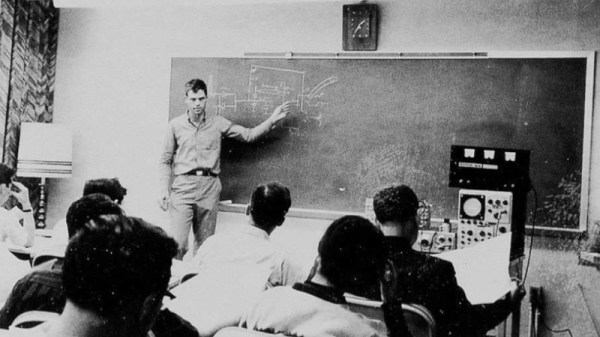
We’re sorry to say that back in May we missed the passing of Walter LeCroy, the man whose name appeared on some of the most desirable and higher-spec oscilloscopes to be found. If you’ve never used a LeCroy ‘scope then you’ll still have benefited from his work, as a pioneer of storage oscilloscopes even the more modest instruments which now grace our benches owe much to his legacy.

The linked article about his life comes from the successor to his company, and describes his early experience in scientific instrumentation and in particular in the field of high-energy physics,before the development of the first digital storage oscilloscopes. In particular it mentions the 1971 “Waveform Digitizer”,a device that used a transmission line and a series of sample-and-hold circuits to grab and digitize a sequence of readings with a single ADC. It goes on to describe the model 9400 series from the 1980s which with its successors are probably are what come to mind for many of us when thinking of a LeCroy ‘scope, the familiar big square box with integrated computer-style CRT, floppy drive, and small printer.

Here in 2023 it’s not beyond the bounds of possibility to design your own digital oscilloscope simply by pairing a fast microcontroller with an appropriately expensive ADC chip. To look back at the effort required to produce one with a high bandwidth using 16-bit microcomputer parts and 1980s silicon is to be reminded that we stand upon the shoulders of giants.

Thanks [Daniel Valuch] for the tip.

Jenny’s Daily Drivers: Slackware 15

As a recent emigre from the Ubuntu Linux distribution to Manjaro, I’ve had the chance to survey the field as I chose a new distro, and I realised that there’s a whole world of operating systems out there that we all know about, but which few of us really know. Hence this is the start of what I hope will be a long-running series, in which I try different operating systems in my everyday life as a Hackaday writer, to find out about them and then to see whether they can deliver on the promise of giving me a stable platform on which to earn a living.

For that they need an internet connection and a web browser up-to-date enough to author Hackaday stories, as well as a decent graphics package. In addition to using the OS every day though, I’ll also be taking a look at what makes it different from all the others, what its direction and history is, and how user-friendly it is as an experience. Historical systems such as CP/M are probably out of the question as are extremely esoteric ones such as the famous TempleOS, but this still leaves plenty of choice for an operating system tourist. Join me then, as I try all the operating systems.

A Distro From The 1990s, Today

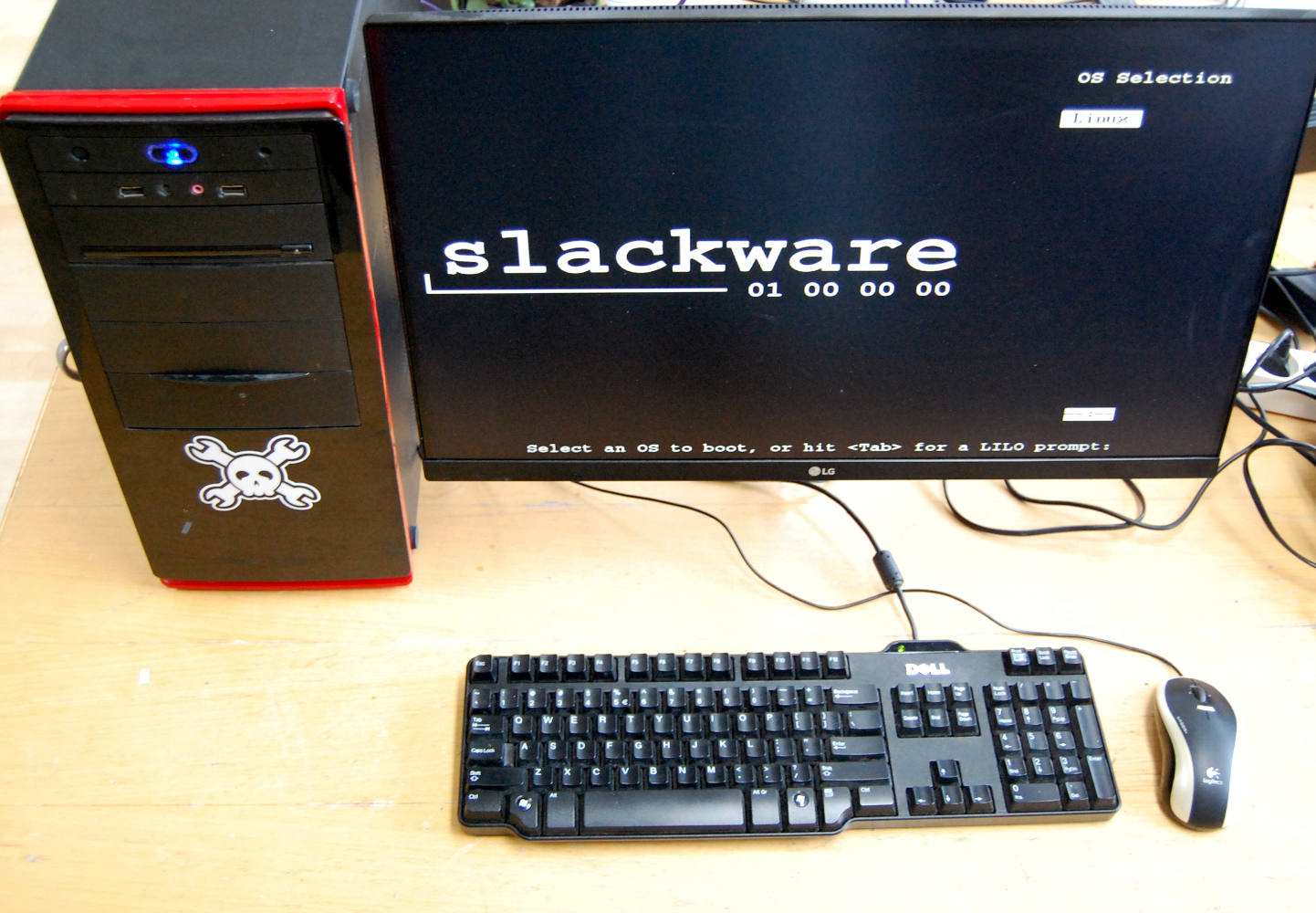
A desktop mini tower PC with monitor showing the Slackware boot screen
The Hackaday test PC gets its first outing.

When deciding where to start on this road, there was an obvious choice. Slackware was the first Linux-based distribution I tried back in 1995, I’m not sure which version it was , but it came to me via a magazine coverdisk. It was by no means the first OS that captured my attention as I’d been an Amiga user for quite a few years at that point, but at the moment I can’t start with AmigaOS as I don’t have nay up-to-date Amiga-compatible hardware.

July 2023 also marks the 30th anniversary for the distro making it the oldest one still in active development, so this seems the perfect month to start this series with the descendant of my first Linux distro. Slackware 15 comes as a 3.8 GB ISO file download for 64-bit computers, and my target for the distro was an old desktop PC with an AMD processor and a big-enough spinning rust hard disk which had been a high-end gaming system a little over ten years ago. Not the powerhouse it once was, but it cost me nothing and it’s adequate for my needs. Installed on a USB Flash drive the Slackware installer booted, and I was ready to go. Continue reading “Jenny’s Daily Drivers: Slackware 15”

The ThinkPad You All Wish You Had, With A Brain That’s Not Ancient

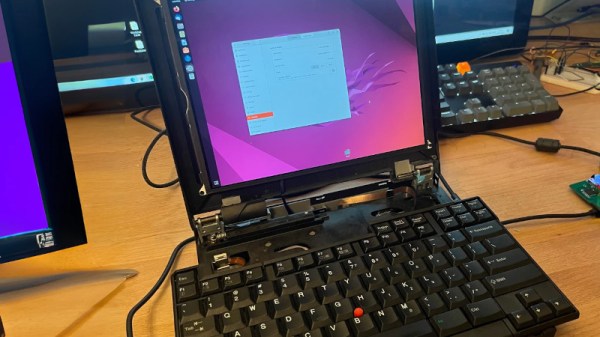
An IBM (or, later, Lenovo) ThinkPad is a popular choice in our community. They’re prized for their rugged design, longevity, and good software support. Over the many years that the line has been available, there have been a few models which have captured the attention more than others, and among those, probably the most sought-after is the ThinkPad 701c. It would be an unremarkable mid-1990s 486 laptop were it not for the party piece of that flip-out butterfly keyboard (see video, below). [Karl Buchka] has one that’s profoundly dead, and rather than use it as a novelty paperweight, he’s giving it a new lease of life with a Framework motherboard.

This is very much a work in progress, so there will be plenty more to come, but so far, he’s taken the display panel from an iPad and made it work with the Framework board, and designed an entirely new lower case for the Thinkpad. This will hold the Framework board with its USB-C ports at the edge, so in the place of its USB-based expansion modules, he’s made a custom external port replicator. Meanwhile, a Teensy handles that unique keyboard. We’re told that the design files will all eventually be put online should anyone else want to try.

We’d normally be slightly upset were someone to butcher something as unusual as a 701c, however, in thic ase we can see that it turns a broken computer into one that should see quite a bit of use.  We can’t help envying him this project.

Understandably not many 701c owners have dived inside their machines, but we have previously brought you a contemporary processor upgrade. If you’ve never seen the 701c’s keyboard — or you just want to see it again — here you go:

Thanks [Ł. Juszczak] for the tip.