A Victrola For The 21st Century

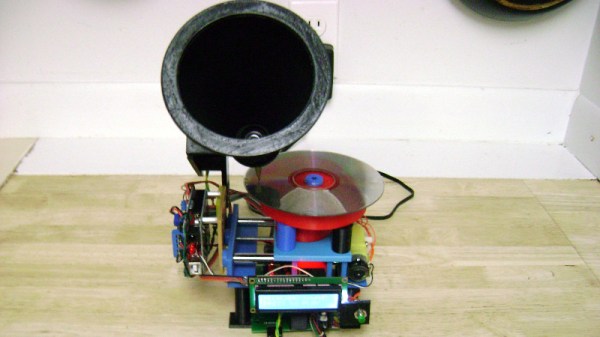
We’ve lost something tangible in our listening to music, as we made the move from physical media through MP3 players to streaming services on our mobile devices. A 12″ vinyl disc may be slightly cumbersome, but there is an undeniable experience to pulling it from the sleeve and placing it on the turntable. Would you like to recreate that? [Castvee8] would, because he’s created a 21st-century version of a wind-up gramophone, complete with a turntable and horn.

Under the hood is an Arduino-controlled MP3 player, while on the surface is a 3D-printed turntable and horn. On the turntable is placed a CD, and a lead screw moves the horn across it during play to simulate the effect of a real turntable. An Arduino motor controller shield drives the turntable and lead screw, and at the end of each song, the horn is automatically returned to the start of the CD as if it were a record.

The effect is purely aesthetic but should make for an unusual talking point if nothing else. Surprisingly this project is not the first of its type, in the past, we’ve shown you another one that played a real CD in the place of the record on the turntable.


An SSB Transceiver On Only One Type Of Transistor

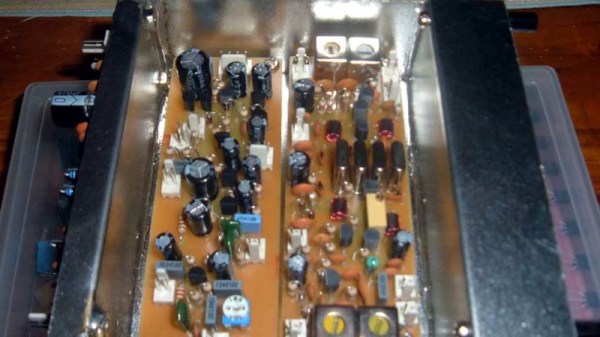
There are a multiplicity of transmission modes both new and old at the disposal of a radio amateur, but the leader of the pack is still single-sideband or SSB. An SSB transmitter emits the barest minimum of RF spectrum required to reconstitute an audio signal, only half of the mixer product between the audio and the RF carrier, and with the carrier removed. This makes SSB the most efficient of the analog voice modes, but at the expense of a complex piece of circuitry to generate it by analog means. Nevertheless, radio amateurs have produced some elegant designs for SSB transmitters, and this one for the 80m band from [VK3AJG] is a rather nice example even if it isn’t up-to-the-minute. What makes it rather special is that it relies on only one type of device, every one of its transistors is a BC547.

In design terms, it follows the lead set by other simple amateur transmitters, in that it has a 6 MHz crystal filter with a mixer at either end of it that switch roles on transmit or receive. It doesn’t use the bidirectional amplifiers popularised by VU2ESE’s Bitx design, instead, it selects transmit or receive using a set of diode switches. The power amplifier stretches the single-device ethos to the limit, by having multiple BC547s in parallel to deliver about half a watt.

While this transmitter specifies BC547s, it’s fair to say that many other devices could be substituted for this rather aged one. Radio amateurs have a tendency to stick with what they know and cling to obsolete devices, but within the appropriate specs a given bipolar transistor is very similar to any other bipolar transistor. Whatever device you use though, this design is simple enough that you don’t need to be a genius to build one.

Via [G4USP]. Thanks [2ftg] for the tip.

DIY CNC Sandblaster Writes Large

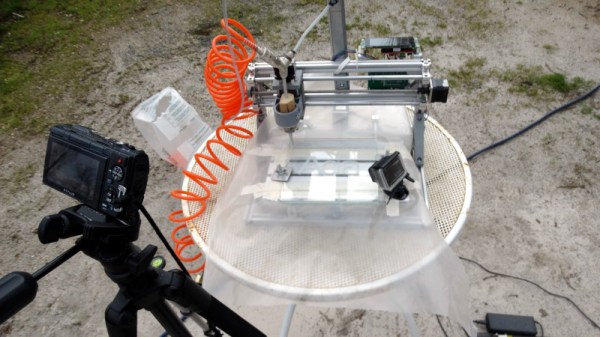
CNC machinery, once a piece of workshop exotica, has become such a staple of projects within our sphere as to have become relatively unremarkable. A decent 3D printer can be had without mortgaging a small country, and the honor roll of CNC router builders is long and distinguished. But there is still plenty to surprise us in CNC, and [Fabien Chouteau]’s project shows us this with surprising simplicity. He’s eschewed a router or extruder, and instead fit an off-the-shelf CNC machine kit with a sandblaster.

If you are used to a sandblaster as a means for removing rust from pieces of your motor vehicle, then it’s fair to say that this one isn’t of that ilk. Instead, it’s used in the manner of an engraver, to sandblast a pattern or text onto a surface. This is something he shows us in the video below the break, with a piece of metal and a sheet of glass.The sandblaster itself features a 1.5-litre soda bottle and is driven by an airline.

On the electronic side, he replaced the controller that came with the kit with an STM32F469 discovery board and an Arduino CNC shield. He has a G-code controller from a previous project, to which he’s added a board with a touch screen to create a simple control interface.

This is by no means the only sandblaster we’ve featured, if your interests lie in that direction we can show you everything from the simple to the extreme.

Continue reading “DIY CNC Sandblaster Writes Large”

Retrofit Temperature Control To A Soldering Station

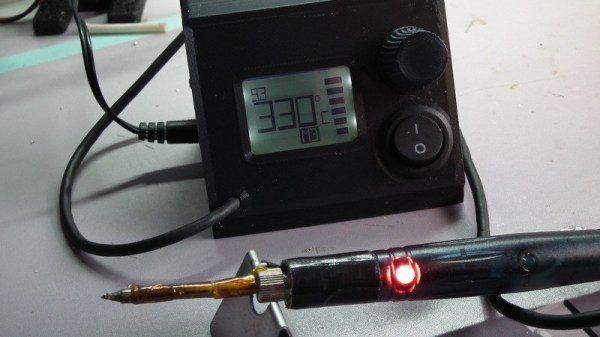
We’ve probably all seen USB soldering irons advertised for very little money, and concluded that they might not necessarily be the most useful of tools. The cheapest of these lack any real temperature regulation. Enter [Paulo Bruckmann], who has attached a thermistor to his iron with Kapton tape, added an Arduino Uno clone with rotary encoder and Nokia LCD, and put the result in a 3D printed case for a tiny and low powered temperature controlled soldering station. The claimed cost is only $10, which seems credible given the low price of Arduino clones.

The software provides the expected PID control, with the advantage of very quick warm-up due to the tip’s tiny size. The power source is 9 V rather than a USB 5 V, so the combination gives an iron capable of working on much larger joints than when unmodified. He therefore seems to have created what appears to be a significantly more capable iron from this unpromising start, something we find quite impressive. Take a look at his video below the break.

We reviewed one of these little irons last year, and found it to be a toy, but not a joke. Meanwhile we’ve seen some other mods for them, including a pair of desoldering tweezers.

Continue reading “Retrofit Temperature Control To A Soldering Station”

Won’t Somebody, Please, Think Of The Transistors!

At what age did you begin learning about electronics? What was the state of the art available to you at the time and what kinds of things were you building? For each reader these answers can be wildly different. Our technology advances so quickly that each successive generation has a profoundly different learning experience. This makes it really hard to figure out what basic knowledge today will be most useful tomorrow.

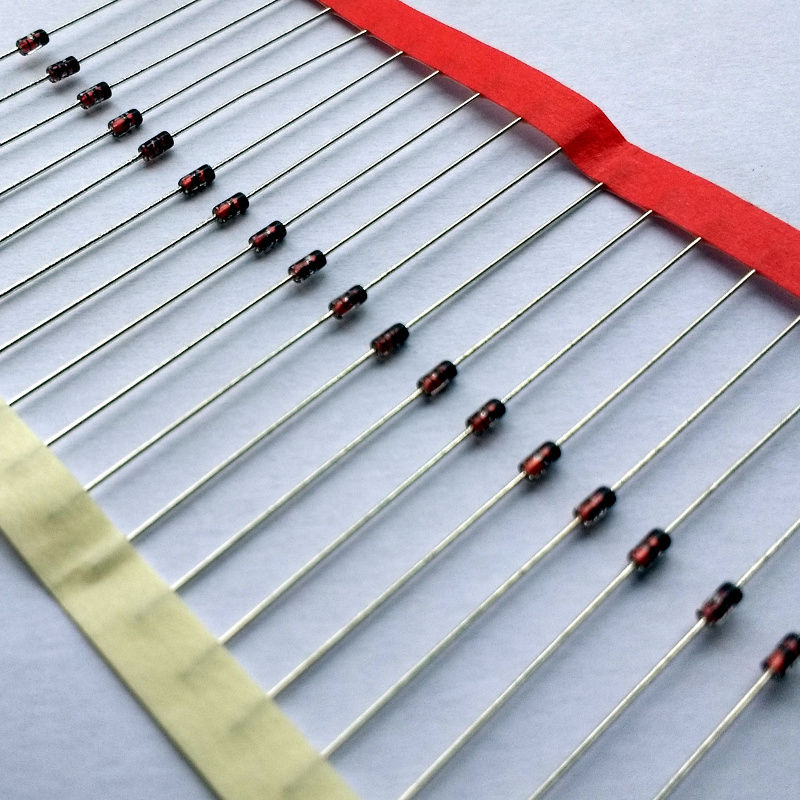
Go on, guess the diode!

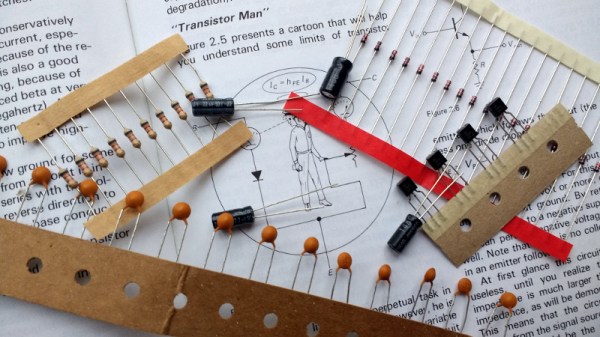
Do you know the forward voltage drop of a diode? Of course you do. Somewhere just below 0.7 volts, give or take a few millivolts, of course given that it is a silicon diode. If you send current through a 1N4148, you can be pretty certain that the cathode voltage will be that figure below the anode, every time. You probably also have a working knowledge that a germanium diode or a Schottky diode will have a lower forward voltage, and you’ll know in turn that a bipolar transistor will begin to turn on when the voltage between its base and emitter achieves that value. If you know Ohm’s Law, you can now set up a biasing network and without too many problems construct a transistor amplifier.

Continue reading “Won’t Somebody, Please, Think Of The Transistors!”

Firefox Reality, A Browser For VR Devices

The browser you are reading this page in will be an exceptionally powerful piece of software, with features and APIs undreamed of by the developers of its early-1990s ancestors such as NCSA Mosaic. For all that though, it will very probably be visually a descendant of those early browsers, a window for displaying two-dimensional web pages.

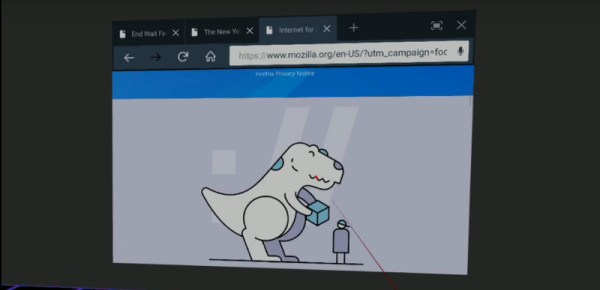
Some of this may be about to change, as in recognition of the place virtual reality devices are making for themselves, Mozilla have released Firefox Reality, in their words “a new web browser designed from the ground up for stand-alone virtual and augmented reality headset“. For now it will run on Daydream and GearVR devices as a developer preview, but the intended target for the software is a future generation of hardware that has yet to be released.

Readers with long memories may remember some of the hype surrounding VR in browsers back in the 1990s, when crystal-ball-gazers who’d read about VRML would hail it as the Next Big Thing without pausing to think about whether the devices to back it up were on the market. It could be that this time the hardware will match the expectation, and maybe one day you’ll be walking around the Hackaday WrencherSpace rather than reading this in a browser. See you there!

They’ve released a video preview that disappointingly consists of a 2D browser window in a VR environment. But it’s a start.

Continue reading “Firefox Reality, A Browser For VR Devices”

Upgrade Your Mac With A Touchscreen, For Only A Dollar

Imagine how hard it could be to add a touch screen to a Mac laptop. You’re thinking expensive and difficult, right? How could [Anish] and his friends possibly manage to upgrade their Mac with a touchscreen for only a dollar? That just doesn’t seem possible.

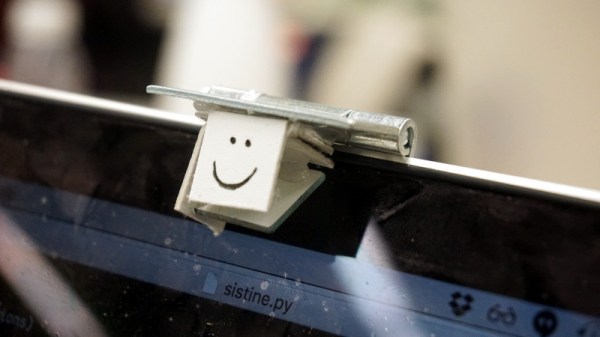
The trick, of course, is software. By mounting a small mirror over the machine’s webcam, using stiff card, hot glue, and a door hinge. By looking at the screen and deciding whether the image of a finger is touching its on-screen reflection, a remarkably simple touch screen can be created, and the promise of it only costing a dollar becomes a reality. We have to salute them for coming up with such an elegant solution.

They have a video which we’ve put below the break, showing a few simple applications for their interface. Certainly a lot less bother than a more traditional conversion.

Continue reading “Upgrade Your Mac With A Touchscreen, For Only A Dollar”