A MIDI Harmonica

MIDI, or Musical Instrument Digital Interface, has been the standard for computer control of musical instruments since the 1980s. It is most often associated with electronic instruments such as synthesisers, drum machines, or samplers, but there is nothing to stop it being applied to almost any instrument when combined with the appropriate hardware.

[phearl3ss1] pushes this to the limit by adding MIDI to the most unlikely of instruments. A harmonica might seem to be the ultimate in analogue music, yet he’s created an ingenious Arduino-powered mechanism to play one under MIDI control.

The harmonica itself is mounted on a drawer slide coupled to a wheel taken from a pool sweeper and powered by a motor  that can move the instrument from side to side with a potentiometer providing positional feedback to form a simple servo. The air supply comes from a set of three bellows driven via a crank from another motor, and is delivered by what looks like a piece of PVC pipe to the business end of the harmonica.

The result is definitely a playable MIDI harmonica, though it doesn’t quite catch the essence of the human-played instrument. Judge for yourselves, he’s posted a build video which we’ve placed below the break.

Continue reading “A MIDI Harmonica”

Hackaday Prize Entry: A PC-XT Clone Powered By AVR

There is a high probability that the device on which you are reading this comes somehow loosely under the broad definition of a PC. The familiar x86 architecture with peripheral standards has trounced all its competitors over the years, to the extent that it is only in the mobile and tablet space of personal computing that it has not become dominant.

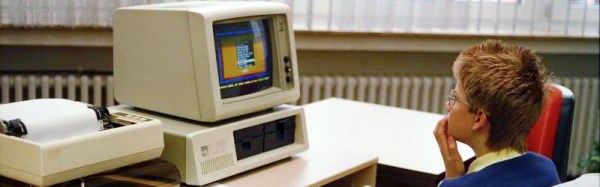
The modern PC with its multi-core processor and 64-bit instruction set is a world away from its 16-bit ancestor from the early 1980s. Those early PCs were computers in the manner of the day, in which there were relatively few peripherals, and the microprocessor bus was exposed almost directly rather than through the abstractions and gatekeepers we’d expect to see today. The 8088 processor with an 8-bit external bus though is the primordial PC processor, and within reason you will find software written for DOS on those earliest IBM machines will often still run on your multiprocessor behemoth over a DOS-like layer on your present-day operating system. This 35-year-plus chain of mostly unbroken compatibility is both a remarkable feat of engineering and a millstone round the necks of modern PC hardware and OS developers.

Those early PCs have captured the attention of [esot.eric], who has come up with the interesting project of interfacing an AVR microcontroller to the 8088 system bus of one of those early PCs. Thus all those PC peripherals could be made to run under the control of something a little more up-to-date. When you consider that the 8088 ran at a modest 300KIPS and that the AVR is capable of running at a by comparison blisteringly fast 22MIPS, the idea was that it should be able to emulate an 8088 at the same speed as an original, if not faster. His progress makes for a long and fascinating read, so far he has accessed the PC’s 640KB of RAM reliably, talked to an ISA-bus parallel port, and made a CGA card produce colours and characters. Interestingly the AVR has the potential for speed enhancements not possible with an 8088, for example it can use its own internal UART with many fewer instructions than it would use to access the PC UART, and its internal Flash memory can contain the PC BIOS and read it a huge amount faster than a real BIOS ROM could be on real PC hardware.

In case you were wondering what use an 8088 PC could be put to, take a look at this impressive demo. Don’t have one yourself? Build one.

Wake Up To Fresh Coffee!

Be careful what you say when you are shown a commercial product that you think you could make yourself, you might find yourself having to make good on your promise.

When he was shown a crowdfunded alarm clock coffee maker, [Fabien-Chouteau] said “just give me an espresso machine and I can do the same”. A Nespresso capsule coffee machine duly appeared on his bench, so it was time to make good on the promise.

The operation of a Nespresso machine is simple enough, there is a big lever on the front that opens the capsule slot and allows a spent capsule to drop into a hopper. Drop in a new capsule, pull the lever down to load it into the mechanism, then press one of the buttons to tell it to prime itself. After a minute you can them press either of the large cup or the small cup buttons, and your coffee will be delivered.

To automate this with an alarm clock there is no necessity to operate the lever, it’s safe to leave loading a capsule to the user. Therefore all the clock has to do is trigger the process by operating the buttons. A quick investigation with a multimeter on the button PCB found that the voltage present was 15 V, well above the logic level of the STM32F469 board slated for the clock. Thus a simple circuit was devised using a MOSFET to  do the switching.

Finally, the clock software was created for the STM32F469. The chip’s 2D graphics acceleration hardware and the development board’s high quality display make for a very slick interface indeed.

You can see the resulting clock in the video below the break. It’s an alarm clock coffeemaker we’d be proud to have beside our beds, but there’s one slight worry. On a mains-powered device like the Nespresso the low voltage rails are not always mains-isolated, and it’s not clear whether or not this is the case. Maybe we’d have incorporated an opto-isolator, just in case.

Continue reading “Wake Up To Fresh Coffee!”

A DIY NES Advantage Controller For The NES Classic

If you were a child of the ’80s, there is a good chance that you had a Nintendo console in your youth, the classic 8-bit NES. And if you were one of those NES owners, it’s therefore probably that the peripheral you lusted after was Nintendo’s arcade-inspired Advantage controller. This replaced the game pad with a full-size arcade joystick and buttons, and has become an expensive and sought-after accessory in the years since.

[Bbtinkerer] has a NES Classic, and having gone through more than one joystick that just wasn’t up to the pressures of intensive gaming, decided to have a go at building one himself. The Advantage was the obvious model to copy, and thanks to the Wii Retropad Adapter project, he was able to do so.

Faithful to the original in its layout, the new Advantage clone features a Turbo mode for rapid fire, though rather than the buttons you’d have had in the ’80s this model features a toggle switch. The joystick mechanism used was a Sanwa JLF, and the buttons were Sanwa OBSF-30s. He’s posted a video showing the finished item being put through its paces.

Continue reading “A DIY NES Advantage Controller For The NES Classic”

A Very Large VU Meter Indeed

It used to be a must-have on any hi-fi, a pair of moving coil meters or LED bar graphs, the VU meter. Your 1980s boombox would have had them, for example. VU, for “Volume Units”, is a measure of audio level, and the fashion for its visual measure in consumer audio equipment seems now to have largely passed.

The LED bar graph VU meters were invariably driven by the LM3915, a chip that contains a resistor ladder and a stack of comparators which can drive LEDs directly. [Juvar] has taken an LM3915, and used it to drive a set of opto-isolated triacs which in turn drive a stack of appropriately coloured mains LED bulbs concealed within an Ikea Vidja lamp. The result is a huge and very bright VU meter that is as much a lighting effect as it is a measure of sound level.

He’s posted a video of the lights in action, and we’ve placed it below the break. There is a cameo appearance from his cat, and one can’t escape the feeling that it is wasted on a small room and would be at its best before a dance floor. Still, it’s a neat lighting effect and a new use for a classic integrated circuit.

Continue reading “A Very Large VU Meter Indeed”

Reverse Engineering An Ultrasonic Car Parking Sensor

It has become a common sight, a must-have feature on modern cars, a row of ultrasonic sensors embedded in the rear bumper. They are part of a parking sensor, an aid to drivers for whom depth perception is something of a lottery.

[Haris Andrianakis] replaced the sensor system on hs car, and was intrigued enough by the one he removed to reverse engineer it and probe its workings. He found a surprisingly straightforward set of components, an Atmel processor with a selection of CMOS logic chips and an op-amp. The piezoelectric sensors double as both speaker and microphone, with a CMOS analogue switch alternating between passing a burst of ultrasound and then receiving a response. There is a watchdog circuit that is sent a tone by the processor, and triggers a reset in the event that the processor crashes and the tone stops. Unfortunately he doesn’t delve into the receiver front-end circuitry, but we can see from the pictures that it involves an LC filter with a set of variable inductors.

If you have ever been intrigued by these systems, this write-up makes for an interesting read. If you’d like more ultrasonic radar goodness, have a look at this sweeping display project, or this ultrasonic virtual touch screen.

If The I And Q Of Software Defined Radio Are Your Nemesis, Read On

For those of us whose interests lie in radio, encountering our first software defined radio must have universally seemed like a miracle. Here is a surprisingly simple device, essentially a clever mixer and a set of analogue-to-digital or digital-to-analogue converters, that can import all the complex and tricky-to-set-up parts of a traditional radio to a computer, in which all signal procession can be done using software.

A quadrature mixer. Jugandi (Public domain).

When your curiosity gets the better of you and you start to peer into the workings of a software defined radio though, you encounter something you won’t have seen before in a traditional radio. There are two mixers fed by a two local oscillators on the same frequency but with a 90 degree phase shift, and in a receiver the resulting mixer products are fed into two separate ADCs. You encounter the letters I and Q in relation to these two signal paths, and wonder what on earth all that means.

Continue reading “If The I And Q Of Software Defined Radio Are Your Nemesis, Read On”