After The Prize: What’s Next For The Light Electric Utility Vehicle

Winner of the third place in last year’s Hackaday Prize was [Chris Low]’s Light Electric Utility Vehicle. In case you think that once a Hackaday Prize is in the bag then that’s it and the project creator packs up and goes home, [Chris] dispels that idea, he’s invested his winnings straight back into his project and posted his latest progress on an improved Mk3 model.

Light Electric Utility Vehicle, 2015-style

We first covered the Light Electric Utility Vehicle back in June 2015 when it was first entered for the 2015 Hackaday Prize. The aim was to produce a rugged and simple small electric vehicle that could be powered by solar energy and that was suitable for the conditions found in South Sudan, where [Chris] works. The vehicle as we saw it then was an articulated design, with chain drive to bicycle-style wheels. The Mk3 version by comparison has lost the articulation in favour of rack-and-pinion steering, has in-hub motors instead of chain drive, and now features coil-spring suspension. You might comment that it has lost some of its original simplicity and become something more like a conventional electric UTV, but along the way it has also become more of a practical proposition as an everyday vehicle.

You can follow the entire build log on the Light Electric Utility Vehicle’s project page on hackaday.io, and below the break have a look at [Chris]’s video showing it in action. Continue reading “After The Prize: What’s Next For The Light Electric Utility Vehicle”

Rotating Plasma Vortex Speaker

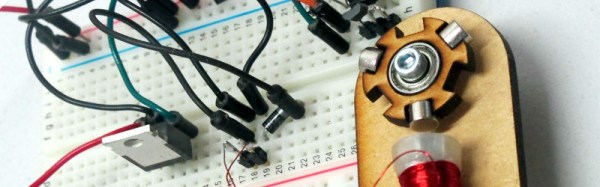
[Anthony Garofalo] has made a fancier plasma speaker. Not content with a simple spark, he uses a plasma vortex. To make the vortex, the spark gap is swapped out for an electrode placed in the centre of a ring magnet. The Lorentz force experienced by the arc causes it to rotate rapidly enough round the arc of the magnet’s centre to appear as a continuous sheet of plasma.

The speaker gets its power from an inverter using a flyback transformer driven through a MOSFET by a 555-based pulse width modulator. You can see the result in the video below the break, it’s very impressive to look at but probably not quite ready to sit in your hi-fi stack. The resulting sound isn’t quite as good as that from a stationary arc, but it looks a lot cooler.

Continue reading “Rotating Plasma Vortex Speaker”

Tiny ATtiny85 Game Console

[Ilya Titov] has made a game console. Not just any game console, but an extremely small ATtiny85-based console suitable for putting on a key ring and assembled into a very professional product with PCB and 3D printed case. This is a project that has been on the go since 2014, but the most recent update is a new version designed for tighter and more easy assembly.

All construction is through-hole rather than SMD, and aside from the ATtiny85 the console uses an OLED screen, piezo buzzer, tactile switches and a handful of passive components. Power comes from a single CR2032 coin cell which sits under the screen. Best of all the PCB design is available as a PDF and the 3D printed case can be found on Thingiverse.

There are two games for the console, as well as the Breakout clone whose code is in the 2014 piece linked above he’s written UFO Escape, an obstacle-avoiding side-scroller. You’ll have to burn both game and 8MHz internal clock bootloader to the ATtiny85 yourself. There are no cartridges with this console, though if the processor sits in a DIP socket the game can be changed over simply by swapping processors programmed with the appropriate game.

He’s produced a full assembly video with some UFO Escape gameplay thrown in, shown here below the break.

Continue reading “Tiny ATtiny85 Game Console”

Neopixel Bedroom Clock Uses ESP8266

When [Vance] joined his local hackspace he sought a project to take advantage of the new tools at his disposal. His solution: an attractive LED colour wheel clock using neopixels driven by an NTP-synchronised ESP8266. Each neopixel illuminates a segment of the clock face through frosted diffuser, the hours are tracked as a red light, the minutes blue, and the seconds green. As each color passes another they are mixed, creating a changing colorscape. 12 neopixels are used, and the whole clock is mounted in a laser cut enclosure.

After an initial prototype on a piece of stripboard he created a PCB in KiCad, complete with space for a 3.3v regulator. This and the source code can be found on the project’s GitHub repository.

The resulting clock is a very high quality build as well as being attractive and useful in its own right. The video shows the color mixing in action, or at least the cyan and yellow products of it. Continue reading “Neopixel Bedroom Clock Uses ESP8266”

Retrotechtacular: Rein-Operated Tractors

It’s not unusual for new technologies to preserve vestiges of those that preceded them. If an industry has an inertia of doing things in a particular way then it makes commercial sense for any upstarts to build upon those established practices rather than fail to be adopted. Thus for example some industrial PLCs with very modern internals can present interfaces that hark back to their relay-based ancestors, or deep within your mobile phone there may still be AT commands being issued that would be familiar from an early 1980s modem.

Just occasionally though an attempt to marry a new technology to an old one becomes an instant anachronism, something that probably made sense at the time but through the lens of history seems just a bit crazy. And so we come to the subject of this piece, the rein-operated agricultural tractor.

Continue reading “Retrotechtacular: Rein-Operated Tractors”

1921 Ner-A-Car Motorcycle Reborn With Epic Parts Remanufacture

Most of the rusty parts you need to make a motorcycle.

Nobody ever dismantles a working motorcycle.

About ten years ago [Andy Pugh] took possession of a large box of rusty parts that formed most of what had once been a 1921 Ner-a-Car motorcycle. They languished for several years, until in 2014 he was spurred into action and returned to the bike. What followed was a two-year odyssey of rebuilding, restoration, and parts remanufacture, and since [Andy] is an engineer par excellence and an active member of the LinuxCNC community his blog posts on the subject should be a fascinating read for any hardware hacker with an interest in metalwork.

The Ner-a-Car. By Museumsfotografierer (Own work) [Public domain], via Wikimedia Commons
The Ner-a-Car represents one of those eccentric dead-ends in automotive history. Designed in 1918 by an American, [Carl Neracher], its name is a play on both its designer and its construction and it is unique in that its design is closer to the cars of the era than that of a motorcycle. It has a car-style chassis, an in-line engine, and it was the first motorcycle to be produced with hub-centre steering. The rider sits on it rather than astride it, feet-forward, and the car-style chassis gives it a very low centre of gravity. They were manufactured in slightly different versions in both the USA and the UK, and [Andy]’s machine is an early example from the British production line. Not many Ner-a-Cars have survived and parts availability is non-existent, so his work has also had the unusual effect of satisfying a significant portion of world demand for the parts-bin of an entire marque.

Spinning up a headlight shell

It’s usual for the first link in a Hackaday article to be to a page that encompasses the whole project. In this case when there is so much to see and the build is spread across twelve blog posts and nearly two years the link is to [Andy]’s first post in which he describes the project, sets to work on the chassis, and discovers the bent steering arm that probably caused the bike’s dismantling. He’s listed the posts in the column on the right-hand side of the blog, so you can follow his progress through the entire build. The work involved in remanufacturing the parts is to an extremely high standard, from machining press tools to reproduce 1920s footboard pressings through manufacturing authentic 1920s headlight switchgear and metal-spinning new aluminium headlight shells.

[Andy]’s most recent Ner-a-Car post details his trip to France on the completed bike, and tales of roadside repairs of a suddenly-not-working machine that should be familiar to any owner of a vintage internal combustion engine. But considering that the bike spent many decades as a pile of not much more than scrap metal the fact that it is now capable of a trip to France is nothing short of amazing.

This is the first rebuild of a vintage bike from a box of rusty parts we’ve featured here – indeed it could almost be a retrotechtacular piece in its detailed look at 1920s bike design. These pages have however seen many motorcycle related  hacks over the years. We particularly like this from-scratch engine build and this gas-turbine bike, but it is the emergency motorcycle build in the desert from a Citroën 2CV car that has us most impressed. Please, ride safe, and keep them coming!

This TARDIS Is An Infrasonic Subwoofer

If you’re a fan of action movies or dance music, you’ll probably be familiar with sub-bass. The moment in those James Bond explosions that thuds through your chest in the movie theatre? That’s the product of a large subwoofer, a tuned pipe housing a speaker working somewhere just above the lower limit of human hearing, in the tens of Hz.

[Mike's] TARDIS final build
[Mike’s] TARDIS final build
But what about sound below the range of human hearing, below 20Hz? You can’t directly hear infrasound, but its presence can have a significant effect on the experience of the listener. [Mike Michaud] was interested in this phenomenon for his home movie setup so built himself an infrasonic subwoofer tuned to 17Hz. Since the resulting cabinet was rather large he disguised it as a vintage UK police telephone box that you’d hardly notice in his basement theater. 

A resonant 17Hz speaker horn is a rather inconvenient size for a home theatre, at about 25 feet long. Fortunately there is no need for the horm to be straight, it can be folded into a more convenient enclosure, and that is what [Mike] has done. He used a design published by [lilmike], which folds the horn three times into a more manageable size.

Speaker cabinet construction requires attention to the choice of materials as well as to the driver unit itself, so [Mike] goes into detail on the materials he rejected and his selection of a particular brand of subfloor ply.

He rates the resulting speaker as incredible. His driver is rated for 500 watts but he only has an amplifier capable of serving 100, even with that power he fears for his basement windows. He describes the noise made by the feet of the robots in War Of The Worlds as “little earthquakes” and the general effect as very menacing.

We’ve featured quite a few subwoofers on Hackaday over the years, though with the exception of this rotary device they have mostly been for more conventional sub-bass applications. Here for example is another folded horn. So if sub has become rather run-of-the-mill for you all, how about using it to be entertained by this vortex cannon?