Tiny Open Hardware Linux SBC Hides In Plain Sight

There was a time, not quite so long ago, when a computer was a beige box that sat on your desk. Before that, computers were big enough to double as desks, and even farther back, they took up a whole room. Today? Well today it’s complicated. Single-board computers (SBCs) like the Raspberry Pi put a full desktop experience in the palm of your hand, for a price that would have been unfathomable before the smartphone revolution increased demand for high-performance ARM chips.

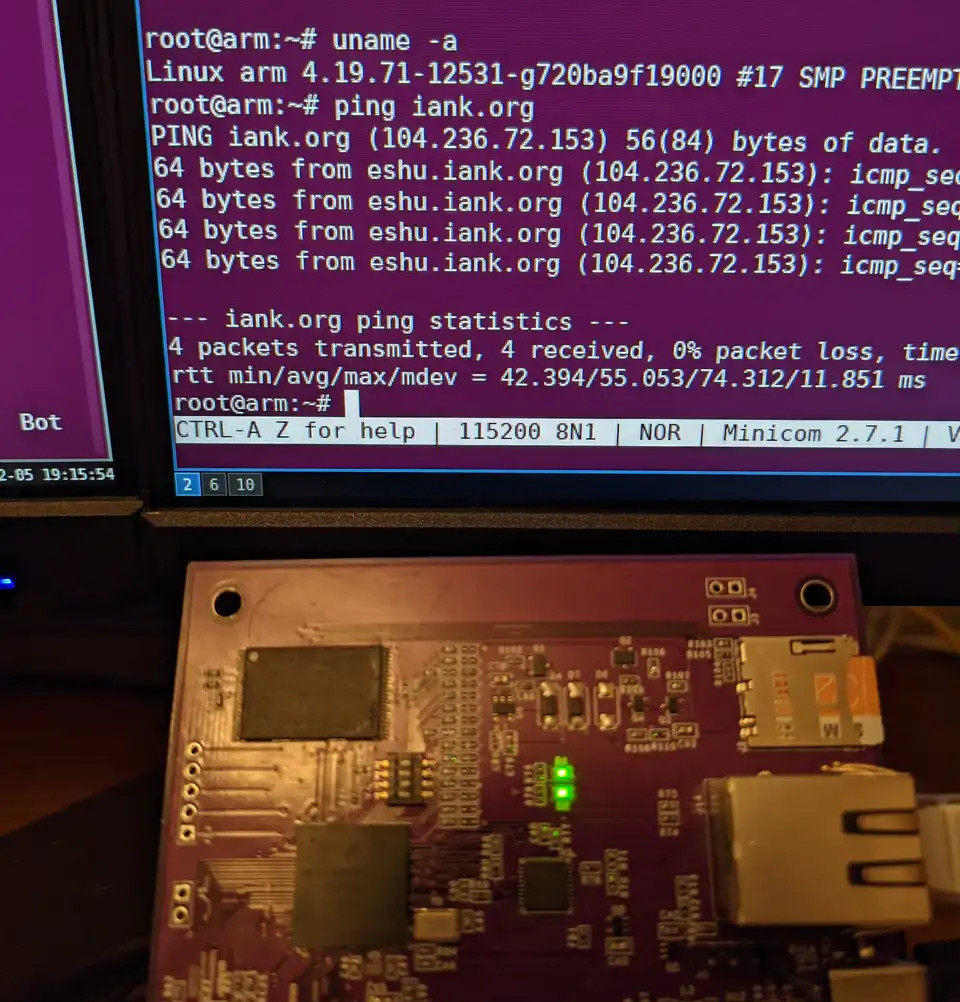
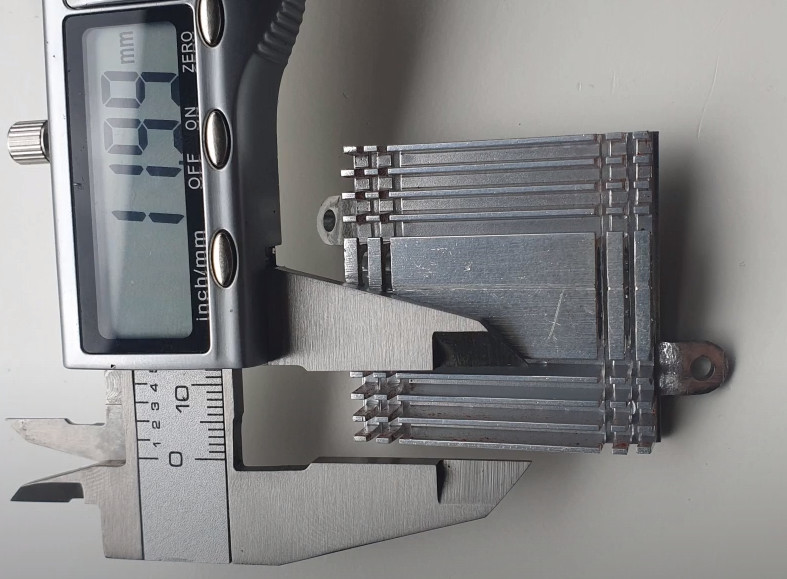
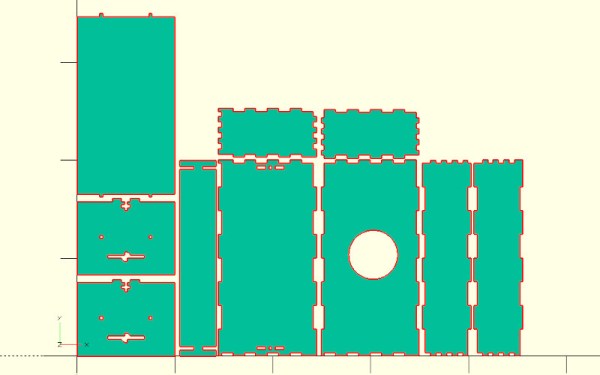
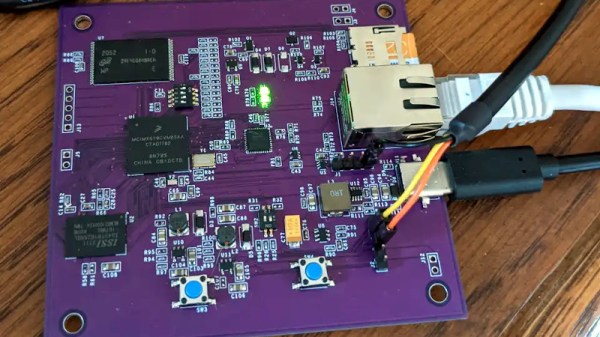
But compared to the tiny open hardware Linux SBC that lives inside the WiFiWart, even the Raspberry Pi looks massive. Developed by [Walker] as a penetration testing tool, the custom computer is housed in an enclosure designed to make it look like a traditional (if a bit large) USB phone charger. In fact, it doesn’t just look like a USB charger, it actually is one. The internal power supply is not only capable of converting AC into the various DC voltages required to run the miniature Linux box, but also features a USB port where you can plug in your phone to charge it.

For the infosec folks in the audience, the applications for the WiFiWart are obvious. Just plug this thing in somewhere inconspicuous, and you’ve got a foot in the door. The dual WiFi interfaces mean you can connect to a target network on one card and use the second to spin up a fake access point or exfiltrate data. Plus with a quad-core Cortex-A7 ARM processor running at 1.2 GHz and a healthy 1 GB of DDR3, you’ll have enough power to run many security tools locally.

But of course, nothing keeps you from using the WiFiWart for non-security purposes. That’s what has us particularly excited, as you can never have enough open hardware Linux boards. Especially ones this tiny. Removed from its wall charger disguise, the brains of the WiFiWart could be used for all kinds of projects. Plus, not only is the final design open source, but [Walker] made sure to only use free and open source tools to create it. Keeping his entire workflow open means it will be easier for the community to utilize and improve upon his initial design, which in the end, is the whole idea behind the open hardware movement and efforts such as the Hackaday Prize.

Computer Vision Lets You Skip Songs With A Glance

Have you ever wished you could control your home automation devices with nothing more than a withering stare? Well then you’re in luck, as [Norbert Zare] has come up with a clever way of controlling an MP3 player with only your face. Though as you might imagine, the technique could be applied to a whole range of home automation tasks with some minor tweaks.

At the core of this project is the Raspberry Pi, specifically the 3 B+ model, though with the computational demands of computer vision you might want to bump it up to the latest-and-greatest Pi 4. From there you need to load up OpenCV and a model trained for face detection, which as luck would have it, tends to be a fairly common application for this technology.

With a relatively simple Python script, [Norbert] is able to determine when OpenCV detects he’s looking directly into the camera and fire off one of the Pi’s GPIO pins that’s been connected to the “Skip” button on a physical MP3 player. That’s right, you read that correctly. He’s using a dedicated MP3 player in the year 2021.

In all seriousness, we’re not really sure why [Norbert] went this route compared to simply playing the music on the Pi and controlling it through software, but this does serve as a good example of how you can interface with physical devices if need be. In any event, using the Python script he’s provided, you could easily modify the setup to control other tasks, virtual or otherwise.

While face recognition can be a scary thing out in the wild, we do think it has some interesting applications within the home, so long as the user is the one who is in control of where their data ends up.

Continue reading “Computer Vision Lets You Skip Songs With A Glance”

Modded GBA SP Does Its Best Switch Impression

The whole idea behind the Nintendo Switch is that the system isn’t just a handheld, but can be converted into a more traditional home game console when placed into its dock. The wireless controllers even pop off the sides so you can kick back on the couch and enjoy your big-screen gaming from a distance. Judging by how many units Nintendo has sold of their latest system, it’s clearly a winning combination.

Which is probably why [Tito] of Macho Nacho and his friend [Kyle Brinkerhoff] decided to recreate some of the Switch’s core features using one of Nintendo’s older handhelds, the Game Boy Advance SP. There was already a video-out mod kit on the market for the GBA SP that would let them play games on the TV, but the team still had to figure out how to make a dock for the 18 year old handheld, plus get it working with the official Switch Joy-Cons.

Wiring the custom PCB into the GBA SP

Lucky, this crew is no stranger to developing impressive GBA SP add-ons. Last month they took the wraps off of an expanded 3D printed rear panel for the system that housed a number of upgrades, such as an expanded battery pack and support for Bluetooth audio.

This mod uses a similarly expanded “trunk” for the GBA, but this time it’s to hold the rails the Joy-Cons mount to, as well as the electronics required to get the modern controllers talking to the Game Boy. Namely, a Raspberry Pi Zero and a custom PCB designed by [Kyle] that uses a dozen transistors to pull the system’s control inputs low when the Pi’s GPIO pins go high.

[Tito] doesn’t seem to mention it in the video below, but we’re assuming the dock component of this project is just a 3D printed box with a connector sticking up for the GBA SP’s link cable port, since that’s where the TV-out modification outputs its video. Incidentally that means you don’t really need the dock itself, but it certainly looks cool.

At the end of the video [Tito] goes over a few of the rough edges of the current build, including the rather lengthy pairing process to get the Joy-Cons talking to the Raspberry Pi. But ultimately, he says that not only does the system feel good in his hands, but playing those classic games on the big screen has been a nice change of pace.

Continue reading “Modded GBA SP Does Its Best Switch Impression”

Smoothing Out Foam Parts With Lots Of Gesso

Whether you’re building a product mock-up or a lightweight enclosure, carving your parts out of hard foam is a fast way to get the job done. Unfortunately, the end result can have a bit of a rough finish; a problem if you’re looking to attract investors or get some nice shots so you can send your handiwork into Hackaday.

If you ever find yourself in a situation where you need to make a carved piece of foam look like it isn’t a carved piece of foam, this tip from prolific maker [Eric Strebel] could really come in handy. Rather than using some spray-on primer or epoxy coating, things that can be difficult to work with when you’re confined to a small home workspace, he recommends sealing it up with several coats of gesso.

The gesso fills in the tiny voids in the foam’s surface.

For the less artistically inclined in the audience, gesso is essentially a paint that’s been combined with chalk or gypsum to make it thicker. Gesso is generally used to prepare an absorbent surface (such as wood or canvas) before applying paint. In this case, [Eric] is using it to build up the surface of the foam and seal up all the open pores.

The downside is that the gesso requires several coats to really build up. [Eric] puts six coats on in this demonstration before he starts to thin it out a bit with water. At that point, each successive coat is sanded with increasingly higher grits. After nine coats, he does his finish sanding with 600 grit paper, and the results look fantastic.

To add some color [Eric] dyed the piece and then used a toothbrush to flick on some black and white paint, creating a very convincing granite-like finish. Unfortunately, his attempt to brush on a water-based sealer caused this finish to run, and he had to take it all off. In the end, he had to resort to using spray paint to finish the piece, but at least it was a simple rattle can.

This isn’t the first time [Eric] has experimented with alternative priming techniques. He’s a big fan of two-component primer in a can, which lets you lay down a professional finish without the expense and complication of using a spray gun.

Continue reading “Smoothing Out Foam Parts With Lots Of Gesso”

RC Minecraft Boat Patrols The Pool For Treasure

Looking to recreate those relaxing Minecraft fishing sessions in real life, [electrosync] recently set out to 3D print himself a blocky remote controlled boat, complete with a similarly cubic occupant to ride in it. Each element of the build, from the oars to the bobber on the end of the fishing line, has been designed to look as faithful to the source material as possible. In fact, the whole thing is so accurate to the game that it’s almost surreal to see it rowing around the pool.

That said, some of the resemblance is only skin deep. For example the rowing action, though it appears to be properly synchronized to the boat’s movement through the water, is completely for show. A standard propeller and rudder arrangement under the boat provide propulsion and directional control, and [electrosync] notes its actually powerful enough to push the boat very near to its scale top speed from the game, despite the exceptionally poor hydrodynamics of what’s essentially just a rectangle.

A look under the deck.

Speaking of which, [electrosync] even went through the trouble of printing the hull in wood-fill PLA and coating it in polyester resin to make sure it was watertight. Granted he could have just made the boat out of wood in the first place, saving himself the nearly 60 hours it took to print the hull parts, but that would have been cheating.

Beyond the servos and motors that move the boat and the oars, [electrosync] had to give his 3D printed fisherman a considerable amount of dexterity. Servos embedded into the 3D printed parts allow “Steve” to rotate at the hips and raise and lower his arm. With a fishing pole slipped into a hole printed into the hand, he’s able to cast out his magnetic bobber and see whats biting.

We’ve actually seen quite a number of projects that allow virtual objects inside Minecraft to interact with the real world, but comparatively few efforts to recreate objects from the game’s blocky universe, so the change of pace is nice.

Continue reading “RC Minecraft Boat Patrols The Pool For Treasure”

Four More Talks Added To The 2021 Remoticon Lineup

We’ve already unveiled multiple keynote speakers and a slate of fascinating presenters that will be showing off everything from reverse engineering vintage calculators to taking those first tentative steps on your CAD journey for this year’s Remoticon. You’d be forgiven for thinking that’s everything you’ll see at the conference, but there’s still plenty to announce before the two-day virtual event kicks off on November 19th. Normally we’d be promising to make sure you get your money’s worth, but since tickets are completely free, we’re shooting a bit higher than that.

We were blown away by the number of fantastic talk proposals we received during this year’s extended call. Let’s take a look at the next four presenters who will be joining us for the 2021 Hackaday Remoticon on November 19th through the 20th.

Continue reading “Four More Talks Added To The 2021 Remoticon Lineup”

New Raspberry Pi Zero 2 Upgrades To Quad-Core Processor

Over the years, we’ve seen a steady stream of updates for the Raspberry Pi Foundation’s flagship single-board computer (SBC), with each new release representing a significant boost in processing power and capability. But the slim Raspberry Pi Zero, released all the way back in 2015, hasn’t been quite so fortunate. Beyond the “W” revision that added WiFi and Bluetooth in 2017, the specs of the diminutive board have remained unchanged since its release.

That is, until now. With the introduction of the $15 USD Raspberry Pi Zero 2 W, the ultra-compact Linux board gets a much-needed performance bump thanks to the new RP3A0 system-in-package, which combines a Broadcom BCM2710A1 die with 512 MB of LPDDR2 SDRAM and a quad-core 64-bit ARM Cortex-A53 CPU clocked at 1 GHz. In practical terms, the Raspberry Pi Foundation says the new Zero 2 is five times as fast as its predecessor with multi-threaded workloads, and offers a healthy 40% improvement in single-threaded performance. That puts it about on par with the Raspberry Pi 3, though with only half the RAM.

Otherwise, the new Zero 2 isn’t much different from the original. It’s the same size and shape, meaning existing cases or mounts should work fine. You’ll also find the micro SD slot, CSI camera connector, dual micro USB ports, and mini HDMI port in the same places they were in 2015.

Frankly we’re a little surprised they didn’t switch over to USB-C (at least for the power port) and micro HDMI to bring it in line with the Pi 4, but of course, they presumably didn’t want to break compatibility with existing Zero projects. At least we won’t have to wait for a second edition to add wireless, as the Zero 2 W offers 2.4 GHz 802.11 b/g/n WiFi and Bluetooth 4.2 out of the box.

We’ll have samples of the new Zero 2 W in hand shortly, so keep an eye out for a detailed overview of this highly anticipated new member of the Pi family. In the meantime, let us know what you think about the new hardware in the comments. Is it a worthy successor to the original $5 Pi Zero?