Want Faster Extrusion But Don’t Have A Volcano? Nuts!

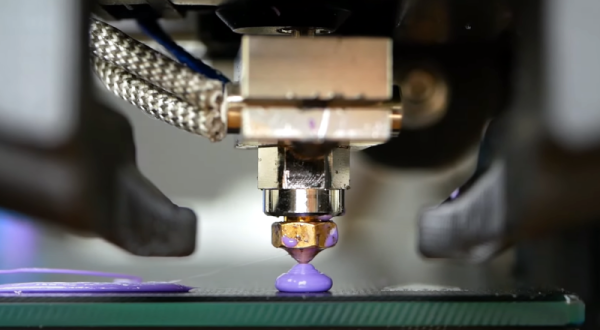
A lot of people want to print faster. Maybe they don’t like to wait, or they need to print a lot of things. Maybe it is just human nature to want to push things to go faster. The problem is, if you move filament too fast it may not have time to melt inside the hot end. To combat that, some people install a “volcano” — a larger heat block that takes a special longer nozzle. The melt zone is longer so there is more time for the filament to liquefy before shooting out of the nozzle. This is also a problem if you are using a very large nozzle size. But what if you don’t have one of these special hot ends? According to [Stefan], you can use a normal hotend with a volcano-style nozzle just by adding some common nuts. You can see the explanation in the video, below.

The idea came from a few commercial offerings that allow converting between different-sized melt zones. Some of these use the same idea. But, if you are familiar with [Stefan’s] videos, you know he tested the results thoroughly. The tests reveal that a standard V6-style hotend can handle rates of just over 9.8mm/second. with a 0.4mm nozzle at 210C and is usable beyond that. A true volcano hotend. starts deviating from the ideal at about 15mm/second and, also, is usable at even higher rates. But what about just using a long nozzle in a regular block with or without the nuts?

Continue reading “Want Faster Extrusion But Don’t Have A Volcano? Nuts!”
Laptoppin’ Like 1975

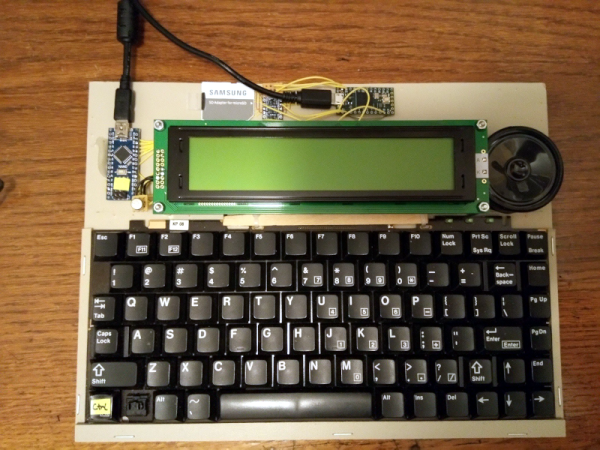
When we first saw the PZ1 laptop — a 6502 laptop-style computer with a small display and 512K of RAM — we couldn’t help but think of the old AIM 65 computer from Rockwell, although that only had 1K of memory. The other thing the AIM didn’t have was an ancillary microcontroller to help out that is way more powerful than the main processor.

There are actually several versions of the PZ1 and you can find some very detailed information over on Hackaday.io and GitHub. Recently, [Adam] release version 2.0 and tested some PC boards that are working well.

Continue reading “Laptoppin’ Like 1975”

Compare PDFs Visually

Sometimes a problem seems hard, but the right insight can make it easy. If you were asked to write a program to compare two PDF files and show the differences, how hard do you think that would be? If you are [serhack], you’ll make it much easier than you might guess.

Of course, sometimes making something simple depends on making simplifying assumptions. If you are expecting a “diff-like” utility that shows insertion and deletions, that’s not what’s going on here. Instead, you’ll see an image of the PDF with changes highlighted with a red box. This is easy because the program uses available utilities to render the PDFs as images and then simply compares pixels in the resulting images, drawing red boxes over the parts that don’t match.

Continue reading “Compare PDFs Visually”

Everything You Wanted To Know About SDRAM Timing But Were Afraid To Ask

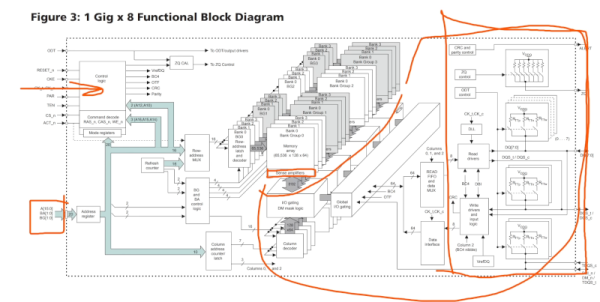
One of the problems with being engaged in our hobby or profession is that people assume if you can build a computer out of chips, you must know all the details of their latest laptop computer. Most of the memory we deal with is pretty simple compared to DDR4 memory and if you’ve ever tried tweaking your memory, you know a good BIOS has dozens of settings for memory. [Actually Hardcore Overclocking] has a great description of a typical DDR4 datasheet and you can watch it in the video below.

Of course, he points out that knowing all this really doesn’t help you much with memory overclocking because you can’t really predict the complex effects without trial and error. However, most of us like to understand the knobs we are randomly twisting. On top of that, one theme of the video is that DRAM is dumb and simple. If you’ve ever thought about using it in a project, this might be a good place to start.

Continue reading “Everything You Wanted To Know About SDRAM Timing But Were Afraid To Ask”

Lawnmower Doesn’t Need A Base Station

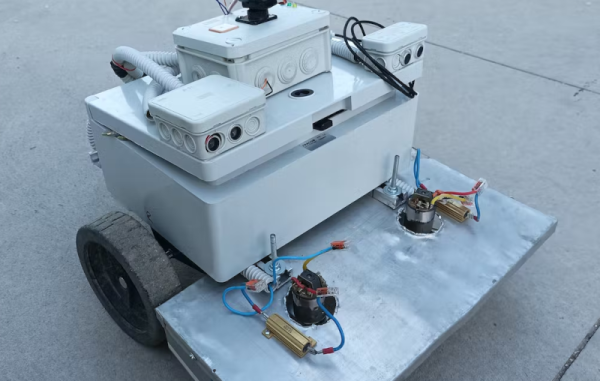
A recent tour of an old WWII-era aircraft carrier reminded us how hard navigation was before the advent of GPS. It used to be the work of skilled people to sight the sun or the stars and use giant books to figure out a vessel’s position. Now you just ask your phone to listen to some GPS satellites and you have precision undreamed of with other systems. But GPS sometimes isn’t enough. Just using conventional GPS, you can locate yourself to a couple of meters. The new L5 band, which isn’t on all satellites yet, can get you to about 30cm. But if you need better — up to around 1 or 2 cm — you need to use special techniques lumped together as GNSS enhancements. [Viktor] wanted to have an Arudino -based lawnmower, but wanted to use more conventional GPS techniques along with ultrawideband (UWB) ranging tags.

Given that the ranging anchors are in the mowing area, we aren’t sure why the mower even has GPS other than to geofence so you can’t start autonomous operations until you are in range of the tags. The three anchors are placed in a triangle, so if the robot knows the distance to each tag it can use some math to locate itself inside the area quite precisely.

Continue reading “Lawnmower Doesn’t Need A Base Station”

30 Free Circuit Simulators Lightly Reviewed

We live in a time where great software is available with the click of a mouse, often for free or — at least — low cost. But there’s a problem: how do you select from so many alternatives? We were interested in [Lee Teschler]’s review earlier this year of 30 free circuit simulators. If you are selecting one or don’t like the one you are currently using, it is well worth the time to review.

There are several on the list that you’ve probably heard of before like GNUCap and LTspice. There are also some lesser-known products. Some of those are just trial or student versions of paid products. Some are branded versions of commercial products (like Tina) or were made free after selling for higher price tags (like MicroCap 12).

Old favorites like Falstad (which is apparently known as Circuit Sims) and TinkerCAD made the list. Many of the trial versions were very limited. For example, DCAClab only provides an NPN bipolar transistor model. Proteus doesn’t let you save or print unless you pay. While the list includes TI’s Tina, it doesn’t seem to mention that TI also provides a free version of PSpice which is a very popular professional product.

While the capsule descriptions are nice, you may want to dig in a little on the ones you are most interested in. For example, Falstad has a great mixed mode that can even include an AVR microprocessor. But there were a few on the list we had not heard of and maybe you’ll find something new there, too.

Liberated E-Ink Shelf Labels Turned 10×2 Display

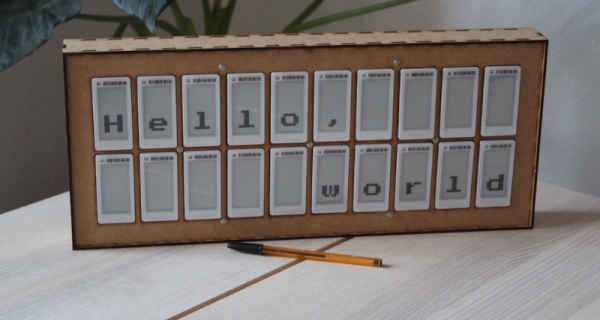
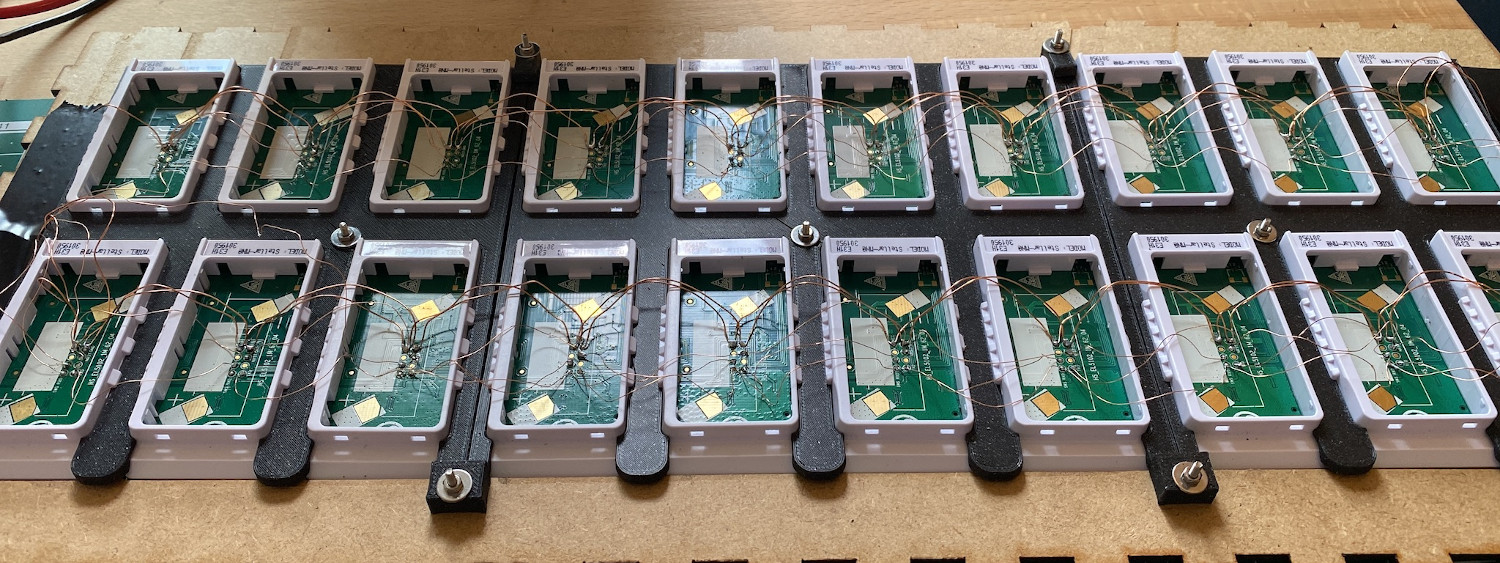
How expensive is it to make a panel that uses e-ink technology? That might depend on how flexible you are. [RBarron] read about reverse engineering point-of-sale shelf labels and found them on eBay for just over a buck apiece. Next thing you know, 20 of them were working together in a single panel.

The panels use RF or NFC programming, normally, but have the capability to use BLE. Naturally you could just address each one in turn, but that isn’t very efficient. The approach here is to use one label as a BLE controller and it then drives the other displays in a serial daisy chain, where each label’s receive pin is set to the previous label’s transmit pin.

That allows a simple piece of code to read incoming messages and process the ones addressed to that label. Anything else just gets sent out the serial port. Only the BLE node has special firmware. At first, we thought each label would need an address and we wondered how it would be set other than having unique firmware for each one since there doesn’t appear to be a handy way to do a hardware-based configuration.

The actual solution is clever. Each message has a hop counter that each node decrements before passing the message along the chain. When the hop count is zero, the message is at its destination. Simple and very easy to configure. In theory, you could replace any of the labels after the first one with any other label and the system would still work correctly.

Even the wiring is clever, with a jig to bend the wire to ensure even spacing of each element on the panel. A laser-cut box finishes the project off nicely. The code is all available on GitHub. We’ve seen these kinds of tags used for things like weather stations. Not to mention conference badges.