Manual Mesh Bed Levelling For 3D Printers

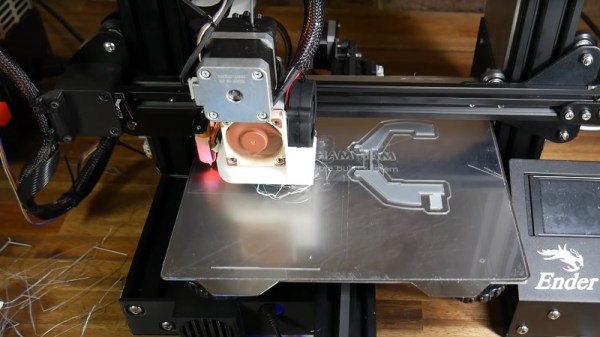
In 3D printing, we often talk about leveling the print bed, although that’s not an accurate term. A bed that is level in our terms presents a flat surface that is parallel to the path of the print head, but within reason we care little about that. Instead we care more about it being parallel to the path of the head than it being perfectly flat. If we had a perfectly flat bed — say a sheet of glass — you’d think it might be pretty easy, but for some other materials it could be convex or concave or even have ripples all over the place. [Teaching Tech] shows you how to manually “level” the bed using a mesh but without using an automatic sensor. You can see the technique in the video below.

When you use adjustments to level the bed, you are tramming it, but only the very pedantic use that term for fine adjustment. But no amount of adjusting bed springs will get rid of bulges and ripples. A common solution is to use a sensor to measure the distance to the bed and form a mesh correction. Then, as the printer head moves in the XY plane, the software will adjust the Z-axis to rise over bumps and go down if there is a concave portion of the bed. What [Teaching Tech] is doing, however, is a manual mapping. You won’t need to add a sensor to your printer to take advantage of the method. 

Continue reading “Manual Mesh Bed Levelling For 3D Printers”
DeepPCB Routes Your KiCAD PCBs

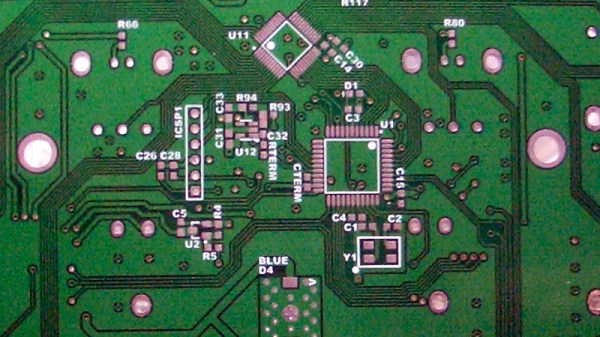
Computers can write poetry, even if they can’t necessarily write good poetry. The same can be said of routing PC boards. Computers can do it, but can they do it well? Of course, there are multiple tools each with pluses and minuses. However, a slick web page recently announced deeppcb.ai — a cloud-based AI router — and although details are sparse, there are a few interesting things about the product.

First, it supports KiCAD. You provide a DSN file, and within 24 hours you get a routed SES file. Maybe. You get three or four free boards –apparently each week — after which there is some undisclosed fee. Should you just want to try it out, create an account (which is quick and free — just verify your e-mail and create a password). Then in the “Your Boards” section there are a few examples already worked out.

Continue reading “DeepPCB Routes Your KiCAD PCBs”

Multi Material 3D Printing Makes Soft Robot

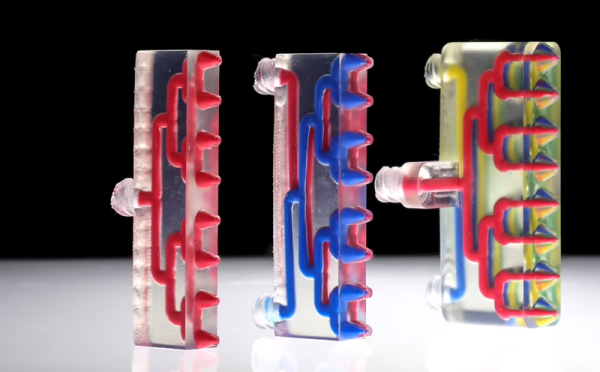
When you zoom in on a fractal you find it is made of more fractals. Perhaps that helped inspire the Harvard 3D printers that have various arrays of mixing nozzles. In the video below you can see some of the interesting things you can do with an array of mixing nozzles. The coolest, we think, is a little multi-legged robot that uses vacuum to ambulate across the bench. The paper, however, is behind a paywall.

There are really two ideas here. Mixing nozzles are nothing new. Usually, you use them to mimic a printer with two hot ends. That is, you print one material at a time and purge the old filament out when switching to the new filament. This is often simpler than using two heads because with a two head arrangement, both the heads have to be at the same height, you must know the precise offset between the heads, and you generally lose some print space since the right head can’t cross the left head and vice versa. Add more heads, and you multiply those problems. We’ve also seen mixing nozzles provide different colors.

Continue reading “Multi Material 3D Printing Makes Soft Robot”

DSP Spreadsheet: Talking To Yourself Using IQ

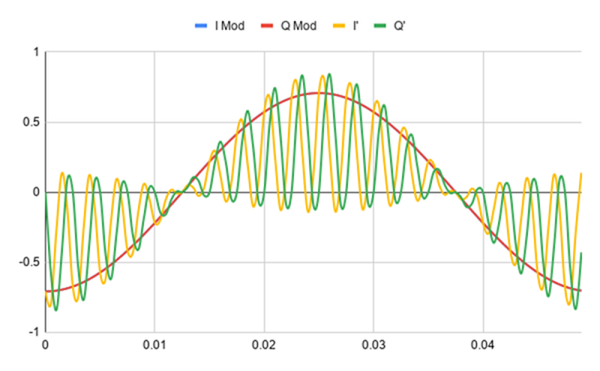
We’ve done quite a bit with Google Sheets and signal processing: we’ve generated signals, created filters, and computed quadrature signals. We can pull all that together into an educational model for two SDRs talking to each other, but it’s going to require two parts: modulation and demodulation. Guess what? We can do that with a spreadsheet.

The first step is to generate a reference clock for the carrier. You’ll need a cosine wave (I) and sine wave (Q). Of course, you also need the time base. That’s columns A-C in the spreadsheet and works like other signal generation we’ve seen.

Continue reading “DSP Spreadsheet: Talking To Yourself Using IQ”

Just In Time For Christmas: Apple Macintosh Prototype For Sale

We do love a bit of retrotechnology around our workspace. But we have to admit, we really want to find this prototype Apple Mac under the tree this year. There’s only one problem. There’s only one for sale and only two like it known to exist, for that matter. The auction house thinks it will fetch up to $180,000. We will guess that number is low, but we will find out on December 4th.

The 1983 computer has a pre-production plastic housing and a 5.25 inch “twiggy” drive. Apple provided this machine, apparently, to Encore Systems so they could develop MacWrite ahead of the machine’s release date.

Continue reading “Just In Time For Christmas: Apple Macintosh Prototype For Sale”

Wipe Your Nozzle To Avoid Stringing

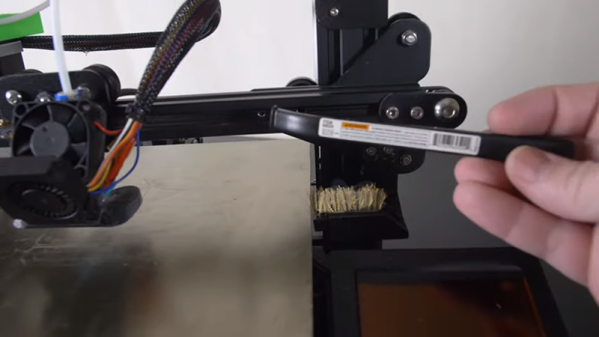
[Design Prototype Test] likes his Ender 3 printer. There was only one problem. When printing PETG — which is notorious for stringing — the hot end would pick up material and eventually ruin the print. The answer was to mount a cheap Harbor Freight brush somewhere and make the head pass over it after each layer. You can see the video of the design, below.

It sounds as though it worked well and after explaining the concept, he dives into the details of how he designed the fixture and how he mounted it. There’s a lot of good information in there about his particular toolchain and workflow.

Continue reading “Wipe Your Nozzle To Avoid Stringing”

AI Phone App Learns Baseball Signals

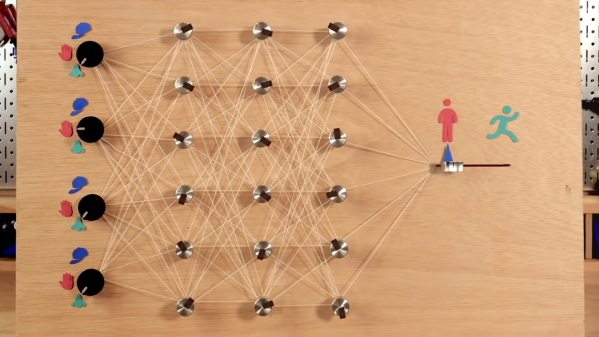
Watching a sport can be a bit odd if you aren’t familiar with it. Most Americans, for example, would think a cricket match looked funny because they don’t know the rules. If you were not familiar with baseball, you might wonder why one of the coaches was waving his hands around, touching his nose, his ears, and his hat seemingly at random. Those in the know however understand that this is a secret signal to the player. The coach might be telling the player to steal a base or bunt. The other team tries to decode the signals, but if you don’t know the code that is notoriously difficult. Unless you have the machine learning phone app you can see in the video below.

If you are not a baseball fan, it works like this. The coach will do a number of things. Perhaps touch his cap, then his nose, brush his left forearm, and touch his lips. However, the code is often as simple as knowing one attention signal and one action signal. For example, the coach might tell you that if they touch their nose and then their lips, you should steal. Touching their nose and then their ear is a bunt. Touching their nose and then the bill of their cap is something else. Anything they do that doesn’t start with touching their nose means nothing at all. If the signal is this easy, you really don’t even need machine learning to decode it. But if it were more complicated — say, the gesture that occurs third after they touch their nose unless they also kick dirt at which point it means nothing — it would be much harder for a human to figure out.

Continue reading “AI Phone App Learns Baseball Signals”