Parametric Hinges With Tinkercad

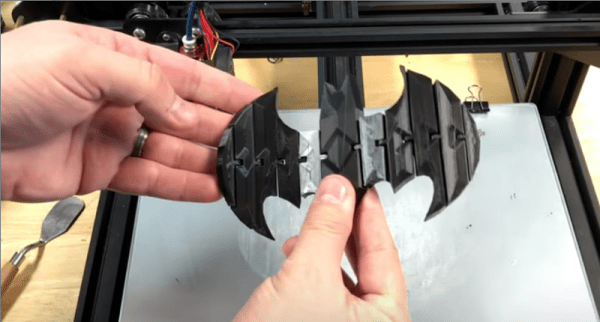
Simple tools are great, but sometimes it is most convenient to just use something easy, and since it gets the work done, you don’t try out some of the other features. Tinkercad is a great example of that kind of program. It is actually quite powerful, but many people just use it in the simplest way possible. [Chuck] noticed a video about making a 3D-printed hinge using Tinkercad and in that video [Nerys] manually placed a bunch of hinges using cut and paste along with the arrow keys for positioning. While it worked, it wasn’t the most elegant way to do it, so [Chuck] made a video showing how to do it parametrically. You can see that video below, along with the original hinge video.

There are really two major techniques [Chuck] shows. First, he adds the necessary pieces to create the hinges to the Tinkercad toolbox. That makes it really simple to add them to any of your future designs. Second, he uses a combination of numeric parameters and duplication to quickly and precisely place the hinge components across another object — in this case a Batman logo.
Continue reading “Parametric Hinges With Tinkercad”

Blueprints Make It Easy To Make (Some) Alexa Skills

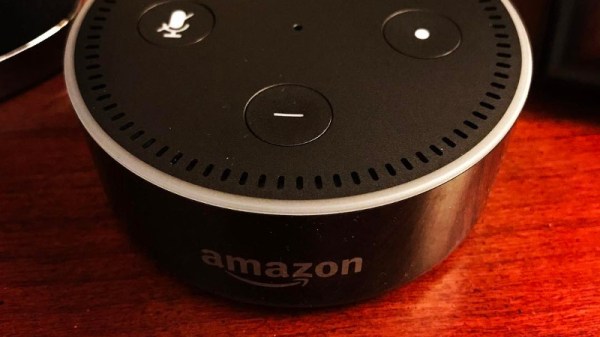
If you can code, you can create an Alexa skill — the programs that allow an Amazon Echo or similar device interact with you. What if you can’t code or you are just too lazy to do all the setup? Amazon now has Blueprints that can help anyone make a skill. The only problem is the skills you can create are pretty limited. In addition, they are only available to your Alexa devices.

The idea is simple. You start with a template — OK, a blueprint. This is a model application that does something like giving you a compliment or a joke on demand. When you open the blueprint, you’ll see a list of things it can say. You can edit the list, including adding or deleting things. Then you name the new skill. In a few minutes, your skill will be live on your devices.

Continue reading “Blueprints Make It Easy To Make (Some) Alexa Skills”

3D Drone Video

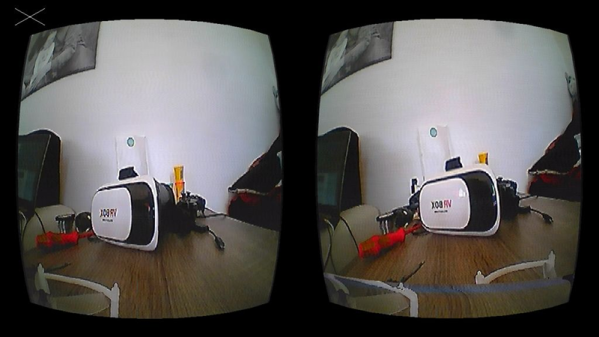
If you enjoy flying quadcopters, it is a good bet that you’ll have a drone with a camera. It used to be enough to record a video for later viewing, but these days you really want to see a live stream. The really cool setups have goggles so you can feel like you are actually in the cockpit. [Andi2345] decided to go one step further and build a drone that streams 3D video. You can see a video of the system, below.

Outdoors, there’s probably not a lot of advantage to having a 3D view, but it ought to be great for a small indoor drone. The problem is, of course, a small drone doesn’t have a lot of capacity for two cameras. The final product uses two cameras kept in sync with a sync separator IC and a microcontroller, while an analog switch intersperses the frames.

On the viewing side, a USB frame grabber and a Raspberry Pi splits the images again. At first, the system used an LCD screen married with a Google Cardboard-style goggle, but eventually, this became a custom Android application.

Continue reading “3D Drone Video”

Tesla Coil Uses Vacuum Tube

What do you do when you find a 5 kW transmitting tube in your local electronics store? If you are [TannerTech], you build a vacuum tube tesla coil. This isn’t the usual little wimpy coil, but a big bad boy that would look at home in an old horror movie.

The first power up was a bit anticlimactic, although it was working, it wasn’t very spectacular other than the tube glowing brightly. A few adjustments and some mineral oil did the trick.

Continue reading “Tesla Coil Uses Vacuum Tube”

Completely Scratch-Built Electronic Speed Controller

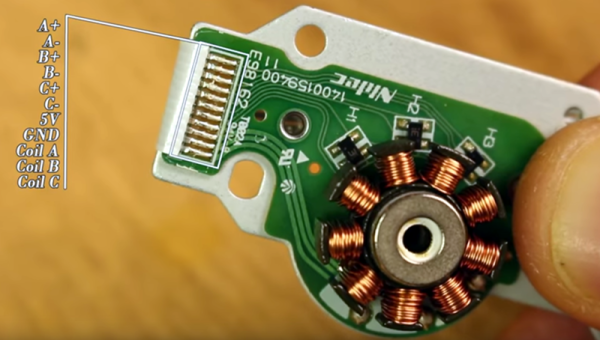
Driving a brushless motor requires a particular sequence. For the best result, you need to close the loop so your circuit can apply the right sequence at the right time. You can figure out the timing using a somewhat complex circuit and monitoring the electrical behavior of the motor coils. Or you can use sensors to detect the motor’s position. Many motors have the sensors built in and [Electronoobs] shows how to drive one of these motors in a recent video that you can watch below. If you want to know about using the motor’s coils as sensors, he did a video on that topic, earlier.

The motor in question was pulled from an optical drive and has three hall effect sensors onboard. Having these sensors simplifies the drive electronics considerably.

Continue reading “Completely Scratch-Built Electronic Speed Controller”

SDR IF Experiments

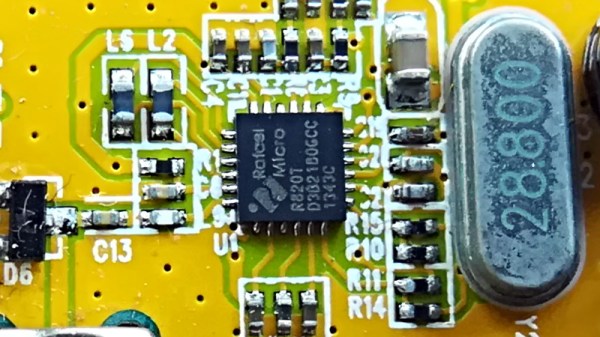
The R820T tuner IC is used in the popular Airspy software defined radio (SDR) as well as many of the inexpensive RTL SDR dongles. [TLeconte] did some experiments on intermediate frequency (IF) configuration of the chip, and you’ll find his results interesting.

Using 5 million samples per second and the device’s real mode, the tests look at a what comes out when the IC reads a noise source. There are two registers that set the IF parameters, but the tests show the effects these registers have in precise terms.

Continue reading “SDR IF Experiments”

3D Printing Watertight Containers

Most normal 3D prints are not watertight. There are a few reasons for this, but primarily it is little gaps between layers that is the culprit. [Mikey77] was determined to come up with a process for creating watertight objects and he shared his results.

The trick is to make the printer over extrude slightly. This causes the plastic from adjacent layers to merge together. He also makes sure there are several layers around the perimeters.

Continue reading “3D Printing Watertight Containers”