Microsoft Gets Hacker Friendly

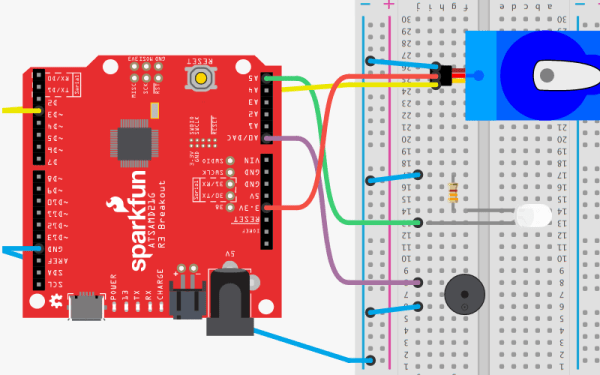
You don’t often hear hackers say a lot of good things about Microsoft. Sure, you might use Windows, especially if you have one of those embarrassing day jobs. But at night in a hacker’s secret lab, you are likely to find something that looks more like Unix, even if it has a penguin, a piece of fruit, or even a green robot on the label. But we’ll give Microsoft credit. Their new MakeCode site will be a great boon for educators, students, and anyone who wants to learn how to code. What’s more is they are joined by a lot of familiar hacker faces including AdaFruit, Sparkfun, and Seeed Studios.

The idea is to have tutorials and if that was all there was to it, this would be a short post. But what is really entertaining about the site is that there are web-based emulators for all the hardware so you can actually do the projects in your browser with no extra hardware. You can also do your own projects from scratch.
Continue reading “Microsoft Gets Hacker Friendly”

Roll Your Own Raspberry Pi OS

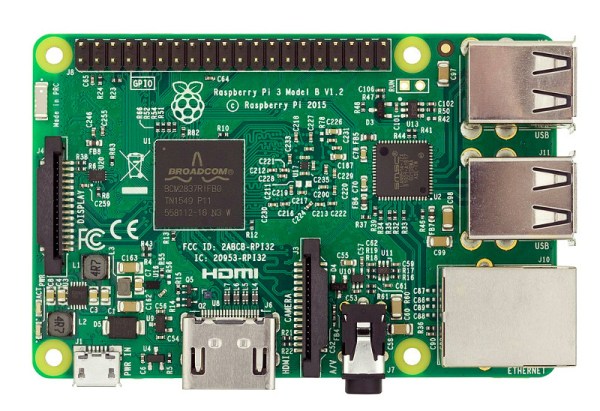
Writing an operating system is no small task, but like everything else it is easier than it used to be. [JSandler] has a tutorial on how to create a simple operating system for the Raspberry Pi. One thing that makes it easier is the development environment used. QEMU emulates a Raspberry Pi so you can do the development on a desktop PC and test in the virtual environment. When you are ready, you can set up a bootable SD card and try your work on a real device.

The operating system isn’t very complex, but it does boot, organize memory, displays on the screen, handles interrupts, and manages processes. What else do you need?

Continue reading “Roll Your Own Raspberry Pi OS”

A Modern Take On The Crystal Radio

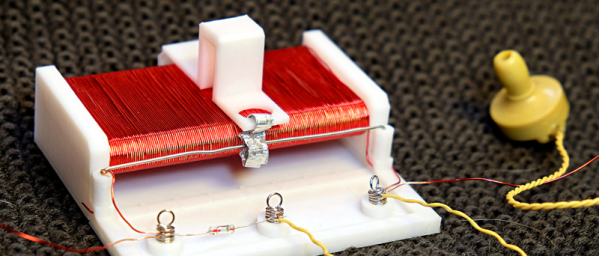
We’ll admit that [3DSage] has a pretty standard design for a crystal radio. What we liked, though, was the 3D printed chassis with solderless connections. Of course, the working pieces aren’t 3D printed — you need an earphone, a diode, and some wire too. You can see the build and the finished product in the video below.

Winding the coil is going to take awhile, and the tuning is done with the coil and capacitance built into the tuning arrangement so you won’t have to find a variable capacitor for this build. There is a picture of the radio using a razor blade point contact with a pencil lead, so if you want to really scrimp on the diode, that works too, and you can see how at the end of the video.

We did like the use of cord ends from a sewing and craft supply store to serve as solderless springs. This would be a great item to print off a few dozen copies and use it for a school or youth group activity. You might want to pair it with an AM transmitter, though so the kids won’t be dismayed at what is playing on AM in most markets. [3DSage] uses a sink for ground — literally a kitchen sink. However, if you try this, make sure all the pipes are metal or you won’t get a good ground and you probably won’t pick up any stations.

We’d like to get some of those springs and make some other kind of starter projects with them like the kits many of us had as kids. This reminded us of the old foxhole radios, found during World War II.

Continue reading “A Modern Take On The Crystal Radio”

Linux Fu: Custom Bash Command Completion

If you aren’t a Linux user and you watch someone who knows what they are doing use Bash — the popular command line interpreter — you might get the impression they type much faster than they actually do. That’s because experienced Linux users know that pressing the tab key will tend to complete what they are typing, so you can type just a few characters and get a much longer line of text. The feature is very smart so you may not have realized it, but it knows a good bit about what you could type. For example, if you try to unzip a file, it knows the expected file name probably has a .zip extension.

How does that happen? At first, you might think, “who cares how it happens?” The problem is when you write a shell script or a program that runs on Linux, the completion gets dumb. Someone has to make Bash smart about each command line program and if you are the author then that someone is you.

Continue reading “Linux Fu: Custom Bash Command Completion”

Big Trak Gets A New Brain

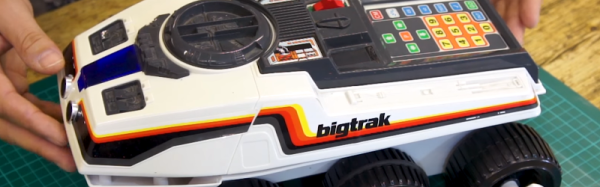
If you were a kid in the 1980s you might have been lucky enough to score a Big Trak — a robotic toy you could program using a membrane keyboard to do 16 different motions. [Howard] has one, but not wanting to live with a 16-step program, he gave it a brain transplant with an Arduino and brought it on [RetroManCave’s] video blog and you can see that below.

If you want to duplicate the feat and your mom already cleaned your room to make it a craft shop, you can score one on eBay or there’s even a new replica version available, although it isn’t inexpensive. The code you need is on GitHub.

Continue reading “Big Trak Gets A New Brain”

Speech Recognition For Linux Gets A Little Closer

It has become commonplace to yell out commands to a little box and have it answer you. However, voice input for the desktop has never really gone mainstream. This is particularly slow for Linux users whose options are shockingly limited, although decent speech support is baked into recent versions of Windows and OS X Yosemite and beyond.

There are four well-known open speech recognition engines: CMU Sphinx, Julius, Kaldi, and the recent release of Mozilla’s DeepSpeech (part of their Common Voice initiative). The trick for Linux users is successfully setting them up and using them in applications. [Michael Sheldon] aims to fix that — at least for DeepSpeech. He’s created an IBus plugin that lets DeepSpeech work with nearly any X application. He’s also provided PPAs that should make it easy to install for Ubuntu or related distributions.

You can see in the video below that it works, although [Michael] admits it is just a starting point. However, the great thing about Open Source is that armed with a working set up, it should be easy for others to contribute and build on the work he’s started.

Continue reading “Speech Recognition For Linux Gets A Little Closer”

34C3: Reverse Engineering FPGAs

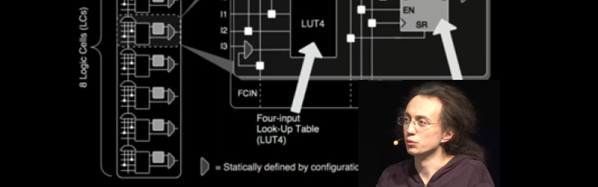
We once knew a guy who used to tell us that the first ten times he flew in an airplane, he jumped out of it. It was his eleventh flight before he walked off the plane. [Mathias Lasser] has a similar story. Despite being one of the pair who decoded the iCE40 bitstream format a few years ago, he admits in his 34C3 talk that he never learned how to use FPGAs. His talk covers how he reverse engineered the iCE40 and the Xilinx 7 series devices.

If you are used to FPGAs in terms of Verilog and VHDL, [Mathias] will show you a whole new view of rows, columns, and tiles. Even if you don’t ever plan to work at that level, sometimes understanding hardware at the low level will inspire some insights that are harder to get at the abstraction level.

Continue reading “34C3: Reverse Engineering FPGAs”