Digital Measuring Wheel Is Exactly What It Sounds Like

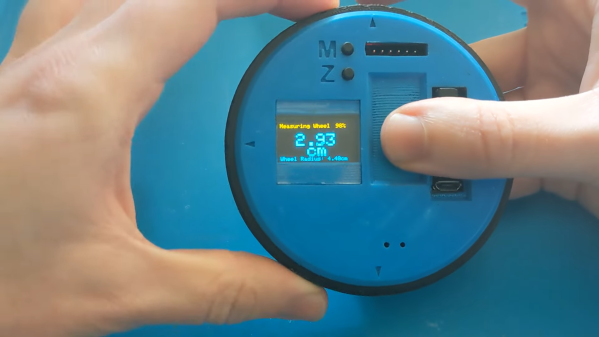
You may have seen surveyors (or maths students) running around with measuring wheels, counting the clicks to measure distances. [AGBarber]’s digital measuring wheel works in much the same way, but with the convenience of a measurement you can read off a screen.

The design is simple, and relies on the outer wheel of the device turning a mouse encoder wheel. This is read by anArduino Pro Mini which runs the show and records the requisite measurements. It then drives an SSD1306 OLED display which shows the measurements to the user. It’s all wrapped up in a 3D printed housing that makes it easy to roll around the small handheld device.

The wheel’s maximum measuring length is 9999.99 cm, or just under 100 meters. Given the size of the device, that’s probably more than enough, but you could always build a bigger version if you wanted to measure longer distances.

Measuring wheels make it easy to measure along curves, and are just generally fun to play with as well. You could certainly use one to determine whether flat tyres are making your speedometer lie to you. Or, you could dive into this great talk on measurement from [Adam Savage].

Continue reading “Digital Measuring Wheel Is Exactly What It Sounds Like” →
Watering The Garden With A Solar-Powered System

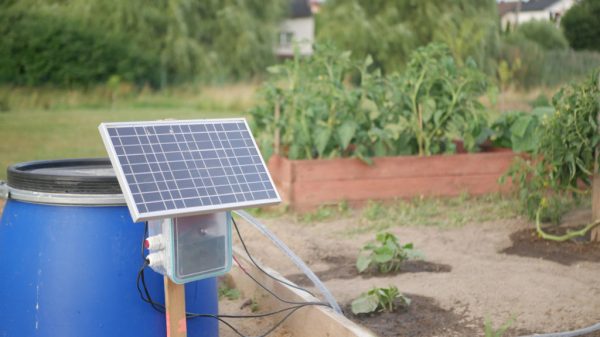
Watering the garden is important to do regularly if you want your plants to thrive. [Nikodem Bartnik] built a system to handle it for him, keeping his garden on the grow.

The system has an Arduino commanding an irrigation system based around a pump delivering water from a reservoir. It’s paired with a water level sensor to keep an eye on the water available to the system. Moisture sensors are also used to monitor the prevailing soil conditions, to ensure the plants aren’t over- or under-watered. In this case, [Nikodem] designed his own resistive moisture sensors, which proved difficult but taught him a lot along the way. verything was then wrapped up in a food container to make it waterproof for installation outside. A solar panel and charging system was also installed to power the whole setup without requiring a mains connection.

While this system worked, the moisture sensors were a bit unreliable and there was a lot of cabling involved. A second revision got rid of the sensors and used a Pi Pico to implement a simple timer-based irrigation scheme.

Either way, both systems worked and helped keep the vital water flowing to the garden bed. Automatic plant watering is a bit of a popular theme around here, and we’ve seen some nifty hacks in that realm of late. Video after the break.

Continue reading “Watering The Garden With A Solar-Powered System” →

ESP32 Gets A Nifty Serial Console Library

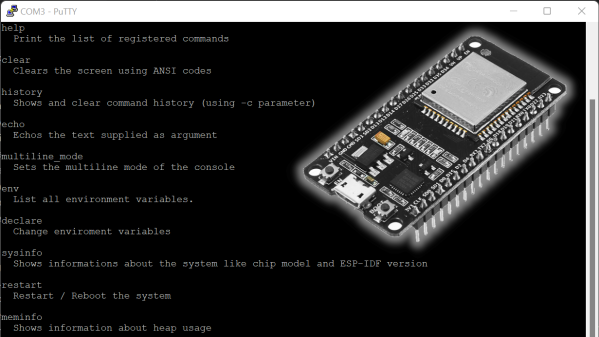
Sometimes you need to get a project to talk to you, so you can see what’s going on inside. The ESP32 console Arduino library from [jbtronics] promises just that.

The library adds a simple serial console to the ESP32, and is compatible with the Arduino ecosystem to boot. It’s set up to allow the easy addition of custom commands so you can tweak the console to suit your own projects. It’s remarkably complete with nifty features, too. There’s autocomplete as well as a navigable command history – the sorts of features you only expect from a modern OS terminal. A bunch of system commands are built-in, too, for checking the status of things like the memory, network interface, and so on.

The tool is available via the Arduino library manager or the PlatformIO registry. You’ll want to use it with a VT-100 compatible terminal like PuTTY or similar, which lets you use all the fancy features including color output. [jbtronics] hopes to port it to the ESP8266 soon, too!

We’ve seen some other great serial tools of late, too. If you’re brewing up your own nifty console hacks, be sure to drop us a line!


Now There’s USB-C On The IPhone SE

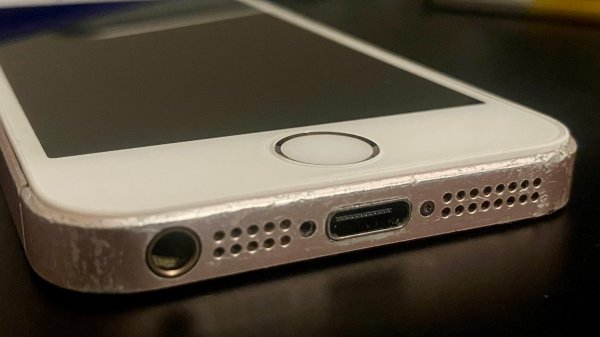
As confusing as it can be, USB-C is actually pretty good, and certainly has its fans. [David Buchanan] must be one of them, for he did a great job putting a USB-C port into his iPhone SE.

[David] didn’t want to ruin a pristine example, so set about hacking the cheapest first-gen iPhone SE he could find on eBay. His approach was simple: get a USB-C to Lightning dongle and hack it into the phone’s body.

The first step was to strip the adapter down and melt off the Lightning connector. He then de-soldered the Lightning port from the phone, and found a bunch of test pads on the motherboard corresponding to its pins. Soldering leads from the adapter to the test pads got things up and running, once he properly hooked up a connection-detect pin to ground.

With a bit more trimming, some hot glue and some enameled wire, [David] was able to cram everything inside the iPhone. Paired with a new screen and home button, and he had an iPhone SE with a working USB-C port. It works for both charging and USB data, too.

If you’re rocking an iPhone SE, you might dig this conversion as it gives you access to more chargers out in the wild. Plus, you’ve still got the regular headphone jack. Be sure to check out the iPhone 13 with a USB C port, too. It’s the hottest new hack until the new EU regulations hit Apple in coming years.

Turning The Back Of Your Phone Into A Touchpad

Smartphones use big touchscreens on the front as a useful tactile interface. However, our hands naturally wrap around the back of the phone, too. This area is underutilized as an interface, but the designers of BackTrack found a way to change that.

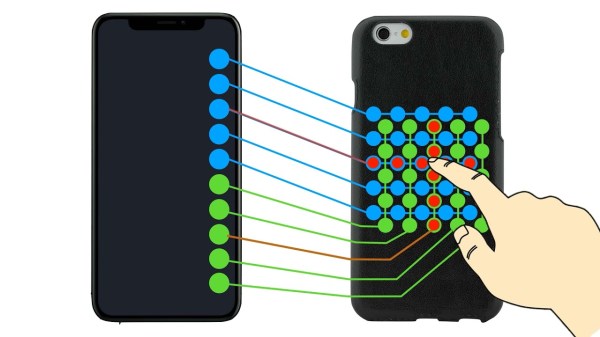
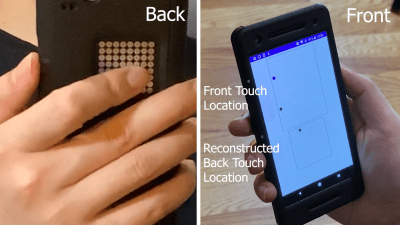
Touches on the 2D rear matrix are translated into a pair of touches on the linear line of pads on the front screen. This can then be reconstructed into the touch location on the rear touchpad.

The idea is simple. The project video notes that  conductive tape can be placed on a multitouch touchscreen, allowing touches to be read at a remote location. Taking this concept further, BackTrack works by creating a 2D matrix on the back of the phone, and connecting this matrix to a series of pads in a row on the front touchscreen. Then, touches on the back touchpad can be read by the existing touchscreen on the front screen. Continue reading “Turning The Back Of Your Phone Into A Touchpad” →

Simple Binary Watch Uses A PCB Body

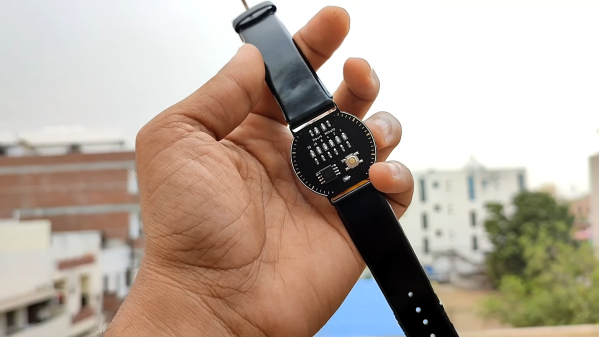
There are many ways to tell the time, from using analog dials to 7-segment displays. Hackers tend to enjoy binary watches, if only for their association with the digital machines that seem to make the world turn these days. [Vishal Soni] decided to build one of their own.

It’s a straightforward design, that uses six bits to show the time. A red light is illuminated at the top of the watch to indicate the watch is showing minutes, and these are displayed in binary on the six blue LEDs below. Then, the watch indicates it is showing hours, and again uses the six blue LEDs to show the relevant number. Continue reading “Simple Binary Watch Uses A PCB Body” →

Building A Modular Joystick For Star Citizen

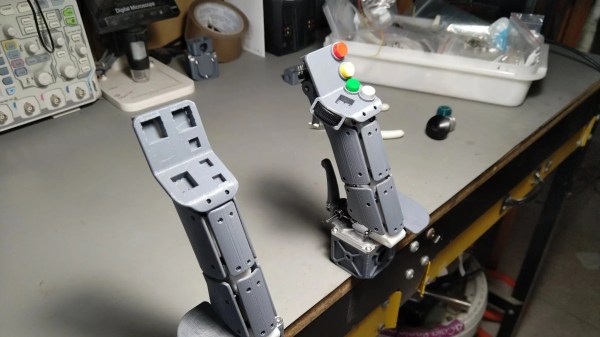
Joysticks are great for gaming, but sometimes it’s hard to find one that suits your personal playstyle. [Nixie] developed the TinkerJoy to suit their own needs, while giving it a modular design to make it easy to customize as well.

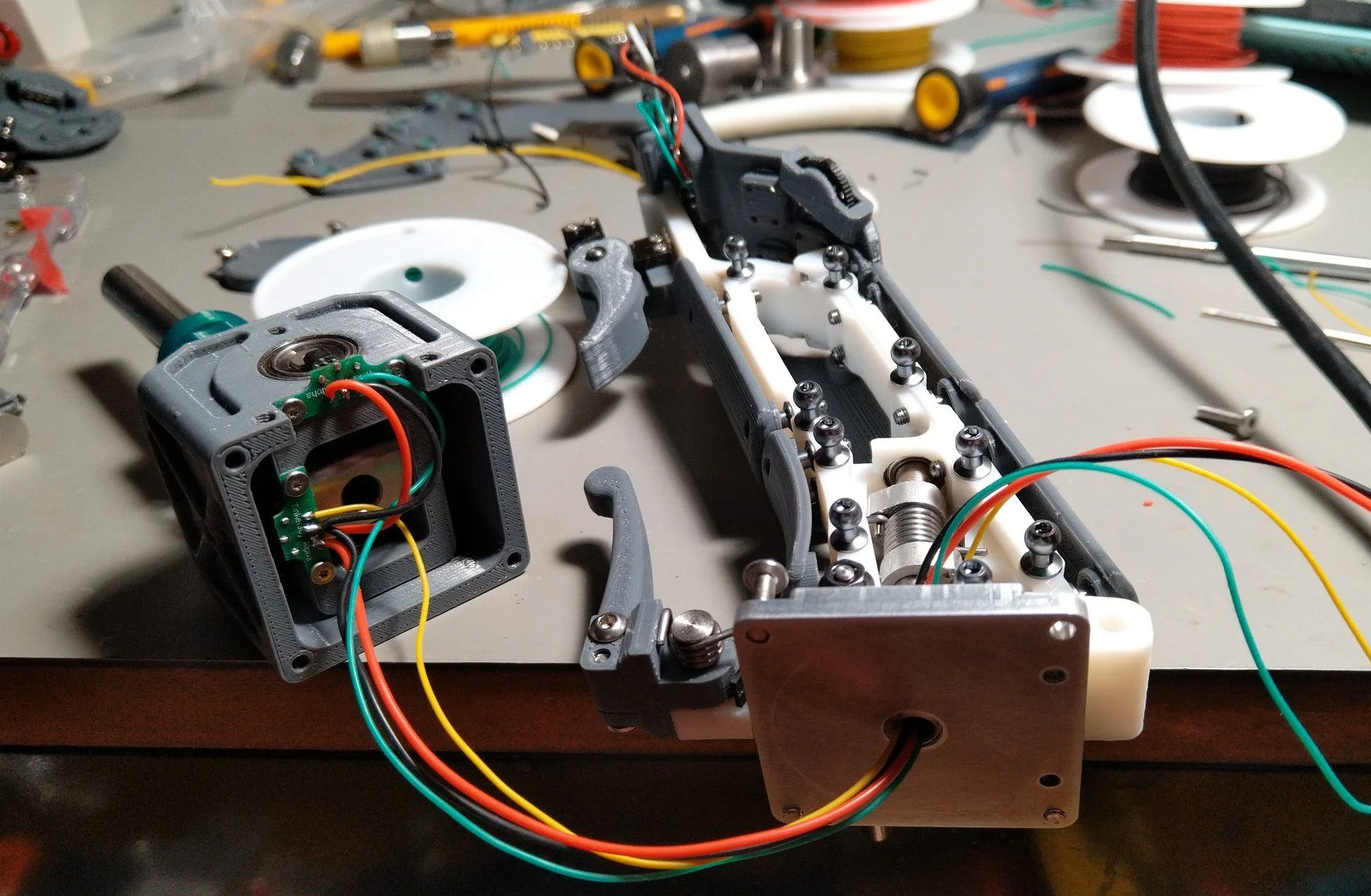
It’s built around a metal core, with 3D printed panels attached to the user’s liking. In addition to the body panels, parts like the trigger assembly and button panels can be moved around and adjusted to suit different games or different players.

A test unit has been built in a right-handed configuration, featuring four buttons and two switch sliders. In addition to the main X and Y axes, it also has a Z axis activated by twisting the joystick, as well as an analog brake. There’s a trigger, too, as every good joystick must have. For now, the electronics is not integrated. Instead, a STM32 BluePill board sits on top of the stick to read all the controls and talk to a PC. The test setup looks to work well, with [Nixie] putting the gear through its paces in Star Citizen.

The benefit of building your own hardware is that you can often do ergonomics better yourself. After all, companies often have to build for the 5th-95th percentile for reasons of economics and scale.

Continue reading “Building A Modular Joystick For Star Citizen“ →