Hackaday Links Column Banner

Hackaday Links: June 21, 2026

Today marks the summer solstice, the longest day of the year and the start of astronomical summer in the Northern Hemisphere. This doesn’t really have much to do with hacking hardware or building gadgets other than the fact that from this point on you’ll have progressively less daylight hours to do it in each day. Of course, if you do your best work in the middle of the night this won’t impact things much.

If you’re as likely to find a controller in your hand as a soldering iron in the evenings, you might be interested in a recent filing against Sony. Lawyers representing a group of four gamers allege that the entertainment giant is violating a California law that says digital storefronts need to make it clear that buyers don’t technically own the games in question but are merely licensing them — a license which, as we’ve seen in the past, can be revoked or modified at any time with no restitution made to the purchaser.

Now while we agree conceptually that selling gamers a license rather than an actual copy of the game is clearly a one-sided deal, we’re still not sure this case has a lot of merit. As far as we can tell, Sony does make it clear in the fine print that you’re not really going to own anything once they take your money. Or, at the very least, they make it equally as clear as any other company that’s selling digital downloads these days. Should the court actually find that said fine print is a little too fine, it could conceivably have ramifications throughout the entertainment industry. This is certainly a case to keep an eye on.

Continue reading “Hackaday Links: June 21, 2026”

SmallRun.net Enters The Marketplace Market

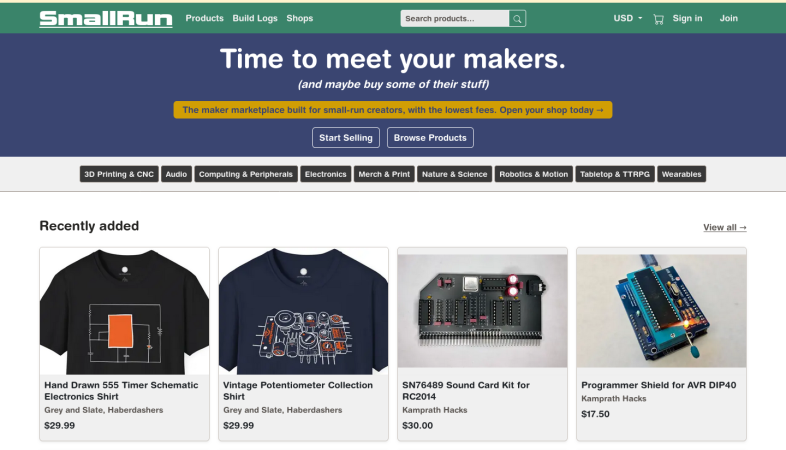
So you have a project that you love, and everyone else loves too. People start saying “you should sell this” but where? Well, there’s a new marketplace you might want to consider called called SmallRun, aiming at makers and their, well, small production runs.

SmallRun will absolutely host your custom PCBs, on-demand 3D prints, and other traditional maker products — but they’ll also happily sell your merch, too. Along with electronics and hardware, they aim to allow you to sell products in categories like tabletop gaming, sciences, and yes, accessories/apparel.

For sellers, they offer automatic payouts and promise to take care of the taxes by integrating with Stripe. That said, they’re still working on getting the whole VAT thing set up for products imported to the EU. EU to EU sales are apparently OK. They’ll host build logs, which may drive engagement with your product. There’s even a handy tool to import your existing listings from eBay, Tindie, Lectronz, Etsy, Shopify, or Crowd Supply if you’re already in the biz. They make their money by taking a cut of your sales: eight percent, plus forty cents per listing.

Depending on your perspective, you might wonder if we need another marketplace, To that we can only say: “Let a thousand flowers bloom!” Competition should drive these marketplaces to continuously improve and we all win.

If you’re selling online, even packaging can become a project. If you’re not, but are interested in starting, our “From Project to Kit” series from ten years back remains surprisingly relevant.

Thanks to [Aron] for the tip!

When A Favicon Becomes The Entire Website

Putting hidden data in places where few expect it can be a fun hobby or even a professional career. In the case of [Tim Wehrle] it’s just the former. His most recent project in this area uses a favicon image for storing a HTML-based website and rendering its contents within the browser after the favicon has been downloaded.

To pull this off, a very basic HTML page was turned into a series of UTF-8 encoded bytes that were then declared to be a standard PNG image. The original 208 byte payload plus 4-byte PNG header only used part of a 9×9 pixel favicon. With a larger favicon image as typically used you could thus easily store more data, whether as visual noise like here or a bit more hidden.

Of course there’s a catch, and in this case it’s the Typescript code to unpack the bytes from the “image” and render them; you have to load that separately. But still, in these days of all-singing, all-dancing websites that take forever to render, it’s refreshing to see what you can do with so few bytes that they fit in a favicon.

As for the purpose of such an approach, that’s left as an exercise for the reader, but you’re more than welcome to take a poke at the GitHub project and the demonstration site..


Hacking The Mi Band 10 Smart Band And Its Bestechnic SoC

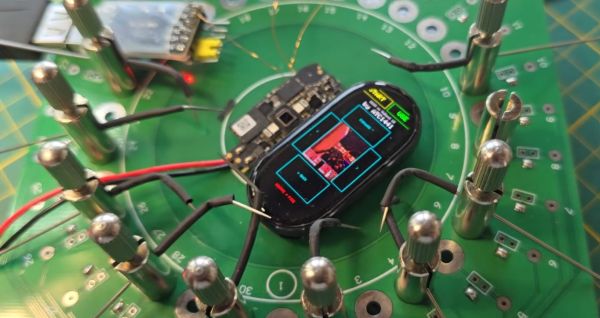
In between playing Doom on the most ergonomically challenged devices, [Aaron Christophel] likes to take a relaxing break with reverse-engineering Xiaomi Mi Band fitness trackers and writing custom firmware for them. Also so that he can play more Doom on those, natch. The latest subject comes in the form of the Mi Band 10, which features a BES2700iMP SoC, known internally at the manufacturer Bestechnic as the BEST1503. This is all documented on the GitHub project.

In the accompanying video we get some more details on this project, with the main challenge being that for this Mi Band 10 there’s no public SDK for its SoC. This was a major bummer until [Aaron] realized that the BEST1306 (BES2700IHC) is effectively the same SoC, but with a leaked SDK available via apparently audio-focused development kits. From there a BEST1503-compatible SDK could be assembled.

Naturally, to check that all of this was working correctly Doom was ported to the device courtesy of the GBADoom project. This mostly works aside from the display running in single-bit SPI mode instead of quad-SPI that it should be capable of, along with limited color depth. Despite burning all the tokens on the Claude, this provided little help, probably because the required information hasn’t leaked out of Bestechnic yet and ended up in the training data set.

Since the Mi Band 9 uses the same SoC, it’s expected that this reverse-engineered SDK will also work for that fitness band, though that hasn’t been tested yet.

Continue reading “Hacking The Mi Band 10 Smart Band And Its Bestechnic SoC”

Blender 5.2: Coming Soon With Improved Simulations

Traditionally, one of the weak points in Blender has been simulations, with even professional users of the free and open source computer graphics suite off-loading such tasks to programs like Houdini. But according to [3Dan], once version 5.2 is out of beta in July, that may become a thing of the past. 

Simulations aren’t a necessary part of a 3D animation software, but they are very, very nice to have. If you want realistic-looking fluids, hair, or cloth, it’s incredibly difficult to animate it by hand. One, because there are so many degrees of freedom in, say, flapping cloth, keyframing is a major pain, but also figuring out how to make the model move and deform realistically is by no means trivial. It’s easier to offload all that on a physics simulation; then, as long as the physics is realistic, the animations will be as well.

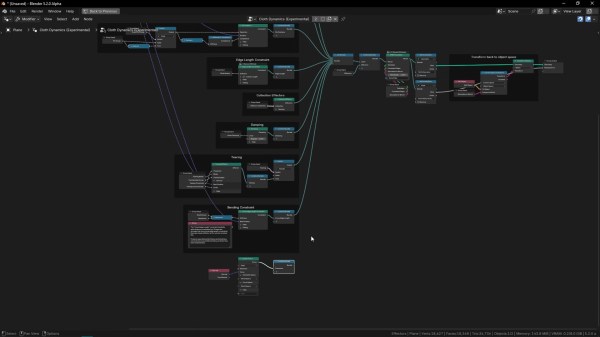
That’s not easy, computationally speaking, and one thing that’s clear is there’s been work behind the scenes to optimize the simulation algorithms, not just improve the workflow, as the basic “drop cloth on a monkey head” demo now runs twice as fast. The new workflow itself bring simulations more into line with how Blender has been going– it’s part of geometry nodes now. So there’s simulation nodes you bring in, but that means things like tearing cloth become quite straightforward compared to the occasionally byzantine workarounds required before. This node-based workflow also brings Blender more into line with how paid software works these days.

[Dan] demonstrates the power of it by adding air pressure to a cloth simulation with some custom nodes, inflating and popping a fabric sphere. He also demonstrates how cloth simulation can be applied to animate realistic foliage. This update probably doesn’t have Houdini developer SideFX shaking in their boots, but it might allow some animators to stop paying that license and go fully-open source, which is great to hear.

Even if you’re not into digital sculpting or animating, you may find yourself downloading a copy of Blender at some point to add texture to 3D prints, or make fancy resin-print miniature models FEM-friendly. The right addon can even let Blender do parametric CAD, though FreeCAD is getting better all the time, too.

Continue reading “Blender 5.2: Coming Soon With Improved Simulations”

How To Bias A CRT After Installation

For most of us the abbreviation “CRT” brings to mind a monitor or TV. But at its core it’s about the special vacuum tube that makes the images appear.


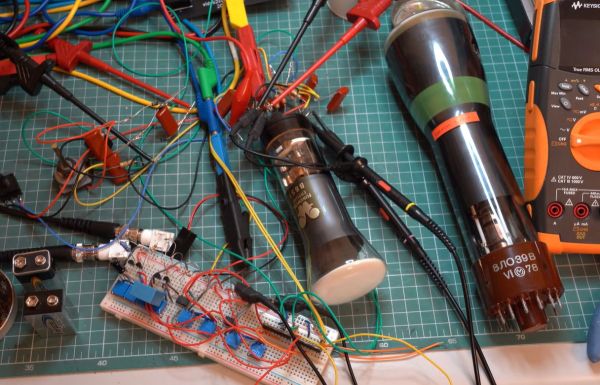
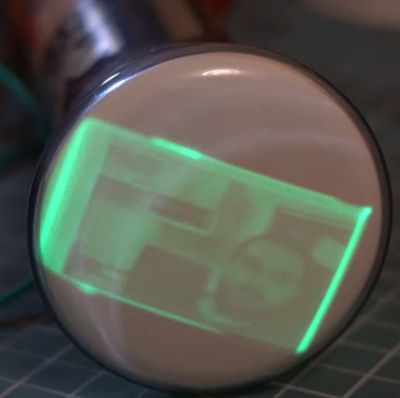
Regardless of whether it’s just a simple monochrome CRT in an oscilloscope or a full RGB CRT, the basic steps to make it work in a device remain the same. In a recent video by [Void Electronics] these steps are worked through, including the biasing at the end that is necessary to get a stable image.

A big part of installing a CRT and driving it is knowing how to read its datasheet. Much like other vacuum tube types, there are heaters, control grids and a range of voltages to get right and keep happy. Even then you can still have a situation where you must troubleshoot problems, which is also touched upon in the video. All of this is demonstrated using an RFT B6S1 CRT as the subject, including how to build your own bias circuit.

Despite calling it an “obsolete skill”, there is still a lot of demand for CRTs in vintage lab equipment, arcade restorations and far more obscure fields that still have new CRTs produced for them. Not to mention that even today CRTs have characteristics that make them competitive with flat-screen technologies.

Continue reading “How To Bias A CRT After Installation”

Bernoulli Disk Goes “Wii!” When Plugged Into WiiU

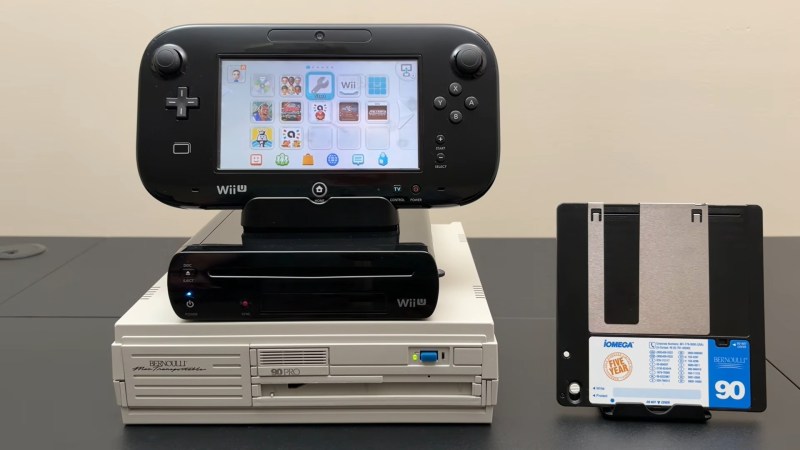
The Bernoulli disk was a wild piece of 1980s hardware. Take a big floppy. Spin the platter at 1500 RPM just a micron or so from a read head. The airflow around that rapidly-spinning disk actually stabilizes the disk that close to the read-head via the Bernoulli effect, hence the name. Once upon a time, everybody wanted a Bernoulli Box to put under their Macintosh 512, but [Will It Work?] wanted to see how well these old drives held up to the 21st century… by using it to load games onto a WiiU. 

It’s not as crazy at is it seems. The WiiU is happy to read and write anything that looks like a USB mass storage device. The Bernoulli Box is of course pre-USB– even the later model 5 1/4″ drive [Will] is using from 1987. That means it uses SCSI, the USB of the 1980s. He’s got a 90 MB disk, though IOmega did make disks of higher capacity in that format, all the way up to 230 MB. Yes, the same iOmega of Zip-drive fame and infamy— but don’t worry, the peculiar pneumatic nature of the Bernoulli disks makes them immune to the click of death.

You might think it’s going to take a great deal of hacking and homebrew to get the WiiU talking to a SCSI drive from the 80s, but as we said in the introduction, Nintendo made this thing respect USB conventions, so all that’s needed is an SCSI-to-USB cable. Well, plus a passive SCSI 1 to SCSI 2 adapter to get the USB adapter to fit. Daisy-chaining adapters isn’t the most advanced hack, but the point isn’t how hard it was to pull off– it’s that we’re amazed it worked at all.

It doesn’t seem like the drive slows down the WiiU nearly as much as we’d expect, but then it’s not a console known for fast load times. The other suprizing detail is how much space the WiiU’s formatting sucked up, knocking the 90 MB disk down to only 68 MB– combine that with the WiiU’s firmware wanting to pad space for save files, and not much fits. Thus we don’t expect this odd tower of power to take off like the original did– still, if you had one of these back in the day, it might be a nice nostalgia hit to hear the drive whirring away.

If you think a disk drive is something Nintendo would never imagine for their consoles, think again! The Japanese version of the NES had the Famicon disk drive, which turns out to be essential if you want to run UNIX on that system.

Continue reading “Bernoulli Disk Goes “Wii!” When Plugged Into WiiU”