3D Prints Turn Any Keyboard Isomorphic

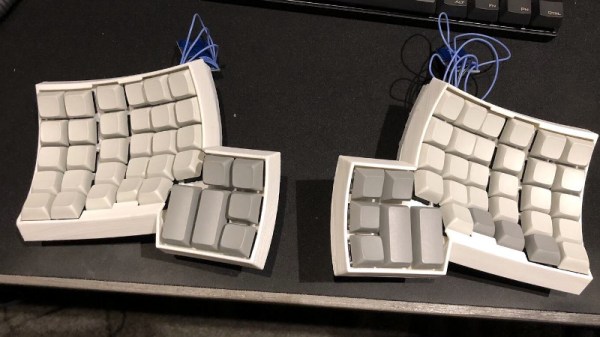
In the history of weird musical instrument interfaces, isomorphic keyboards are a favorite. These keyboards look like a grid of buttons, but when you play them, the relative shapes of chords are always the same. The benefit? Just say no to five hundred years of clavier tradition. It looks cool, too. Theoretically, it’s easier to play independent of whatever key you’re in. [John Moriarty] has built one of these isomorphic keyboards, and unlike everything we’ve ever seen, there are no electronics. It’s all 3D printable and turns any MIDI keyboard into an isomorphic keyboard.

We have seen isomorphic (piano) keyboards before, from a slew of Cherry keyboard switches to a bunch of arcade buttons. There is one downside to these builds, and that is that it’s really just building a MIDI controller. [John]’s build is simply a 3D printable overlay for a traditional piano that turns any standard keyboard into an isomorphic keyboard. The advantage being that this is really just a few pounds of plastic to be printed out and not a mess of wiring and electronics. Simple, removable, reversible. Not bad.

This keyboard effectively adds two differently colored keytops to each key on a keyboard. The best explination of how this keyboard works is in this video, but the basic idea is that all the note names are grouped together by color; C flat, C natural, and C sharp are all blue, for example. This means a third interval is two colors away, and a minor third is two colors to the right and one ‘row’ down. Yeah, it’s weird but that’s what an isomorphic keyboard is.

Since this is just a bunch of 3D printed parts meant to fit on any piano keybed, this is something that’s extremely easy to replicate. All the files for this keyboard overlay are available on Thingiverse, and [John] is offering to print these key tops for others without a 3D printer.

Paper Strandbeest Is Strong Enough To Walk

Most readers will be familiar with the work of the Dutch artist Theo Jansen, whose Strandbeest wind-powered mechanical walking sculptures prowl the beaches of the Netherlands. The Jansen linkage provides a method of making machines with a curious but efficient walking gait from a rotational input, and has been enthusiastically copied on everything from desktop toys to bicycles.

One might think that a Jansen linkage would be beyond some materials, and you might be surprised to see a paper one. Step forward [Luis Craft] then, with a paper walking Strandbeest. Designed in Blender, cut on a desktop CNC paper cutter, and driven by a pair of small robots linked to an Arduino and controlled by a Bluetooth link, it has four sets of legs and can push around desktop items. We wouldn’t have thought it possible, but there it is.

He claims that it’s an origami Strandbeest, but we’re not so sure. We’re not papercraft experts here at Hackaday, but when we put on our pedantic hat, we insist that origami must be made of folded paper in the Japanese style rather than the cut-and-glue used here. This doesn’t detract from the quality of the work though, as you can see in the video below.

We think this is the first paper Strandbeest we’ve seen, but we’ve brought you countless others over the years. Here’s [Jansen]’s latest, wave-like take on the idea.

Continue reading “Paper Strandbeest Is Strong Enough To Walk”

A Briefcase Computer For Your Hacking Needs

Decent laptop computers have been available for decades now. Despite this, there’s still something charming and enigmatic about a computer hidden within a briefcase. [MakeFailRepeat] wanted just such a rig, so did the maker thing and built one.

The project began when [MakeFailRepeat] was donated a 15″ monitor that ran on 12V. Naturally, it needed to be used in an awesome project, and the build began. MDF panels were cut to mount the screen inside an aluminium briefcase, and covered in black felt for a pleasing look and feel. A Logitech wireless keyboard and touchpad combo is used for input. The brains of the operation is a Raspberry Pi, equipped with a UPS HAT to handle battery and mains power, and an Adafruit Speaker Bonnet for sound.

The project was inspired by the classic video game Captive, released on Amiga, Atari, and MS-DOS platforms way back in 1990. While we’re pretty sure [MakeFailRepeat] isn’t trapped on a space station, his briefcase computer should nonetheless prove useful. A computer isn’t the only thing you can build into a briefcase, though. Video after the break.

Continue reading “A Briefcase Computer For Your Hacking Needs”

The Automated Solution To Your Unpopularity

You feel that you’re unpopular and no one likes you. The bad news is that if that’s the case in the real world there’s no easy way to fix it. The good news is there’s a great substitute — your popularity on Instagram. With this vending machine you can replace your personality with followers on Instagram. It’s just a shame we have to wait a year until Coachella.

This project is an interactive installation from [Dries Depoorter] that makes it possible to buy followers and likes in just a few seconds. It’s not limited to Instagram — you can get followers on FaceBook, YouTube, and Twitter, too. The hardware consists of a Raspberry Pi 3B+, an Arduino, coin acceptor, a few character LCDs running over I2C, and somewhat surprising for a one-off ‘art installation’, a lot of DIN rails mounted to a real industrial enclosure. Someone here knows what they’re doing;  there’s something resembling cable management inside this box and this vending machine is built to last.

Using this vending machine is as easy as sticking a few Euro coins in the slot and selecting the number of followers or likes you’d like. In a few minutes afterward, hundreds of notifications pop up on your phone. There’s no mention of the software in this vending machine aside from it being written in Python, which makes us wonder where these Instagram bots are based. Check out the video below.

Continue reading “The Automated Solution To Your Unpopularity”

Freeform ESP8266 Network Attached Data Display

Like many of us, [Josef Adamčík] finds himself fascinated with so-called “freeform” electronic designs, where the three dimensional circuit makes up sections of the device’s structure. When well executed, such designs really blur the line between being a practical device and an artistic piece. In fact his latest design, an ESP8266 MQTT client, would seem to indicate there might not be much of a “line” at all.

The inspiration for this project actually comes from something [Josef] had worked on previously: an ESP8266-based environmental monitoring system. That device had sensors to pick up on things such as humidity and ambient light level, but it didn’t have a display of its own; it just pushed the data out onto the network using MQTT. So he thought a companion device which could receive this environmental data and present it to him in a unique and visually appealing way would be a natural extension of the idea.

As the display doesn’t need any local sensors of its own, it made the design and construction much easier. Which is not to say it was easy, of course. In this write-up, [Josef] takes the reader through the process of designing each “layer” of the circuit in 2D, printing it out onto paper, and then using that as a guide to assemble the real thing. Once he had the individual panels done, he used some pieces of cardboard to create a three dimensional jig which helped him get it all soldered together.

On the software side it’s pretty straightforward. It just pulls the interesting bits of information off of the network and displays it on the OLED. Right now it’s configured to show current temperature on the display, but of course that could be changed to pretty much anything you could imagine if you’re looking to add a similar device to your desktop. There’s also a red LED on the device which lights up to let [Josef] know when the batteries are getting low on the remote sensor unit; a particularly nice touch.

If you’d like to see more of these freeform circuits, we’d advise you to checkout the finalists for our recently concluded “Circuit Sculpture” contest. Some of the finalists are truly beyond belief.

Make Your Own Old School LED Displays

We live in an era in which all manner of displays are cheap and readily available. A few dollars spent online can net you a two-line alphanumeric LCD, a graphical OLED screen, or all manner of other options. Years ago however, people made do with little monolithic LED devices. [sjm4306] wanted to recreate something similar, and got down to work (Youtube link, embedded below).

The resulting device uses 0603 sized SMD LEDs, soldered onto a tiny PCB. 20 LEDs are used per digit, which can display numbers 0-9 and letters A-F. The LEDs are laid out in a pattern similar to Hewlett-Packard designs from years past. This layout gives the numerals a more pleasant appearance compared to a more-classic 7-segment design. Several tricks are used to make the devices as compact as possible, such as putting vias in the LED pads. This is normally a poor design technique, but it helps save valuable space.

[sjm4306] has developed a breadboard model, and a more advanced version that has a pad on the rear to mount a PIC16F88 microcontroller directly. We look forward to seeing these modules developed further, and can imagine they’d prove useful in a variety of projects.

For reference, check out these Soviet-era 7-segment displays. Video after the break.

Continue reading “Make Your Own Old School LED Displays”

A Work Light For Hacker Events

If you’ve ever attended a hacker camp, you’ll know the problem of a field of tents lit only by the glow of laser illumination through the haze and set to the distant thump of electronic dance music. You need to complete that project, but the sun’s gone down and you didn’t have space in your pack to bring a floodlight.

In Days of Yore you might have stuck a flickering candle in an empty Club-Mate bottle and carried on, but this is the 21st century. [Jana Marie] has the solution for you, and instead of a candle, her Club-Mate bottle is topped a stack of LED-adorned PCBs with a lithium-ion battery providing a high intensity downlight. It’s more than just a simple light though, it features variable brightness and colour temperature through touch controls on the top surface, as well as the ability to charge extra 18650 cells. At its heart is an STM32F334 microcontroller with a nifty use of its onboard timer to drive a boost converter, and power input is via USB-C.

We first saw an early take on this project providing illumination for a bit of after-dark Hacky Racer fettling at last year’s EMF 2018 hacker camp, since then it has seen some revisions. It’s all open-source so you can give it a go yourself if you like it.