An Atari 600XL Talks Composite Video

When we write about the 8-bit era of home computers there is a list of manufacturers whose names are frequently mentioned. Apple, Commodore, Texas Instruments, maybe Acorn and Sinclair if you are British, and of course Atari. But when we mention the last of those names it is invariably in reference to their iconic 2600 games console, it almost passes unnoticed that they also produced a line of 8-bit home computers based upon that success.

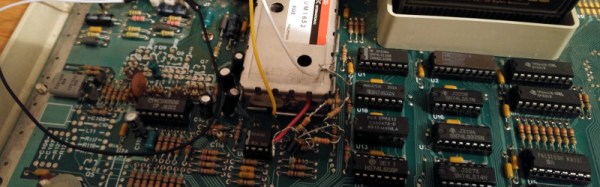
[ModPurist] was lucky enough to secure one of the Atari 8-bit computers through bartering with a local game store, an Atari 600XL from around 1983 or 1984, complete with its original box, manuals, cartridges, and a data cassette recorder. But on powering the system up and connecting to a TV a problem emerged. There was something there, but through a lot of noise and very blurry indeed. The solution after a bit of investigation turned out to be quite simple, to bypass the Astec video modulator and apply a composite video modification. Further investigation revealed that the original problem had in part been caused by the unit’s 5V power supply falling short of its voltage, so a further modification was to make a USB lead to allow it to be powered from a modern 5V charger.

This is a relatively simple piece of work, so you might be asking “Where’s the hack?”. The answer lies not in the mod itself, but in the detailed look [ModPurist] gives us at the inner workings of the 600XL, since it’s not a machine we see very often. Having the benefit of 30 years of hindsight and knowing the Atari’s competition quite well, we’d say that compared to some other machines of the era it’s a surprisingly well-designed computer both aesthetically and mechanically.

If your appetite for old Ataris has been whetted by this mod, can we draw your attention to this Atari 800 laptop? Or how about this 800 whose 6502 has been replaced with a 6809?
Custom Keyboard Makes The Case For Concrete

One of the worst things about your average modern keyboards is that they have a tendency to slide around on the desk. And why wouldn’t they? They’re just membrane keyboards encased in cheap, thin plastic. Good for portability, bad for actually typing once you get wherever you’re going.

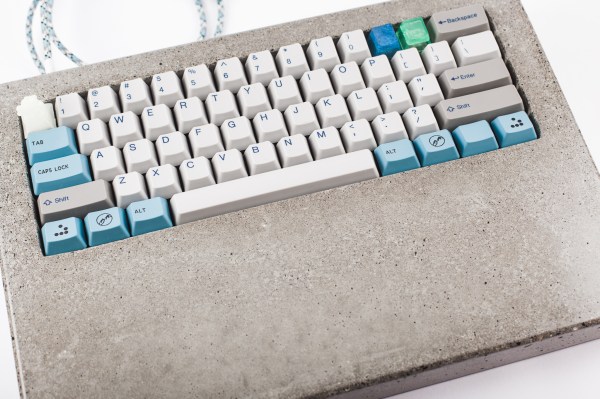
When [ipee9932cd] last built a keyboard, finding the right case was crucial. And it never happened. [ipee9932cd] did what any of us would do and made a custom case out of the heaviest, most widely available casting material: concrete.

To start, [ipee9932cd] made a form out of melamine and poured 12 pounds of concrete over a foam rectangle that represents the keyboard. The edges of the form were caulked so that the case edges would come out round. Here’s the super clever part: adding a couple of LEGO blocks to make space for the USB cable and reset switch. After the concrete cured, it was sanded up to 20,000 grit and sealed to keep out sweat and Mountain Dew Code Red. We can’t imagine that it’s very comfortable to use, but it does look to be cool on the wrists. Check out the gallery after the break.

Concrete is quite the versatile building material. We’ve seen many applications for it from the turntable to the coffee table to the lathe.

Continue reading “Custom Keyboard Makes The Case For Concrete”

Hackaday Prize Entry: Tongue Vision

Visually impaired people know something the rest of us often overlooks: we actually don’t see with our eyes, but with our brains. For his Hackaday Prize entry, [Ray Lynch] is building a tongue vision system, that will help blind people to see through one of the human brain’s auxiliary ports: the taste buds.

Continue reading “Hackaday Prize Entry: Tongue Vision”

A Reproduction Vintage Sound Card

Before the AdLib sound card, sound on PCs was in a terrible shape. Since the dawn of IBM, all PCs included a speaker, but this PC speaker was only capable of sounding one note at a time. Chords on the PC speaker produced a weird ‘bubbling’ effect. Just a few years later, 8-bit sound could be created with the Covox Speech Thing, effectively a resistor ladder, with the parallel port on one side, and an 1/8″ plug on the other. These solutions for PC sound sucked.

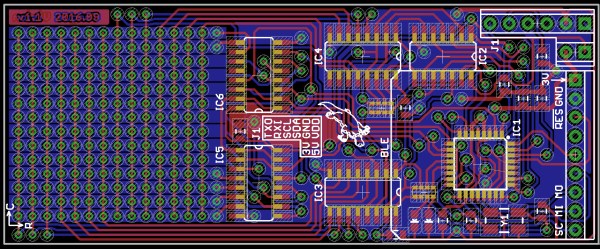
It wasn’t until the first AdLib cards that superior sound showed up on the PC. Recently, [eric] had been fixing up an old IBM XT and quickly realized the original AdLib sound cards were collector’s items and far too expensive for what they were. He decided to build a reproduction Ad Lib. completely compatible and nearly identical to the original 1990 version of the best sound card on the market.

The first Ad Lib sound card is a relatively simple circuit based on the Yamaha YM3012 (OPL2) and YM3014B chips. These chips are frequently available on eBay, and [Sergey] already has a complete circuit for turning these chips into an ISA sound card. While this modern card is compatible with the AdLib Music Synthesizer Card, it doesn’t look like one. [eric] wanted a card that looked like the real thing, and sounded like one, too.

PCB design has come a long way in a generation, and where the AdLib card was once a wonder of modern technology, anyone with enough patience can now design an identical board, send the file off to China, and receive a reproduction of the first successful sound card. All the files are up on Github should you want to build your own. Now all we need is someone making modern 486 motherboards.


Who Could Resist A Color Coded Clock?

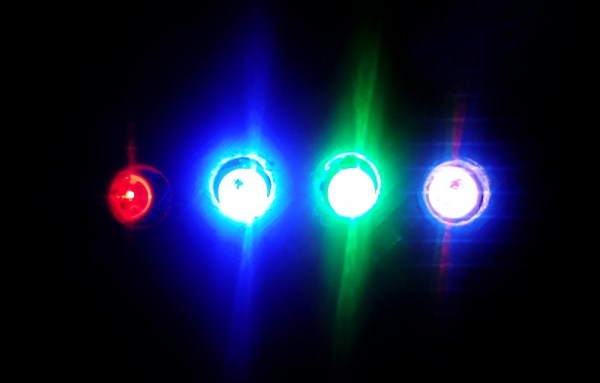
[Luc] wanted to make a clock like no other. He knows that the territory is well-trod, especially in the area of minimalist design. Undeterred, [Luc] came up with a fresh design that uses the resistor color code to display the time. He’s calling it the Nerd’s Ultimate Watch.

It doesn’t get much more minimalist than four RGB LEDs. Each one illuminates in the color that represents the digit in the current time. For instance, I’m typing this sentence at 1:37PM. The clock uses 24-hour time, so let’s call it 13:37. Using resistor color code time, that’s 1, 3, 3, 7, or brown, orange, orange, violet.
Continue reading “Who Could Resist A Color Coded Clock?”

How To Hack A Spacecraft To Die Gracefully

Last week, the Rosetta spacecraft crashed into comet 67P/Churyumov-Gerasimenko after orbiting it since 2014. It was supposed to do that: the mission was at an end, and the mission designers wanted to end it by getting a close look at the surface of the comet. But this raises an interesting problem: how do you get a device that is designed to never stop to actually stop?
Continue reading “How To Hack A Spacecraft To Die Gracefully”

DIY Nozzle Socks For Your 3D Printer

If you have a 3D printer, your nozzle and heater block are invariably covered in a weird goo consisting of decomposed and burnt plastic. There’s only one way around this – a nozzle sock, or a silicone boot that wraps around the heater block and stops all that goo from accumulating.

Right now, E3D sells silicone nozzle socks for their normal-sized heater blocks, with a release for their maxi-sized Volcano blocks coming shortly. [Ubermeisters] couldn’t wait, so he designed a 3D printed mold to cast as many Volcano nozzle socks as he could ever need.

The mold itself is taken from the mechanical drawings of the E3D Volcano hotend, printed in Proto Pasta HTPLA. To create the nozzle sock, this mold is filled with a goo made from GE Silicone I, mineral spirits, plaster of Paris, carbon powder, aluminum powder, titanium microspheres, and bronze powder colorant from Alumalite.

The mold is sprayed with release, filled with silicone goo, and slowly brought together. After a few hours, the silicone has cured, can be removed from the mold, and the flash can be cut away from the finished part. The end result is great — it fits the Volcano hotend well, and shouldn’t be covered in melted, burnt plastic in a week’s time.

All the files for the Volcano nozzle sock mold can be found on YouMagine. Alternatively, you could wait another month or two for E3D to release their ‘official’ Volcano nozzle sock.