Malware Alters DNS Data On Routers


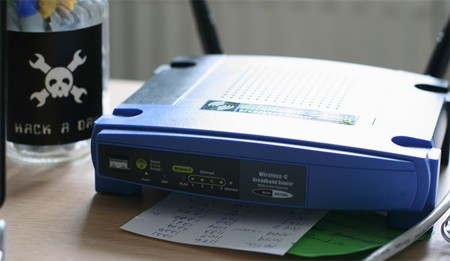
The Zlob trojan, also known as DNSChanger, has been around for a few years, but recent Zlob variants to appear in the wild attempt to log into routers using a list of default admin/password combos. If they succeed, they alter the DNS records on the router to reroute traffic through the attacker’s server.

Our friend [Dan Kaminisky] recently did a presentation warning against vulnerabilities in internet browser plugins that allow attackers to mount DNS rebinding attacks against routers with default passwords.. Though it achieves the same end, Zlob is different because it infects by the tried-and-true method of fooling users into downloading it inside a fake video codec. Once it is running on a client machine, it is free to attempt to use the default admin id and password of the router to log in and alter DNS settings. It even supports the DD-WRT firmware.

Even if a system is wiped clean of Zlob trojans, the router could still be compromised. The good news is that it is easy to fix and even easier to prevent. Fixing it takes no more than wiping all network clients clean, then resetting the router and restoring custom settings. Prevention is a simple matter of changing the router’s password.

[photo: fbz]
Stabilized Video Collages


This is some beautiful work. The clip features multiple video streams stabilized and then assembled into a whole. First, [ibftp] used the “Stabilize” feature in Motion 3 (part of Apple’s Final Cut Studio 2) to remove the camera shake from the clips. Then he was able to blend the videos with “fusion” set to “multiplication”. If you’ve got access to the tools, this shouldn’t be too hard to do yourself. We’re certain someone in SIGGRAPH is already attempting to do the same thing live. If you want to see image stabilization really making a difference, have a look at the stabilized version of the Zapruder film embedded below.

Continue reading “Stabilized Video Collages” →

LED Lightbar Controller

[youtube=http://www.youtube.com/watch?v=6ihIaNN9UBY&hl=en]
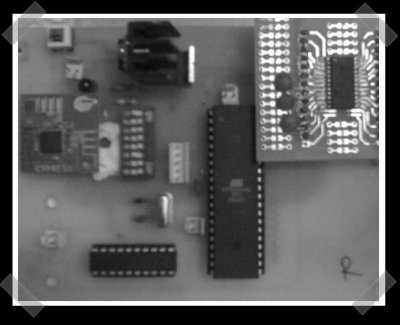
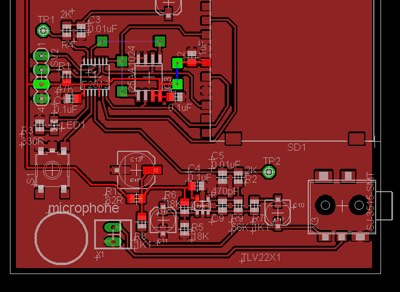
[Adam Grieg] recently posted this video of his LED lightbar controller at work making a strip of LEDs flash to the beat of his music. The controller does it by picking up the music via an electret microphone, then amplifying it with an LM386 Amp. The ATtiny13 microcontroller keeps track of the noise level and makes the LED array flash whenever it senses a peak.

In addition to the parts listed, [Grieg] used a small SparkFun box as the enclosure for the controller. If you’re considering trying your hand at this project, check out [Grieg]’s schematics and code. It’s relatively cheap to make, so it wouldn’t be that hard to rig up several of these set to flash at different frequencies.

[via SparkFun]

How-To: Make An RGB Combination Door Lock (Part 1)


Part 2 can be found here

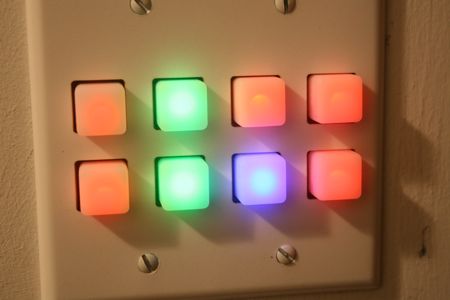
Putting a custom designed electronic lock on your space seems like a geek right of passage. For our latest workspace, we decided to skip the boring numbered keypad and build a custom RGB backlit keypad powered by an Arduino. Instead of typing in numbers, your password is a unique set of colors. In today’s How-To, we’ll show you how to build your own and give you the code to make it all work.

Continue reading “How-To: Make An RGB Combination Door Lock (Part 1)” →

Accelerometer Mouse From Scratch


[Mahavir] sent in his group’s final project for the College of Engineering in Pune (it’s over here). They built an accelerometer based Bluetooth mouse. They ended up creating a mouse that maps rotational movements to x/y motion. From the video movement, it strikes us as responding the same way that touch pointer mice do. You can hit the demo video after the break or get more details from the project page. Even if you’re not into the mouse idea, you can probably learn something from their Bluetooth implementation.

Continue reading “Accelerometer Mouse From Scratch” →

Eagle 5 Overview


Not sure how we missed this when it was originally published, but our friend [Ian Lesnet] at DIY Life posted an overview of Cadsoft’s new release Eagle 5. This upgrade seems to be all usability tweaks-it really took 5 versions before you could right click? They also made CTRL+Z undo. Really. Eagle3D works nearly the same as before, but has a few changes to help you figure out why certain parts aren’t rendering. We’re happy to see the OSX version is now Universal and no longer needs X11.

Camera Lightning Capture


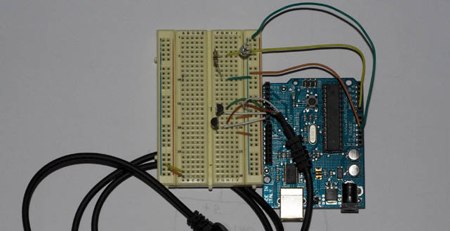
The people at [Hobby Robotics] decided to build a trigger circuit for lightning photography. There are more complex ways to do this, but they just used a photo transistor and an Arduino. The Arduino watches the photo transistor’s value and compares it to the previously captured one. If the difference is above a certain threshold, it means a rapid change in the amount of light has occurred, which triggers the shutter. An earlier post covered how to directly control the Canon 30d using an Arduino. All of this works because the shutter lag and code execution together are less than lighting’s 100ms duration.