CastAR And Holographic Print Preview For 3D Printers!

CastAR and 3D printing

Google glasses this, Oculus rift that, CastAR… With all these new vision devices coming out, the world of augmented reality is fast becoming, well, a reality!

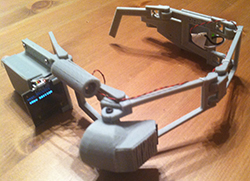
Here’s a really cool concept [Ryan Smith] came up for 3D printing. Using [Jeri Ellsworth’s] CastAR, [Ryan Smith] has created a really cool technical illusion to demonstrate visual prototyping on his Makerbot. Using a laser cutter he’s perforated the front plastic panel of the Makerbot, which allows a semi-transparent overlay that when you use the CastAR’s projector it gives you a holographic visual effect.

The glasses track the reference object (in this case, the gear) and then project interfacing gears in an animation over-top of the existing part. [Ryan] sees this as the next step in 3D printing for artists and makers because it can help give you a 3D preview of your part, for example if you’re not fully sure what scale you want it to print at, you could actually put a mating object, or your hand, behind the screen and visually see the interface!
Continue reading “CastAR And Holographic Print Preview For 3D Printers!”

Making Manual Lens Flares With A Few Simple Parts

DIY Lens Flare

If you’re an aspiring film maker hoping to be the next [J.J. Abram] with a mild (severe?) obsession with lens flares, then this Instructable is for you!

Modern camera lenses are designed to prevent lens flare, but sometimes, just sometimes, you want a cool lighting flare in your video. Of course you could add them in post production, but that’s kind of cheating, and if you don’t have expensive video editing software, not very easy to do either.

Now you could just throw a super bright LED flashlight on set and hope for the best, but you’ll never get that cool Star Wars or Star Trek blinding purple line… unless you add something on your camera to help scatter the light! [Jana Marie] has figured out just how to do that. Continue reading “Making Manual Lens Flares With A Few Simple Parts”

Unbricking The Da Vinci And Installing Custom Firmware

We’ve seen a lot of projects based around the Da Vinci 3D printer, all deserved, because the Da Vinci is honestly a terrible 3D printer; it has chipped and DRM filament cartridges, a terrible software interface, and completely closed firmware. The first two shortcomings have already been taken care of, and now the door is open for open source firmware on the Da Vinci printer.

[Jason] bricked his Da Vinci when upgrading the firmware, and like any enterprising tinkerer opened up the enclosure and took a look at the electronics board. He found an ATSAM3X8E, a very capable ARM Cortex-M3 microcontroller. This is the same processor in the Arduino Due, making it possible to write code for the Due and upload it to the Da Vinci controller.

After installing Atmel Studio 6, he noticed the printer controller showed up in the device manager, making it a snap to upload updated firmware, unbricking his printer.

With the ability to upload firmware, the problem quickly becomes writing new open source firmware, or at least porting existing firmwares; there are a few people across the internet trying to reverse engineer the board schematic from the PCB. Once that’s done, it should be a trivial matter to make the Da Vinci an open device, and teaching a lesson to every company that thinks they can sell a closed device in what is ultimately an open ecosystem.

Blobless Printing With Velocity Extrusion

velocity

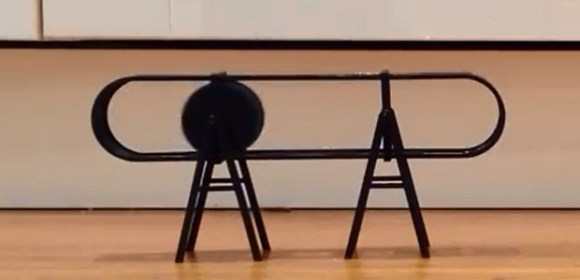
The current crop of 3D printers are technically four-axis machines, with three axes of movement and a fourth for the position of the filament. [Bas] had an entirely different idea – why not link the speed of the extruder to the speed of the nozzle? It turns out this technique gives you more ‘plasticy-looking’ prints and a vast reduction in blobbiness.

[Baz] has been working with LinuxCNC, a BeagleBone Black and the BeBoPr-Bridge cape, and there’s been a lot of development with that system in turning many straight lines into one smooth arc. This led him to adjusting the flow rate of a nozzle while the printer is running, but this is difficult if the extrusion is controlled by position as in a traditional printer setup. A new configuration was in order.

What [Baz] ended up with is a config that calculated the speed of the extruder based on the speed the nozzle is moving over the print surface. This gave him the ability to add live nozzle pressure adjustment, and as a result, a near complete disappearance of the little blobs that appear at the start of each layer.

For a well calibrated machine, it’s only a small difference between the ‘normal’ and ‘velocity’ methods of controlling an extrusion rate. It’s a noticeable difference, though, and one that vastly improves the visual quality of a print.


Koenigsegg 3D-Printing For Production Vehicles

Koenigsegg with Printed Parts

We’re not surprised to see a car manufacturer using 3D-printing technology, but we think this may be the first time we’ve heard of 3D-prints going into production vehicles. You’ve likely heard of Christian von Koenigsegg’s cars if you’re a fan of BBC’s Top Gear, where the hypercar screams its way into the leading lap times.

Now it seems the Swedish car manufacturer has integrated 3D printing and scanning into the design process. Christian himself explains the benefits of both for iterative design: they roughed out a chair, adjusting it as they went until it was about the right shape and was comfortable. They then used a laser scanner to bring it into a CAD file, which significantly accelerated the production process. He’s also got some examples of brake pedals printed from ABS—they normally machine them out of aluminum—to test the fits and the feeling. They make adjustments as necessary to the prints, sometimes carving them up by hand, then break out the laser scanner again to capture any modifications, bring it back to CAD, and reprint the model.

Interestingly, they’ve been printing some bits and pieces for production cars out of ABS for a few years. Considering the low volume they are working with, it makes sense. Videos and more info after the jump.

Continue reading “Koenigsegg 3D-Printing For Production Vehicles”

Coloring 3D Prints With Sharpies

Printing objects in full color easily is one of the paramount goals of the ‘squirting plastic’ 3D printer scene, and so far all experiments have relied on multiple colors of filament, and sometimes multiple extruders. This, of course, requires a stock of different colored filaments, but [Mathew Beebe] has a different idea: why not dye a natural colored filament just before it’s fed into a printer? Following his intuition, [Mathew] is doing some experiments with the common Sharpie marker, and the resulting prints look much better than you would expect.

The basic procedure or this technique is to drill a hole in the butt end of the Sharpie, pull out the felt in the tip, and feed a length of filament through the marker before it goes into the extruder. The filament is dyed with the Sharpie ink, and the resulting print retains the color of the marker.

Despite the simplicity of the technique, the results are astonishing. An off-white ‘natural’ filament is easily transformed into any one of the colors found in Sharpies.

Besides the common Sharpie, there’s a slightly more interesting application  of this technique of coloring 3D printer filament; as anyone who has ever been in a dorm room with a blacklight knows, you can use the dye inside a common highlighter to make some wicked cool UV-sensitive liquor bottles. Whether the ‘Sharpie technique’ works with highlighters or other markers is as yet unknown, but it does deserve at least a little experimentation.

Video below.

Continue reading “Coloring 3D Prints With Sharpies”

My First Robot: A Dad’s Journey In Robotics For His Daughter

My first robot

[Joel Miller] wants to get his daughters into electronics early (his oldest is only 3), so he’s decided to foray into the wonderful world of robotics as a fun way to get them interested. As bonus to us and all other would-be robotics enthusiasts out there, he’s keeping track of the project on his blog!

He started by sketching out some ideas about what he wanted his robot to be capable of — it should be able to move around, be remote controlled, have sensors for experiments, and even have some personality — expression capable eyes maybe? Oh and it should be able to automatically charge itself, and have tank treads!

It’s been a few weeks since he started scheming up ideas… and he already has a prototype complete! Talk about a productive father! He decided to try 3D printing a continuous tank tread using ABS, but unfortunately it was a bit too stiff, so he’s opted to use a tried and true Lego system instead — although maybe he should try printing in two materials, like we just saw with the FlexyDualie extruder!

Continue reading “My First Robot: A Dad’s Journey In Robotics For His Daughter”