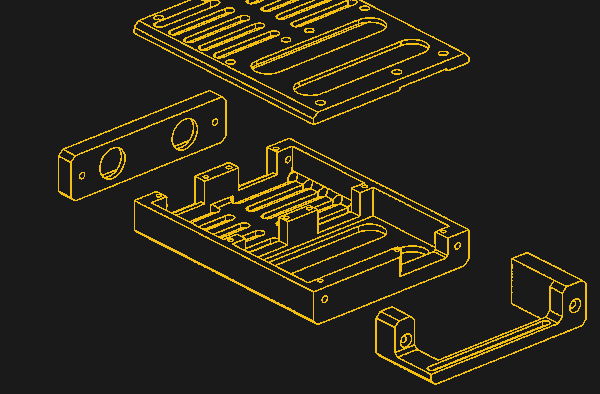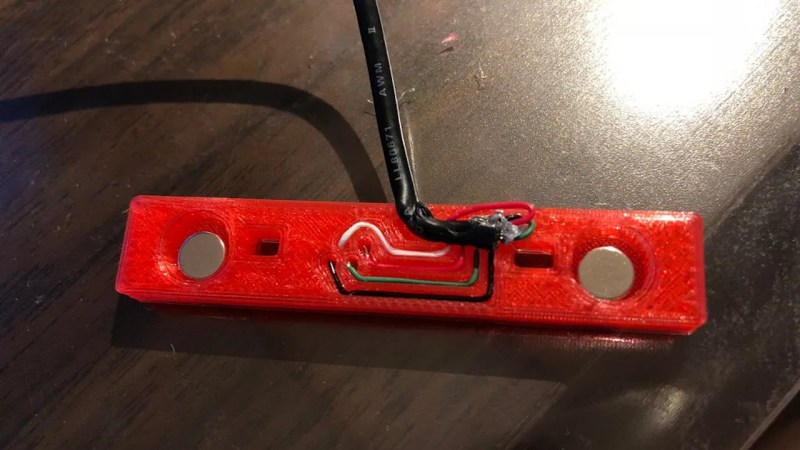
The 3D-printed adapter shown assembled, with the USB cable's wires going into cable channels on the adapter and magnets slotted into the adapter's openings

Use Your Thinkpad X1 Tablet’s Keyboard Standalone

Some hacks are implemented well enough that they can imitate involved and bespoke parts with barely any tools. [CodeName X]’s Thinkpad X1 Tablet Keyboard to USB adapter is one such hack – it let’s one reuse, with nothing more than a 3D printed part and a spare USB cable, a keyboard intended for the Thinkpad X1 Tablet (2016 or 2017).

The issue is, this keyboard connects through pogo pins and holds onto the tablet by magnets, so naturally, you’d expect reusing it to involve a custom PCB. Do not fret – our hacker’s take on this only needs aluminum foil and two small circular magnets, pressing the foil into the pins with the help of the printed part, having the USB cable pins make contact with the foil pads thanks to nicely laid out wire channels in the adapter. If you want to learn more, just watch the video embedded below.

Of course, this kind of adapter will apply to other similar keyboards too — there’s no shortage of tablets from last decade that had snap-on magnetic keyboards. But watch out; some will need 3.3V, and quite a few of them will use I2C-HID, which would require a MCU-equipped adapter like this wonderful Wacom rebuild did. Not to worry, as we’ve shown you the ropes of I2C-HID hacking.

Continue reading “Use Your Thinkpad X1 Tablet’s Keyboard Standalone”
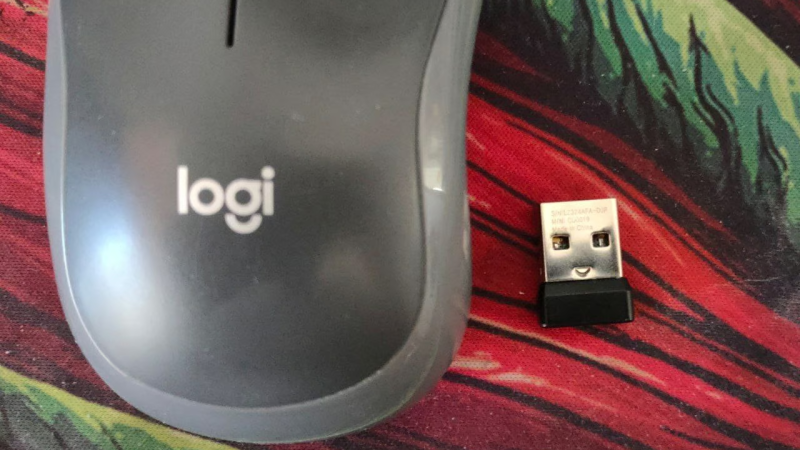
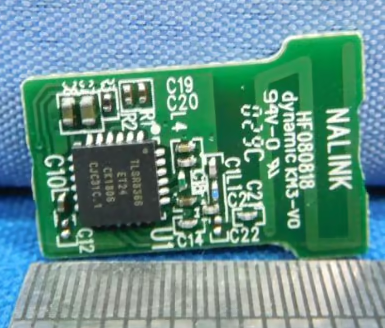
the Logitech receiver in question next to the mouse it's paired to

Uncovering Secrets Of Logitech M185’s Dongle

[endes0] has been hacking with USB HID recently, and a Logitech M185 mouse’s USB receiver has fallen into their hands. Unlike many Logitech mice, this one doesn’t include a Unifying receiver, though it’s capable of pairing to one. Instead, it comes with a pre-paired CU0019 receiver that, it turns out, is based on a fairly obscure TC32 chipset by Telink, the kind we’ve seen in cheap smart wristbands. If you’re dealing with a similarly obscure MCU, how do you even proceed?

In this case, GitHub had a good few tools developed by other hackers earlier — a Ghidra integration, and a tool for working with the MCU using a USB-UART and a single resistor. Unfortunately, dumping memory through the MCU’s interface was unreliable and frustrating. So it was time to celebrate when fuzzing the HID endpoints uncovered a memory dump exploit, with the memory dumper code helpfully shared in the blog post.

From a memory dump, the exploration truly began — [endes0] uncovers a fair bit of dongle’s inner workings, including a guess on which project it was based on, and even a command putting the dongle into a debug mode where a TC32-compatible debugger puts this dongle fully under your control.

Yet another hands-on course on Ghidra, and a wonderful primer on mouse dongle hacking – after all, if you treat your mouse’s dongle as a development platform, you can easily do things like controlling a small quadcopter, or pair the dongle with a SNES gamepad, or build a nifty wearable.

We thank [adistuder] for sharing this with us!

Donkey Kong Bongos Ditch The GameCube, Go Mobile

Historically speaking, optional peripherals for game consoles tend not to be terribly successful. You’ll usually get a handful of games that support the thing, one of which will likely come bundled with it, and then the whole thing fades into obscurity to make way for the next new gimmick.

For example, did you know Nintendo offered a pair of bongos for the GameCube in 2003? They were used almost exclusively by the trio of Donkey Konga rhythm games, although only two of them were ever released outside of Japan. While the games might not have been huge hits, they were successful enough to stick in the memory of [bl3i], who wanted a way to keep the DK bongo experience alive.

The end result is, arguably, more elegant than the hokey musical controller deserves. While most people would have just gutted the plastic bongos and crammed in some new hardware, [bl3i] went through considerable effort so the original hardware would remain intact. His creation simply snaps onto the bongos and connects to them via the original cable.

Internally, the device uses an Arduino to read the output of the bongos (which appeared to the GameCube essentially as a standard controller) and play the appropriate WAV files from an SD card as hits are detected. Add in an audio amplifier module and a battery, and Nintendo’s bongos can finally go forth into the world and spread their beats.

As far as we’re able to tell, this is the first time the Donkey Kong bongos have ever graced the pages of Hackaday in any form, so congratulations to [bl3i] for getting there first. But it’s certainly not the first time we’ve covered ill-conceived game gadgets — long time readers will perhaps be familiar with Nintendo’s attempt to introduce the Robotic Operating Buddy (ROB) to households back in 1985.

Continue reading “Donkey Kong Bongos Ditch The GameCube, Go Mobile”

ATtiny85 Mouse Jiggler Lets You Take A Break

The good news is that more and more people are working from home these days. The bad news is that some of the more draconian employers out there aren’t too happy about it, to the point of using spyware software to keep tabs on their workers. Better make that bathroom break quick — Big Brother is watching!

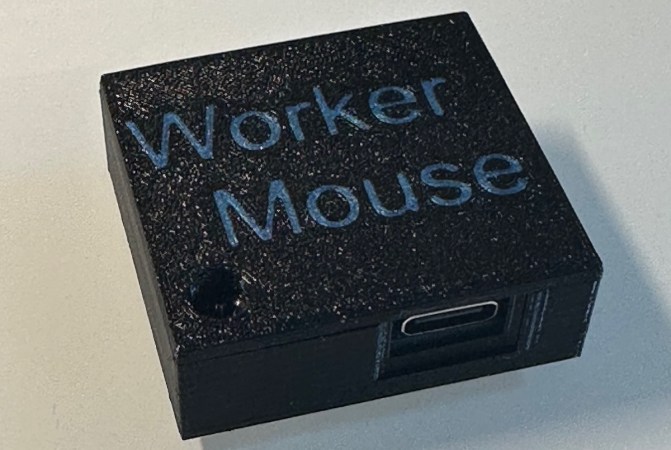
One simple way to combat such efforts is a mouse jiggler, which does…well it does exactly what it sounds like. If you find yourself in need of such a device, the WorkerMouse from [Zane Bauman] is a simple open source design that can be put together with just a handful of components.

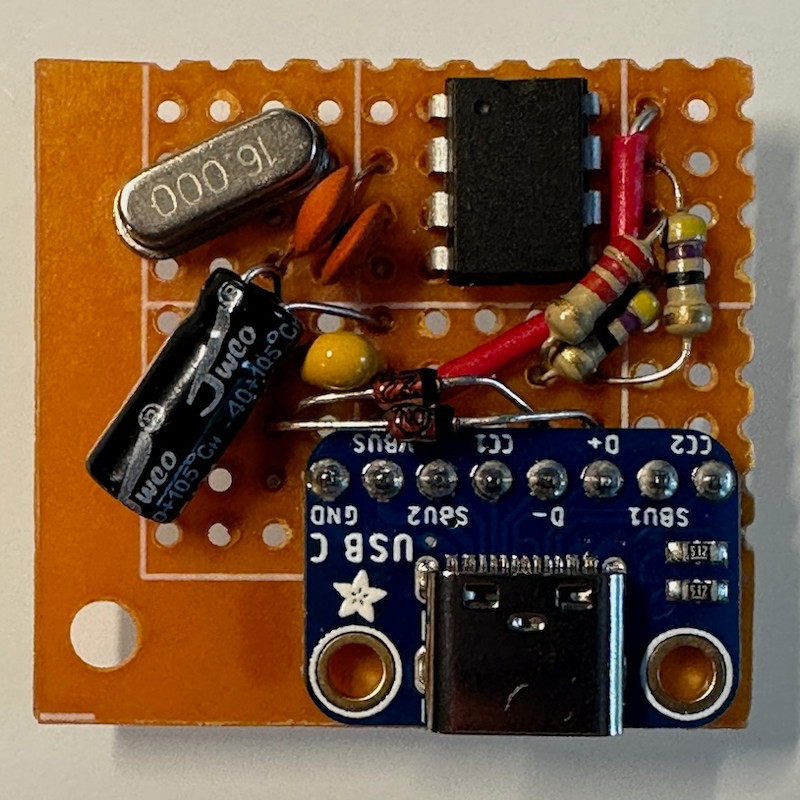
The WorkerMouse is designed to be assembled using through-hole parts on a scrap of perfboard, but you could certainly swap them out for their SMD variants if that’s what you have on hand. The circuit is largely made up out of passive components anyway, except for the ATtiny85 that’s running the show.

[Zane] decided to embrace modernity and couple the circuit with a USB-C breakout board, but naturally you could outfit it with whatever USB flavor you want so long as you’ve got a cable that will let you plug it into your computer.

The project’s C source code uses V-USB to connect to the computer and act as a USB Human Interface Device (HID). From there, it generates random speed and position data for a virtual mouse, and dumps it out every few seconds. The end result is a cursor that leaps around the screen whenever the WorkerMouse is plugged in, which should be enough to show you online while you step away from the computer. As an added bonus, [Zane] has put together a nice looking 3D printable enclosure for the board. After all, the thing is likely going to be sitting on your desk, might as well have it look professional.

If you’ve got the time to get a PCB made, you might also be interested in the MAUS we covered last year, which also keeps the ATtiny85 working so you don’t have to.

Printed Case Lets Pair Of RTL-SDRs Go Mobile

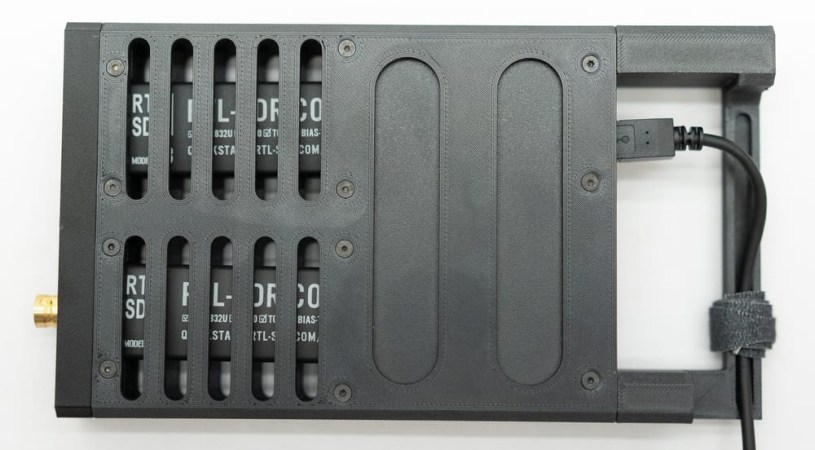
We’ll admit to not fully knowing what [Jay Doscher] has planned for the pair of RTL-SDR Blog V4 software defined radios (SDRs) that are enclosed in the slick 3D printed enclosure he’s designed. But when has that ever stopped us from appreciating a nice design when we see one?

Inside the ventilated enclosure is the aforementioned pair of RTL-SDR Blog V4 (SDRs), as well as a StarTech USB hub that they’re plugged directly into. It seems like it wouldn’t take much to adapt this design to any other pair of USB gadgets, such as flash drives or WiFi adapters.

In fact, if they’re smaller than the RTL-SDR [Jay] has used here, you could probably get away with only needing to modify the one side panel of the case.

The simple modularity of the design, with two end pieces and the top and bottom plates, makes such modifications easy as you don’t need to reprint the whole thing if you just want a different antenna aperture. It also makes it easy to print without support material, and with just a few tweaks, looks like it could be adapted to use laser-cut panels for the sides. This would not only be faster than printing, but depending on the material, could make for a very stout enclosure.

We’ve covered several designs from [Jay] over the years, including a number of heavy-duty mobile “doomsday” computers that certainly fit in with this same design aesthetic. After all, why not face the end of the world with a little style?

Illustrated Kristina with an IBM Model M keyboard floating between her hands.

Keebin’ With Kristina: The One With The Auto Harp Typewriter

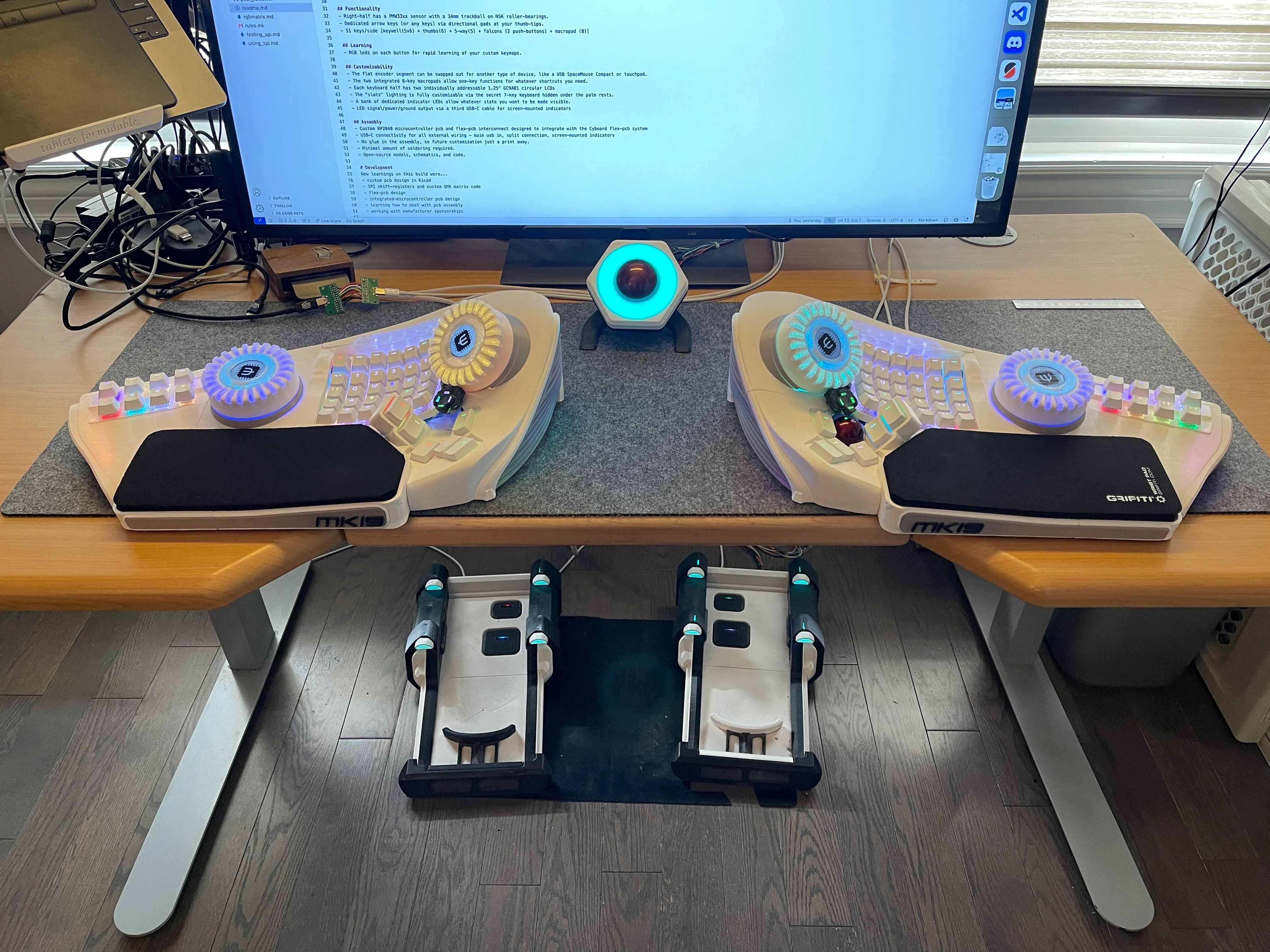
An extremely large split keyboard with giant knobs, and pedals underneath the desk.
Image by [crazymittens-r] via reddit
Where do I even begin with this one? Let’s start with the reasoning behind this giant beast’s existence, and that is medical necessity. [crazymittens-r] needed something that would let them keep working, and after many hours and many versions, this is the current iteration of their ArcBoard, which looks like it could control a spaceship.

You can read all about this version on GitHub, but here’s the gist — you’re looking at a split keyboard with dual macro pads, rotary encoders, and a built-in trackball. And oh yeah, there are pedals, too. Those are a whole other thing.

In this revision, [crazymittens-4] said no to hand-wiring and instead went with custom flexible PCBs. The encoders now have push-button LED screens, and overall, there are “more LEDs than QMK can handle”. There’s even a secret keyboard within the keyboard! I can’t express how much I want to put my hands on this thing.

Continue reading “Keebin’ With Kristina: The One With The Auto Harp Typewriter”

The Secret Behind The Motion Of Microsoft’s Bendy Mouse

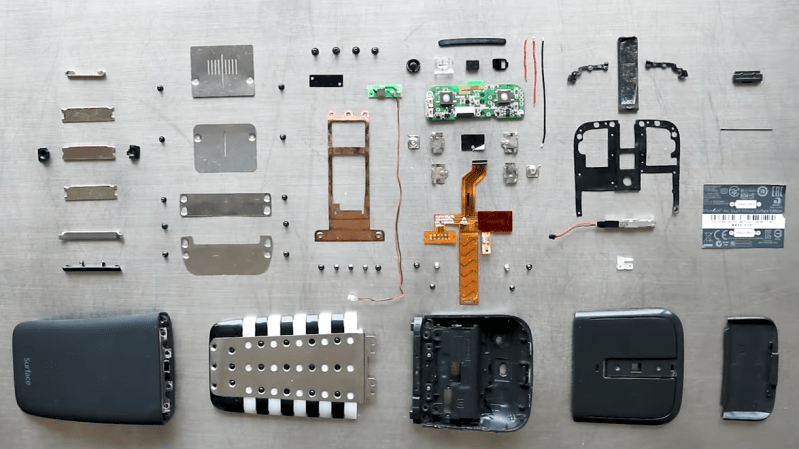
The Surface Arc is a designed-for-travel mouse that carries flat, but curves into shape for use. It even turns on when it’s bent and shuts itself off when it’s flat. The device isn’t particularly new, but [Mr Teardown] was a bit surprised at the lack of details about what’s inside so tears it down in a video to reveal just how the mechanism works.

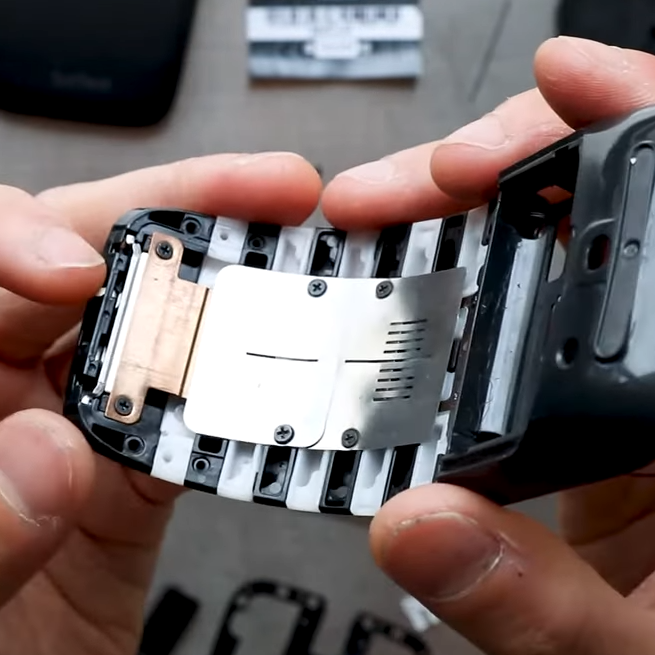
The mechanism somewhat resembles a beaver’s tail, and locks into place thanks to a magnetic connector at the base that holds the device’s shape.

The snap-action of the bending is accomplished with the help of a magnetic connection near the bottom end of the mouse’s “tail”, locking it into place when flexed. Interestingly, the on and off functionality does not involve magnets at all. Power control is accomplished by a little tab that physically actuates a microswitch.

There are a few interesting design bits that we weren’t expecting. For example, there is no mechanical scroll wheel. The mouse delivers similar functionality with touch sensors and a haptic feedback motor to simulate the feel and operation of a mechanical scroll wheel.

[Mr Teardown] finds the design elegant and effective, but we can’t help but notice it also seems perhaps not as optimized as it could be. There are over 70 components in all, including 23 screws (eight different kinds!), and it took [Mr Teardown] the better part of 45 minutes to re-assemble it. You can watch the entire teardown in the video embedded just under the page break; it’s a neat piece of hardware for sure.

If you’re in the mood for another mouse teardown, we have a treat for you: an ancient optical mouse from the 80s that required a special surface to work.

[via Core77]

Continue reading “The Secret Behind The Motion Of Microsoft’s Bendy Mouse”