For Such A Small Program, ZX81 1K Chess Sure Packs A Lot In

The Sinclair ZX81 was hardly the most accomplished of 1980s 8-bit microcomputers, but its ultra-low-budget hardware was certainly pressed into service for some impressive work. Perhaps the most legendary piece of commercial software in this vein was 1K Chess, which packed an entire chess engine into the user-available bytes in the unexpanded 1K ZX’s memory map. [MarquisdeGeek] has taken this vintage piece of code in 2026 and subjected it to a thorough analysis, finding all the tricks along the way.

Though hackers have since found ways to trick the ’81 into displaying bitmap graphics, using it as intended is text-only with some limited block graphics. The chess board then is text-only, and its illusion of “thinking” about moves comes courtesy of the on-screen board doubling as the play area memory. In the GitHub repository you can find decompiled and annotated versions as well as the original ZX binary, with as a bonus a screen capture of the game as it appears as BASIC with the ZX’s odd means of storing Z80 code in REM statements.

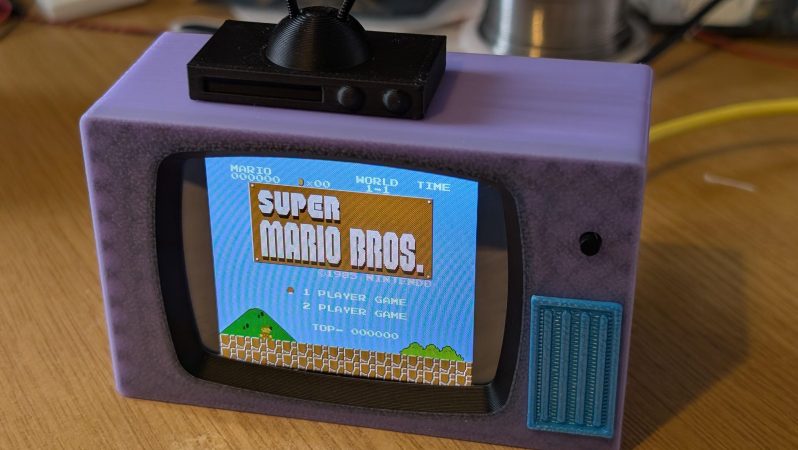
If that wasn’t enough, in his note giving us the tip he reveals that much of the work was done in a ZX emulator running in a Dragon emulator, and gives us a fun glimpse of the game running in an emulator on a Cheap Yellow Display inside 1K Chess cassette box. We like it, a lot!

If you need a greater ZX81 fix, take a look at how this machine chased the beam to make TV graphics on the cheap.

Fixing An E-Waste ASUS P5A-B Socket 7 Mainboard

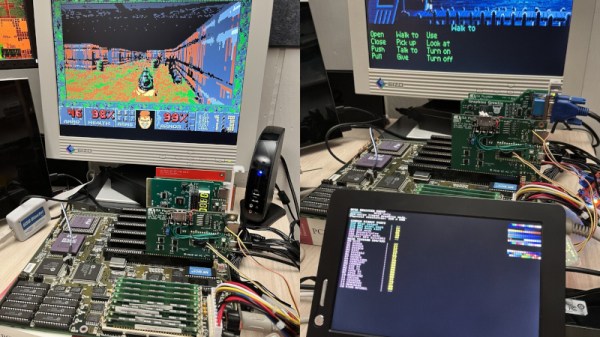
A fun part of retro computing is saving ‘e-waste’ that was headed for certain destruction. These boards can have any number of defects, modifications and more that have to be remedied prior to using them. In the case of the Asus P5A-B Socket 7 mainboard that [Bits und Bolts] rescued from the scrapheap at least one issue was obvious: someone had ripped off the plastic part of the ZIF socket, leaving only the metal pins poking out like an awkward kind of LGA socket.

In addition to the busted PGA ZIF socket there was additional damage, including a broken SMT capacitor and missing resistor. Interestingly, someone had apparently modded the ATX power connector to permanently power on the system by removing a pin and bridging to the power-on signal. Obviously this mod had to be undone by removing the bridge and installing a new pin. After this cracked solder joints had to be addressed, before the tedious task of removing the stray PGA socket pins one by one started.

Exactly what was done to this mainboard and why will likely forever remain a mystery, but at least there didn’t seem to be any serious damage. After installing a CPU it was possible to boot and access the BIOS as well as run a couple of tools, confirming that one more Socket 7 board has been saved from the scrapper.

Continue reading “Fixing An E-Waste ASUS P5A-B Socket 7 Mainboard”

Windows 3.1 On A Modern AM5-Based PC Is Surprisingly Usable

Although Windows 95 stole the show, Windows 3.0 was arguably the first version of Windows that more or less nailed the basic Windows UI concept, with the major 3.1 update being quite recognizable to a modern-day audience. Even better is that you can still install Win3.1 on a modern x86-compatible PC and get some massive improvements along the way, as [Omores] demonstrates in a recent video.

The only real gotcha here is that the AMD AM5 system with Asus Prime X670-P mainboard is one of those boards whose UEFI BIOS still has the ‘classic BIOS’ Compatibility Support Module (CSM) option. With that enabled, Win 3.1 installs without further fuss via a USB floppy drive from a stack of ‘backup’ floppies that someone made in the early 90s. [Omores] also tried it with CSMWrap, but with this USB to PS/2 emulation didn’t work.

Windows 3.1 supports ‘enhanced mode’ by default, which adds virtual memory and multi-tasking if you have an 80386 CPU or better. To fix crashing on boot and having to use ‘standard mode’ instead, the ahcifix.386 fix for the responsible SATA issue by [PluMGMK] should help, or a separate SATA expansion card.

For the video driver the vbesvga.drv by [PluMGMK] was used, to support all VESA BIOS Extensions modes. This driver has improved massively since we last covered it and works great with an RTX 5060 Ti GPU. There’s now even DCI support to enable direct GPU VRAM access for e.g. video playback, with audio also working great with only a few driver-related gotchas.

Continue reading “Windows 3.1 On A Modern AM5-Based PC Is Surprisingly Usable”

Sega Meganet: Online Gaming In 1990

It’s easy to think of online console gaming as an invention of the 2000s. Microsoft made waves when Xbox Live dropped in 2002, with Nintendo and Sony scrambling to catch up with their own offerings that were neither as sleek or well-integrated.

However, if you were around a decade earlier, you might have experienced online console gaming much closer to the dawn of the Internet era. As far back as 1990, you could jump online with your Sega Mega Drive. But what did an online console feel like in the dial-up era?

Continue reading “Sega Meganet: Online Gaming In 1990”

OldVersion Is Back, And Better Than Ever

You know what they say — you can’t keep a good website down. OldVersion.com, the repository of outdated software that has been serving up old versions of tools you need for the last twenty-five years, is not going away as we reported last year. Not only is it sticking around, it’s gotten a retro facelift inspired by Windows 3.1 or OS/2. Mostly Windows, given the screensaver, but we’ll let you find that for yourself.

We’re thrilled to see that OldVersion has gotten the support they need to keep going after running into financial troubles. According to founder Alex Levine, some of that support came as a result of the Hackaday article reporting on the then-upcoming closure, so kudos to you guys for stepping up.

While we absolutely love the retro redesign of the new website, that’s one thing notably lacking — an obvious donation button. Well, that and old-school HTTP support so you can get on with your retromachines, but that, at least, is in the works according to the site roadmap. It’s a little weird that in this year of the common era 2026 you have to do extra work to give up on HTTPS functionality, but it is the way it is.

In the meantime, the site is fully usable as long as you have HTTPS capability, or go through a proxy. Perhaps you could use this ESP8266 code to get started making one, if you don’t want to embarrass your old computer by using something more powerful than it as a pass-through.

Speaking of proxies, if old versions of software aren’t enough for you, how about an old version of the internet? We heard you like old versions, so you can visit an old version of OldVersion!


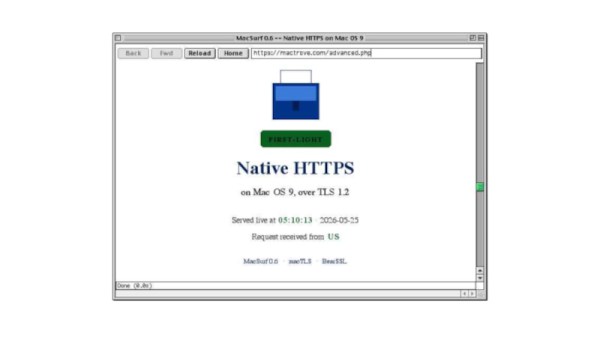
Note that if you’re reading this after 01/04/2026, the look-and-feel of OldVersion.com may not match what’s depicted here.

The ikea desk, with the spectrometer on the far left.

PDP-11 Lives In Literal Computer Desk Once More

When you think of iconic parings, your brain probably goes more to “cookies and milk” than “DEC and Ikea” but after watching [Dave]’s latest on Usagi Electric where he puts a PDP-11 into an Ikea desk, you may rethink that.

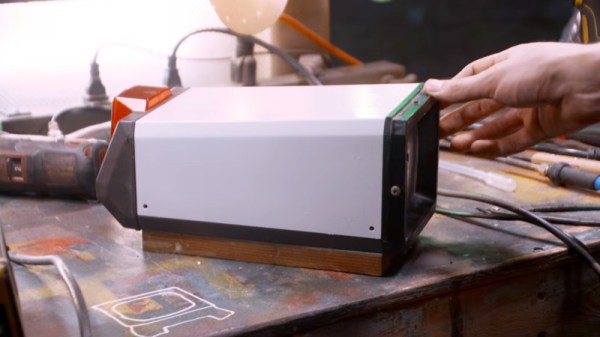
The PDP-11 is vintage hardware that actually lived inside of a different desk, once upon a time, serving as the control unit for an FTIR spectrometer. While the lab equipment has thankfully survived the decades, the desk did not and when [Dave] got the unit it was as a pile of parts. He revived it, of course– it’s kind of what he does– but it didn’t get a new desk for years, until his latest shop re-organization.

The one concession to modernity– and missing parts– is using switching power supplies rather than the bulky linear PSU that would have originally powered the unit. It’s a good thing, too, or we have trouble picturing how everything would fit! This particular PDP-11 comes with the high performance vector processing unit in order to crunch those spectrographs, and apparently those chips idle at about 60C, so the desk-case got some decent-sized 120V fans to keep everything cool and running for years to come.

This isn’t the most aesthetic or fanciest case-mod we’ve seen, mostly being made of surplus plywood and scrap metal fittings, but it certainly gets the job done. Given that the PDP-11 has been crammed into every form-factor known to man, from a system-on-a-chip (before anybody really talked about SOCs) to desktop workstations, and of course the hulking cabinets with their iconic blinkenlights-– it’s hard to say that this installation isn’t reasonably authentic, even if it isn’t the original desk.

Continue reading “PDP-11 Lives In Literal Computer Desk Once More”

Recreating One Of The First Hackintoshes

Apple’s Intel era was a boon for many, especially for software developers who were able to bring their software to the platform much more easily than in the PowerPC era. Macs at the time were even able to run Windows fairly easily, which was unheard of. A niche benefit to few was that it made it much easier to build Hackintosh-style computers, which were built from hardware not explicitly sanctioned by Apple but could be tricked into running OSX nonetheless. Although the Hackintosh scene exploded during this era, it actually goes back much farther and [This Does Not Compute] has put together one of the earliest examples going all the way back to the 1980s.

The build began with a Macintosh SE which had the original motherboard swapped out for one with a CPU accelerator card installed. This left the original motherboard free, and rather than accumulate spare parts [This Does Not Compute] decided to use it to investigate the Hackintosh scene of the late 80s. There were a few publications put out at the time that documented how to get this done, so following those as guides he got to work. The only original Apple part needed for this era was a motherboard, which at the time could be found used for a bargain price. The rest of the parts could be made from PC components, which can also be found for lower prices than most Mac hardware. The cases at the time would be literally hacked together as well, but in the end a working Mac would come out of the process at a very reasonable cost.

[This Does Not Compute]’s case isn’t scrounged from 80s parts bins, though. He’s using a special beige filament to print a case with the appropriate color aesthetic for a computer of this era. There are also some modern parts that make this style computer a little easier to use in today’s world like a card that lets the Mac output a VGA signal, an SD card reader, and a much less clunky power supply than the original would have had. He’s using an original floppy disk drive though, so not everything needs to be modernized. But, with these classic Macintosh computers, modernization can go to whatever extreme suits your needs.

Thanks to [Stephen] for the tip!

Continue reading “Recreating One Of The First Hackintoshes”