Bootstrapping An Amiga 2000 Graphics Card Because Vintage Is Pricey

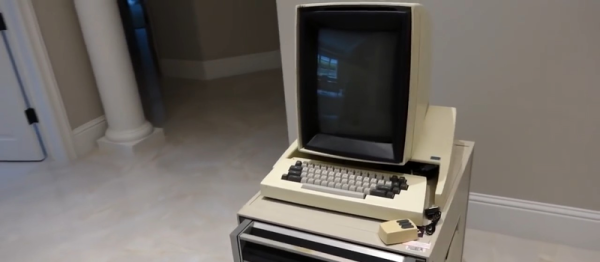
If you have a computer on your desk today, the chances are that it has an Intel architecture and is in some way a descendant of the IBM PC. It may have an Apple badge on the front, it may run Linux, or Windows, but in hardware terms the overwhelming probability is that it will be part of the Intel monoculture. A couple of decades ago though in the 16- and early 32-bit era you would have found a far greater diversity of architectures. Intel 3-, and 486s in PCs and clones, Macintosh, Commodore, and Atari platforms with the 68000 family, the WDC 65C816 in the Apple IIGS, and the Acorn Archimedes with an early ARM processor to name but a few.

In the tough environment of the 1990s most of these alternative platforms fell by the wayside. Apple survived to be revitalised under a returning Steve Jobs, Atari and Commodore withered under a bewildering succession of takeovers, and Acorn split up and lost its identity with its processor licensing subsidiary going on to power most of the mobile devices we take for granted today.

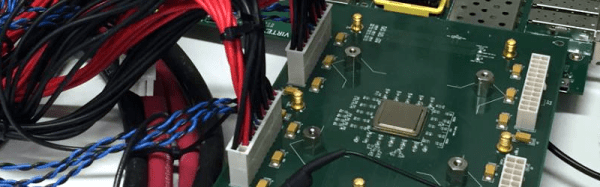
Surprisingly though some of the 16-bit platforms refused to die when their originators faded from view. In particular Commodore’s Amiga has lived on with new OS versions, new platforms, and community-supported hardware upgrades. News of just such a device came our way this morning, [Lukas Hartmann]’s MNT VA2000, a graphics card for the Amiga 2000 using a GPU implemented on an FPGA.

Continue reading “Bootstrapping An Amiga 2000 Graphics Card Because Vintage Is Pricey”

Dump Your (Old) Computer’s ROM Using Audacity

If you’ve got an old calculator, Commodore 64, or any other device that used a tape recorder to store and retrieve data, you’ve probably also got a bunch of cassettes lying around, right? Well, you can get rid of them now (or sell them to nostalgic collectors for outrageous prices) because you can just as easily dump them to Audacity, decode them and archive them on a more sane medium.

In [Kai]’s case, the computer was a Sharp Pocket Computer system, and in his post there’s a lot of detail that’s specific to that particular system. If that’s applicable to you, go read up. In particular, you’ll be glad to find that the Pocket-Tools is a software suite that will encode and decode files between the Sharp binary formats and audio. Along the way, we found similar tools for Casio pocket computers too.

For a more general-purpose approach, like if you’re trying to dump and load data from a more standard computer that uses 1200/2400 Hz FSK encoding, this Python library may be useful, or you can implement the Goerzel algorithm yourself on your platform of choice. If you’ve got a particular binary format in mind, though, you’ll have to do the grunt work yourself.

Anyone out there still using these audio data encodings? We know that ham radio’s APRS system runs on two tones. What else? Why and when would you ever transfer data this way these days?

via the Adafruit blog!

Wooden Computer Case Adds A Touch Of Modern

When [LouisVW] decided to build a new gaming rig, he wanted to try something different. So instead of buying a pre-built tower, he made one — out of wood!

Coming from someone who has no experience in 1GNAWU0woodworking (or computer building) we’re seriously impressed with what he’s made. He was originally inspired to build the case when he saw boxes made by stacking pieces of plywood together — he got one and decided to turn it into a case.

Using a jigsaw, chisel and Dremel he was able to cut out all of the fan holes and drive bays fairly easily, and thanks to overlapping plastic covers it wasn’t that hard to make everything look perfect.
Continue reading “Wooden Computer Case Adds A Touch Of Modern”

Peering Inside The GPU Black Box

Researchers at Binghamton University have built their own graphics processor unit (GPU) that can be flashed into an FGPA. While “graphics” is in the name, this GPU design aims to provide a general-purpose computing peripheral, a GPGPU testbed. Of course, that doesn’t mean that you can’t play Quake (slowly) on it.

The Binghamton crew’s design is not only open, but easily modifiable. It’s a GPGPU where you not only know what’s going on inside the silicon, but also have open-source drivers and interfaces. As Prof. [Timothy Miller] says,

 It was bad for the open-source community that GPU manufacturers had all decided to keep their chip specifications secret. That prevented open source developers from writing software that could utilize that hardware. With contributions from the ‘open hardware’ community, we can incorporate more creative ideas and produce an increasingly better tool.

That’s where you come in. [Jeff Bush], a member of the team, has a great blog with a detailed walk-through of a known GPU design. All of the Verilog and C++ code is up on [Jeff]’s GitHub, including documentation.

If you’re interested in the deep magic that goes on inside GPUs, here’s a great way to peek inside the black box.

Crawl, Walk, Run: A Starter CPU

Last time I talked about getting started with CPU design by looking at older designs before trying to tackle a more modern architecture. In particular, I recommended Caxton Foster’s Blue, even though (or maybe because) it was in schematic form. Even though the schematics are easy to understand, Blue does use a few dated constructs and you probably ought to build your take on the design using your choice of VHDL or Verilog.

In my case, my choice was Verilog. You can find my implementation of Blue on Opencores.org. I made quite a few changes to Foster’s original design. For example, armed with semiconductor memory, I managed to get all instructions to operate in one major cycle (which is, of course, 8 minor cycles). I also modernized the clock generation and added some resources and instructions.

Continue reading “Crawl, Walk, Run: A Starter CPU”

Kestrel Computer Project

Many successful large-scale projects don’t start out large: they start with a small working core and grow out from there. Building a completely open-source personal computer is not a weekend project. This is as much a retelling of events as it is background information leading up to a request for help. You’ll discover that quite a lot of hard work has already been put forth towards the creation of a completely open personal computer.

When I noticed the Kestrel Computer Project had been submitted via the Hackaday tips line I quickly tracked down and contacted [Samuel] and asked a swarm of questions with the excitement of a giddy schoolgirl. Throughout our email conversation I discovered that [Samuel] had largely kept the project under the radar because he enjoyed working on it in his down time as a hobby. Now that the project is approaching the need for hardware design, I posed a question to [Samuel]: “Do you want me to write a short article summarizing years of your work on Kestrel Project?” But before he could reply to that question I followed it up with another: “Better yet [Samuel], how about we tell a more thorough history of the Kestrel Project and ask the Hackaday community for some help bringing the project home!?”
Continue reading “Kestrel Computer Project”

5 Wide And Tall Monitors With Hacked Bezels For Wall Of Awesome

If two is better than one, what about five? [Omnicrash] has posted a nice analysis of his monitor setup, which uses 5 portrait mounted monitors side-by-side. To minimize the bezel size between them, he removed the casing and built a custom stand that placed them all closely together for a surround viewing approach. He’s been using this setup for a couple of years and has posted a nice analysis of making it work for multiple purposes. On the upside, he says it is awesome for gaming and watching videos.

On the downside, NVidia’s drivers and multi-monitor setup are a pain, and some tasks just didn’t work with the bezels. He couldn’t, for instance, run a standard-sized remote desktop screen anywhere without having the bezel get in the way. So, with large, hi-res monitors now getting cheaper, would he do it again? “If I had to do it all over again nowadays however I’d probably just go with a single 34″ ultra-wide for about the same price..though I probably wouldn’t be able to help myself and would eventually be adding at least one on top and 2 in portrait on the side.”