Recovering A Corrupted EEE PC BIOS

recovering_eeepc_bios

[Jeremy] had an ASUS EEE PC 1000HE netbook on his hands which had succumbed to a corrupted BIOS. In most situations, people replace a motherboard when the BIOS is damaged beyond repair, but considering the price of motherboards, especially those built for portable devices, he simply refused to go that route.

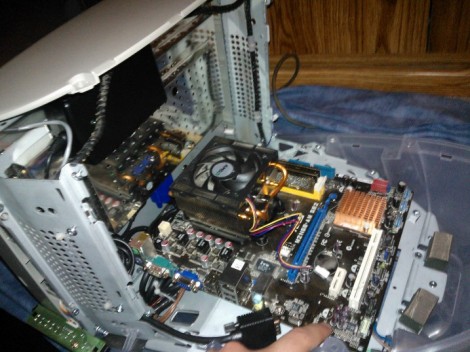
Instead, he took it apart and did a little investigation to find out what SPI flash chip ASUS used in the netbook. With that information in hand, he put together an SPI flash programmer using a breadboard and a DLP-USB1232H USB to UART module. He couldn’t program the flash chip in-circuit, so he had to desolder it and deadbugged it onto his programmer. Using a few Linux-based flashing tools, he was able to reprogram the chip with a functioning BIOS in short order, saving him from a costly motherboard replacement.

While some motherboard manufacturers have built in secondary BIOS chips to prevent the need for this sort of recovery, it’s nice to know that the process is relatively straightforward, provided you have some basic soldering and Linux skills.

This also isn’t the first time we’ve seen someone recover an EEE PC from the brink – if you’re looking for an Arduino-based alternative, be sure to check this out.

external_laptop_gpu

Beefing Up Your Laptop’s Gaming Chops With An External GPU

If you’re not willing to shell out for a reasonably powerful laptop it seems that there’s not a ton that can be done to boost your gaming performance. That is, unless you have an empty Express card slot and the right chipset.

[Phatboy69] recently put together an external video card for his notebook, with fantastic results. His Vaio Z128GG had an Nvidia GT330M graphics card onboard, which is decent but nothing to write home about. Using an Express card to PCIe adapter, he added an external Nvidia GTX580 to his system, and he couldn’t be more pleased with the results. While the card does take a performance hit when connected to his laptop in this way, he claims that his graphics performance has increased ten-fold, which isn’t too shabby.

There are many variables on which this process is heavily dependent, but with the right amount of tweaking, some great laptop gaming performance can be had. That said, it really does take the portability factor of your notebook down to about zero.

If this is something you might be interested in, be sure to check out this thread over at the Notebook Review Forums – it’s where [Phatboy69] found all the information he needed to get his system up and running properly.

[Thanks, Henry]

PC Temperature Monitoring System Lights Up When Things Get Hot

gpu_overheating_warning_system

[Taylor] popped a new graphics card into his computer, but before he could settle in for a round of gaming, his card started to overheat. He eventually tracked the problem down to an undersized power supply, but the prospect of cooking his new GPU to death made him think twice about how he was monitoring his system’s health.

To continually keep tabs on his video card’s temperature going forward, he put together a small circuit that will alert him if things start to get too hot. He mounted a small temperature sensor on his graphics card near the GPU, wiring it to an Arduino. The Arduino monitors his video card, lighting an RGB LED blue if conditions are alright. If the temperature rises above 50C, the LED changes to red, signaling a problem.

We’re aware that there are all sorts of software applications that can monitor component temperatures for you, but the appeal of [Taylor’s] system is that it can be easily seen from across the room rather than via the desktop. That said, we think that his system could take advantage of his PC’s case fan lighting for a more visible warning, and it wouldn’t hurt to wire in an auto-shutdown feature in case his computer overheats while he’s away.

Broken Vintage Record Player Reborn As A Portable MP3 Cabinet

old_record_player_pc_jukebox

[Julian] picked up an old record player that was sitting in somebody’s trash pile, and brought it home to see if it could be restored to working order. When he got it home he discovered that it didn’t work at all, so he and his wife decided to modernize it a bit.

In an effort to simultaneously reunite himself with his music collection and piss off audiophiles/antique collectors in the process, he gutted the radio and began rebuilding it to serve as an MP3 jukebox. Once the innards were removed, his wife refinished the cabinet and gave the front grill a new cloth cover.

An old PC was installed inside the cabinet, along with a set of relatively cheap (but better than paper cone) speakers. A pair of custom cut plexi panels were used to cover the computer, while providing space for the monitor and Apple wireless keyboard + trackpad [Julian] uses to manage the jukebox.

The refurbed record player came out looking quite nice, and although it likely raises the ire of several different groups of purists, we think it’s pretty cool.

Converting PWM To DC Signaling For More Precise Fan Control

pwm_to_dc_fan_control

[hedgehoginventions] wrote in to share a little modification he made to his video card in order to keep it from overheating during strenuous 3D tasks. Having swapped out the stock cooler on his Nvidia 9600GT graphics card, he found that it did not need to utilize the fan while doing mundane things like checking email, but that it still required extra air flow while playing games.

He figured he get the fan to shut off by tweaking the PWM signal, but he found that he could not get the duty cycle under 20% using software, which still caused the fan to run at all times. The circuit he built takes the PWM signal output by the card, cleaning it up before converting it to a corresponding DC voltage. The fan then runs at the same speed it would if driven directly by the PWM signal, though it can now turn off completely when not required.

It’s a nice way to do automatic fan control when you can’t otherwise get your GPU fan to shut off. Nice work!

Making SATA Drives Work With A SCSI Backplane

The problem of persistent and reliable storage plagues us all. There are a myriad of solutions, some more expensive than others, but a dedicated and redundant network attached storage solution is hands down the best choice for all problems except natural disaster (ie: fire, flood, locusts) and physical theft. That being said, the issue of price-tag rears its ugly head if you try to traverse this route.

[Phil’s] had his mind stuck on a very large NAS solution for the last ten years and finally found an economical option. He picked up a powerful motherboard being sold as surplus and a server enclosure that would play nicely with it. It came with a backplane for multiple hard drives that utilized SCSI connections. The cost and availability of these drives can’t compare to the SATA drives that are on the market. Realizing this, [Phil] completely reworked the backplane to make SATA connections possible. It’s an intense amount of work, but there’s also an intense amount of documentation of the process (thank you!). If doing this again his number one tip would be to buy a rework station to make it easier to depopulate the connectors and extraneous parts from the PCB. Since he needs to keep using the board, the old blow-torch trick is out of the question.

Tiny External System Monitor Makes It Easy To Keep Tabs On Your PC

tiny_pc_resource_monitor

Instructables user [Jan] likes to keep close tabs on his computer’s memory usage, but wanted something more interesting to look at than the standard resource manager. He preferred to have an external display available that would show his computer’s status with a quick glance, and thus this system monitor was born.

His status panel contains a trio of constantly updated LED bars that show his computer’s CPU usage, available physical memory, and virtual memory consumption. With a small footprint being a priority, [Jan] kept the indicator’s size down by using SMD components and by including an on-board UART to USB converter to go along with his ATTiny microcontroller.

He uses a Python script to gather usage information from his computer, feeding it to his display over USB. The system works pretty well as you can see in the video below, though the virtual memory indicator doesn’t seem to get a ton of action – perhaps it could be used to indicate hard drive activity instead.

If you are looking to build something similar, [Jan] has made all of his code and schematics available for anyone’s use.

Continue reading “Tiny External System Monitor Makes It Easy To Keep Tabs On Your PC”