A Noob’s Guide To McMaster-Carr

For the penny-pinching basement hacker, McMaster-Carr seems like a weird go-to resource for hardware. For one, they’re primarily a B2B company; and, for two, their prices aren’t cheap. Yet their name is ubiquitous among the hacker community. Why? Despite the price, something makes them too useful to ignore by everyday DIY enthusiasts. Those of us who’ve already been enlightened by the McMaster-Carr can design wonders with a vocabulary of parts just one day away at the click of a button.

Today, this article is for those of us who have yet to receive that enlightenment. When used wisely, this source of mechanical everything brings us a world of fast parts at our fingertips. When used poorly, we find nothing but overpriced stock components in oversized shipping boxes.

Since we, the McMaster-Carr sages, are forever doomed to stuff our desk drawers with those characteristic yellow baggies till the end of time, we thought we’d give an intro to the noobs that are just beginning to flex their muscles with this almighty resource. Grab another cup of coffee as we take you on a tour of the good and good-grievances of McMaster-Carr.


Continue reading “A Noob’s Guide To McMaster-Carr”

Video Streaming Like Your Raspberry Pi Depended On It

The Raspberry Pi is an incredibly versatile computing platform, particularly when it comes to embedded applications. They’re used in all kinds of security and monitoring projects to take still shots over time, or record video footage for later review. It’s remarkably easy to do, and there’s a wide variety of tools available to get the job done.

However, if you need live video with as little latency as possible, things get more difficult. I was building a remotely controlled vehicle that uses the cellular data network for communication. Minimizing latency was key to making the vehicle easy to drive. Thus I set sail for the nearest search engine and begun researching my problem.

My first approach to the challenge was the venerable VLC Media Player. Initial experiments were sadly fraught with issues. Getting the software to recognize the webcam plugged into my Pi Zero took forever, and when I did get eventually get the stream up and running, it was far too laggy to be useful. Streaming over WiFi and waving my hands in front of the camera showed I had a delay of at least two or three seconds. While I could have possibly optimized it further, I decided to move on and try to find something a little more lightweight.

Continue reading “Video Streaming Like Your Raspberry Pi Depended On It”

How To Do PCB Art In Eagle

Last month I had the pleasure of creating a new piece of hardware for Tindie. [Jasmine], the queen bee of Tindie, and I designed, developed, and kitted three hundred Tindie badges in ten days leading up to DEF CON. The badges were a complete success, they introduced soldering to a lot of people, and were loved by all.

This badge was such a rousing success, it’s now official Tindie swag. We’ll be handing out a few of these blinky badges at upcoming events. But as of right now we’ve already handed out our entire stock, that means we need to build more. The second run meant ordering a thousand PCBs.

We could just do another run, and order a few more PCBs from the Gerbers I’ve already designed. I’m not really happy with the first version of this badge, though, and this is an opportunity to improve my design. This also gives me an opportunity to demonstrate my workflow for creating artistic boards in Eagle.

Effectively, what I’ll be demonstrating here is the creation of the Benchoff Nickel. A few months ago, [Andrew Sowa] took a portrait of yours truly, changed the colors to what is available on a normal OSHPark PCB, and turned that into different layers in KiCad. There are a few differences here. Firstly, I’ll be using a blue solder mask, although the same technique can be applied to green, red, yellow, white, or black soldermask. Secondly, this is Eagle, and I’m going to do the majority of the work with a BMP import. This is the fast and easy way to do things; if you want a KiCad tutorial, check out [Andrew]’s work, or my overly-involved multiple silkscreen process for KiCad. I don’t recommend this overly-involved process if you can help it. It took 20 hours to do the art for my previous project in KiCad, and I estimate it would have taken two in Eagle.

With that said, here’s the easy, cheap, and fast way of doing artistic boards in Eagle.

Continue reading “How To Do PCB Art In Eagle”

Modular Storage With Peanut Butter And Lasers

I have storage on the mind, and it comes from two facts in my life:

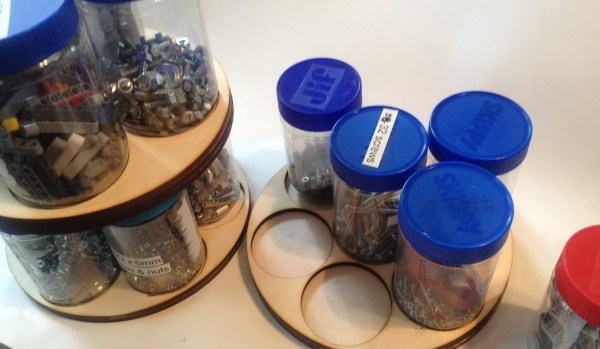
First, I have tons of stuff in my workshop, far too much for the amount of space I have. A lot of this material is much easier to use if it’s well-organized. Think electronics, robotics, building sets. Modular parts that need to go together a certain way for them to be useful. It is imperative, therefore, that I come up with some sort of organization system to keep the chaos in check.

Second, my favorite tool is the laser cutter, born from my love for building vector designs. I can do art on the computer and have it manufactured in front of my eyes, and share my designs with someone else who can remix it into something even cooler.

So with those two facts in mind, I set about creating a modular storage system in Inkscape and cutting out the design from pine boards using a laser cutter. Let us go on a journey through my thought process:

Continue reading “Modular Storage With Peanut Butter And Lasers”

Lasering Axonometric Fonts

I am something of an Inkscape fan. If you’re not familiar with the application, it’s like an Open Source version of Adobe Illustrator. Back when I was a production artist I’d been an Illustrator master ninja but it’s been four years and my skills are rusty. Plus, Inkscape is just enough different in terms of menus and capabilities that I had a hard time adapting.

So I created some wooden lettering with the help of Inkscape and a laser cutter, and I’m going to show you how I did it. If you’re interested in following along with this project, you can find it on Hackaday.io.

While playing around with Inkscape, I noticed you can create a variety of grids, including axonometric grids. This term refers to the horizon lines in an orthographic projection. In other words, it helps make things look 3D by providing perspective lines.

Continue reading “Lasering Axonometric Fonts”

Testing Distance Sensors

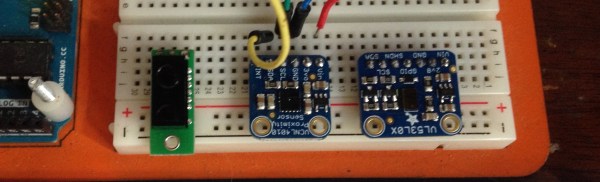
I’m working on a project involving the need to precisely move a tool based on the measured distance to an object. Okay, yeah, it’s a CNC mill. Anyway, I’d heard of time of fight sensors and decided to get one to test out, but also to be thorough I wanted to include other distance sensors as well: a Sharp digital distance sensor as well as a more sophisticated proximity/light sensor. I plugged them all into a breadboard and ran them through their paces, using a frame built from aluminum beams as a way of holding the target materials at a specific height.

Continue reading “Testing Distance Sensors”

Getting Started With Blinking Lights On Old Iron

If you ever go to a computer history museum, you’ll be struck by how bland most modern computers look. Prior to 1980 computers had lights and switches, and sometimes dials and meters. Some had switchboard-like wiring panels and some even had oscilloscope-like displays. There’s something about a machine with all those switches and lights and displays that gets your hacker juices flowing. Have you ever wanted to get started in retrocomputing? Is it difficult? Do you need a lot of money? That depends on what your goals are.

There are at least three ways you can go about participating in retrocomputing: You can pony up the money to buy actual antique computers, you can build or buy old computers recreated with anywhere from zero to one hundred percent of period-authentic components, or you can experiment with emulators that run on a modern computer. As a hybrid of the second and third option there are also emulations in FPGAs.

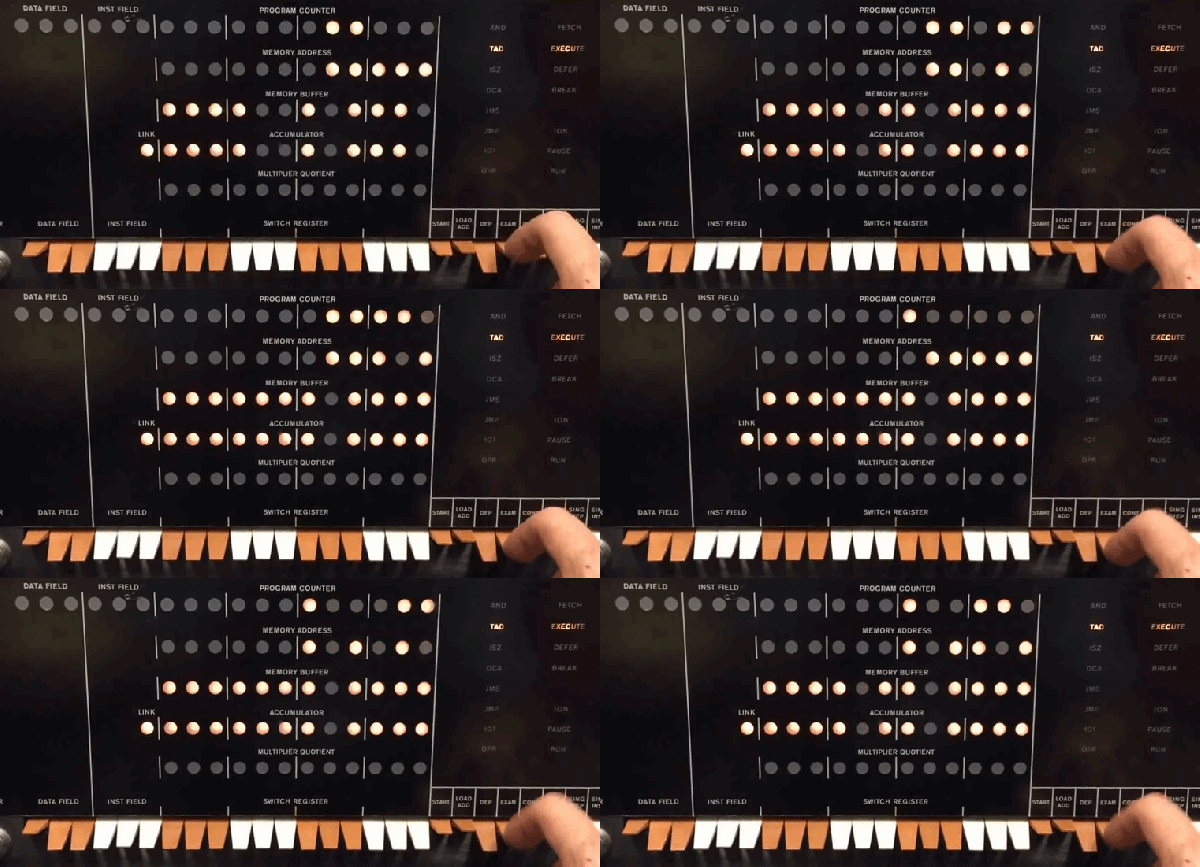
You can see that the first option can be very expensive and you will probably have to develop a lot of repair and restoration skills. Watching [Mattis Lind] twiddle the bits on an actual PDP-8 in the clip above is great, but you’ll need to work up to it. The two techniques which get you going without the original hardware don’t have to break the bank or even cost anything presuming you already have a PC.

Although some sneer at emulation, for some machines it is almost the only way to go. You couldn’t buy the original EDSAC, for example. It is also a good way to get started without a lot of expense or risk. But regardless of how you do it, there’s one thing in common: you have to know how to operate the thing.

Continue reading “Getting Started With Blinking Lights On Old Iron”