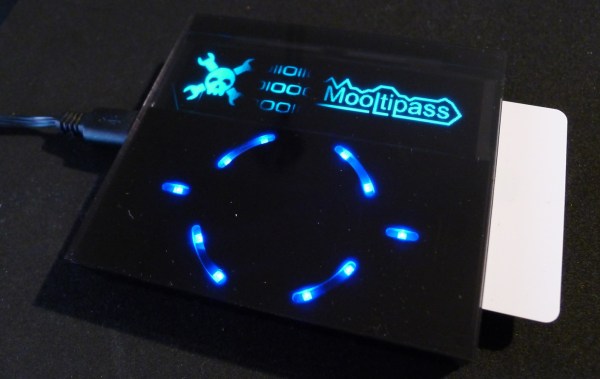
OLED display, blue LED and Smartcard

Developed On Hackaday: Front Panels And Beta Testers Program

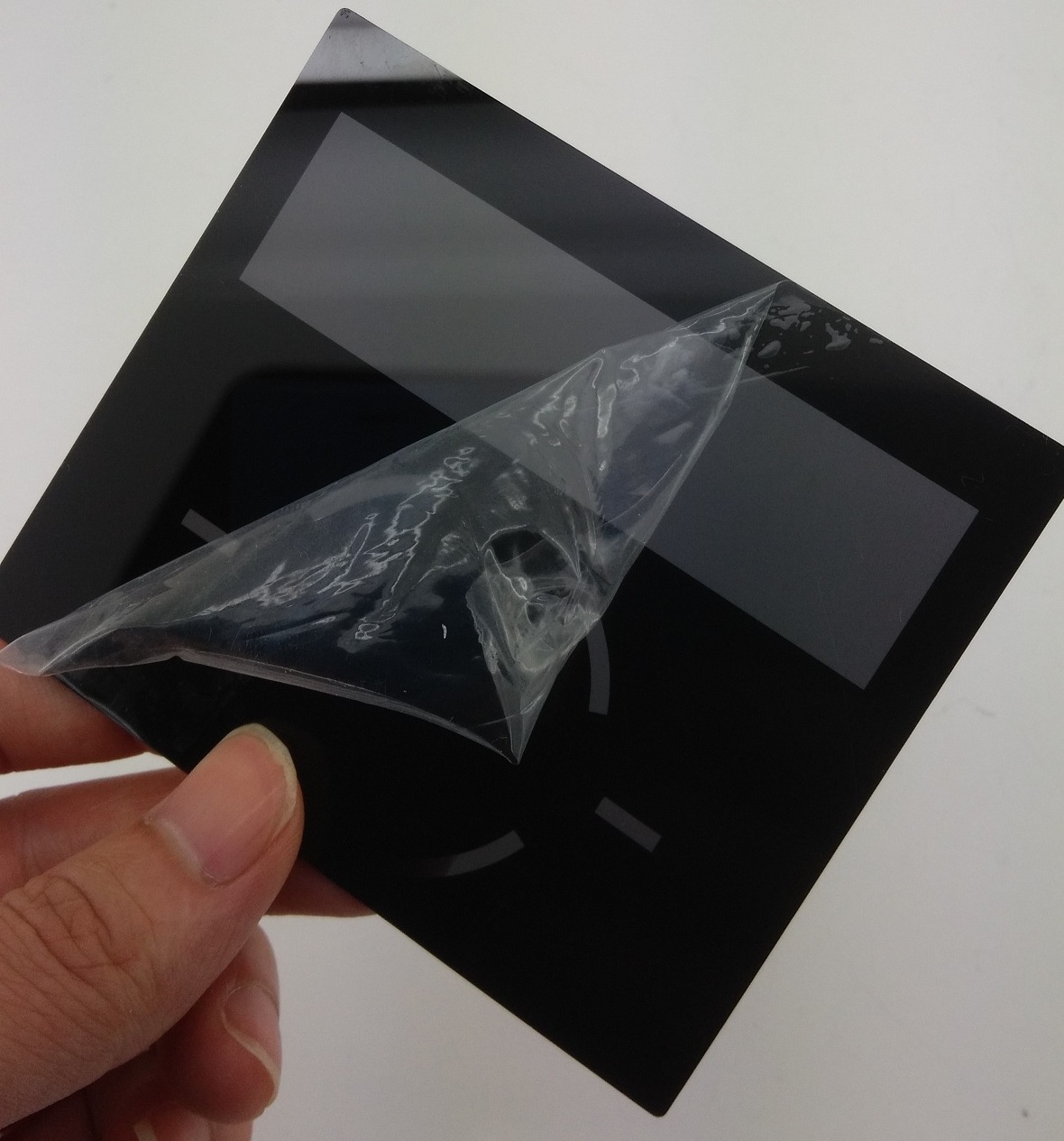
mooltipass front panel

We’re pretty sure that most of our readers already know it by now, but we’ll tell you anyway: the Hackaday community (writers and readers) is currently developing an offline password keeper, the Mooltipass. As it has been more than two weeks since we wrote an article about our progress, today’s will be about the Mooltipass front panels and our beta testers program.

At the end of our mechanical design rundown article we showed that we were originally planning to put a slightly tinted acrylic panel on top of our device. We however could still make out the Mooltipass’ insides, which wasn’t in line with the nice professional look we wanted. We then designed another front panel, one which was transparent above the OLED screen/LEDs and opaque (black) on top of the rest. To our surprise the result still wasn’t as good as we had hoped, as the contrast between the front panel and the screens/LEDs was too big. We finally came up with the panel shown above (see GitHub repository folder) which combines the two techniques previously described. As it is still in China, we’ll show you the final result when we get it in our hands.

We launched around 10 case prototypes in production, they will soon be shipped to our current contributors/advisers together with the smart cards chosen by Hackaday readers. In the meantime we sent our official call for beta testers to our mailing list recipients and hackaday.io followers, in which we asked them to fill a small form that will allow us to know them a bit better. We asked about their home/work computer setup, their level of expertise, their willingness to contribute to the prototype cost and finally specifics about who would use the Mooltipass they’d receive. We are targeting a broad range of users but also testers that will provide us with detailed feedback and clear bug reports.

We also spent quite a while searching for cheaper alternate parts that could be sourced in relatively big quantities. This is usually an overlooked aspect of a project so we preferred to tackle this as soon as possible. In a few weeks the contributors and I will receive all the components required to assemble our final prototype (front panels / case / top & bottom PCBs / smart cards) and it will be time to write a new update. Want to stay informed? You can join the official Mooltipass Google Group or follow us on Hackaday Projects.
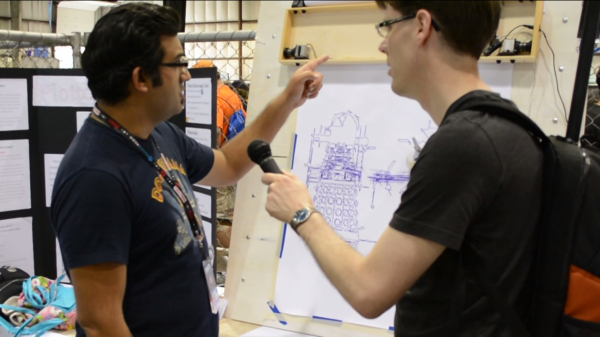
Standing in front of a gravity based pen plotter

Plotterbot Drawing Daleks


Two strings, two motors, and some very creative software. That’s the magic behind the Plotterbot, which was drawing Daleks when we crossed its path at Maker Faire. This is the Mark II, which was built after cannibalizing Mark I. Unfortunately we can’t tell you what the difference is between the two.

The machine itself is a pretty nice little package. There is a box that hangs on the wall with a motor/spool combination at each end. In the middle of those two is an Arduino Mega with a custom driver shield. It takes an SD card with the drawing files on it. There is also a small touchscreen display which allowed for easy selection of what you’d like drawn on that paper taped to the wall below the unit.

Back when we were running the Trinket contest [Jay] used the Plotterbot to draw a Skull and Wrenches made out of a multitude of smaller Skull and Wrenches. He was nice enough bring that piece of art and present it to us at the Faire. Thanks [Jay]!

Continue reading “Plotterbot Drawing Daleks”

Connecting Inexpensive PH Probes With Ease

[youtube=https://www.youtube.com/watch?v=yKigsN8046k&w=580]


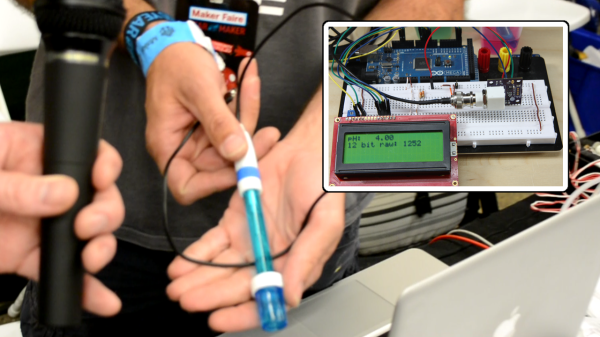
We’ve mentioned that it’s hard to find someone not selling or crowd funding something at Maker Faire. Despite the fact that [Ryan Edwards] is selling his boards, we still got the feeling that he’s a hacker who is selling just to make sure the idea he had is available for other hackers to use. He showed us his interface boards for inexpensive pH probes.

Since we’re always looking for more chemistry hacks to run, it was nice to hear [Ryan’s] description on how these probes (which can be had for around $9 on eBay) actually work. It turns out it’s all about salt. When it comes to the electronics, the board provides a connector for the probe on one edge, and pins for voltage, ground, and I2C on another. Rig this up with your microcontroller of choice and you’ll be building your own automatic pool doser, fish tank minder, or one of a multitude of food-related hacks.

Head on over to Sparky’s Widgets to see a few other demo applications.

green monochrome CRT vector display

Vector Graphic Flappy Bird Harder Than It Should Be

The dark room at Maker Faire was loud,  after all it’s where Arc Attack was set up plus several other displays that had music. But if you braved the audio, and managed not to experience a seizure or migraine from all the blinking you were greeted with these sharply glowing vector displays on exhibit at the TubeTime booth. We did the best we could with the camera work, but the sharpness of the lines, and contrast of the phosphorescent images against the black screen still seems to pop more if viewed in person.

This isn’t [Eric’s] first attempt at driving high-voltage tube displays. We previously covered his dekatron kitchen timer. But we’d say he certainly stepped things up several notches in the years between then and now. He blogged about Asteroids, which is running on the same hardware as the Flappy Bird demo from our video above. An STM32F4 Discovery board is running a 6502 emulator to push the game to [Eric’s] CRT vector driver hardware.

Just before we were done at the booth, [Eric] turned to us with a twinkle in his eye. He confessed his delight in purposely leaving out any button debounce from the Flappy Bird demo. As if it wasn’t hard enough it tends to glitch after passing just a few of the pipe gates. Muhuhahaha!

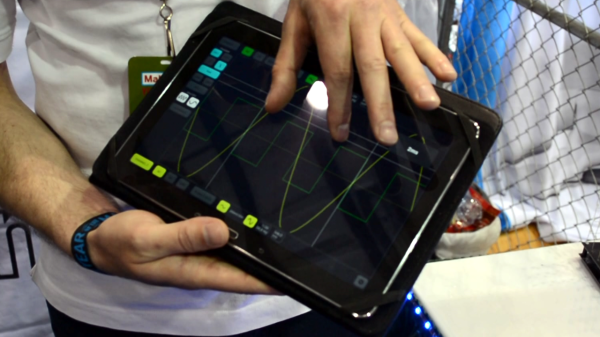
Showing the tablet interface for the scope

Discovering A Wifi Enabled 10MHz Oscilloscope

[youtube=https://www.youtube.com/watch?v=qEqWtKGJhFQ&w=580]


As most of our readers know, [Mike] was visiting Bay Area Maker Faire  last weekend with a big Jolly Wrencher on his back. During his tour he encountered the neat oscilloscope shown in the video above, made by the Belgian company Velleman. Even though it only has a 10MS/s sampling rate and a 10MHz bandwidth, our guess is that it may still be useful for some hobbyists out there as it can communicate with any PC/smartphone/tablet using its Wifi interface.

Inside the black box is a 3.7V 1800mAh Li-ion battery with a USB port to recharge it or update the oscilloscope’s firmware. As seen in the video, the tablet’s touchscreens may enable more natural interaction with the user interface. The protocol used to export the acquired samples is open, which may allow users to create their own analysis program. The oscilloscope uses an 8 bit analog to digital converter and a 4K samples buffer.

[Ben Krasnow] And His 8 KJ Ruby Laser

[youtube=https://www.youtube.com/watch?v=ZUevWmUViJM&w=580]


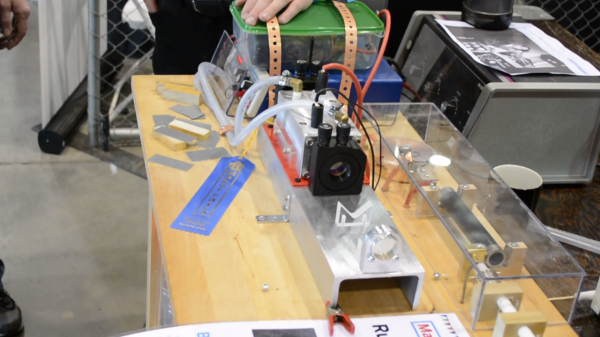
We were again pleased to find another person who attended Maker Faire just to show off the awesome and not to hawk some goods. In our mind [Ben Krasnow] represents the highest echelon of hardware hacking (apparently Google[x] agrees because they just snatched him up) . But [Ben] always makes a point to explain how he does what he does so that others may learn and someday achieve a similar type of greatness. This time around it’s a functional ruby laser which is backed by a capacitor bank that stores a whopping 8 kilojoules of energy. This is what allows the laser to cut through steel plate. He sure has come a long way since he first showed off the project in January.

Unfortunately we didn’t get to [Ben’s] booth until late on Sunday. His previous demonstrations burned through some seals and left him with a non-functional laser. But he’s a trustworthy guy so we believe him and look forward to him posting a video about the laser and hopefully about the failure. He also mentions that he may make an attempt at lunar laser ranging with this device; bouncing the laser off of reflectors on the moon and measuring the delay. This can then be used to calculate the distance to the moon.

By the way, it was super difficult not to crack a joke when he says the words “Ruby Rod“.

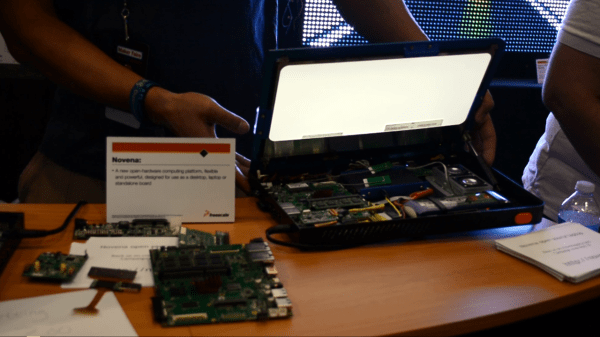
A view inside the Novena Open Hardware laptop

Bunnie Talks To Us About Novena Open Hardware Laptop

[youtube=https://www.youtube.com/watch?v=G9mjDt-4XIM&w=580]


We made a point to stop by the Freescale booth at Maker Faire where [Bunnie Huang] was showing off the Novena laptop. His past accolades (Wikipedia page) and the rabid success of the crowd funding round — which nearly tripled its goal — meant we had to make multiple attempts to speak with him. But the third time’s a charm and it was worth the wait!

Several things struck me about seeing the hardware in person. First off, I like that there’s a little bit of room inside but the case is still reasonably small. This really is a laptop aimed at hardware hacking; I would anticipate that the majority of backers intend to roll their own hardware for it. Second, [Bunnie] showed off several expansion boards as examples which use a standard 80-pin header to get at the onboard components. The example of a man-in-the-middle attack for the flash chip on a thumb drive was extremely tasty. But it was also interesting to hear about an SDR board which will ship to original backers since the campaign made its stretch goals.

If you don’t know much about this project, you can get some background from our post when the crowd funding went live. Open design info is available from the Novena page.