As we slowly wean ourselves away from our centuries-long love affair with fossil fuels in an attempt to reduce CO2 emissions and combat global warming, there has been a rapid expansion across a broad range of clean energy technologies. Whether it’s a set of solar panels on your roof, a wind farm stretching across the horizon, or even a nuclear plant, it’s clear that we’ll be seeing more green power installations springing up.
One of the green power options is biomass, the burning of waste plant matter as a fuel to generate power. It releases CO2 into the atmosphere, but its carbon neutral green credentials come from that CO2 being re-absorbed by new plants being grown. It’s an attractive idea in infrastructure terms, because existing coal-fired plants can be converted to the new fuel. Where this is being written in the UK we have a particularly large plant doing this, when I toured Drax power station as a spotty young engineering student in the early 1990s it was our largest coal plant; now it runs on imported wood pellets.
Once the nerve center of Windows operating systems, the Control Panel and its multitude of applets has its roots in the earliest versions of Windows. From here users could use these configuration applets to control and adjust just about anything in a friendly graphical environment. Despite the lack of any significant criticism from users and with many generations having grown up with its familiar dialogs, it has over the past years been gradually phased out by the monolithic Universal Windows Platform (UWP) based Settings app.
Whereas the Windows control panel features an overview of the various applets – each of which uses Win32 GUI elements like tabs to organize settings – the Settings app is more Web-like, with lots of touch-friendly whitespace, a single navigable menu, kilometers of settings to scroll through and absolutely no way to keep more than one view open at the same time.
Unsurprisingly, this change has not been met with a lot of enthusiasm by the average Windows user, and with Microsoft now officially recommending users migrate over to the Settings app, it seems that before long we may have to say farewell to what used to be an intrinsic part of the Windows operating system since its first iterations. Yet bizarrely, much of the Control Panel functionality doesn’t exist yet in the Settings app, and it remain an open question how much of it can be translated into the Settings app user experience (UX) paradigm at all.
Considering how unusual this kind of control panel used to be beyond quaint touch-centric platforms like Android and iOS, what is Microsoft’s goal here? Have discovered a UX secret that has eluded every other OS developer?
The Hackaday comments section is generally a lively place. At its best, it’s an endless wellspring of the combined engineering wisdom of millions of readers which serves to advance the state of the art in hardware hacking for all. At its worst — well, let’s just say that at least it’s not the YouTube comments section.
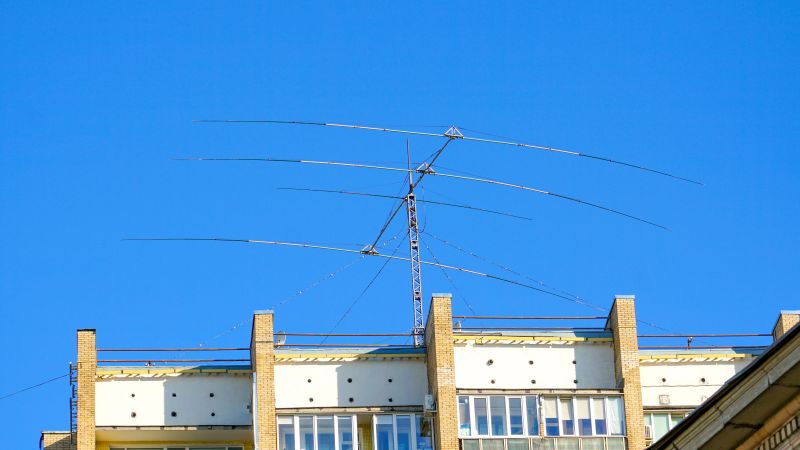
Unfortunately, there’s also a space between the best and the worst where things can be a bit confusing. A case in point is [Bryan Cockfield]’s recent article on a stealth antenna designed to skirt restrictions placed upon an amateur radio operator by the homeowners’ association (HOA) governing his neighborhood.
Hiding an antenna in plain sight.
Putting aside the general griping about the legal and moral hazards of living under an HOA, as well as the weirdly irrelevant side-quest into the relative combustibility of EVs and ICE cars, there appeared to be a persistent misapprehension about the reality of the US Federal Communications Commission’s “Over-the-Air Reception Devices” rules. Reader [Gamma Raymond] beseeched us to clarify the rules, lest misinformation lead any of our readers into the unforgiving clutches of the “golf cart people” who seem to run many HOAs.
According to the FCC’s own OTARD explainer, the rules of 47 CFR § 1.400 are intended only to prevent “governmental and nongovernmental restrictions on viewers’ ability to receive video programming signals” (emphasis added) from three distinct classes of service: direct satellite broadcasters, broadband radio service providers, and television broadcast services.
Specifically, OTARD prevents restrictions on the installation, maintenance, or use of antennas for these services within limits, such as dish antennas having to be less than a meter in diameter (except in Alaska, where dishes can be any size, because it’s Alaska) and restrictions on where antennas can be placed, for example common areas (such as condominium roofs) versus patios and balconies which are designated as for the exclusive use of a tenant or owner. But importantly, that’s it. There are no carve-outs, either explicit or implied, for any other kind of antennas — amateur radio, scanners, CB, WiFi, Meshtastic, whatever. If it’s not about getting TV into your house in some way, shape, or form, it’s not covered by OTARD.
It goes without saying that we are not lawyers, and this is not to be construed as legal advice. If you want to put a 40′ tower with a giant beam antenna on your condo balcony and take on your HOA by stretching the rules and claiming that slow-scan TV is a “video service,” you’re on your own. But a plain reading of OTARD makes it clear to us what is and is not allowed, and we’re sorry to say there’s no quarter for radio hobbyists in the rules. This just means you’re going to need to be clever about your antennas. Or, you know — move.
One of our favorite parts of Hackaday Supercon is seeing all the incredible badge add-ons folks put together. These expansions are made all the more impressive by the fact that they had to design their hardware without any physical access to the badge, and with only a few weeks’ notice. Even under ideal conditions, that’s not a lot of time to get PCBs made, 3D print parts, or write code. If only there was some standard for badge expansions that could speed this process up…
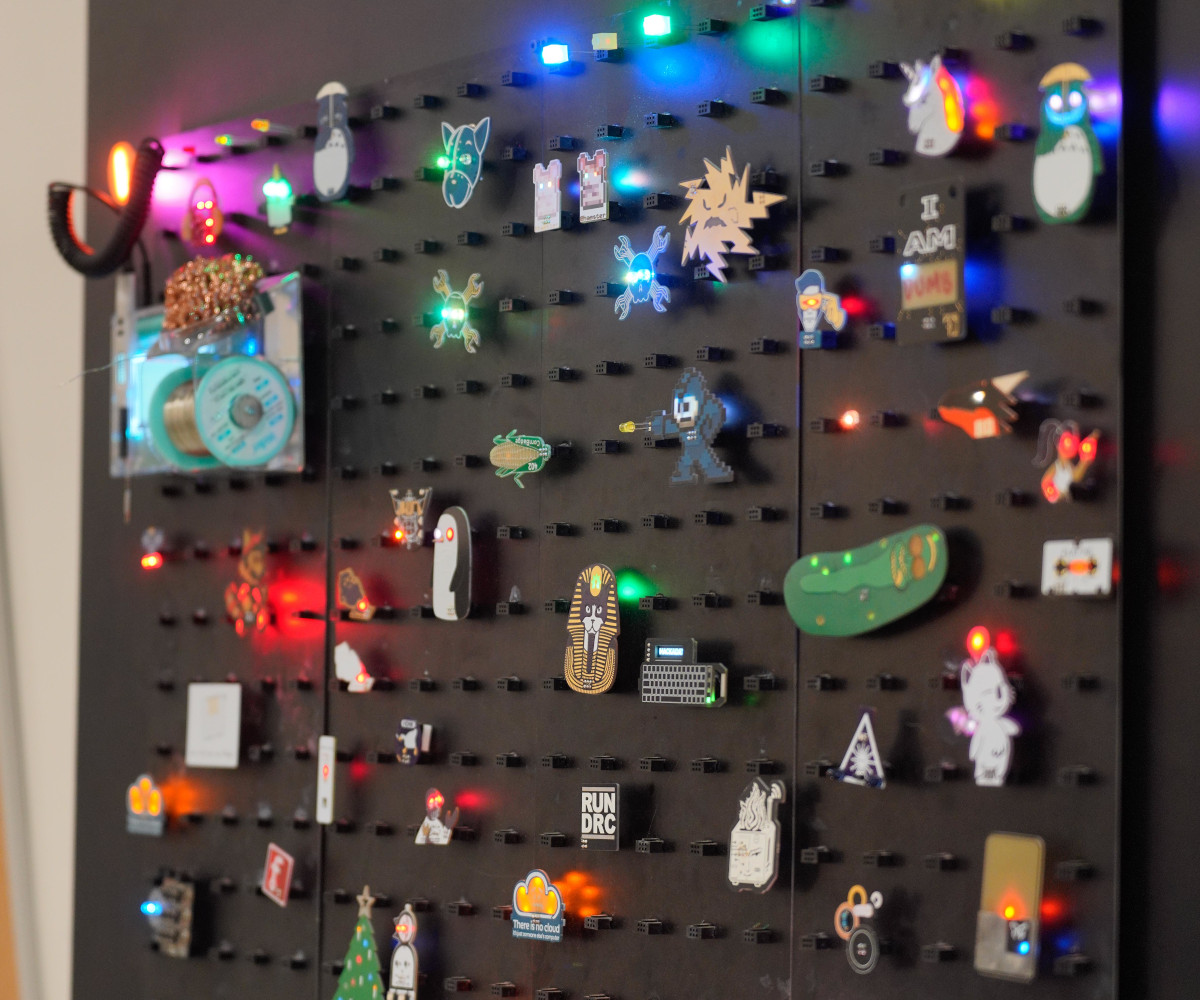
The SAO Wall at Supercon 2023
But there is! The Simple Add-On (SAO) standard has been supported by the Supercon badges since 2019, and the 2×3 pin connector has also popped up on badges from various other hacker events such as HOPE and DEF CON. There’s only one problem — to date, the majority of SAOs have been simply decorative, consisting of little more than LEDs connected to the power pins.
This year, we’re looking to redefine what an SAO can be with the Supercon Add-On Contest. Don’t worry, we’re not changing anything about the existing standard — the pinout and connector remains the same. We simply want to challenge hackers and makers to think bigger and bolder.
Thanks to the I2C interface in the SAO header, add-ons can not only communicate with the badge, but with each other as well. We want you to put that capability to use by creating functional SAOs: sensors, displays, buttons, switches, rotary encoders, radios, we want to see it all! Just make sure you submit your six-pin masterpiece to us by the October 15th deadline.
3D scanning is important because the ability to digitize awkward or troublesome shapes from the real world can really hit the spot. One can reconstruct objects by drawing them up in CAD, but when there isn’t a right angle or a flat plane in sight, calipers and an eyeball just doesn’t cut it.
Scanning an object can create a digital copy, aid in reverse engineering, or help ensure a custom fit to something. The catch is making sure that scanning fits one’s needs, and isn’t more work than it’s worth.
I’ve previously written about what to expect from 3D scanning and how to work with it. Some things have changed and others have not, but 3D scanning’s possibilities remain only as good as the quality and ease of the scans themselves. Let’s see what’s new in this area.
All-in-One Handheld Scanning
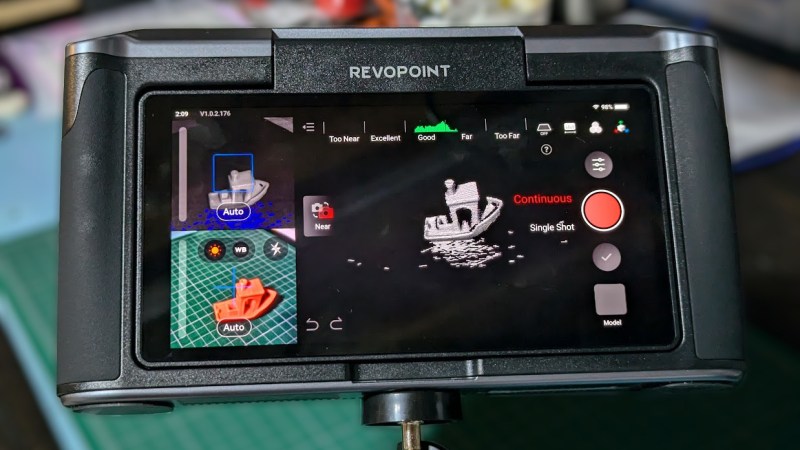
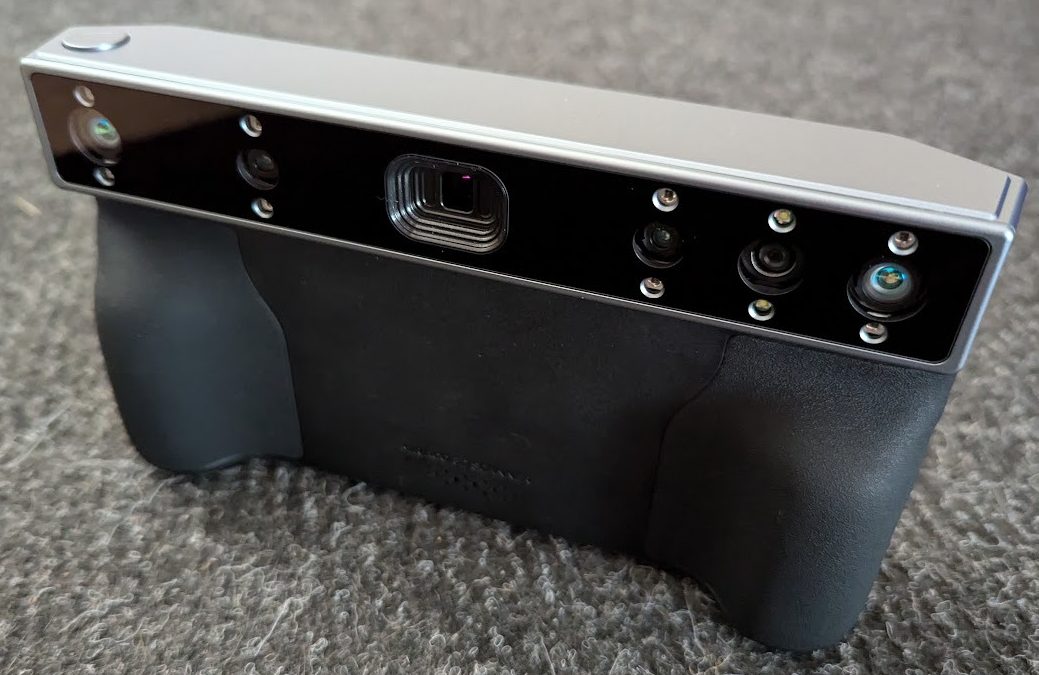
MIRACO all-in-one 3D scanner by Revopoint uses a quad-camera IR structured light sensor to create 1:1 scale scans.
3D scanner manufacturer Revopoint offered to provide me with a test unit of a relatively new scanner, which I accepted since it offered a good way to see what has changed in this area.
The MIRACO is a self-contained handheld 3D scanner that, unlike most other hobby and prosumer options, has no need to be tethered to a computer. The computer is essentially embedded with the scanner as a single unit with a touchscreen. Scans can be previewed and processed right on the device.
Being completely un-tethered is useful in more ways than one. Most tethered scanners require bringing the object to the scanner, but a completely self-contained unit like the MIRACO makes it easier to bring the scanner to the subject. Scanning becomes more convenient and flexible, and because it processes scans on-board, one can review and adjust or re-scan right on the spot. This is more than just convenience. Taking good 3D scans is a skill, and rapid feedback makes practice and experimentation more accessible.
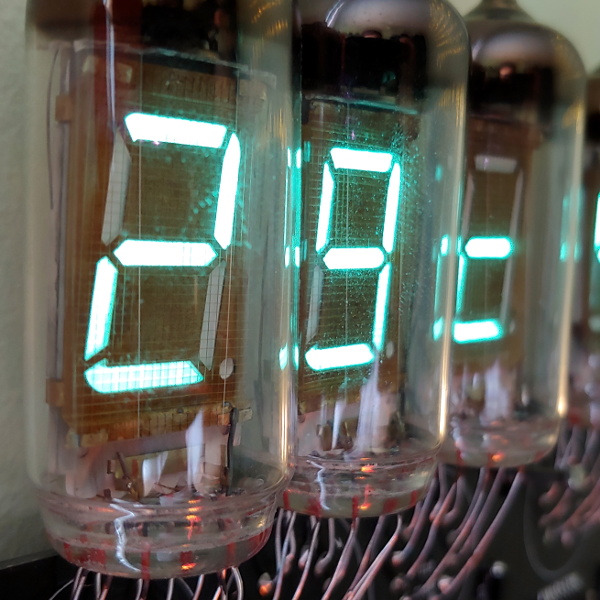
If there’s a constant in the world of electronics, it’s change. Advancements and breakthroughs mean that what was once state-of-the-art all too soon finds itself collecting dust. But there are exceptions. Perhaps because they’re so much more visible to us than other types of components, many styles of displays have managed to carve out their own niche and stick around. Even for the display types that we no longer see used in consumer hardware, their unique aesthetic qualities often live on in media, art, and design.
This year, to coincide with Hackaday Supercon, the folks at Supplyframe’s DesignLab want to pay tribute to display technology past and present with a special exhibit — and they need your help to make it possible. If you have a display you’d like to show off, fill out this form and tell them what you’ve got. Just be sure to do it by September 16th.
For the larger specimens, it would be ideal if you’re somewhat local to Southern California, but otherwise, they’re looking for submissions from all over the world. The exhibit will open on the first day of Supercon and run throughout November.
Don’t worry. They’re only looking to raid your parts bin temporarily. Any hardware sent in to be part of the exhibit will be considered on loan, and they’ll make sure it gets back to where it belongs by January 31st, 2025. The goal is to show the displays on and operational, so in most cases, that’s going to mean sending over a complete device. But if it’s possible to isolate the display itself and still demonstrate what it would look like in operation, sending along just the bare display is an option. Continue reading “Supercon 2024: Show Off Your Unique Display Tech”→
Is your multimeter one of your trusty friends when building up boards, repairing broken gadgets, and reverse-engineering proprietary ones? Is it accompanied by a logic analyzer or an oscilloscope at times?
Having a proper probing setup is crucial for many a task, and the standard multimeter probes just won’t do. As a PCB is slipping under your grip as you’re trying to hold the standard multimeter probes on two points at once, inevitably you will ponder whether you could be doing things differently. Here’s an assortment of probing advice I have accumulated.
Beyond The Norm
There’s the standard advice – keep your board attached firmly to a desk, we’ve seen gadgets like the Stickvise help us in this regard, and a regular lightweight benchtop vise does wonders. Same goes for using fancy needle probes that use gravity to press against testpoints – they might be expensive, but they are seriously cool, within limits, and you can even 3D-print them!