Making A Functional Control Panel Of The Chernobyl RBMK Reactor

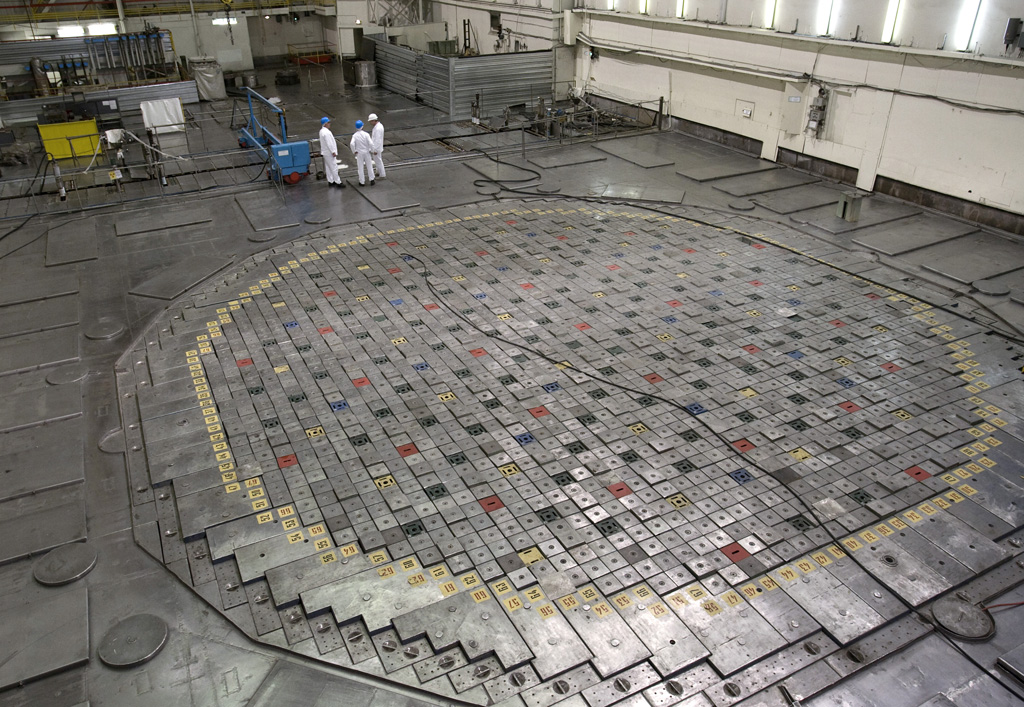
Top of an RBMK at the Leningrad plant.

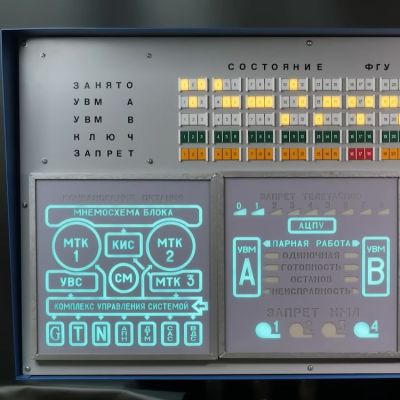
Control panels of a pre-digitalization nuclear plant look quite daunting, with countless dials, buttons and switches that all make perfect sense to a trained operator, but seem as random as those of the original Enterprise bridge in Star Trek to the average person. This makes the reconstruction of part of the RBMK reactor control by the [Chornobyl Family] on YouTube a fun way to get comfortable with one of the most important elements of this type of reactor’s controls.

The section that is built here pertains to the control rods of the RBMK’s reactor, its automatic regulations and emergency systems like AZ-5 and BAZ. The goal is not just to have a shiny display piece that you can put on the wall, but to make it function just like the real control panel, and to use it for demonstrations of the underlying control systems. The creators spent a lot of time talking with operators of the Chornobyl Nuclear Plant – which operated until the early 2000s – to make the experience as accurate as possible.

Although no real RBMK reactor is being controlled by the panel, its ESP32-powered logic make it work like the real deal, and even uses a dot-matrix printer to provide logging of commands. Not only is this a pretty cool simulator, it’s also just the first element of what will be a larger recreation of an RBMK control room, with more videos in this series to follow.

Also covered in this video are the changes made after the Chernobyl Nuclear Plant’s #4 accident, which served to make RBMKs significantly safer, albeit at the cost of more complexity on the control panel.

Continue reading “Making A Functional Control Panel Of The Chernobyl RBMK Reactor”

Light Brite Turned Sci-Fi Console On The Cheap

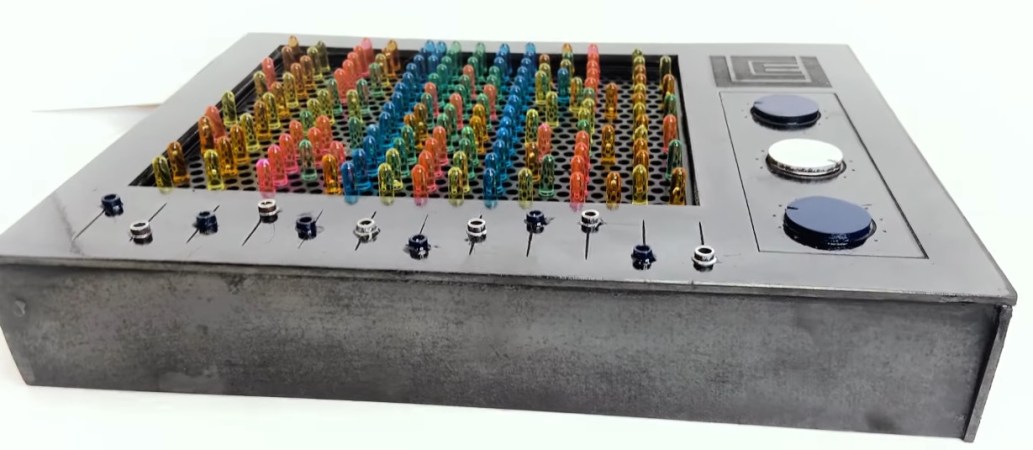
Generally, the projects featured on Hackaday actually do something. We won’t go as far as to say they are practical creations, but they usually have some kind of function other than to sit there and blink. But what if just sitting still and blinking away randomly is precisely what you want a piece of hardware to do?

That was exactly the goal when [createscifi] set out to dress a Lite Brite up as a futuristic prop. On a technical level, this project is pretty much as simple as it gets. But we appreciated seeing some of the techniques brought to bear on this project, and perhaps more importantly, really like the channel’s overall goal of creating affordable sci-fi props using common components. We don’t plan on filming our own space epic anytime soon…but we like to know the option is there.

Continue reading “Light Brite Turned Sci-Fi Console On The Cheap”

ESP32 Powers Custom Darkroom Timer

Developing your own film is an unabashedly analog process, which is one of the reasons people still gravitate towards it. After spending all day pushing buttons and looking at digital displays, spending some quiet time in the dark with pieces of paper and chemicals can be a way to decompress. But that doesn’t mean there isn’t room for a bit of modern digital convenience.

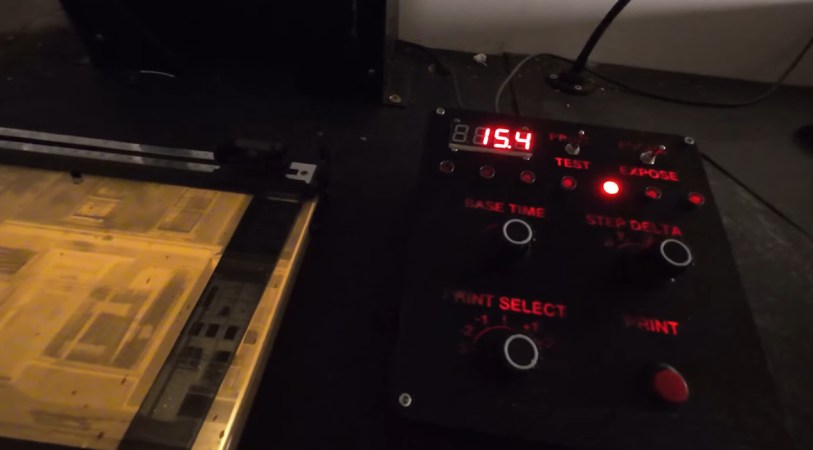
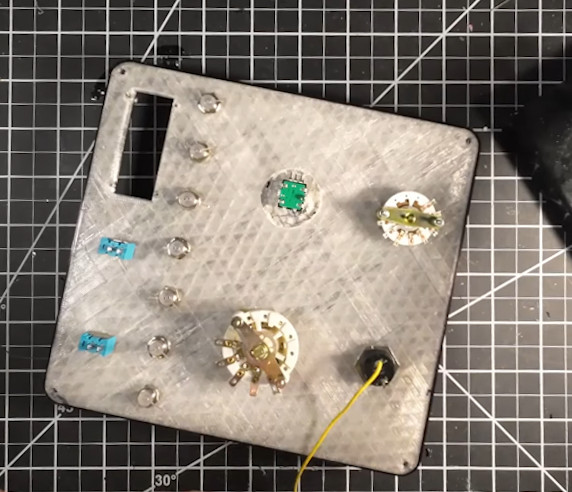
Specifically, [John Jones] wanted a timer that offered more features than his old school analog model, so he decided to build one himself. He took the long away around to make sure the end result would be a tool he could rely on, which meant getting a custom PCB made, 3D printing a case to fit in with his existing workspace, and designing a control panel that he could operate in the dark.

The PCB plays host to an ESP32 development board and an I/O expander that connects up to the array of LEDs, switches, and buttons on the front panel. The bottom-half of of the 3D printed enclosure is pretty simple, but the control panel is quite a piece of work.

Borrowing a trick from the flight sim community, [John] switched over to a clear filament after laying down the first few layers of the panel. This essentially created an integrated light diffuser, and with the addition of a few red LEDs, he had very slick backlit labels on his panel with relatively minimal effort.

We’ve covered custom darkroom tools in the past, from this relatively simple enlarger to an automated system that will develop the film for you.

Continue reading “ESP32 Powers Custom Darkroom Timer”

A Windows Control Panel Retrospective Amidst A Concerning UX Shift

Once the nerve center of Windows operating systems, the Control Panel and its multitude of applets has its roots in the earliest versions of Windows. From here users could use these configuration applets to control and adjust just about anything in a friendly graphical environment. Despite the lack of any significant criticism from users and with many generations having grown up with its familiar dialogs, it has over the past years been gradually phased out by the monolithic Universal Windows Platform (UWP) based Settings app.

Whereas the Windows control panel features an overview of the various applets – each of which uses Win32 GUI elements like tabs to organize settings – the Settings app is more Web-like, with lots of touch-friendly whitespace, a single navigable menu, kilometers of settings to scroll through and absolutely no way to keep more than one view open at the same time.

Unsurprisingly, this change has not been met with a lot of enthusiasm by the average Windows user, and with Microsoft now officially recommending users migrate over to the Settings app, it seems that before long we may have to say farewell to what used to be an intrinsic part of the Windows operating system since its first iterations. Yet bizarrely, much of the Control Panel functionality doesn’t exist yet in the Settings app, and it remain an open question how much of it can be translated into the Settings app user experience (UX) paradigm at all.

Considering how unusual this kind of control panel used to be beyond quaint touch-centric platforms like Android and iOS, what is Microsoft’s goal here? Have discovered a UX secret that has eluded every other OS developer?

Continue reading “A Windows Control Panel Retrospective Amidst A Concerning UX Shift”

Generator Control Panel Unlocked With Reverse Engineering Heroics

Scoring an interesting bit of old gear on the second-hand market is always a bit of a thrill — right up to the point where you realize the previous owner set some kind of security code on it. Then it becomes a whole big thing to figure out, to the point of blunting the dopamine hit you got from the original purchase.

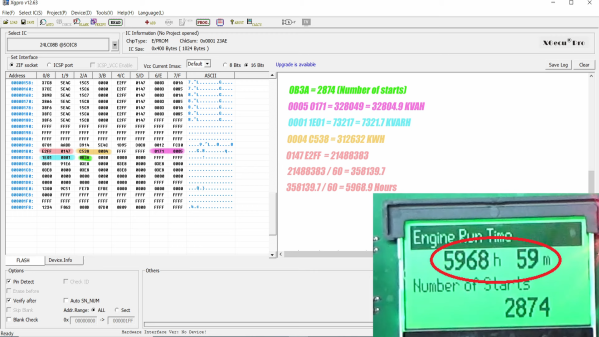
Fear not, though, because there’s dopamine aplenty if you can copy what [Buy it Fix it] did to decode the PIN on a used generator control panel. The panel appears to be from a marine generator, and while it powered up fine, the menu used to change the generator’s configuration options is locked by a four-digit PIN. The manufacturer will reset it, but that requires sending it back and paying a fee, probably considerable given the industrial nature of the gear.

Instead of paying up, [Buy it Fix it] decided to look for a memory chip that might store the PIN. He identified a likely suspect, a 24LC08B 8-Kb serial EEPROM, and popped it off to read its contents. Nothing was immediately obvious, but blanking the chip and reinstalling it cleared the PIN, so he at least knew it was stored on the chip. Many rounds of soldering and desoldering the chip followed, blanking out small sections of memory each time until the PIN was located. The video below edits out a lot of the rework, but gives the overall gist of the hack.

To be honest, we’re not sure if the amount of work [Buy it Fix it] put into this was less than taking a couple of hours to punch in PINs and brute-force it. Then again, if he hadn’t done the reverse engineering he wouldn’t have stumbled upon where the generator parameters like running time and power figures were stored. And it’s not really his style, either; we’ve seen him perform similar heroics on everything from tractors to solar inverters, after all.

Continue reading “Generator Control Panel Unlocked With Reverse Engineering Heroics”

Taking Over The Amazing Control Panel Of A Vintage Video Switcher

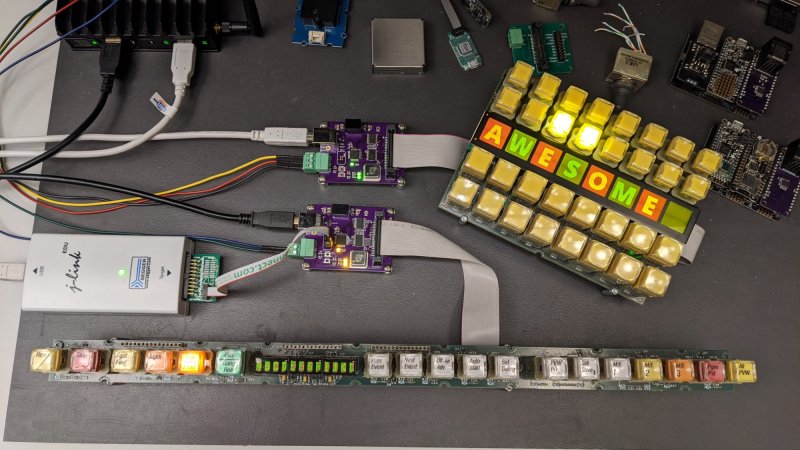
Where does he get such wonderful toys? [Glenn] snagged parts of a Grass Valley Kalypso 4-M/E video mixer switcher control surface from eBay and since been reverse engineering the button and display modules to bend them to his will. The hardware dates back to the turn of the century and the two modules would have been laid out with up to a few dozen others to complete a video mixing switcher console.

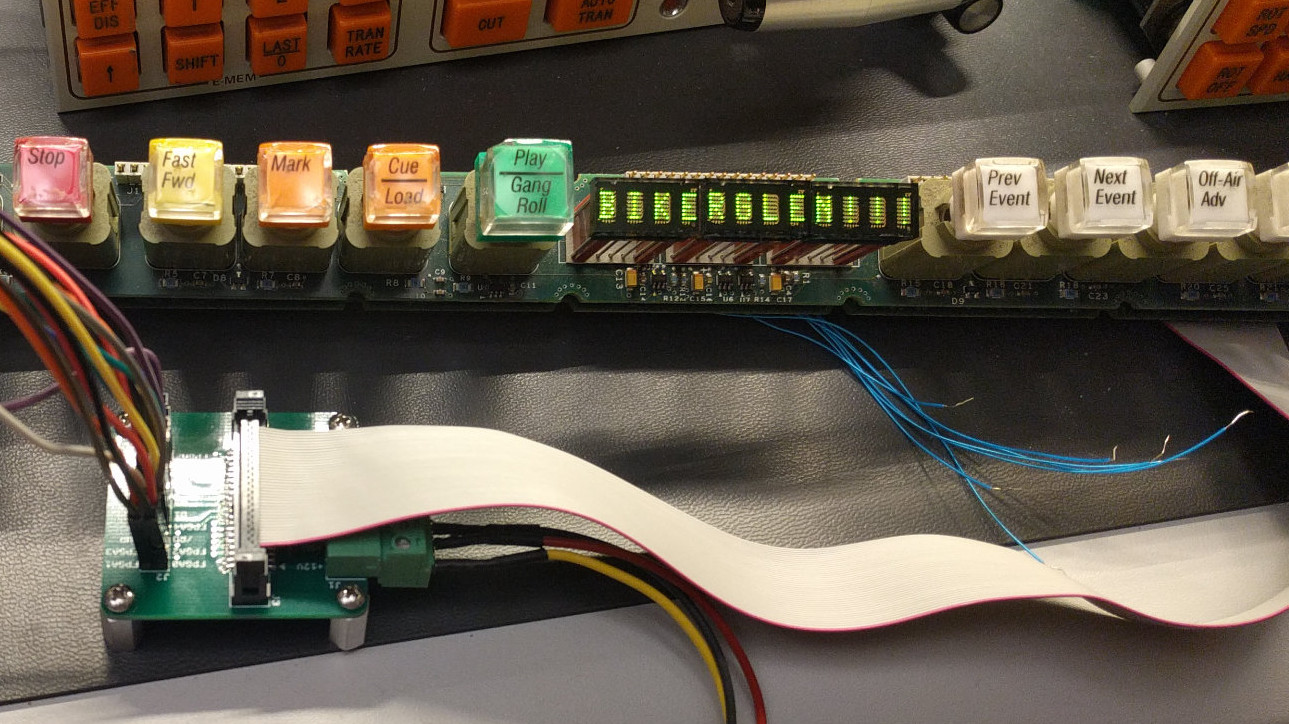
[Glenn’s] previous adventures delved into a strip of ten backlit buttons and gives us a close look at each of the keyswitches and the technique he used to pull together his own pinout and schematic of that strip. But things get a lot hairier this time around. The long strip seen above is a “machine control plane” module and includes a dozen addressible character displays, driven by a combination of microcontrollers and FPGAs. The square panel is a “Crosspoint Switch Matrix” module include eight individual 32 x 32 LCDs drive by three dedicated ICs that can display in red, green, or amber.

[Glen] used an STM8 Nucleo 64 to interface with the panels and wrote a bit of code to help map out what each pin on each machine control plane connector might do. He was able to stream out some packets from the plane that changed as he pressed buttons, and ended up feeding back a brute-force of that packet format to figure out the LED display protocols.

But the LCDs on the crosspoint switch were a more difficult nut to crack. He ended up going back to the original source of the equipment (eBay) to get a working control unit that he could sniff. He laid out a man-in-the-middle board that has a connector on either side with a pin header in the middle for his logic analyzer. As with most LCDs, the secret sauce was the initialization sequence — an almost impossible thing to brute force, yet exceedingly simple to sniff when you have a working system. So far he has them running under USB control, and if you are lucky enough to have some of this gear in your parts box, [Glen] has painstakingly recorded all of the details you need to get them up and running.

An Old-School Control Panel For Your Computer

For as long as computers have been in the hands of programmers, they have offered frequent mildly tedious tasks that their operators have sought to automate. Who hasn’t written a shell script or a batch file that unites a string of commands into one just to save a bit of typing?

But even that effort can be reduced with a hardware add-on that ties the script to a physical control, and in this endeavor [Tomas] has created a beauty. His control panel project mimics the robust industrial panels of yesteryear with an array of metal buttons and toggle switches in a sturdy metal case sourced from an old KVM switch.

Behind the scenes are a pair of I/O extenders and a NodeMCU board, whose ESP8266 does the talking to the host computer on which a daemon awaits its call. Individual addressable LEDs next to each switch convey the state of operation, and the switches trigger useful operations such as connecting to a VPN. All the code is available in a handy GitHub repository, and you can see it in action in the video we’ve placed below the break.

We rather like the idea of a desktop control panel here at Hackaday, indeed this isn’t the first one we’ve brought you.

Continue reading “An Old-School Control Panel For Your Computer”