Wooden Case Makes A 2026 TV Stylish

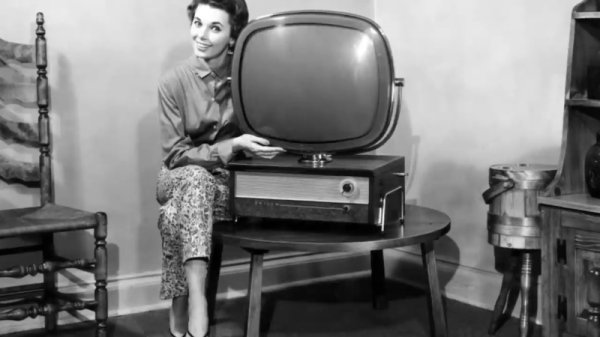
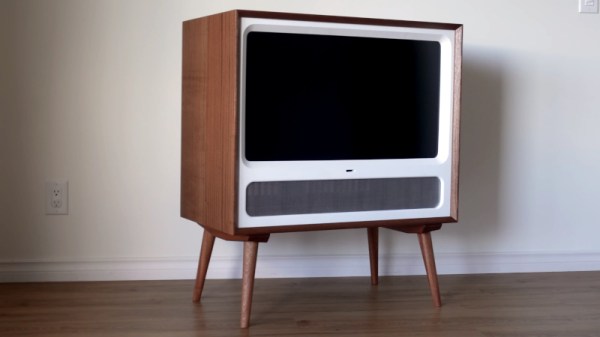
The middle of the 20th century produced a revolution in understated stylish consumer design, some of which lives on today. The reality of living in a 1950s or ’60s house was probably to be surrounded by the usual mess of possessions from many past decades, but the promise was of a beautiful sleek and futuristic living space. Central to this in most homes would have been the TV set, and manufacturers followed the trends of the age with cases that are now iconic. Here in 2026 we put up with black rectangles, but fortunately there’s Cordova Woodworking with a modern take on a retro TV cabinet.

We’ve put the build video below, and it’s a wonderfully watchable piece of workshop titillation in a fully-equipped modern shop. While we appreciate they’ve put the design up for sale, we think many Hackaday readers could come up with their own having already been inspired. One thing we notice over the originals is that they use “proper” wood for their case, when we know the ’60s version would have had veneer-faced ply or chipboard.

The result is a piece of furniture which nicely contains the modern TV and accessories, but doesn’t weigh a ton or dominate the room in the way one of the originals would have, much less emit that evocative phenolic hot-electronics smell. We’d have one in our living room right now. Meanwhile if you’d like a wallow in mid-century TV, we have you covered.

Continue reading “Wooden Case Makes A 2026 TV Stylish”

A New Life For An Old Amplifier

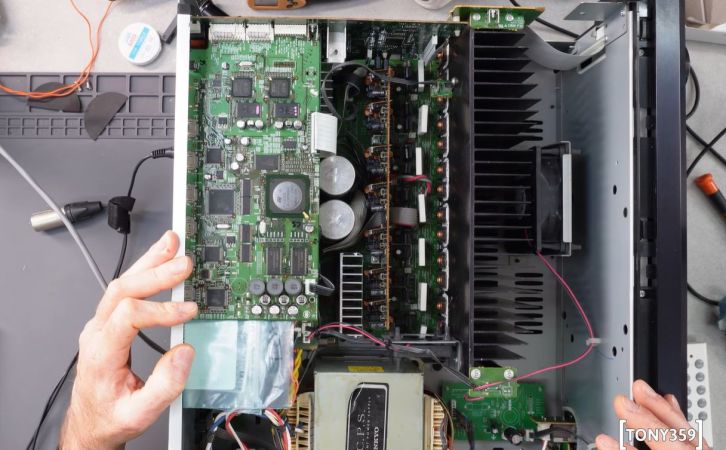
An audio amplifier was once a fairly simple analogue device, but in recent decades a typical home entertainment amplifier will have expanded to include many digital functions. When these break they are often proprietary and not easy to repair, as was the case with a broken Pioneer surround-sound device given to [Boz]. It sat on the shelf for a few years until he had the idea of a jukebox for his ripped CDs, and his returning it to life with a new main board is something to behold.

Internally it’s a surprisingly modular design, meaning that the front panel with its VFD display and driver were intact and working, as were the class AB amplifier and its power supply. He had the service manual so reverse engineering was straightforward, thus out came the main board in favor of a replacement. He took the original connectors and a few other components, then designed a PCB to take them and a Raspberry Pi Pico and DAC. With appropriate MMBASIC firmware it looks as though it was originally made this way, a sense heightened by a look at the motherboard inside (ignoring a couple of bodges).

We like seeing projects like this one which revive broken devices, and this one is particularly special quality wise. We’re more used to seeing it with gaming hardware though.

Bose SoundTouch Smart Speakers Get An Open Source Lifeline

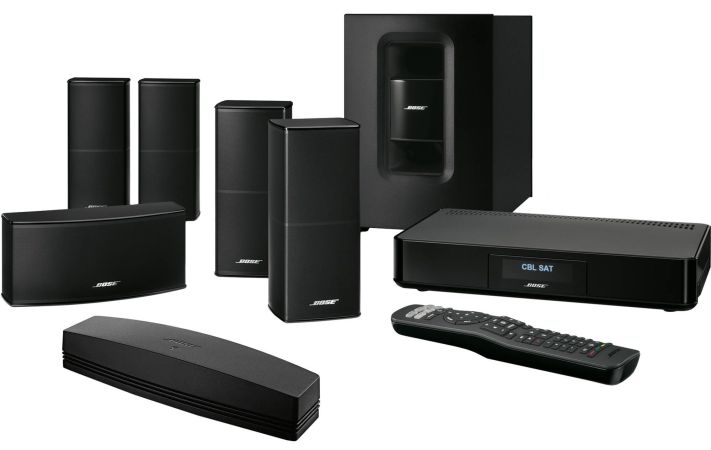
After initially announcing that Bose will completely turn off all ‘smart’ features in its SoundTouch series of speaker products, the company has seemingly responded to the wave of unhappy feedback with a compromise solution. Rather than the complete shutdown and cut-off that we reported on previously, Bose will now remove cloud support as its servers shut down, but the SoundTouch mobile app will get an update that gets truncated to just the local support functions. Bose also made the SoundTouch Web API documentation available as a PDF document.

The shutdown date has also been extended from the original February 18 to May 6th of this year. Although these changes mean that the mobile app can no longer use music services, features like grouping speakers and controlling playback will keep working. Features such as presets which were cloud-based will naturally stop working.

With the web API documentation made public it remains to be seen how helpful this will be. From a quick glance at the PDF documentation it appears to be a typical REST API, using HTTP on port 8090 on the SoundTouch device, with an SGML-style tag system to format messages. In so far as the community hasn’t already reverse-engineered this API it’s at least nice to have official documentation.

How Do PAL And NTSC Really Work?

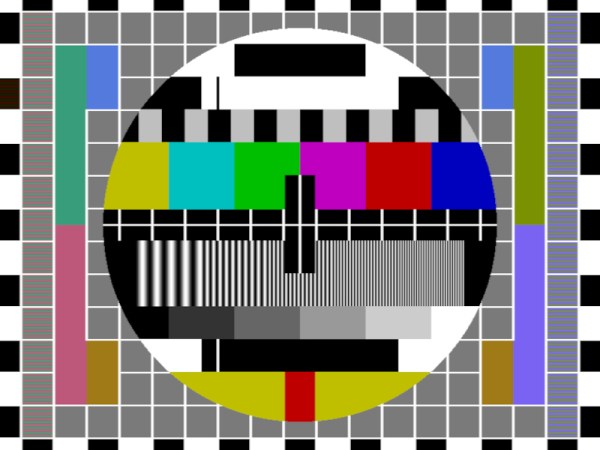
Many projects on these pages do clever things with video. Whether it’s digital or analogue, it’s certain our community can push a humble microcontroller to the limit of its capability. But sometimes the terminology is a little casually applied, and in particular with video there’s an obvious example. We say “PAL”, or “NTSC” to refer to any composite video signal, and perhaps it’s time to delve beyond that into the colour systems those letters convey.

Know Your Sub-carriers From Your Sync Pulses

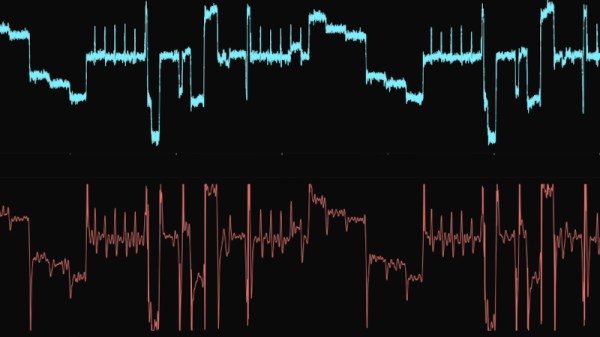
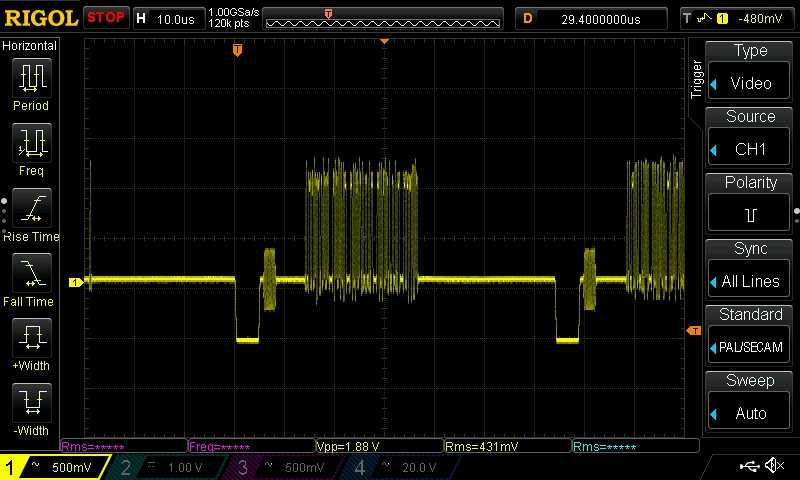
A close-up on a single line of composite video from a Raspberry Pi.

A video system of the type we’re used to is dot-sequential. It splits an image into pixels and transmits them sequentially, pixel by pixel and line by line. This is the same for an analogue video system as it is for many digital bitmap formats. In the case of a fully analogue TV system there is no individual pixel counting, instead the camera scans across each line in a continuous movement to generate an analogue waveform representing the intensity of light. If you add in a synchronisation pulse at the end of each line and another at the end of each frame you have a video signal.

But crucially it’s not a composite video signal, because it contains only luminance information. It’s a black-and-white image. The first broadcast TV systems as for example the British 405 line and American 525 line systems worked in exactly this way, with the addition of a separate carrier for their accompanying sound. Continue reading “How Do PAL And NTSC Really Work?”

Know Audio: Microphone Basics

A friend of mine is producing a series of HOWTO videos for an open source project, and discovered that he needed a better microphone than the one built into his laptop.  Upon searching, he was faced with a bewildering array of peripherals aimed at would-be podcasters, influencers, and content creators, many of which appeared to be well-packaged versions of very cheap genericised items such as you can find on AliExpress.

If an experienced electronic engineer finds himself baffled when buying a microphone, what chance does a less-informed member of the public have! It’s time to shed some light on the matter, and to move for the first time in this series from the playback into the recording half of the audio world. Let’s consider the microphone.

Background, History, and Principles

A microphone is simply a device for converting the pressure variations in the air created by sounds, into electrical impulses that can be recorded. They will always be accompanied by some kind of signal conditioning preamplifier, but in this instance we’re considering the physical microphone itself. There are a variety of different types of microphone in use, and after a short look at microphone history and a discussion of what makes a good microphone, we’ll consider a few of them in detail. Continue reading “Know Audio: Microphone Basics”

A dynamic light box for F1 events, built like the F1 logo.

F1 Light Box Helps You Know The Current Race Status

[joppedc] wrote in to let us know that the Formula 1® season is coming to an end, and that the final race should be bangin’. To get ready, he built this ultra-sleek logo light box last week that does more than just sit there looking good, although it does that pretty well. This light box reacts to live race events, flashing yellow for safety cars, red for red flags, and green for, well, green flags.

Continue reading “F1 Light Box Helps You Know The Current Race Status”

An Audio Brick For Your Smart Home

If you’ve ever wanted to pump sound to all the rooms of your house, you might use any one of a number of commercial solutions. Or, you could go the more DIY route and whip up something like the Esparagus Audio Brick built by [Andriy]. 

The concept is simple—it’s a small unit, roughly the size of a brick, which streams high-quality audio. It’s based around an ESP32, which pulls in digital audio over Wi-Fi or Ethernet. The microcontroller is hooked up to a TAS5825M DAC, which comes with a built-in amplifier for convenience. The Esparagus is designed for integration with Home Assistant, allowing for easy control as part of a smart home setup. It’s also compatible with Spotify Connect, AirPlay, and Snapcast—the latter of which provides excellent sync when using multiple units across several rooms.

Design files are available on Github for the curious. We’ve seen other neat projects in this space, before, too—like the charmingly-named OtterCast. Video after the break.

Continue reading “An Audio Brick For Your Smart Home”