7 LED’s, 2 Pins – Beat That, Charlieplexing

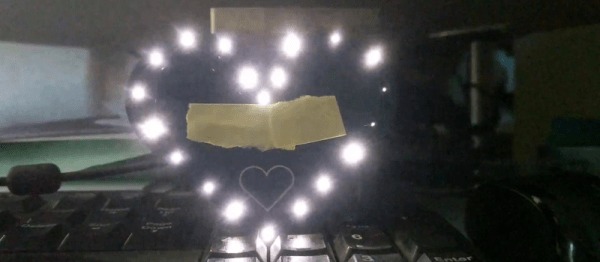
[Tim]’s Dice10 is an exercise in minimalism. Building an electronic dice using an ATtiny10 with code that fits within 1kB is not too difficult. Charlieplexing the LED’s would have used three of the four available GPIO pins. [Tim] upped the game by using just two GPIO pins to drive the seven LED’s for the dice. A third GPIO is used as a touch button input. Besides the ATtiny and the LED’s, the only other component used is a capacitor across the supply inputs.

2 GPIO for 7 LED's
2 GPIO for 7 LED’s

The LED’s are grouped in three pairs of two LED’s and a single centre LED. Usually, Charlieplexed LED’s are connected across pairs of GPIO pins. But his scheme includes connections to the 5V and GND terminals, besides the two GPIO pins. Building a truth table makes it easy to figure out what’s going on.

STATE PB2 PB0 LED's
1     Z   Z   --
2     L   Z   LED 1/2
3     H   Z   LED 3/4
4     Z   L   LED 5/6
5     Z   H   --
6     H   L   LED9
7     L   H   --
8     H   H   --
9     L   L   --

Only the logic states used are listed in the table. It’s possible to add two more LED’s between PB0 and GND and one more anti-parallel with LED9, making a total of 10 LED’s driven by two pins. That’s quite a hack. The important thing here is to have two LED’s in series in the arms that connect to either 5V or GND.

[Tim] has posted  the code and hardware source files on his Github repo, and his blog post has some additional details on how he solved the problem.

If you’re looking for more inspirations on minimal dice designs, check this “PIC powered pair of electronic dice” which uses a PIC 12F629 with five outputs driving a pair of 7 pips to make a dual dice.

1kb-thumb

If you have a cool project in mind, there is still plenty of time to enter the 1 kB Challenge! Deadline is January 5, so check it out and fire up your assemblers!

Christmas Lights Done The Hard Way

It’s that time of the year again when you gotta start worrying if you’ve been naughty enough to not receive any gifts. Hopefully, Blinky Lights will appease St. Nick. Grab a strip of RGB LEDs, hook them up to an Arduino and a Power supply, slap on some code, and Bob’s your Uncle. But if you want to retain your hacker cred, you best do it the hard way. Which is what [roddersblog] did while building his Christmas Starburst LED Stars this year — and bonus points for being early to the party.

christmas-lights-the-hard-wayFor starters, he got panels (as in PCB panels) of WS2812 boards from eBay. The advantage is it lets you choose your own pitch and strand length. The flip side is, you need to de-panel each board, mount it in a jig, and then solder three lengths of hook up wire to each LED. He planned for an eight sided star with ten LED’s each. And he built three of them. So the wiring was, substantial, to say the least. And he had to deal with silicone sealant that refused to cure and harden. But nothing that some grit and determination couldn’t fix.

For control, he choose the PIC16F1509 microcontroller. This family has a feature that PIC calls the “Configurable Logic Cell” and this Application Note describes how to use CLC to interface the PIC to a WS2811. He noticed processing delays due to C code overheads that caused him some grief. After some experimentation, he re-wrote the entire program in assembly which produced satisfactory results. You can check out his code on the GitHub repository.

Also well worth a look, he’s got a few tricks up his sleeve to improve the quality of his home-brew PCB’s. He’s built his own UV exposure unit with timer, which is an interesting project in itself. The layout is designed in Eagle, with a flood fill to minimize the amount of copper required to be etched away. He takes a laser print of the layout, applies vegetable oil to the paper to make it more translucent to UV, and doubles up the prints to get a nice contrast.

Once the sensitized board has been exposed in the UV unit, he uses a weak but fresh and warm solution of Sodium Hydroxide as a developer to remove the unexposed UV photo-resist. To etch the board, he uses standard Feric Chloride solution, which is kept warm using an aquarium heater, while an aquarium air-pump is used to agitate the solution. He also describes how he fabricates double sided boards using the same technique. The end result is quite satisfying – check out the video after the break.

Continue reading “Christmas Lights Done The Hard Way”

Beautiful DIY Ambilight Display

A proper battlestation — or more colloquially, computer desk — setup can sometimes use a bit of technical flair to show off your skills. [fightforlife2] has shared their DIY ambilight monitor backlighting that flows through different colours which mimic what is displayed on the screen.

[fightforlife2]’s setup uses fifty RGB LEDs with individual controllers that support the FastLED library, regulated by an Arduino Nano clone — although any will suffice. The power requirement for the display was a bit trickier, ultimately requiring 3 amperes at 5V; an external power brick can do the trick, but [fightforlife2] also suggests the cavalier solution of using your computer power supply’s 5V line — adding the convenience of shutting off the ambilight display when you shut down your PC!

Continue reading “Beautiful DIY Ambilight Display”

7 Segment Display Using Neopixel Rings

There’s something about clocks — sooner or later, every hacker wants to build one. And we end up seeing all kinds of display techniques being used to show time. For the simplest of builds, 7-segment display modules usually get dug up from the parts bin. If you have a bunch of “smart” LED’s (WS2812’s, APA102’s), then building your own custom 7-segment modules isn’t too difficult either. [rhoalt] had neither, but he did have several 8 LED Neopixel rings lying around. So he thought of experimenting with those, and built a ‘Binoctular’ LED clock which uses the Neopixel rings as 7 segment displays.

figure-eight-segment-displaysEach digit is made using one pair of Neopixel rings, stacked to form a figure of eight. All the digits are composed of arcs, so readability isn’t the best but it’s not hard either. [rhoalt] does mention that the display is easier to read via blurred camera images rather than visually, which isn’t surprising. We’re long used to seeing numbers composed of straight line segments, so arc segmented digits do look weird. But we wouldn’t have known this if [rhoalt] hadn’t shown us, right ? Maybe a thicker diffuser with separator baffles may improve the readability.

The rest of the build is pretty plain vanilla — an Arduino Nano clone, a DS3231 RTC, a Lithium battery, and some buttons, all housed together in a laser cut enclosure which follows the figure of eight design brief. And as usual, once you’ve built one, it’s time to improve and make a better version.

Spinning 3D POV Display: A High School Term Project

If you are a fan of sci-fi shows you’ll be used to volumetric 3D displays as something that’s going to be really awesome at some distant point in the future. It’s been about forty years since a virtual 3D [Princess Leia] was projected to Star Wars fans from [R2D2]’s not-quite-a-belly-button, while in the real world it’s still a technology with some way to go. We’ve seen LED cubes, spinning arrays, and lasers projected onto spinning disks, but nothing yet to give us that Wow! signaling that the technology has truly arrived.

We are starting to see these displays move from the high-end research lab into the realm of hackers and makers though, and the project we have for you here is a fantastic example. [Balduin Dettling] has created a spinning LED display using multiple sticks of addressable LEDs mounted on a rotor, and driven by a Teensy 3.1. What makes this all the more remarkable is that he’s a secondary school student at a Gymnasium school in Germany (think British grammar school or American prep school).

volumetric-pov-display-built-by-high-schooler-led-boardsThere are 480 LEDs in his display, and he addresses them through TLC5927 shift registers. Synchronisation is provided by a Hall-effect sensor and magnet to detect the start of each rotation, and the Teensy adjusts its pixel rate based on that timing. He’s provided extremely comprehensive documentation with code and construction details in the GitHub repository, including a whitepaper in English worth digging into. He also posted the two videos we’ve given you below the break.

What were you building in High School? Did it involve circuit design, mechanical fabrication, firmware, and documentation? This is an impressive set of skills for such a young hacker, and the type of education we like to see available to those interested in a career in engineering.

Continue reading “Spinning 3D POV Display: A High School Term Project”

Swear Bleep Detecting Eyebrows

Swear on broadcast television and they’re going to bleep out the audio to protect the sensibilities of the general public. Swear bleeps are fairly standardised at 1kHz, or so [mechatronicsguy] tells us. You learn something new every day.

OK, it’s not as though there’s an ISO document somewhere detailing the exact tone to use when someone says a naughty word on camera, it is far more likely that a 1kHz tone is the most likely frequency to be at hand in a studio. It’s so ubiquitous that even audio engineers with nowhere near perfect pitch can identify it, and one to which an acquaintance of ours swears years of exposure have given his ears a selective notch filter.

Armed with this information, [mechatronicsguy] created a fun project. As a fan of the [electroBOOM] Youtube channel he made a set of LED eyebrows for a picture of his bleep-prone hero, and using a Teensy with its audio and FFT libraries he made them light up whenever a 1kHz tone is detected. It’s not the most amazing of hacks, but if you find yourself in need of a smile on a chilly November morning then maybe it’ll have the same effect on you as it did with us. He’s posted a quick video of the ‘brows in action which we’ve embedded below the break.

Continue reading “Swear Bleep Detecting Eyebrows”

Really Big Digital Clock Finds Use For Really Big 3D Printer

What does it take to make a really big digital clock? If [Ivan Miranda]’s creation is any gauge, it takes a really big 3D printer, an armful of Neopixel strips, and a ton of hot melt glue.

It looks like [Ivan]’s plus-size clock is mainly an exercise for his recently completed large-bed custom 3D printer, in itself a project worth checking out. But it’s a pretty ambitious project, and one that has some possibilities for enhancements. Each of the four seven-segment displays was printed separately, with a black background, translucent white for the segments, and recesses for five RGB LEDs each. The four digits and colon spacer are mated together into one display, and an ESP8266 fetches the time from a NIST server and drives the segments. What’s really interesting about [Ivan]’s projects is that he constrains himself to finishing them each in a week. That explains the copious amount of hot glue he uses, and leaves room for improvements. We’d love to see this display built into a nice walnut case with a giant red diffusing lens. Even as it stands it certainly makes a statement.

We’ve featured other outsized seven-segment displays before, but few as big as this one.

Continue reading “Really Big Digital Clock Finds Use For Really Big 3D Printer”