Embed With Elliot: Debounce Your Noisy Buttons, Part II

If you’ve ever turned a rotary encoder or pushed a cursor button and had it skip a step or two, you’ve suffered directly from button bounce. My old car stereo and my current in-car GPS navigator both have this problem, and it drives me nuts. One button press should be one button press. How hard is that to get right?

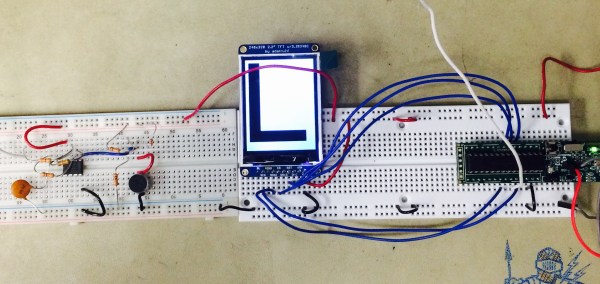
In the last session of Embed with Elliot, we looked into exactly how hard it is to get right and concluded that it wasn’t actually all that bad, as long as you’re willing to throw some circuitry at the problem, or accept some sluggishness in software. But engineers cut corners on hardware designs, and parts age and get dirty. Making something as “simple” as a button work with ultra-fast microcontrollers ends up being non-trivial.

And unsurprisingly, for a problem this ubiquitous, there are a myriad of solutions. Some are good, some are bad, and others just have trade-offs. In this installment, we’re going to look at something special: a debouncer that uses minimal resources and is reasonably straightforward in its operation, yet which can debounce along with the best of ’em.

In short, I’ll introduce you to what I think is The Ultimate Debouncer(tm)! And if you don’t agree by the end of this article, I’ll give you your money back.

Continue reading “Embed With Elliot: Debounce Your Noisy Buttons, Part II”

Embed With Elliot: Debounce Your Noisy Buttons, Part I

“Psst…hey buddy! Wanna see the sweetest little debouncing routine this side of Spokane? C’mon over here. Step right over those bit-shift operators, they don’t bite. Now look at this beauty right here: I call her The Ultimate Debouncer(tm)!”

Everybody who works with microcontrollers eventually runs into the issue of switch bounce or “chatter”, and nearly everyone has their own favorite solution. Some fix it in hardware, others fix it in software. Some hackers understand chatter, and others just cut-and-paste the classic routines. Some folks even try to ignore it, and they might even get lucky, but everyone’s luck runs out sometimes.

In the next two “Embed with Elliot” installments, I’ll look a little bit at bouncing, look into doing hardware debouncing both the simple way and the right way, and build up a basic software routine that demonstrates some of the principles and which works just fine, though it’s not optimized. We’ll be laying the groundwork.

In the next installment, I’ll let you in on my personal favorite debounce routine. It’s a minor tweak on a standard, but with some special sauce that’s worth spreading around. I’ll call it the Ultimate Debouncer(tm), but will it stand up to the scrutiny of the Hackaday commenteers? (How’s that for a cliffhanger?!?)

For now, though, let’s look into switch bounce and the standard ways to fix it in hardware and software.

Continue reading “Embed With Elliot: Debounce Your Noisy Buttons, Part I”

Hairband Lights Up Depending On Your Mood

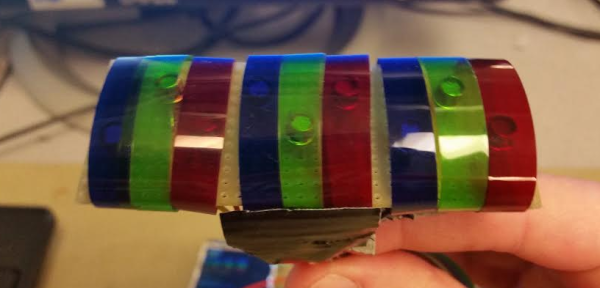
After learning how to use the ESP8266, [Chirag Nagpal] decided to do a fun project to experiment that polls data from Twitter. He calls it the Sentiband, and it analyses your last tweet’s sentiment and changes color accordingly.

There is an API available called Sentiment140 (Formerly ‘Twitter Sentiment’) which is capable of determining the emotional content of a tweet on Twitter. It uses classifiers built from machine learning, and was developed at Stanford by a few CS graduates. We’ve seen it used before on a Christmas tree ornament on a much larger scale, analyzing all holiday tweets to light up your tree.

[Chirag’s] version allows you to set a username and display the latest sentiment of that user’s tweets hidden in the subtext. Three LEDs light up; green for a positive tweet, red for negativity, and blue for neutral.

Continue reading “Hairband Lights Up Depending On Your Mood”

Conjuring Capacitive Touch Sensors From Paper And Aluminum Foil

Stumbling around YouTube, we found what has to be the lowest-tech method of producing a touchpad to make a capacitive touch keyboard, and we just had to share it with you. If you’re afraid of spoilers, skip down to the video below the break now.

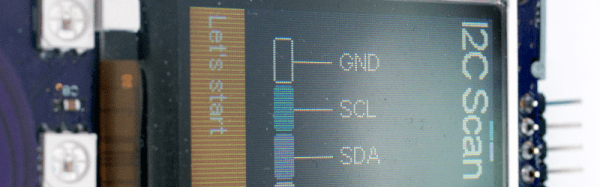
[James Eckert] got his hands on a Freescale MPR121 capacitive touch sensor. The chip in question speaks I2C and senses up to twelve simultaneous capacitive sense electrodes; break-out boards are available in all of the usual places. It’s a sweet little part.

So [James] had to make a twelve-key capacitive keyboard on the quick. He printed out a key template on paper — something that he does often in his woodwork — and spray-glued aluminum foil on the back side. The video doesn’t say how many hours he spent with the razor blade tracing it all out, but the result is a paper, foil, and packing tape keyboard that seems to work just fine.

A pin-header was affixed to the foil with conductive paint and more tape. If you’ve ever tried soldering directly to aluminum foil, you’d know why. (And if you’ve got any other good tips for connecting electrically to aluminum foil, we’d love to hear them.)

Continue reading “Conjuring Capacitive Touch Sensors From Paper And Aluminum Foil”

Passcode-Protecting The Means Of Caffeine

Several years ago, [Cameron] added an ATMega328-based PID temperature controller to his espresso machine. It has performed admirably to this day. But behind that cool bezel and LCD, all of the electronics are just sitting there, exposed. [Cameron] decided to give it a makeover. He has a better machine at home these days and wanted to take the old one to work. In order to keep untrained hands away from it in the office’s shared kitchen, [Cameron] installed a 4-digit keypad.

This makeover didn’t end with hiding wires and locking out noobs, though. [Cameron] added a float switch that will disable the pump when the water level gets too low. This is a nice touch. Otherwise, machines like this one will try to brew when the tank is dry, and then the pump has to be primed once the tank is refilled. [Cameron] also replaced the buttons’ back-lighting bulbs with bright LEDs. A small LCD mounted on the front of the machine shows the boiler temperature and shot-pulling duration.

If you’ve add PID temperature control to your espresso machine but have done nothing to improve the steam wand, why not add a pressure gauge?

RFM69 To MQTT Gateway On The Super-Cheap

[Martin] is working on a RFM69-to-MQTT bridge device. If you’re at all interested in DIY home automation, this is going to be worth following. Why? When your home automation network gets big enough, you’re going to have to think seriously about how the different parts talk to each other. There are a number of ways to handle this messaging problem, but MQTT is certainly a contender.

MQTT is a “lightweight” publish-subscribe framework that’s aimed at machine-to-machine data sharing, and runs on top of a normal TCP/IP network. IBM has been a mover behind MQTT since the beginning, and now Amazon is using it too.

But most MQTT servers need a TCP/IP network, which pretty much means WiFi, and this can be a killer for remote sensors that you’d like to run on battery power, or with limited processing power. For these use cases, a low-power, simple sub-gigahertz radio module is a better choice than WiFi. But then how to do you get your low-power radios to speak to your MQTT devices?

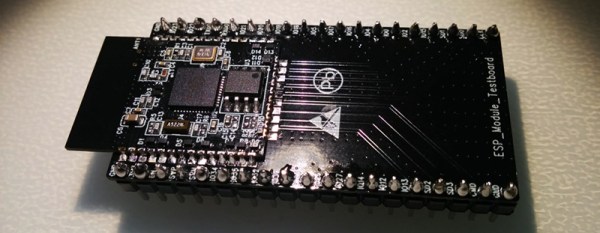
That’s the point of [Martin]’s MQTT bridge. Previously he had built a sub-gig radio add-on for a Raspberry Pi, and let the Pi handle the networking. But it looks like there’s enough processing power in a lowly ESP8266 to handle the MQTT side of things (over WiFi, naturally). Which means that you could now connect your 868 MHz radio devices to MQTT for less than the cost of two pumpkin spice, double-pump lattes.

On the firmware side, [Martin] has enlisted the help of [Felix], who developed the Arduino-plus-RFM69 project, the Moteino. [Felix] has apparently ported his RFM69 library to the ESP8266. We’re dying to see this working.

For now, we’ve got some suggestive screenshots which hint at some LAN-exposed configuration screens. We’re especially interested in the RFM + MQTT debug console window, which should really help in figuring out what’s gone wrong in a system that spans two radio protocols.

The bottom line of all of this? Super-cheap, power-efficient RFM69-based radio nodes can talk with your sophisticated MQTT network. Keep your eyes on this project.

Code Craft – Embedding C++: Timing Virtual Functions

Embedded C developers shy away from C++ out of concern for performance. The class construct is one of their main concerns. My previous article Code Craft – Embedding C++: Classes explored whether classes cause code bloat. There was little or no bloat and what is there assures that initialization occurs.

Using classes, and C++ overall, is advantageous because it produces cleaner looking code, in part, by organizing data and the operations on the data into one programming structure. This simple use of classes isn’t the raison d’etre for them but to provide inheritance, or more specifically polymorphism, (from Greek polys, “many, much” and morphē, “form, shape”).

Skeptics feel inheritance simply must introduce nasty increases in timing. Here I once more bravely assert that no such increases occur, and will offer side-by-side comparison as proof.

Continue reading “Code Craft – Embedding C++: Timing Virtual Functions”