Turtles All The Way Down, 40 Propeller MCU Skyscraper

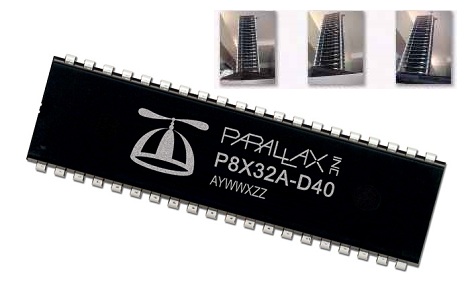
Why bother interconnecting 40 Propeller microcontrollers one on top of the other? For the power that comes from parallel processing of course! [Humanoido] put the setup together for a total of 1280 ports, 640 counters, and more all running at 6.4 billion instructions per second for the low low price of 300-500$ by our count. The “skyscraper” even comes complete with software and schematics, promising developers the ability to expand or adapt for any venture. Why would we need such a setup in the first place? For any of the following: vision tracking/modification, artificial intelligence, advanced robotic control, or more.

Related: [Humanoido] loves putting MCUs together, check out one of his other creations the Basic Stamp supercomputer.

[Thanks Logan996]
Electronic Dice, Overkill And Simplified

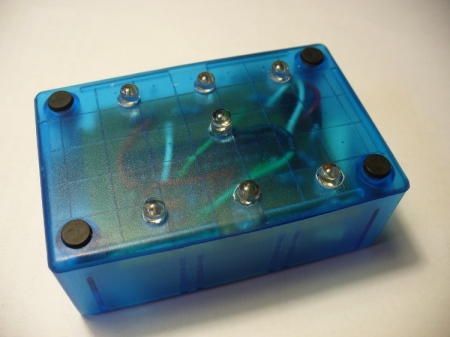
[littlebird] posted a tutorial on making electronic dice.  He’s using an ATmega328 for the numbers work, and a mercury switch to activate it all. A nice blue enclosure to match the blue LEDs he’s using for the number display wraps it up nicely. Of course, someone had to mention that this was an amazing amount of over kill and it could just be done with a 555 timer like they used to do “back in the day”. [littlebird] responded with another tutorial to prove that he hadn’t forgotten how to work with the basics. He goes on to point out, now that we see both in action, that he can expand his microcontroller based one quickly with a few lines of code, where every new feature added to the 555 timer version would require additional components.

You can catch videos of both after the break.

Continue reading “Electronic Dice, Overkill And Simplified”

Thinner Client Using STM32 And NTSC Monitor

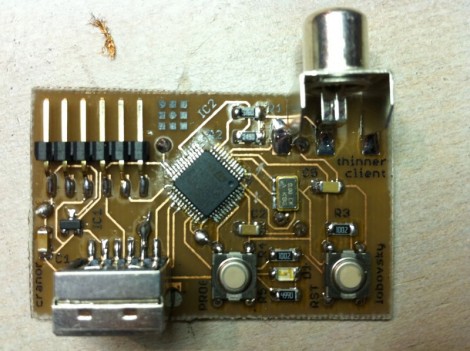
[David Cranor], along with [Max Lobovsky’s] help, managed to build a thin client that uses an NTSC television as a monitor for only $6. This is his first foray into the world of ARM architecture and he has vowed to never use an AVR again. The powerful little chip uses timers to manage sync and DMA to transfer the full 480×240 frame buffer to the screen. Overclocked at 80 MHz there’s a lot of potential in this little board and he plans to take on the challenge of a full-color display for his next trick.

Launchpad Not Limited To Value Line Chips

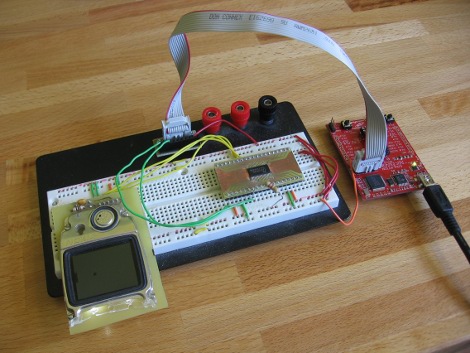
Wanting to use my TI Launchpad as more than just a development board I thought I’d do a few experiments using it as an in-system programmer. After a few tripping points I was able to get it working and then some. It seems that the device is not limited to just the value line of microcontrollers it was intended to support. In the image above I’m using it to program an MSP430F2272 which is a pretty powerful little chip with 32 KB of program space. Click through the break for more information on the setup.

Continue reading “Launchpad Not Limited To Value Line Chips”

Beginner Concepts: All About AVR Interrupts

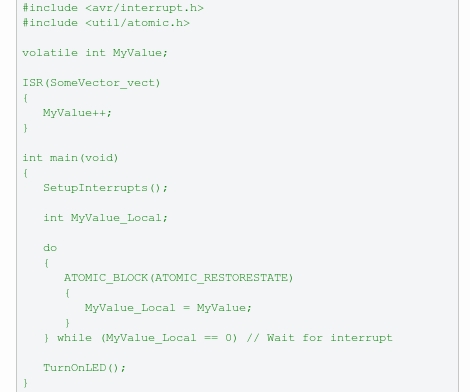
Microcontroller interrupts are one of the big tools in our embedded programming arsenal. They make the chip listen for particular events, and once detected they stop what they’re doing and run a separate set of code called and Interrupt Service Routine. We’ve come across two fairly new tutorials on the subject that you should check out if you’re not yet a master on the topic. One is a ProtoShack tutorial on ATmega168 external interrupts, and the other is a Newbie’s Guide to AVR Interrupts by [Dean Camera] (we’ve been a fan of his tutorials for some time). Both cover a range of topics from what interrupts are, to avoiding the common problems of volatile data types and the compiler optimization caveats.

What can you do with interrupts? External interrupts can be used to wake up a project like this LED menorah from sleep mode. Interrupts can be used to monitor a timer for a certain value or an overflow for use in generating a pulse-width modulation signal. The TI Launchpad uses an interval timer interrupt for button debouncing in projects like this code which was ported from an AVR chip. The source for both is available if you wanted to compare how the two differ.

Interrupts are powerful. Learn them, love them, use them.

USB Adapter Options

[Ladyada] takes some time out of her day to explain the common options available for connecting projects through USB. You may be thinking that you already do this with an Arduino. Well, yes and no. The Arduino uses one of these options, an FTDI chip that handles the USB on one side and spits out microcontroller-friendly voltage signals on the other. This chip can be used with your projects, a topic that [Phil Burgess] covered in great detail.

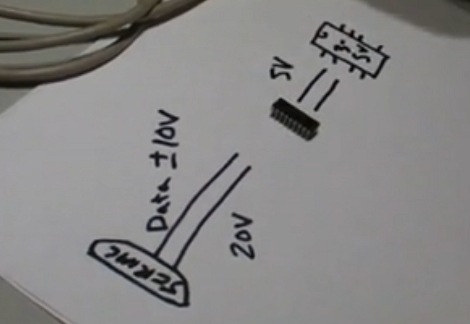
In the video after the break you’ll also hear about USB to serial converters which connect to the Universal Serial Bus and output the traditional 12-20V serial signals (with the exception of cheap knockoff cables like the one from last week). These need to be stepped down to 5 volts or less using a MAX232 chip to work with your project.

Finally there’s the option of using a microcontroller running the V-USB firmware package. This is how the USBtinyISP works and I’ve used it in my own projects to build a LIRC compatible IR receiver.

Continue reading “USB Adapter Options”

Cheap Cable Reused To Add USB To Your Project

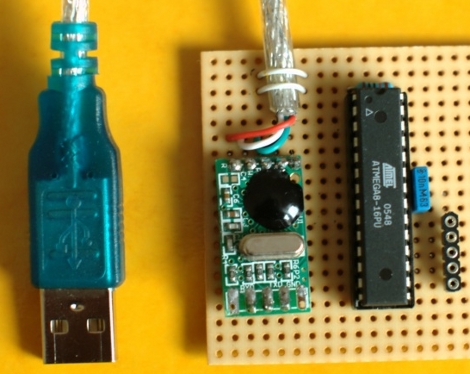
You get what you pay for. [Jkx] wanted to see how a USB to RS232 cable could be sold for just $1.70 and found out that it’s not actually RS232 compliant. The cable communicated as TTL levels, not the 12V expected of RS232 (although it can handle 12V incoming). He didn’t really want to use them for their intended purpose anyway. By betting rid of the DB9 plug and reusing the enclosed circuit board he now has a really cheap way to interface a microcontroller with the Universal Serial Bus. He worked out a couple of short subroutines that take care of receiving and sending data over the connection.