Forget LED Matrices, How About Neon!

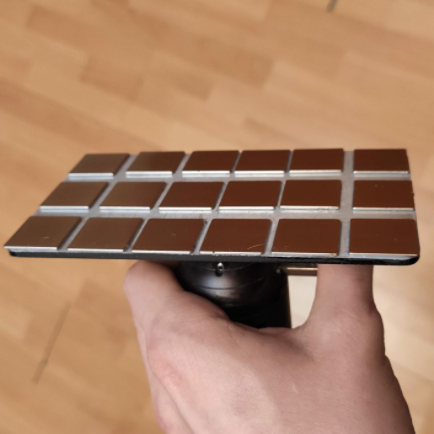
The low-cost LED has changed the way we approach lighting in all its forms, allowing complex addressable displays and all sorts of lighting goodness. But what did we do before we had cheap LED arrays? Use neon bulbs, perhaps? That’s exactly what [Manawyrm] has done with her chainable 8×8 neon matrix boards, taking 64 neon indicator bulbs and driving each from mains potential with an individual triac. A line of 74HC595s handle the data transfer, floating at mains voltage while their ESP32 driver is kept safe by a set of isolators.

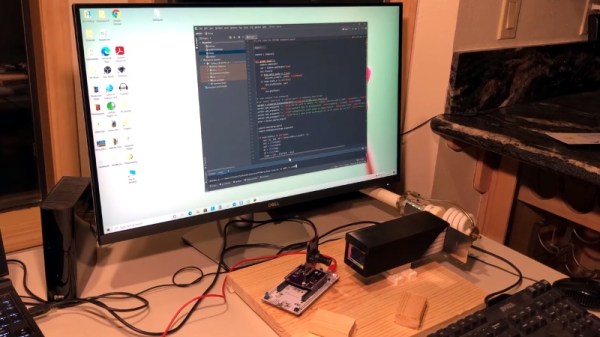
A Twitter post shows it in action, but perhaps the most hackworthy praise should be reserved for the test rig. Unable to source a variable 230 V mains supply for testing the array, she applied a 50 Hz sine wave to an audio power amplifier, and replaced the speaker with the low voltage side of a mains transformer. It’s the sort of hack we can’t help liking.

Neons have generally featured here as novelties rather than as significant displays in their own right. They’re interesting components that everyone should have a play with, not least because the possess negative resistance, and can be made to oscillate.

Life-Saving Surgery For A Telescopic Antenna

Whether it was as an impulsive youth or an impatient adult, there’s probably few among us who haven’t broken a telescopic antenna or two over the years. It doesn’t take much to put a bend in the thin walled tubing, and after that, all bets are off. So [The Amateur Engineer] couldn’t really be too upset when his son snapped the antenna off the transmitter of an old RC truck. Instead, he decided to take it apart and see how it could be repaired.

Taking a thin screwdriver to the antenna’s bottom most segment, he was able to widen up the opening enough to remove the upper sections as well as recover the broken piece and copper locking plates. He cut out the damaged area and drilled new holes for the pins on the copper plates to fit into. Inserting the repaired section back into the lowest segment was no problem, but he says it took a little trial and error before he was able to roll the edge over enough to keep the antenna from falling apart.

Buying a replacement would certainly have been easier, but as the radios in our devices have moved into the higher frequencies, these collapsible antennas have become a bit harder to come by. Modern RC vehicles operate on 2.4 GHz, so they don’t need the long antennas that the older 27 MHz systems utilized. [The Amateur Engineer] did find a few direct replacements online, but none for a price he was willing to pay.

We might have used the broken transmitter as an excuse to switch the RC vehicle over to WiFi control, but we appreciate [The Amateur Engineer] showing how this type of antenna can be disassembled and repaired if necessary.

3D Printing A Macro Pad, Switches And All

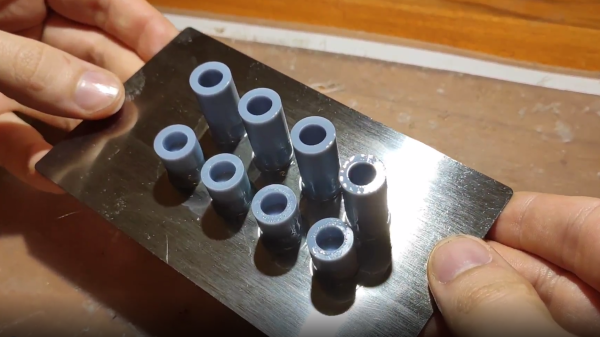
Building a macro pad inside of a 3D printed enclosure is hardly news these days. Neither is adding 3D printed keycaps to the mix. But if you go as far as [James Stanley] has, and actually print the switches themselves, we’ve got to admit that’s another story entirely.

Now you might be wondering how [James] managed to print a mechanical keyboard switch that’s the size of your garden variety Cherry. Well, the simple answer is that he didn’t. While his printed switches have the same footprint as traditional switches, they are twice as tall.

The switches could probably made much smaller if it wasn’t for the printed spring, but using a “real” one would defeat the purpose. Though we do wonder if the mechanical design could be simplified by making it an optical switch.

But can printed switches really stand up to daily use? [James] wondered the same thing, so he built a testing rig that would hit the switches and count how many iterations before they stopped working. This testing seems to indicate that the keys will either fail quickly due to some mechanical defect, or last for hundreds of thousands of presses. So assuming you weed out the duds early, you should be in pretty good shape.

Naturally, there are a few bits of copper inside each printed switch to act as the actual contacts. But beyond that, all you need to build one of these printable pads yourself is a USB-HID capable microcontroller like the Arduino Pro Micro. If you used the ESP32, you could even make it Bluetooth.

Continue reading “3D Printing A Macro Pad, Switches And All”

Variable Mirror Changes Shape Under Pressure

Unless you’re in a carnival funhouse, mirrors are generally dead flat and kind of boring. Throw in some curves and things get interesting, especially when you can control the curve with a touch of your finger, as with this variable surface convex mirror.

The video below starts off with a long but useful review of conic constants and how planes transecting a cone can create circles, parabolas, or ellipses depending on the plane’s angle. As [Huygens Optics] explains, mirrors ground to each of these shapes have different properties, which makes it hard to build telescopes that work at astronomical and terrestrial distances. To make a mirror that works over a wide range of distances, [Huygens Optics] built a mirror from two pieces of glass bonded together to form a space between the front and rear surface. The front surface, ground to a spherical profile, can be deformed slightly by evacuating the plenum between the two surfaces with a syringe. Atmospheric pressure bends the thinner front surface slightly, changing the shape of the mirror.

[Huygens Optics] also built an interferometer to compare the variable mirror to a known spherical reference. The data from the interferometer was fed to a visualization package that produced maps of the surface shape, which you can easily see changing as the pressure inside the mirror changes. Alas, a deeper dive into the data showed the mirror to be less than perfect, but it’s fascinating to think that a mirror can flex enough to change from elliptical to almost parabolic with nothing more than a puff of air.

We’ve seen a couple of interesting efforts from [Huygens Optics] before, including this next-level spirit level. He’s not all about grinding glass, though — witness this investigation into discriminating metal detectors.

Continue reading “Variable Mirror Changes Shape Under Pressure”

Creating A Custom ASIC With The First Open Source PDK

A process design kit (PDK) is a by now fairly standard part of any transformation of a new chip design into silicon. A PDK describes how a design maps to a foundry’s tools, which itself are described by a DRM, or design rule manual. The FOSSi foundation now reports on a new, open PDK project launched by Google and SkyWater Technology. Although the OpenPDK project has been around for a while, it is a closed and highly proprietary system, aimed at manufacturers and foundries.

The SkyWater Open Source PDK on Github is listed as a collaboration between Google and SkyWater Technology Foundry  to provide a fully open source PDK and related sources. This so that one can create manufacturable designs at the SkyWater foundry, that target the 130 nm node. Open tools here should mean a far lower cost of entry than is usually the case.

Although a quite old process node at this point (~19 years), it should nevertheless still be quite useful for a range of applications, especially those that merge digital and analog circuitry. SkyWater lists their SKY130 node technology stack as:

  • Support for internal 1.8V with 5.0V I/Os (operable at 2.5V)
  • 1 level of local interconnect
  • 5 levels of metal
  • Inductor-capable
  • High sheet rho poly resistor
  • Optional MiM capacitors
  • Includes SONOS shrunken cell
  • Supports 10V regulated supply
  • HV extended-drain NMOS and PMOS

It should be noted that use of this open source PDK is deemed experimental at this point in time, and should not be used for any commercial or otherwise sensitive applications.

Header image: Peellden/ CC BY-SA 3.0

Intel Says Nanowire And NanoRibbon In Volume In Five Years

Intel’s CTO says the company will eventually abandon CMOS technology that has been a staple of IC fabrication for decades. The replacement? Nanowire and nanoribbon structures. In traditional IC fabrication, FETs form by doping a portion of the silicon die and then depositing a gate structure on top of an insulating layer parallel to the surface of the die. FinFET structures started appearing about a decade ago, in which the transistor channel rises above the die surface and the gate wraps around these raised “fins.” These transistors are faster and have a higher current capacity than comparable CMOS devices.

However, the pressure of producing more and more sophisticated ICs will drive the move away from even the FinFET. By creating the channel in multiple flat sheets or multiple wires the gate can surround the channel on all sides leading to even better performance. It also allows finer tuning of the transistor characteristics.

Continue reading “Intel Says Nanowire And NanoRibbon In Volume In Five Years”

An Open Source Tool To Document Your Wiring

Most of us are familiar with the tools available to create circuit diagrams, as generally that’s the first step towards producing a custom PCB. But that about the cables and wiring harnesses that don’t live on your board? How do you easily document the rat’s nest perfectly logical wiring of your latest and greatest creation?

That’s precisely the question that led [Daniel Rojas] to create WireViz. This open source Python tool takes human readable input files and turns them into attractive and functional visualizations of where all the wires in your project are going. It can even be used to generate a Bill of Materials that documents the lengths of wire required and types of connectors needed to hook everything up.

If you’re still using pre-made cables to connect all of your components together, than you might not immediately see the benefit of a tool like this. But as we’ve talked about in the past, the creation of custom wiring harnesses is something that serious hardware hackers should become familiar with. Yes it takes more effort, but the end result is worth it. With a tool like WireViz, the creation of a bespoke harness for your next project just got a little bit easier.

[Daniel] has done a fantastic job documenting this project, providing not only a tutorial on how to feed and care for your WireViz, but a gallery of examples that shows off the kind of complex wiring the tool can help make sense of. But there’s plenty more to be done, and he’s happy to get feedback or code contributions from anyone who wants to get involved.