Atari Announces The Atari 7800+ Nostalgia Console

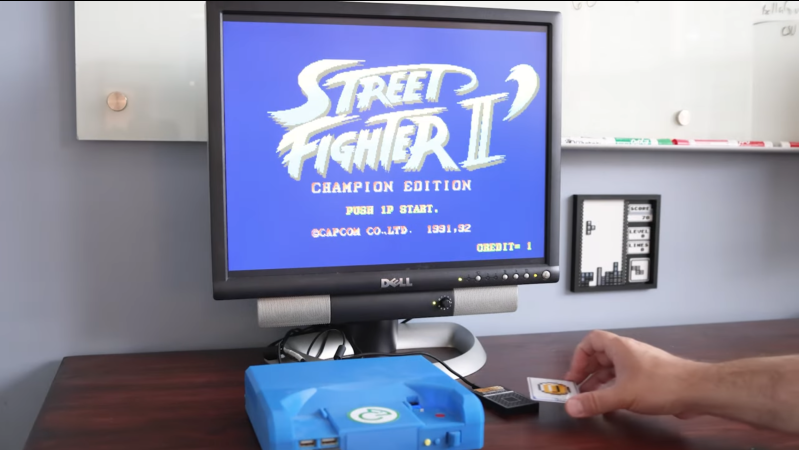
Following the trend of re-releasing every single game console as some kind of modern re-imagining or merely an ARM-SBC-with-emulator slapped into a nice looking enclosure, we now got the announcement from Atari that they will soon be releasing the Atari 7800+.

It’s now up for pre-order for a cool $130 USD or a mega bundle with wired controllers for $170 and shipping by Winter 2024. Rather than it being a cute-but-non-functional facsimile like recent miniature Nintendo and Commodore-themed releases, this particular console is 80% of the size of the original 7800 console, and accepts 2600 and 7800 cartridges, including a range of newly released cartridges.

On the outside you find the cartridge slot, an HDMI video/audio output, a USB-C port (for power) and DE-9 (incorrectly listed as DB-9) controller ports, with wireless controllers also being an option. Inside you find a (2014-vintage) Rockchip RK3128 SoC with a quad core Cortex-A7 that runs presumably some flavor of Linux with the Stella 2600 emulator and ProSystem 7800 emulator. This very likely means that compatibility with 2600 and 7800 titles is the same as for these emulators.

Bundled with the console is a new 7800 cartridge for the game Bentley Bear’s Crystal Quest, and a number of other new games are also up for pre-order at the Atari site. These games are claimed to be compatible with original Atari consoles, which might make it the biggest game release year for the 7800 since its launch, as it only had 59 official games released for it.

Given the backwards compatibility of this new system, you have to wonder how folks who purchased the 2600+ last year are feeling right about now. Then again, the iconic faux-wood trim of the earlier console might be worth the price of admission alone.

Learning How A Nuclear Missile Stays On Target

In 1962, unlike today, most things didn’t have computers in them. After all, the typical computer of the day was a fragile room-sized box that required a gaggle of high priests to service it. But the Minuteman I nuclear missile was stuffed full of pre-GPS navigation equipment and a computer. In a few years, by 1970, the Minuteman III could deliver a warhead 13,000 km with an accuracy of 200 meters. Each one cost about a half million dollars, but that’s almost five million in today’s money. [Ken] takes on a very detailed tour of the computers and avionics that were nothing short of a miracle — and a highly classified miracle — in the 1960s.

The inertial navigation relied on a gyroscope, which in those days, were large and expensive. The Minuteman I required alignment with a precise angle relative to the North Star which naturally wasn’t visible from inside the silo. By the time Minuteman II arrived, they’d figured out an easier way to orient the missiles.

Continue reading “Learning How A Nuclear Missile Stays On Target”

An Amiga 2000 on a carpet floor

Amiga, Interrupted: A Fresh Take On Amiga OS

Serena OS is not just another operating system—it’s a playground for hackers, tinkerers, and Amiga enthusiasts pushing vintage hardware to new limits. Born from modern design principles and featuring pervasive preemptive concurrency and multi-user support, [dplanitzer]’s Serena OS is far from ordinary.

Running on Amiga systems with a 68030 or better CPU, it challenges traditional OS concepts by ditching threads in favor of dispatch queues, akin to Apple’s Grand Central Dispatch. The result? A dynamic, flexible kernel that combines forward-thinking design with retro charm.

The real innovation in Serena is its kernel, which uses a virtual processor concept to manage system resources efficiently. Instead of threads, Serena dynamically adjusts a pool of virtual processors based on dispatch queue needs, ensuring tasks are executed with precision and speed. Interrupt handling is also unique: interrupts are converted into semaphore signals, allowing the code to handle these signals at its convenience without missing any, making hardware interactions more controlled, especially where timing is critical.

For Amiga enthusiasts already customizing their setups, Serena OS offers new possibilities. It shares some spirit with projects like AROS (Amiga Research Operating System) but adds its own twist with object-oriented design and cross-platform goals. Whether you’re developing software for your classic Amiga or exploring new hardware interfaces, Serena OS provides a robust and adaptable foundation.

Historical Microsoft And Apple Artifacts Among First Christie’s Auction Of Living Computers Museum

Recently the Christie’s auction house released the list of items that would be going up for sale as part of the first lot of Living Computer Museum items, under the banner “Gen One: Innovations from the Paul G. Allen Collection”. One auction covers many ‘firsts’ in the history of computing,  including a range of computers like an Apple 1, and a PDP-10, as well as early Microsoft memos and code printouts. The other auctions include such items like a Gemini Spacesuit as worn by [Ed White] and a signed 1939 letter from [Albert Einstein] to [US President Roosevelt] on the discovery by the Germans of a fissionable form of uranium from which a nuclear weapon could be constructed.

We previously reported on this auction when it was first announced in June of this year. At the time many were saddened at seeing the only computer history and its related educational facilities vanish, and there were worries among those who had donated items to the museum what would happen to these now that the museum’s inventory was being put up for sale. As these donations tend to be unconditional, the museum is free to do with the item as they see fit, but ‘being sold at auction’ to probably a private collector was likely not on their mind when filling in the donation form.

As the first auctions kick off in a few days we will just have to wait and see where the museum’s inventory ends up at, but it seems likely that many of these items which were publicly viewable will now be scattered across the globe in private collections.

Top image: A roughly 180° panorama of the “conditioned” room of the Living Computer Museum, Seattle, Washington, USA. Taken in 2014. (Credit: Joe Mabel)

Building A Paper Tape Reader To Read Bytes

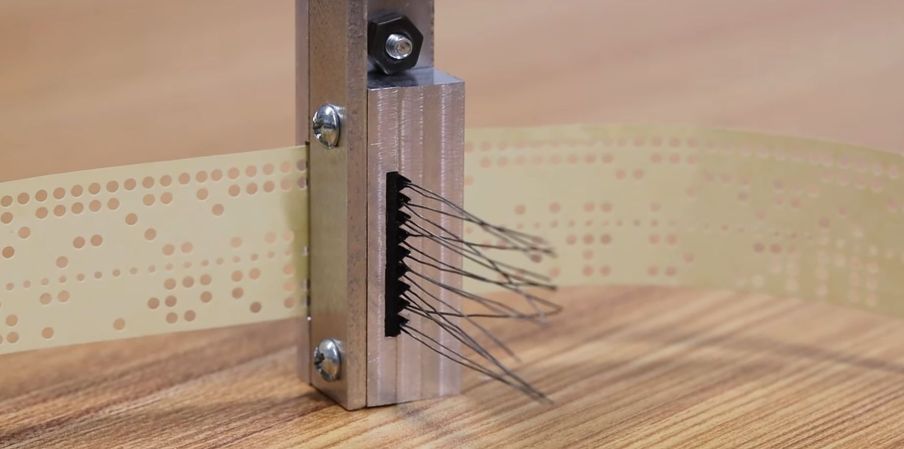
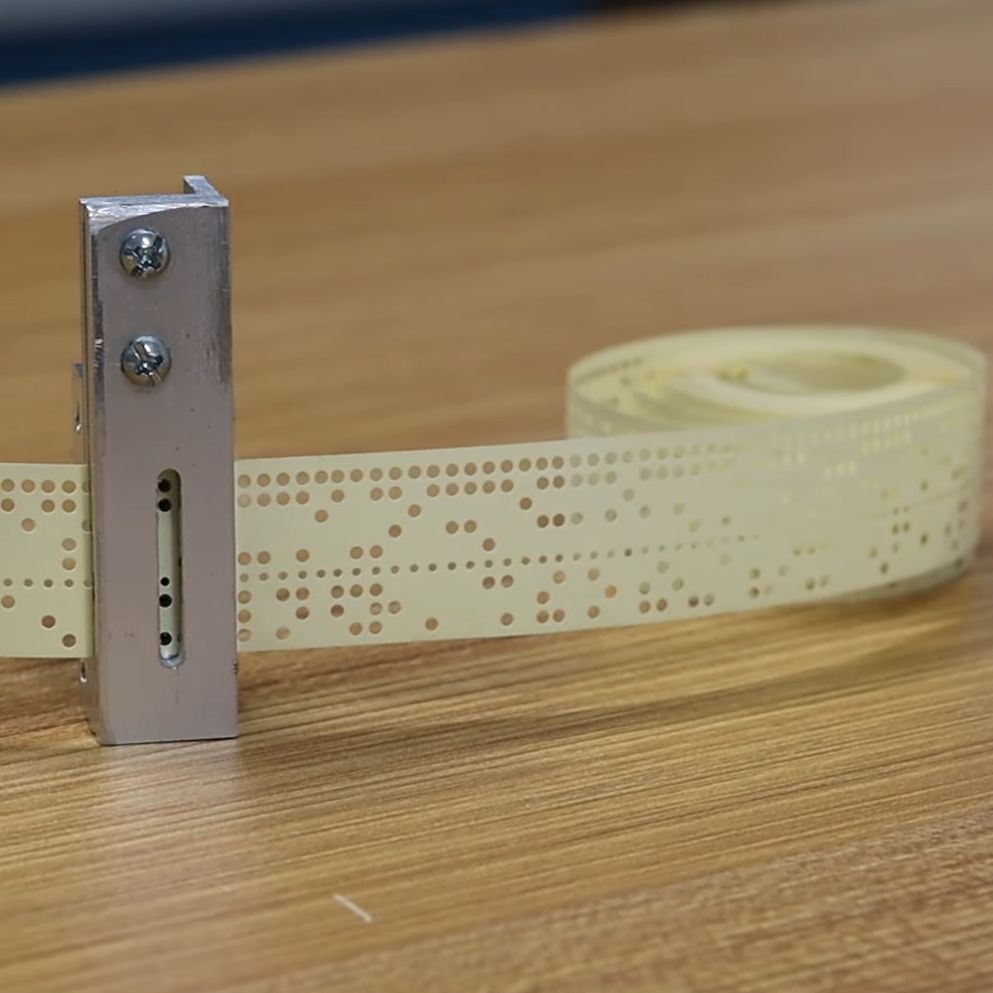
Over at the Usagi Electric farm, [David Lovett]’s custom 1-bit, vacuum tube-based computer (UEVTC for short) has been coming along well the past years, matching and exceeding the Motorola MC14500B 1-bit industrial control unit (ICU) that it is heavily inspired by. What is still missing, however, is a faster way to get data into the computer than manually toggling switches. The obvious choice is to make a (punched) paper tape reader, but how does one go about this, and what options exist here? With a few historical examples as reference and the tape reader on the impressive 1950s Bendix G-15 which [David] happens to have lounging around, [David] takes us in a new video through the spiraling complexity of what at first glance seems like a simple engineering challenge.

Photodiodes in the tape reader of the Bendix G-15. (Credit: David Lovett, Usagi Electric)

Punched paper tape saw significant use alongside punched paper cards and magnetic tape, and despite their low bit density, if acid-free paper (or e.g. mylar) is used, rolls of paper tape should remain readable for many decades. So how to read these perforations in the paper? This can be done mechanically, or optically, with in both case the feedrate an important consideration.

Right off the bat the idea of a mechanical reader was tossed out due to tape wear, with [David] digging into his stack of photodetector tubes. After looking at a few rather clunky approaches involving such tubes, the photodiodes in the Bendix G-15’s tape reader were instead used as inspiration for a design. These are 1.8 mm diameter photodiodes, which aren’t super common, but have the nice property that they align exactly with the holes in the paper tape.

This left building a proof-of-concept on a breadboard with some incandescent bulbs and one of the photodiode to demonstrate that a valid logic signal could be produced. This turned out to be the case, clearing the construction of the actual tape reader, which will feature in upcoming videos.

Continue reading “Building A Paper Tape Reader To Read Bytes”

A Modern Take On An Old Language

Some old computer languages are destined to never die. They do, however, evolve. For example, Fortran, among the oldest of computer languages, still has adherents, not to mention a ton of legacy code to maintain. But it doesn’t force you to pretend you are using punched cards anymore. In the 1970s, if you wanted to crunch numbers, Fortran was a good choice. But there was another very peculiar language: APL. Turns out, APL is alive and well and has a thriving community that still uses it.

APL has a lot going for it if you are crunching serious numbers. The main data type is a multidimensional array. In fact, you could argue that a lot of “modern” ideas like a REPL, list types, and even functional programming entered the mainstream through APL. But it did have one strange thing that made it difficult to use and learn.

[Kenneth E. Iverson] was at Harvard in 1957 and started working out a mathematical notation for dealing with arrays. By 1960, he’d moved to IBM and a few years later wrote a book entitled “A Programming Language.” That’s where the name comes from — it is actually an acronym for the book’s title. Being a mathematician, [Iverson] used symbols instead of words. For example, to create an array with the numbers 1 to 5 in it and then print it, you’d write:

⎕←⍳5

Since modern APL has a REPL (read-eval-print loop), you could remove the box and the arrow today.

What Key Was That?

Wait. Where are all those keys on your keyboard? Ah, you’ve discovered the one strange thing. In 1963, CRTs were not very common. While punched cards were king, IBM also had a number of Selectric terminals. These were essentially computer-controlled typewriters that had type balls instead of bars that were easy to replace.

Continue reading “A Modern Take On An Old Language”

Rebuilding The First Digital Personal Computer

When thinking of the first PCs, most of us might imagine something like the Apple I or the TRS-80. But even before that, there were a set of computers that often had no keyboard, or recognizable display beyond a few blinking lights. [Artem Kalinchuk] is attempting to recreate one of these very early digital computers, the Kenbak-1, using as many period-correct parts as possible.

Considered by many to be the world’s first personal computer, the Kenbak-1 was an 8-bit machine with 256 bytes of memory, using TTL integrated circuits for the logic as there was no commercially available microprocessor available at the time it was designed. For [Artem]’s build, most of these parts can still be sourced including the 7400-series chips and carbon resistors although the shift registers were a bit of a challenge to find. A custom PCB was built to replicate the original, and with all the parts in order it’s ready to be assembled and put into a case which was built using the drawings for the original unit.

Although [Artem] plans to build a period-correct linear power supply for this computer, right now he’s using a modern switching power supply for testing. The only other major components that are different are the status lamps, in this case switched to LEDs because he wasn’t able to source incandescent bulbs that drew low enough current, and the switches which he’s replaced with MX-style keys. We’ll stay tuned as he builds and tests this over the course of several videos, but in the meantime if you’re curious how this early computer actually worked we featured an emulator for it a while back.

Continue reading “Rebuilding The First Digital Personal Computer”