MacSurf Hits 2.0 To Bring PowerPCs Back Online

There’s an interesting thing about retrocomputing — the moment that you realize your 25-year-old machine can do almost everything your average person uses a computer for. The problem is that the average person mostly uses a computer as an internet appliance, and the big missing piece for most old machines is hooking up to the modern internet. HTTPS is good to have, but isn’t so easy to implement when your browser gets megabytes of RAM instead of gigabytes.

That’s why MacSurf by [mplsllc] is so interesting, especially version 2.0 just released-– its explicit goal is to get as much of the modern web onto an OS 9 equipped PowerPC Macintosh as physically possible.

Before you get too excited– no, you won’t be hitting up YouTube.com or even GitHub. That’s just too big and bloated now, even if you can get past the HTTPS hurdle. You will, however, be able to access, say MacintoshGarden.org, whose out-of-order HTTPS certificates sent the last version for a tizzy. The forums at 68kMLA work, and threads load quickly thanks to the as-needed image loading added this version.

Other nice things added include a proper history and bookmark manager.  There’s still no tab support, but have you seen the modern web? You’re not fitting more than one webpage into RAM on a G3 no matter how hard you try. You can, however, download the web browser directly from the http-only MacSurf.org homepage.

We featured the first release of this netsurf-based browser, and have to admit we’re impressed with the speed of development. If you want a totally modern system on PPC instead of just an up-to-date browser, you might want to check out MorphOS.

Bad Apple On A Karaoke Machine

CD+Graphics was a format that never really caught on. It let music discs pack some graphics, maybe liner notes, and mostly song lyrics into the otherwise empty space on a CD. It was never intended for displaying full-motion video, but that didn’t stop [Adam Gashlin] from getting a Bad Apple, with lyrics, running on any device that will play CD+G.

The main challenge is that CD+G gives you 300 screen commands per second, which is plenty for updating text on the 48×16 blocks as the lyrics scroll by. But if you want to send custom blocks and draw images, that’s 2.5 seconds per screen: a lousy framerate.

[Adam]’s first trick is to drop the resolution way down, which gets him into the 8 FPS range. Only update the blocks that change pushes this up to a respectable 17-20 FPS. But you can see the updates, and that’s distracting. It really needed buffering.

If you don’t know Bad Apple, it’s in black and white. And like many old graphics engines of the day, CD+G uses a dynamic palette of colors. [Adam] uses this to pack four frames into one, switching between them using palette swapping. (Absolutely check out his “rainbow” version of the video to see how the palette-swapping trick works.)

In the end, his demo has audio, triple-buffered video, and lyrics at 16.3 FPS. It’s slower than the fastest video-only version, but it looks so good, and [Adam]’s explanation of all of the graphics tricks he uses to get there is the real star of the show.

If you want to see Bad Apple running on yet more minimal hardware, how about a 16×2 LCD? Or a much more ridiculous implementation? How’s regexes in Vim for absurd? Got any Bad Apple hacks of your own? Let us know in the comments or the tips line. You can never have too many.

DOOM Runs (slowly) In A IBM PC-Compatible CSS Sheet

Just when you thought we’d run out of things to port DOOM to, here comes [Ahmed Amer] with his CSS-DOS, a massive 300 MB CSS style sheet, that runs not just DOS, but Windows 1.0 and, of course, DOOM. The CSS sheet isn’t holding a DOOM port this time, though — it’s holding a full IBM PC compatible, with a simulated 8086, 640 kB of RAM, floppy and VGA controllers. Yes, in one style sheet. We did mention it was 300 MB, right?

CSS is not a very good programming language. It’s got functions and if statements nowadays, but it doesn’t really do programs in the usual sense. That is, lists of instructions that feed one into another. You can’t change a variable without jumping through hoops. The sort of static behavior you get from a CSS sheet actually matches hardware architecture better than software, which was the key insight [Ahmed] had to make the project possible. It’s still not easy, or elegant, or perhaps even sane, as you can find out from the excellent write-up he has describing how he pulled this off. We particularly like the interactive guide to the full mountain of madness that is the .css file.

Now, we admit that “runs DOOM” may be an exaggeration — even if the maddeningly massive CSS sheet ran an IBM-AT full speed, that hardware can’t handle the game at any playable speed. It doesn’t emulate at anything close to full speed, though. Because this is such a gratuitously weird hack, it only runs at two instructions per second. No, not FPS, instructions, as in at the CPU level. Well, it could be worse, at least it’s not clock ticks. Still, if you’re time-dilated enough you can wait the 3 weeks to boot DOS, and the 3 months to load a level, you can play DOOM at 0.0001 FPS.

Look, we didn’t make the rules — they say everything has to try and run DOOM. They don’t say everything has to run it well.

Can’t Find That ISA Sound Card? No Worries!

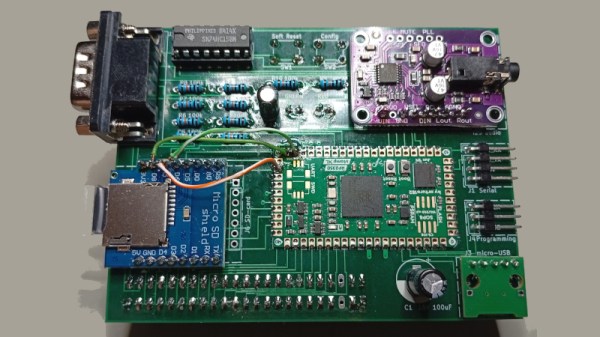
Many older hackers will have at some point gotten rid of an old piece of hardware that they later ended up regretting. All those ISA cards were next to useless back in 2006, but now their relative rarity plus the popularity of retrocomputing makes them sought-after. But if it’s a sound card you’re after then never fear! [Schlae] has got you covered, with the Beavis Ultrasound. It may have a name reminiscent of a ’90s cartoon series, but it’s a clone of the Gravis Ultrasound from back in the day.

There is of course a snag, to build one you need an AMD AM78C201. Assuming you’ve found one in a surplus supplier though, the rest of the card is analogue, some glue logic, and a ROM for samples. There is also a GAL for driving the IDE CD-ROM interface, from the days when sound cards came with such things.

New ISA cards are cropping up here from time to time, such as this very handy storage and network card.

It’s A Spectrum, With An RP2350 ULA

There was a time in the early 1980s when it was common to see home made keyboards for 8-bit machines that came with membrane or rubber keyboards. Though we’ve seen any numbers of home made modern ‘boards, it’s been decades since we saw one for an 8-bit micro. Until today, that is, when we saw [Vlad]’s Sinclair Spectrum. It’s a Spectrum with all that Sinclair glue logic that was in the ULA replaced in software by an RP2050, and that keyboard with the Spectrum decals.

The machine is a charming mixture of new and old, with a traditional cassette port alongside VGA, gameport joystick, and Sinclair joystick. The aim is to also have HDMI, though it’s not yet implemented. Sadly there is no Spectrum edge connector for period peripherals though. He admits it’s not cycle accurate to the original, but given that it runs all the games he’s given it this seems not to matter. Meanwhile that keyboard which caught our eye is a true period piece, sitting as it does on a piece of phenolic stripboard, and those decals are the perfect finishing touch.

The Spectrum receives quite a bit of love today, and if this one takes too many modern liberties for your liking, you can still make one using proper logic.

Voltmeter-Based Floating Point Calculator Does It In Style

[lcamtuf] is not just a calculator superfan, but also a skilled builder. That much is evident in the fabulous  design of Calcumator 2000, an electromechanical calculator that uses voltmeter readouts as digits (plus one at the bottom to represent decimal place). There are plenty of high-quality build images, so give it a look!

Meters like the one on the right (numbered 0 to 9) act as digit displays. The meter on the left indicates decimal position.

Calcumator 2000 is a bit of a love letter to a time when display technology hadn’t quite yet produced anything suitable for calculator use. This resulted in calculator designs that are generally unrecognizable compared to the 7-segment display based devices we see today. The Calcumator 2000, in all its electromechanical glory, would have fit right in that era.

The Calcumator 2000 has all the usual buttons one would expect from a simple calculator and drives a total of seven readouts, one of which acts as the decimal point. The idea of using voltmeters as digit displays came from [lcamtuf]’s voltmeter clock, an earlier work with a similar attention to detail in its design and assembly.

We want to take a moment to admire how clean the blue panel is. [lcamtuf] made it by painting one side of an acrylic panel, cutting the letters and design out on a CNC mill, then filling with white paint. The depth of the cuts gives the white elements a nifty multi-layer effect that really complements the design.

Want to see it work? Oh yes, you do. Check out the video, embedded just below.

Continue reading “Voltmeter-Based Floating Point Calculator Does It In Style”

MicroPython Is This Summer’s Hottest Title For The SNES, Thanks To Claude Fable

MicroPython, for the uninitiated, is a pared-down version of python meant to run on today’s powerful microcontollers. As impressive as it was for its day, the SNES is not quite in their league in terms of computing power. Time marches on, and so while there may be other indie releases worth mentioning, we’re declaring the hottest SNES game this season to be [Fabian Kübler]’s port of MicroPython.

Well, except he didn’t exactly do the porting himself: the Antrhopic LLM Claude generated the code, and performed most of the testing, as [Fabian]’s test of its new Fable 5 model. A brief pause during an export ban showed that Opus would crash and burn on the same task, but Fable was able to get things quickly back on track. It might be “AI slop” by some definitions, but the port scales 430 out of 468 on MicroPython’s core test/basics, which makes it usable to play some simple python games… slowly.

As you can see for yourself in an embedded emulator if you check out [Fabian]’s blog, spooling up MicroPython takes about twenty seconds at 3.58 MHz, and after that you can watch some sprites bouncing around at a blistering 0.8 FPS. [Fabian] seems satisfied with that performance, and impressed with Fable’s efforts at optimization. What to you think? Does the hardware have much more to give, or is that about it, given the nature of the Pythonic beast? Perhaps some plucky human could become a digital John Henry by producing a better, faster port — if you do, please let us know. If you’d rather just to see what Fable can do, the project is available on GitHub, so you can judge for yourself how sloppy the code is or test out the ROM.

Putting Python onto limited hardware may not to be to everyone’s taste, but there’s a good case to be made for it. The SNES may actually be too limited, though. It makes sense — the kind of micros you run MicroPython on can emulate the SNES.