OLED Display Lets Vintage PC Engage Turbo Mode In Style

Back in the 486 days, it was common to see a “Turbo” button on the front panel of many PCs, which was used to toggle between the CPU’s maximum speed and a slower clock rate that was sometimes necessary for compatibility with older software. Usually an LED would light up to show you were running at this higher speed, or if your machine was very fancy, it might even have a numerical display that would show the current CPU frequency.

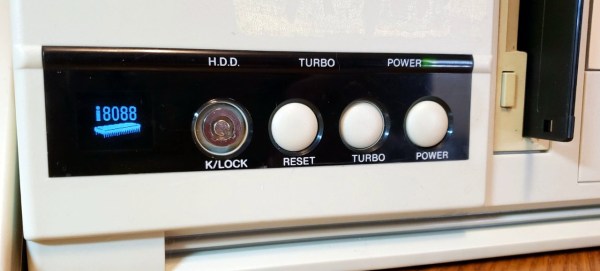
[Joshua Woehlke] wanted to add a similar display to his 486, but figured that with modern technology, he could do something a bit more interesting. Especially when he realized that the spot on his case where the two-digit LED display would have originally been mounted was the perfect size to hold a common 0.96″ SSD1306 OLED. From there it was just a matter of wiring it up to an Arduino and writing some code to display different graphics depending on the computer’s current CPU speed.

Just like the frequency indicators of yore, the Arduino doesn’t actually measure the CPU’s frequency, it’s simply reading the state of the Turbo LED on the front panel. When the LED is off the Arduino shows an image of a i8088 CPU on the screen to indicate the computer is running in compatibility mode, and when the LED is on, the screen shows the Cyrix Cx486 DX2 logo. When the button hasn’t been pressed in awhile, the display defaults to a star field screensaver.

Regular readers may recall we recently covered a similar project that used an Arduino to add a little flair to an era appropriate seven-segment LED display. We’d say there’s still a good deal of romanticism about computers having a big “TURBO” button you can smash whenever you feel the need for speed.
486 Gets Animated Turbo Button Thanks To Arduino

There was a point in time, excruciatingly brief, in which desktop computers often had a large “TURBO” button on their front panel. Some even featured an LED display that would indicate the current CPU frequency, providing visual conformation that your machine had leaped to a blistering 66 MHz.

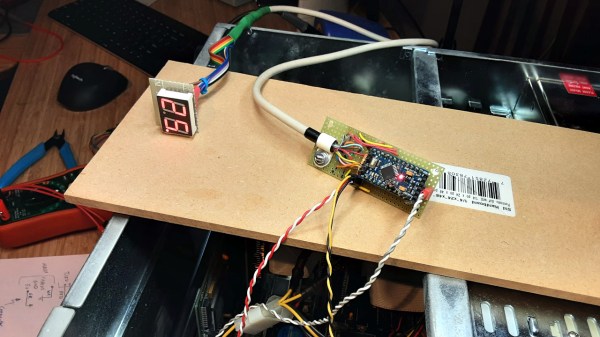
The 486 that [someyob] is restoring had the Turbo button, but sadly there was just a simple LED to show whether or not it was engaged. But there was a window in the front panel where it seemed like a numerical display was intended to go, so they decided to wire up their own CPU indicator by sensing the state of the Turbo LED with an Arduino Pro Mini.

Now to modern audiences, this might seem like cheating. After all, the Arduino isn’t actually measuring the CPU speed, nor is it directly controlling it (that’s still done by the original Turbo button wiring). But the truth is, even back in the day, the CPU frequency displays faked it — they just toggled between showing two predefined frequencies depending on the state of the button. The arrangement [someyob] has come up with does the same thing, except now there’s some extra processing power in the mix, so the display can show some slick animations as it switches between 33 and 66 Mhz.

In the GitHub repository, [someyob] has provided the Arduino source code and schematics showing how the microcontroller was shoehorned into the existing front panel wiring without compromising its functionality. There’s even a brief video below that shows the display in operation.

Like the idea but don’t have a 486 laying around? Don’t worry. We’ve seen a similar panel built for modern machines that  just doesn’t look the part, it actually manages to be functional.

Continue reading “486 Gets Animated Turbo Button Thanks To Arduino”

Selectric Typewriter Goes From Trash Can To Linux Terminal

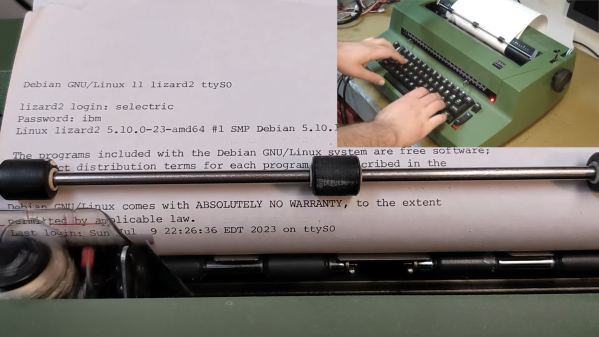
If there’s only lesson to be learned from [alnwlsn]’s conversion of an IBM Selectric typewriter into a serial terminal for Linux, it’s that we’ve been hanging around the wrong garbage cans. Because that’s where he found the donor machine for this project, and it wasn’t even the first one he’s come across in the trash. The best we’ve ever done is a nasty old microwave.

For being a dumpster find, the Selectric II was actually in pretty decent shape. The first couple of minutes of the video after the break show not only the minimal repairs needed to get the typewriter back on its feet, but also a whirlwind tour of the remarkably complex mechanisms that turn keypresses into characters on the page. As it turns out, knowing how the mechanical linkages work is the secret behind converting the Selectric into a teletype, entirely within the original enclosure and with as few modifications to the existing mechanism as possible.

Keypresses are mimicked with a mere thirteen solenoids — six for the “latch interposers” that interface with the famous whiffletree mechanism that converts binary input to a specific character on the typeball, and six more that control thinks like the cycle bail and control keys. The thirteenth solenoid controls an added bell, because every good teletype needs a bell. For sensing the keypresses — this is to be a duplex terminal, after all — [alnwlsn] pulled a page from the Soviet Cold War fieldcraft manual and used opto-interrupters to monitor the positions of the latch interposers as keys are pressed, plus more for the control keys.

The electronics are pretty straightforward — a bunch of MOSFETs to drive the solenoids, plus an AVR microcontroller. The terminal speaks RS-232, as one would expect, and within the limitations of keyboard and character set differences over the 50-odd years since the Selectric was introduced, it works fantastic as a Linux terminal. The back half of the video is loaded with demos, some of which aptly demonstrate why a lot of Unix commands look the way they do, but also some neat hybrid stuff, like a ChatGPT client.

Hats off to [alnwlsn] for tackling a difficult project while maintaining the integrity of the original hardware.

Continue reading “Selectric Typewriter Goes From Trash Can To Linux Terminal”

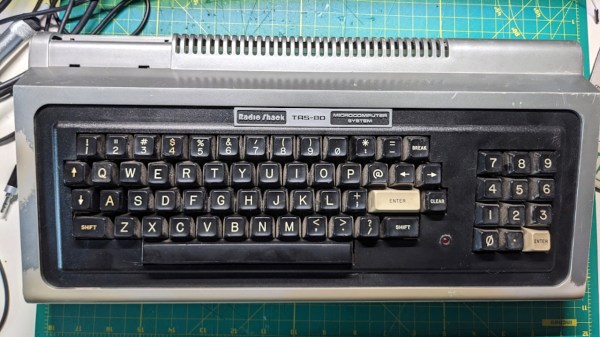
Restoring The Cheapest TRS-80 At The Swap Meet

We don’t know if you’ve looked into it recently, but the prices for vintage computers are through the roof right now. These classic machines are going through something of a renaissance at the moment, with even relatively commonplace computers commanding several hundred dollars if they’re in good condition. For those looking to start a collection without breaking the bank, you may need to accept some specimens that have seen better days.

That’s the situation [Vlado Vince] recently found himself in — he wanted to get his hands on a TRS-80 Model I, but wasn’t willing to spend eBay prices. So he waited until the Vintage Computer Federation’s swap meet in June and was able to snag a “fully functional” example for $95. Unfortunately the seller must have been using some form of that phrase which we were previously unaware of, as it took a considerable amount of work to get it back online.

Continue reading “Restoring The Cheapest TRS-80 At The Swap Meet”

Retro Gadgets: The Real Desktop Computer

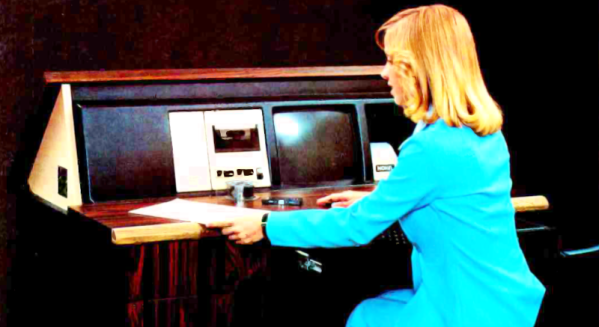
People argue about the first use of the computer desktop metaphor. Apple claims it. Xerox probably started it. Yet, when I think of computer desktops, I think of the NOVAL 760. Not a household name, to be sure, but a big ad spread in a June 1977 Byte magazine was proud to introduce it. At $2995, we doubt many were sold, but the selling point was… well… it was built into a “handsome wood desk, designed to compliment any decor.” The desk folded down when you were not using the computer, and the keyboard recessed into a drawer.

The computer itself was no slouch for 1977, but nothing you couldn’t find elsewhere. An 8080, speed unspecified, had 16 kB of RAM and 3 kB of PROM. There was also a display with a few kB of memory hanging around, too. And just in case you were worried, the bottom of the page entitled “The Ultimate in Home Computers” reads, “The NOVAL 760 COMPUTER. A fully-assembled, fully-tested personal computer … not a kit!” Of course, for us, that’s not really a selling point. If you wonder why the computer was memory limited, this is the time that Extensys bragged in an ad: 64 kB for $1495! If you ordered one, you could have it in 15 to 30 days, too!

There were options for more memory, and it wasn’t clear how many of the I/O devices in the ad were actually included in the advertised price. Some of the devices seemed very specialized, so we are guessing the basic system didn’t include some of them.

Continue reading “Retro Gadgets: The Real Desktop Computer”

HP1973 Project Highlights Workings Of HP-45 Calculator

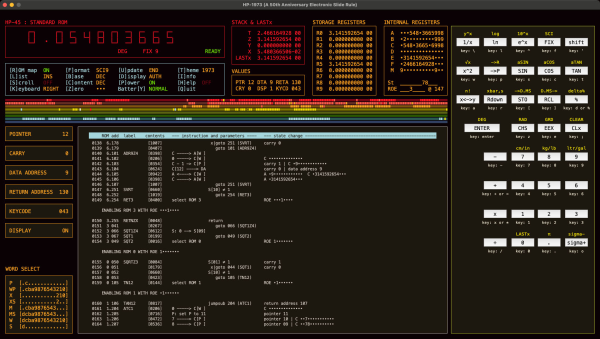
[Sarah K Marr] dabbles in retrocomputing and has a fascination with the Hewlett Packard HP-45 calculator, the second calculator in HP’s series introduced in 1973. Over a year ago, she wrote an HP-45 emulator for use on a terminal, dubbed HP45TERM. Not content with success, she upped the challenge and decided to build an even better emulator with a full-featured GUI written in Python. Oh, and she made it multi-platform as well. The result is the HP1973 project.

[Sarah] thought it would take just a few days, but it grew into a much bigger project, as often happens. We’re glad it did because the results are fantastic. The emulator gives you access not only to the calculator itself but can see everything under the hood. The emulator provides full ROM visibility, hardware registers, and standard debugging operations like single stepping. ROM images are available for the HP-45, the HP-35, and the HP-80. The GUI display is configurable, and there’s a plethora of help and information explaining the calculator’s internals. Pre-built binaries are available for MacOS, Windows, and Python source code (3.10.10+) for all operating systems (you’ll need to `pip install numpy` first). The emulation is faithful to the original calculator, and even the hidden timer function can be accessed.

Check this out if you’re into retro calculators. Our own Al Williams wrote about the history of the HP-35 back in 2018 if you want to learn more. Thanks to [J Peterson] for sending in the tip.

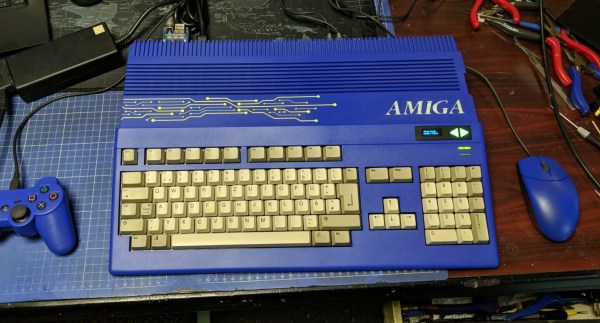
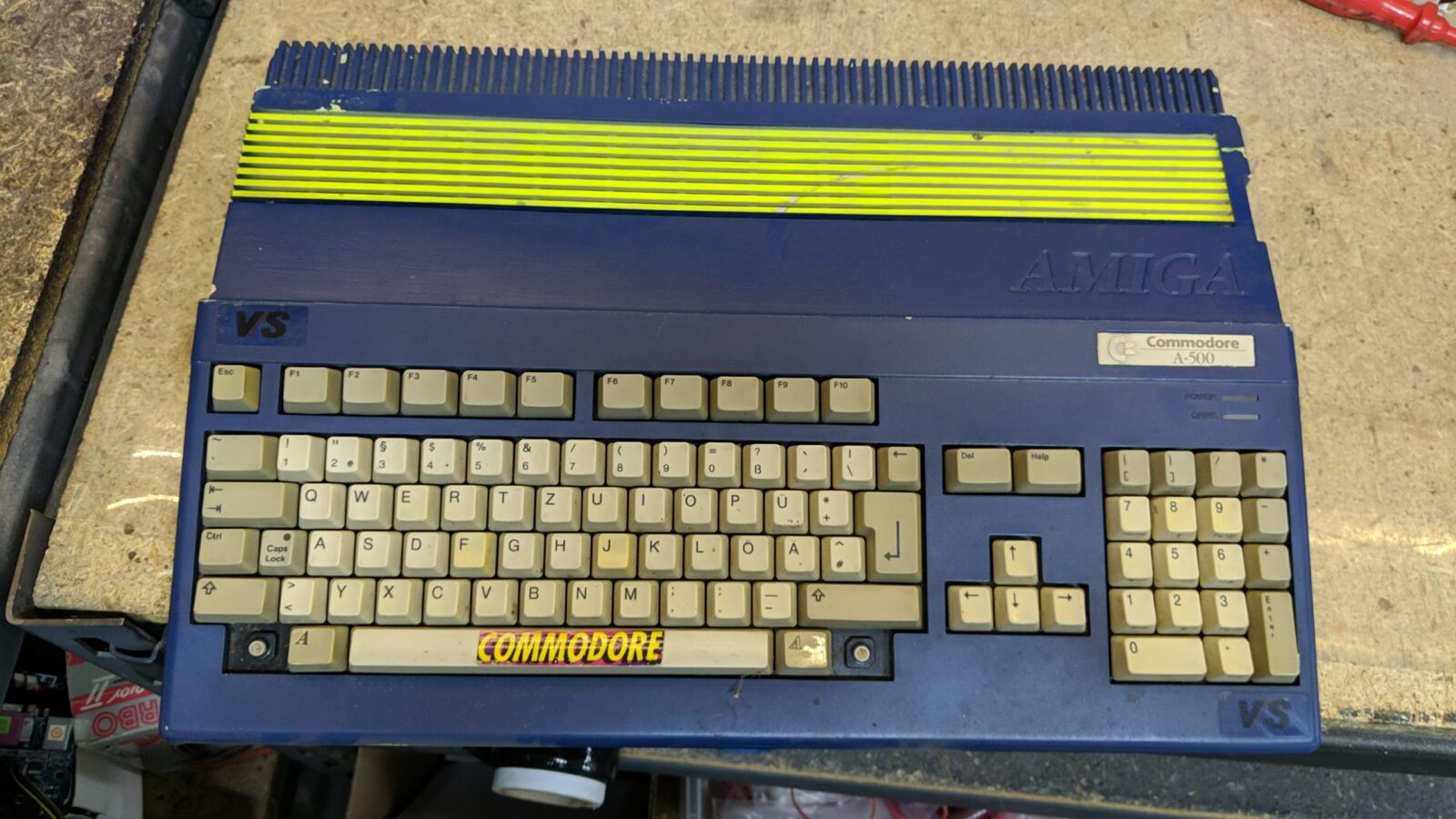
An Amiga 500 with a blue case and blue accessories

Restored Amiga 500 Is Blue – And Glows In The Dark

Few things are as satisfying to watch as a good retrocomputer restoration project – we’re always happy to see someone bring a rusty old Commodore, Apple or Atari back to life. The goal is typically to get the machine as close to its original state as possible, except for perhaps a few non-intrusive mods like memory upgrades. [Drygol] however, had already done this so many times that he thought it was time to take a different route for once, and apply some creativity to an old Amiga 500 case. Originalists may shudder, but we quite like his funky blue-and-yellow A500 mod.

An Amiga 500 with a poor blue-and-yellow paint job
Missing keys, random stickers and an ugly paint job: the A500 wasn’t looking great at the beginning

To be fair, [Drygol] wasn’t the first one to modify this specific Amiga’s case: one of its previous owners had already applied a rather shoddy blue paint job and defaced it with some stickers. [Drygol] decided to stick with the basic idea, but do it right this time. First he removed the old paint using concentrated lye, then gave it a fresh coat of blue. He also applied glow-in-the-dark paint to the Amiga logo embossed in the case and added a fluorescent yellow laser-cut circuit board ornament. It took a bit of experimenting to get all these elements just right, but the end result definitely looks the part.

The insides of the Amiga also needed some TLC: [Drygol] competely cleaned and lubricated the floppy drive, gave the motherboard a good ultrasonic scrub, and replaced dodgy capacitors all over. He expanded the RAM from 512 kB to 1 MB and added a Gotek floppy emulator, which can work in parallel with the original disk drive. To make the Gotek easy to operate, [Drygol] placed its OLED screen and a pair of touch-sensitive buttons in a cutout on the front of the case.

A matching blue mouse and gamepad, both connected through the MouSTer adapter, complete the setup. The result is a good-looking A500 with some modern conveniences that’s perfect for exploring the Amiga’s extensive software library. If custom colors aren’t your thing, you’ll be happy to know that the original shade of grey or beige might be available for your retro console, too.

Continue reading “Restored Amiga 500 Is Blue – And Glows In The Dark”