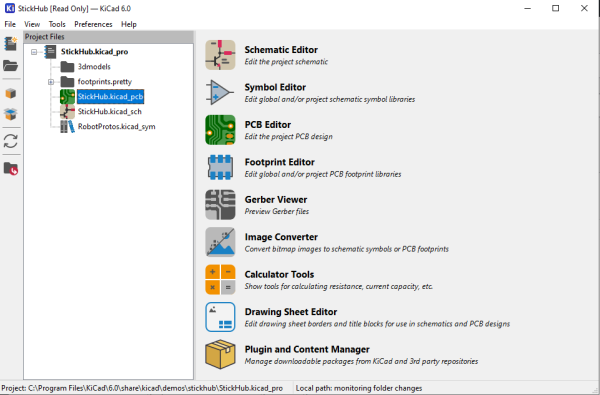
I’ve been following the development of KiCAD for a number of years now, and using it as my main electronics CAD package daily for a the last six years or thereabouts, so the release of KiCAD 6.0 is quite exciting to an electronics nerd like me. The release date had been pushed out a bit, as this is such a huge update, and has taken a little longer than anticipated. But, it was finally tagged and pushed out to distribution on Christmas day, with some much deserved fanfare in the usual places.
So now is a good time to look at which features are new in KiCAD 6.0 — actually 6.0.1 is the current release at time of writing due to some bugfixes — and which features originally planned for 6.0 are now being postponed to the 7.0 roadmap and beyond. Continue reading “KiCAD 6.0: What Made It And What Didn’t”→
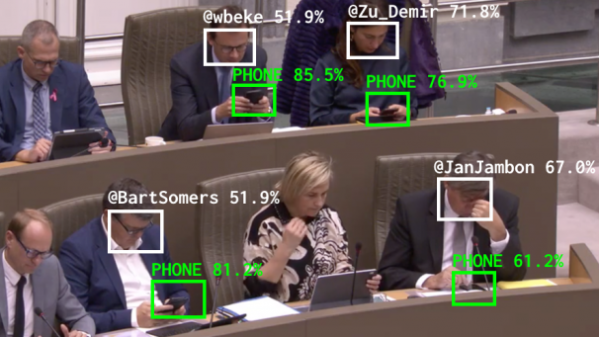
[Dries Depoorter] has a knack for highly technical projects with a solid artistic bent to them, and this piece is no exception. The Flemish Scrollers is a software system that watches live streamed sessions of the Flemish government, and uses Python and machine learning to identify and highlight politicians who pull out phones and start scrolling. The results? Pushed out live on Twitter and Instagram, naturally. The project started back in July 2021, and has been dutifully running ever since, so by now we expect that holding one’s phone where the camera can see it is probably considered a rookie mistake.
This project can also be considered a good example of how to properly handle confidence in results depending on the application. In this case, false negatives (a politician is using a phone, but the software doesn’t detect it properly) are much more acceptable than false positives (a member gets incorrectly identified, or is wrongly called-out for using a mobile device when they are not.)
Keras, an open-source software library, is used for the object detection and facial recognition (GitHub repository for Keras is here.) We’ve seen it used in everything from bat detection to automatic trash sorting, so if you’re interested in machine learning applications, give it a peek.
[Caleb] shares a problem with most dog owners. Dogs leave their… byproducts…all over your yard. Some people pick it up right away and some just leave it. But what if your dog has run of the yard? How do you know where these piles are hiding? A security camera and AI image detection is the answer, but probably not the way that you think.
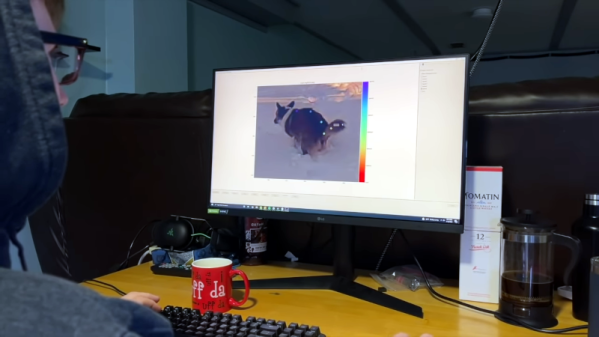
You might think as we did that you could train the system to recognize the–um–piles. But instead, [Caleb] elected to have the AI do animal pose estimation to detect the dog’s posture while producing the target. This is probably easier than recognizing a nondescript pile and then it doesn’t matter if it is, say, covered with snow.
It is a classic problem. You want data for use in your program but it is on a webpage. Some websites have an API, of course, but usually, you are on your own. You can load the whole page via HTTP and parse it. Or you can use some tools to “scrape” the site. One interesting way to do this is woob — web outside of browsers.
The system uses a series of backends tailored at particular sites. There’s a collection of official backends, and you can also create your own. Once you have a backend, you can configure it and use it from Python. Here’s an example of finding a bank account balance:
>>> from woob.core import Woob
>>> from woob.capabilities.bank import CapBank
>>> w = Woob()
>>> w.load_backends(CapBank)
{'societegenerale': <Backend 'societegenerale'>, 'creditmutuel': <Backend 'creditmutuel'>}
>>> pprint(list(w.iter_accounts()))
[<Account id='7418529638527412' label=u'Compte de ch\xe8ques'>,
<Account id='9876543216549871' label=u'Livret A'>,
<Account id='123456789123456789123EUR' label=u'C/C Eurocompte Confort M Roger Philibert'>]
>>> acc = next(iter(w.iter_accounts()))
>>> acc.balance
Decimal('87.32')
The list of available backends is impressive, but eventually, you’ll want to create your own modules. Thankfully, there’s plenty of documentation about how to do that. The framework allows you to post data to the website and easily read the results. Each backend also has a test which can detect if a change in the website breaks the code, which is a common problem with such schemes.
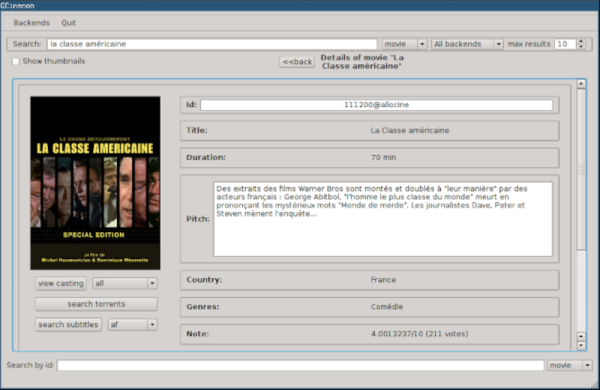
We didn’t see a Hackaday backend. Too bad. There are, however, many application examples, both console-based and using QT. For example, you can search for movies, manage recipes, or dating sites.
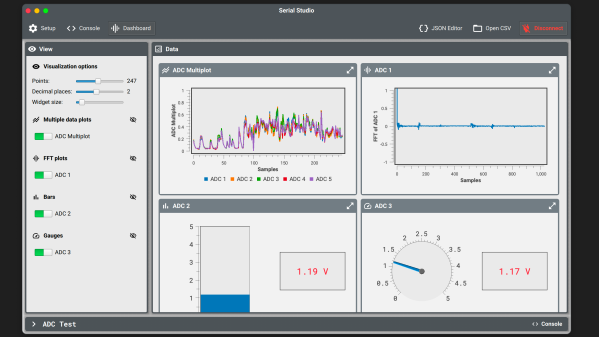
Last year we wrote about [Alex Spataru]’s Serial Studio project, which started life as serial port data visualizer, like a souped-up version of the Arduino serial plotter. [Alex] has been actively improving the project ever since, adding a variety of new features, including
JSON editor for data formats
TCP, UDP, and Multicast
New and more flexible display widgets
Multi-signal plots
FFT and logarithmic plots
VT-100 emulation
Support for plugins and themes
Added MQTT support
[Alex] originally came up with Serial Studio because he was involved in ground station software for various CanSat projects, each one with similar yet slightly different data formats and display requirements. Rather than make several different programs, he decided to make Serial Studio which could be configured using JSON descriptor files.
The program is open-source and multi-platform. You can build it yourself or download pre-compiled binaries for Windows, Linux, and Mac. See the project GitHub repository for more details. In addition to English, it has also been translated into Spanish, Chinese, and German. What is your go-to tool for visualizing serial data telemetry these days? Let us know in the comments below.
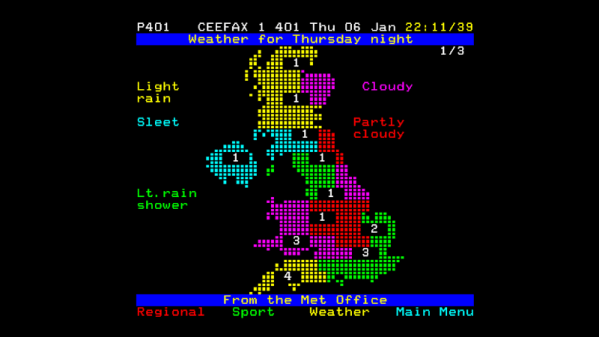
As analogue TV slides from memory, there’s a facet of it that’s fondly remembered by a band of enthusiasts. Teletext was an electronic viewdata information service digitally encoded in the frame blanking period, and a TV set with a decoder chip would provide access to many pages of news and other services all displayed in the characteristic brightly colored block graphics. It went the way of the dinosaur with the demise of analog TV, but for [Nathan Dane] the flame is kept alive with his own private version of the BBC’s CEEFAX service.
He has a particular enthusiasm for analog TV, and as such has his own in-house channel served by a UHF modulator. He shares with us the story of how he arrived at a teletext service, before writing code to scrape the BBC news and weather websites and populate his modern-day CEEFAX. Behind it all is a Raspberry Pi, with a vbit-pi board injecting the teletext signal onto the video, and raspi-teletext creating the pages from source material derived from a set of custom scraper scripts.
We like this project a lot, because while it’s not the first Pi teletext system we’ve encountered, the use of a scraped live feed makes it one of the most creative.
While there’s always the edge case, there’s a strong likelihood that if you’re using OpenSCAD, you’re probably working on a CAD model that you intend to 3D print at some point. Of course that’s not to say this is all you can do in OpenSCAD, but it’s arguably what it does best. If you wanted to make artistic models, or maybe render what your new kitchen will look like, there are other tools better suited to such tasks.
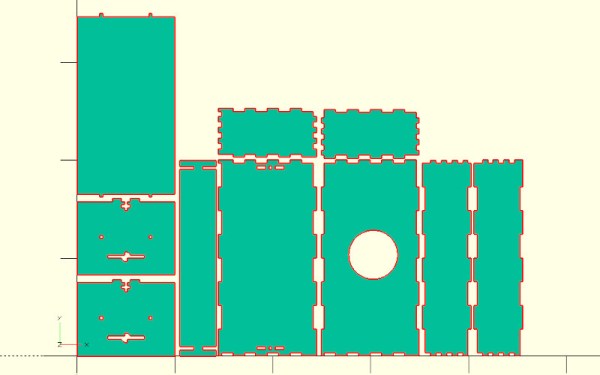
But thanks to lasercut.scad, a library that [Brendan Sleight] has been working on for the last several years, we might have to reconsider our preconceived dimensional notions. Instead of designing parts for 3D printing, his library is all about creating parts intended for subtractive manufacturing. Originally (as the name implies) it was geared towards laser cutting, but the project has since evolved to support CNC routers, vinyl cutters, and pretty much anything else that can follow a DXF file.
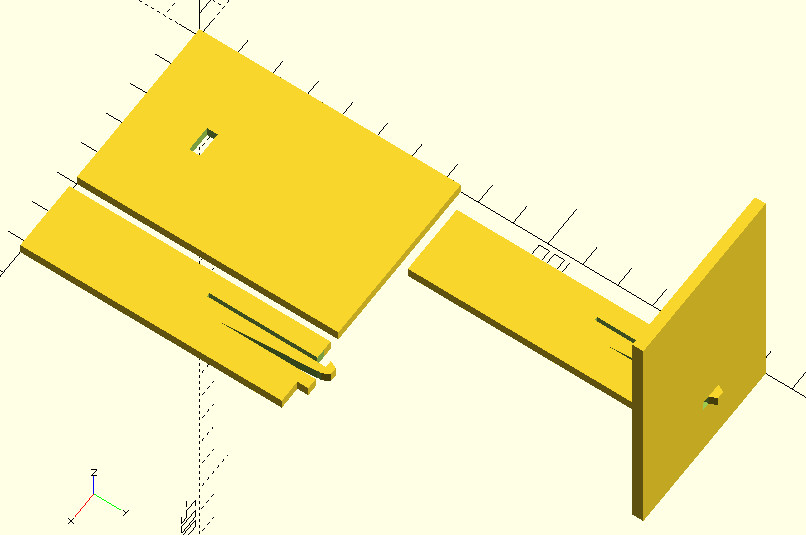
This “clip” joint is great for acrylic.
The library has functions for creating the standard tricks used to build things from laser-cut pieces, like finger joints, captive nuts, and assembly tabs. If it was something you once saw holding together an old wooden 3D printer kit back in the day, you can probably recreate it with lasercut.scad. It even supports a pretty wild piece of rotational joinery, courtesy of [Martin Raynsford].
Don’t have a way of concentrating a sufficient number of angry photons at your workpiece? No worries. The library has since been adapted to take into account a parametric kerf width, which lets you dial in how much of a bite your particular tool will take from the material when it does the business. There are even special functions for dealing with very thin cuts, which [Brendan] demonstrates by assembling a box from sheet vinyl.
Of course, those who’ve used OpenSCAD will know there’s not an “Export for CNC” button anywhere in the stock interface. So to actually take your design and produce a file your cutter can understand, [Brendan] has included a Bash script that will run the necessary OpenSCAD incantations to produce a 2D DXF file.