Adding Remote Control To The Elegoo Mars Pro

Recent price drops put entry level masked stereolithography (MSLA) resin 3D printers at around $200 USD, making them a very compelling tool for makers and hackers. But as you might expect, getting the price this low often involves cutting several corners. One of the ways manufacturers have made their machines so cheap is by simplifying the electronics and paring down the feature set to the absolute minimum.

So it was hardly a surprise for [Luiz Ribeiro] to find that his new Elegoo Mars Pro didn’t offer WiFi connectivity or a remote control interface. You’re supposed to just stick a USB flash drive into the printer and select the object you want to print from its menu system. But that doesn’t mean he couldn’t hack the capability in himself.

Monitoring a print with Mariner.

If this were a traditional 3D printer, he might have installed OctoPrint and been done with it. But resin printers are a very different beast. In the end, [Luiz] had to develop his own remote control software that worked around the unique limitations of the printer’s electronics. His software runs on a Raspberry Pi Zero and uses Linux’s “USB Gadget” system to make it appear as a flash drive when plugged into the USB port on the Elegoo Mars Pro.

This allows sending object files to the printer over the network, but there was a missing piece to the puzzle. [Luiz] still needed to manually go over to the printer and select which file he wanted to load from the menu. Until he realized there was an exposed serial port on control board that allowed him to pass commands to the printer. Between the serial connection and faux USB Mass Storage device, his mariner software has full control over the Mars Pro and is able to trigger and monitor print jobs remotely.

It might not offer quite the flexibility of adding OctoPrint to your FDM 3D printer, but it’s certainly a start.

DIY Regular Expressions

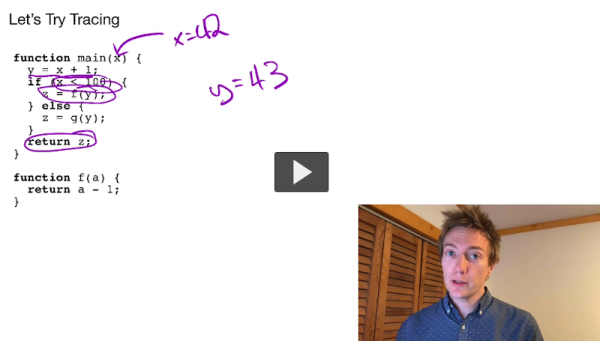
In the Star Wars universe, not everyone uses a lightsaber, and those who do wield them had to build them themselves. There’s something to be said about that strategy. Building a car or a radio is a great way to learn how those things work. That’s what [Low Level JavaScript] points out about regular expressions. Sure, a lot of people think they are scary. So why not write your own regular expression parser and engine? Get that under your belt and you’ll probably never fear another regular expression.

Of course, most of us probably won’t do it ourselves, but you can still watch the process in the video below. The code is surprisingly short, but don’t expect all the bells and whistles you might find in Python or even Perl.

Continue reading “DIY Regular Expressions”

Community Rallies Behind Youtube-dl After DMCA Takedown

At this point, you’ve likely heard that the GitHub repository for youtube-dl was recently removed in response to a DMCA takedown notice filed by the Recording Industry Association of America (RIAA). As the name implies, this popular Python program allowed users to produce local copies of audio and video that had been uploaded to YouTube and other content hosting sites. It’s a critical tool for digital archivists, people with slow or unreliable Internet connections, and more than a few Hackaday writers.

It will probably come as no surprise to hear that the DMCA takedown and subsequent removal of the youtube-dl repository has utterly failed to contain the spread of the program. In fact, you could easily argue that it’s done the opposite. The developers could never have afforded the amount of publicity the project is currently enjoying, and as the code is licensed as public domain, users are free to share it however they see fit. This is one genie that absolutely won’t be going back into its bottle.

In true hacker spirit, we’ve started to see some rather inventive ways of spreading the outlawed tool. A Twitter user by the name of [GalacticFurball] came up with a way to convert the program into a pair of densely packed rainbow images that can be shared online. After downloading the PNG files, a command-line ImageMagick incantation turns the images into a compressed tarball of the source code. A similar trick was one of the ways used to distribute the DeCSS DVD decryption code back in 2000; though unfortunately, we doubt anyone is going to get the ~14,000 lines of Python code that makes up youtube-dl printed up on any t-shirts.

Screenshot of the Tweet sharing YouTube-dl repository as two images

It’s worth noting that GitHub has officially distanced themselves from the RIAA’s position. The company was forced to remove the repo when they received the DMCA takedown notice, but CEO Nat Friedman dropped into the project’s IRC channel with a promise that efforts were being made to rectify the situation as quickly as possible. In a recent interview with TorrentFreak, Friedman said the removal of youtube-dl from GitHub was at odds with the company’s own internal archival efforts and financial support for the Internet Archive.

But as it turns out, some changes will be necessary before the repository can be brought back online. While there’s certainly some debate to be had about the overall validity of the RIAA’s claim, it isn’t completely without merit. As pointed out in the DMCA notice, the project made use of several automated tests that ran the code against copyrighted works from artists such as Taylor Swift and Justin Timberlake. While these were admittedly very poor choices to use as official test cases, the RIAA’s assertion that the entire project exists solely to download copyrighted music has no basis in reality.

[Ed Note: This is only about GitHub. You can still get the code directly from the source.]

Jetson Emulator Gives Students A Free AI Lesson

With the Jetson Nano, NVIDIA has done a fantastic job of bringing GPU-accelerated machine learning to the masses. For less than the cost of a used graphics card, you get a turn-key Linux computer that’s ready and able to handle whatever AI code you throw at it. But if you’re trying to set up a lab for 30 students, the cost of even relatively affordable development boards can really add up.

Spoiler: These things don’t exist.

Which is why [Tea Vui Huang] has developed jetson-emulator. This Python library provides a work-alike environment to NVIDIA’s own “Hello AI World” tutorials designed for the Jetson family of devices, with one big difference: you don’t need the actual hardware. In fact, it doesn’t matter what kind of computer you’ve got; with this library, anything that can run Python 3.7.9 or better can take you through NVIDIA’s getting started tutorial.

So what’s the trick? Well, if you haven’t guessed already, it’s all fake. Obviously it can’t actually run GPU-accelerated code without a GPU, so the library [Tea] has developed simply pretends. It provides virtual images and even “live” camera feeds to which randomly generated objects have been assigned.

The original NVIDIA functions have been rewritten to work with these feeds, so when you call something like net.Classify(img) against one of them you’ll get a report of what faux objects were detected. The output will look just like it would if you were running on a real Jetson, down to providing fictitious dimensions and positions for the bounding boxes.

If you’re a hacker looking to dive into machine learning and computer vision, you’d be better off getting a $59 Jetson Nano and a webcam. But if you’re putting together a workshop that shows a dozen people the basics of NVIDIA’s AI workflow, jetson-emulator will allow everyone in attendance to run code and get results back regardless of what they’ve got under the hood.

Smoothing Big Fonts On Graphic LCDs

Here’s a neat little trick: take the jaggies out of scaled fonts on the fly! This technique is for use on graphic displays where you might want to scale your fonts up. Normally you’d just write a 2×2 block of pixels for every area where there would have been one pixel and boom, larger font. Problem is, that also multiplies each empty area and you end up with jagged edges in the transitions that really catch your eye.

[David Johnson-Davies] entered big-brain mode and did something much cleverer than the obvious solution of using multiple font files. Turns out if you analyze the smoothing problem you’ll realize that it’s only the angled areas that are to blame, horizontal and vertical scaling are nice and smooth. [David’s] fix looks for checker patterns in what’s being drawn, adding a single pixel in the blank spots to smooth out the edge incredibly well!

The technique has been packaged up in a simple function that [David] wrote to play nicely in the Arduino ecosystem. However, the routine is straightforward and would be quick to implement no matter the language or controller. Keep this one in your back pocket!

Now if all you have on hand is an HD44780 character LCD, that one’s arguably even more fun to hack around on just because you’re so limited on going beyond the hard-coded font set. We’ve seen amazing things like using the custom character slots to play Tetris.

Flash Is Dead, But Its Culture Should Live On

Flash is all but gone already, but as we approach the official Adobe end-of-life date on December 31st, it’s picking up traction one last time as people reminisce about the days of Internet past. Back in July, [Jonas Richner] created an impressive website that catalogs not only almost 20 years of Flash games, but also testimonials for the software from dozens of developers who began their careers with it.

Flash started in 1996 with the intention of being a standard for animations and vector graphics on the early Web. With the release of Flash Player 5 in August of 2000, Macromedia (later acquired by Adobe) presented the first version of ActionScript, an object-oriented scripting language meant to bring interactivity to animated Flash movies. Since then, thousands of games made with the platform were released online through websites like Newgrounds and shared all over the world, with the most popular games easily reaching tens of millions of plays.

These games became popular in part thanks to how quickly they could be created with the Flash authoring tools, but also because it was so easy for players to run them. With a single plugin for your web browser of choice, the barrier of entry was extremely low. Most home computers from the mid-2000s were able to run Flash software without needing dedicated graphics hardware. This prompted a “creative chaos” as [Richner] puts it, spawning millions of games and animations which started genres and careers lasting to this day.

Unfortunately, browsers have been dropping support for the plugin due to vulnerabilities in the most recent iterations of its scripting engine and Google no longer indexes Flash files. It would seem this particularly creative era of the Internet is coming to an end. However, you can still relive old games and animations made with plugins such as Flash and Shockwave with [BlueMaxima]’s Flashpoint, and like [Richner], we also hope that the people building today’s platforms and technologies keep the lessons from Flash in mind.

Grab A Stanford Computer Science Education

There are two reasons to go to school: learn about something and to get a coveted piece of paper that helps you get jobs, or at least, job interviews. With so many schools putting material online, you can do the first part without spending much money as long as you don’t expect the school to help you or grant you that piece of paper. Stanford has a huge computer science department and [Rui Ma] cataloged over 150 computer science classes available online in some form from the University. Just the thing to while away time during the quarantine.

Apparently, [Rui] grabbed the 2020 course catalog to find on-campus classes and found the companion website for each class, organizing them for our benefit. The list doesn’t include the actual online class offerings, which you can find directly from Stanford, although there is another list for that.

Continue reading “Grab A Stanford Computer Science Education”