There’s something about the ESP32 family of microcontrollers and timekeeping. We probably see it in clocks as often as we do anything else; we also probably see more clocks with one as the beating heart than any of the many other possible timekeeping options.
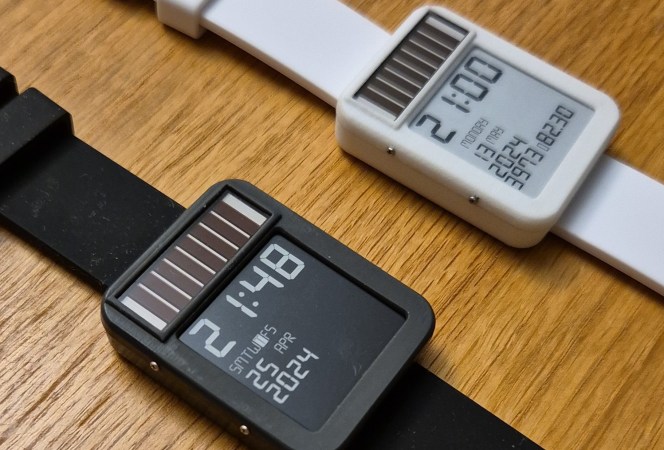
[Daniel Ansorregui]’s LightInk watch is no different in that regard — but it is very different in one important detail, because like any other smartwatch, you won’t have to worry about battery life. Outside of gloomiest Gotham, its built-in solar panel should be able to keep it charged.
That’s for a few reasons. The obvious one is the e-ink display, which only takes a sip of power during updates. That’s hardly unique to [Daniel]’s projec t– he quite explicitly calls out the Watchy project, which we featured previously, as where he got the idea of putting e-ink and an ESP32-PICO together on his wrist. What is unique is the delightful hack [Daniel] is using to minimize power usage, which is our favorite part.
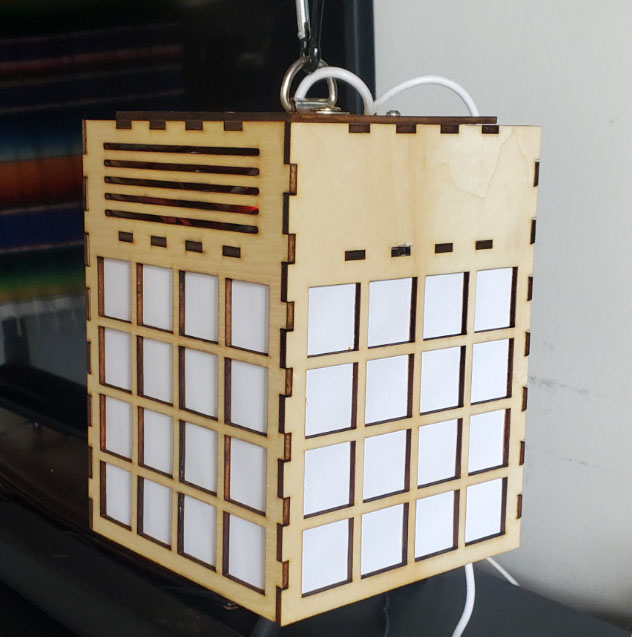
Solarpunk is sometimes thought of as the “good ending” to cyberpunk– there’s technology, but it’s community-focused instead of in the hands of evil conglomerates, and– if the name doesn’t give it away– renewably powered. [Victor Frost] found that image of the future inspiring enough to create this ESP32-hosted community hub. Yes, it looks like a lantern, but it’s actually a very-local webserver.
It looks like a lantern, but it’s got a server inside. Plus two 18650 cells to charge from a solar panel that’s presumably off-camera.
Local webserver sounds like an oxymoron, but this device does serve a page over HTTP… just, not on the world-wide web. Instead the only way to access it is via its own Wireless Network– he’s using the ‘captive portal’ that forces you to log into public wifi to direct people to a community message board.
It’s unmoderated, and unfiltered– users can post what they like, but given that they have to be within a few meters of the device, it’s not exactly anonymous. It’s a lot like the community center corkboard brought into the 21st centruy, which is very in keeping with the solarpunk ethos.
For ease of updates, he’s subdivided the ESP32’s flash into three partitions: one for the data, and two for the software, using LittleFS. This allows live updates and keeping a known-good backup for the quickest possible turnaround and/or rollback. One interesting thing is that his who UI– the actual web site, HTML, CSS, and JS– is all crammed into a single string in PROGMEM rather than files on the little file system. It’s an interesting choice, and makes for quick updates, firmware and UI in one go. Not everyone will like it, but it works for [Victor]. The code is, of course, on GitHub under the GPL— there’s a lot of overlap between the open source and solarpunk ethos, after all.
It’s a bit of a pity that he missed our Green Powered Challenge, as this project would have fit right in to the PV category, considering it runs on a 6W panel. For all the cyberpunk and solar power you see on this website, you’d think the “solarpunk” tag would be more popular, but no– all we have is this stained-glass robot.
Thanks to [Victor] for the tip! If you missed our contest, too, no worries– we take projects of all colours, green or otherwise, all the time. Just drop us a tip.
Software that collects public data from the Internet and uses it to provide half-assed answers to your questions might seem like a modern craze, but today we bid farewell to a website that helped pioneer pretend conversations all the way back in 1997 — as of May 1st, Ask Jeeves is no more.
Well, technically they dropped the “Jeeves” part back in 2006. Since then it’s just been Ask.com, but as the name implies the idea was more or less the same. Rather than the relatively rigid parameters and keywords required by traditional search engines, you could ask Jeeves questions about the world using natural language. Early advertisements showed the virtual valet answering arbitrary questions like “How many calories in a banana?,” which of course today seems commonplace and utterly unimpressive, but was a pretty wild for the 1990s.
It might seem surprising that a site designed from day one to offer a human-like Q&A experience should fold right as such technology is becoming commonplace. But of course, that commonality is the problem. When Google can answer your questions just as well (or poorly…) as Jeeves or anyone else, what’s the benefit for the average Internet user to seek out another service? But it’s still somewhat ironic, which is probably why the farewell message on Ask.com ends with the line “Jeeves’ spirit endures.”
Since the first electronic hobbyist wired up a multivibrator to a keyboard many decades ago, electonic synthesisers have been a staple of home-made projects. Now with the proliferation of significantly powerful microcontrollers it’s possible to make a synth that surpasses many of the high-end models from days gone by.
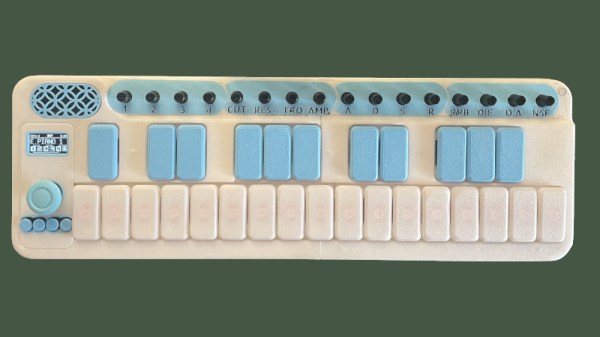
Among those we’ve seen of late perhaps none does this better than [Povle] with their Spark portable keyboard. It’s a tiny thing that reminds us of those little Casio synths of the 1980s, but in its 3D printed case it packs a load of features.
Hardware wise it’s an ESP32 with a 3D printed keyboard using keyswitches. There are a load of pots for sound adjustment, and buttons for functions. A small OLED display shows what’s going on. Software wise it relies upon the AMY synth library, and there are repositories for both its hardware and software.
There’s a demo video we’ve placed below, and in it you hear the keyboard at work. And here maybe we’ve saved the best until last, because alongside being a fully featured synth, it’s also a sampler and a Bluetooth MIDI keyboard. Is there nothing this thing can’t do!
We’re used to seeing technologies move with the times, and it’s likely among Hackaday readers are the group who spend the most time doing that and are most aware of it. There’s one which we’ll all be aware of which has quietly slipped away for most of us almost without a word, I speak of course of 32-bit computing. For most of us that means 32-bit computing on x86 machines, and since the 64-bit x86 instruction set we all now use has been around for nearly a quarter century, its 32-bit ancestor is now ancient history.
In the world of software that means we’re now in an era of operating systems and browsers dropping 32-bit support, so increasingly keeping a 32-bit machine up to date will become a challenge. That sounds like something just painful and difficult enough to subject to a Daily Drivers piece, so just how practical is it to use a 32-bit machine for my daily work in 2026?
2005 Just Gave Me A Computer
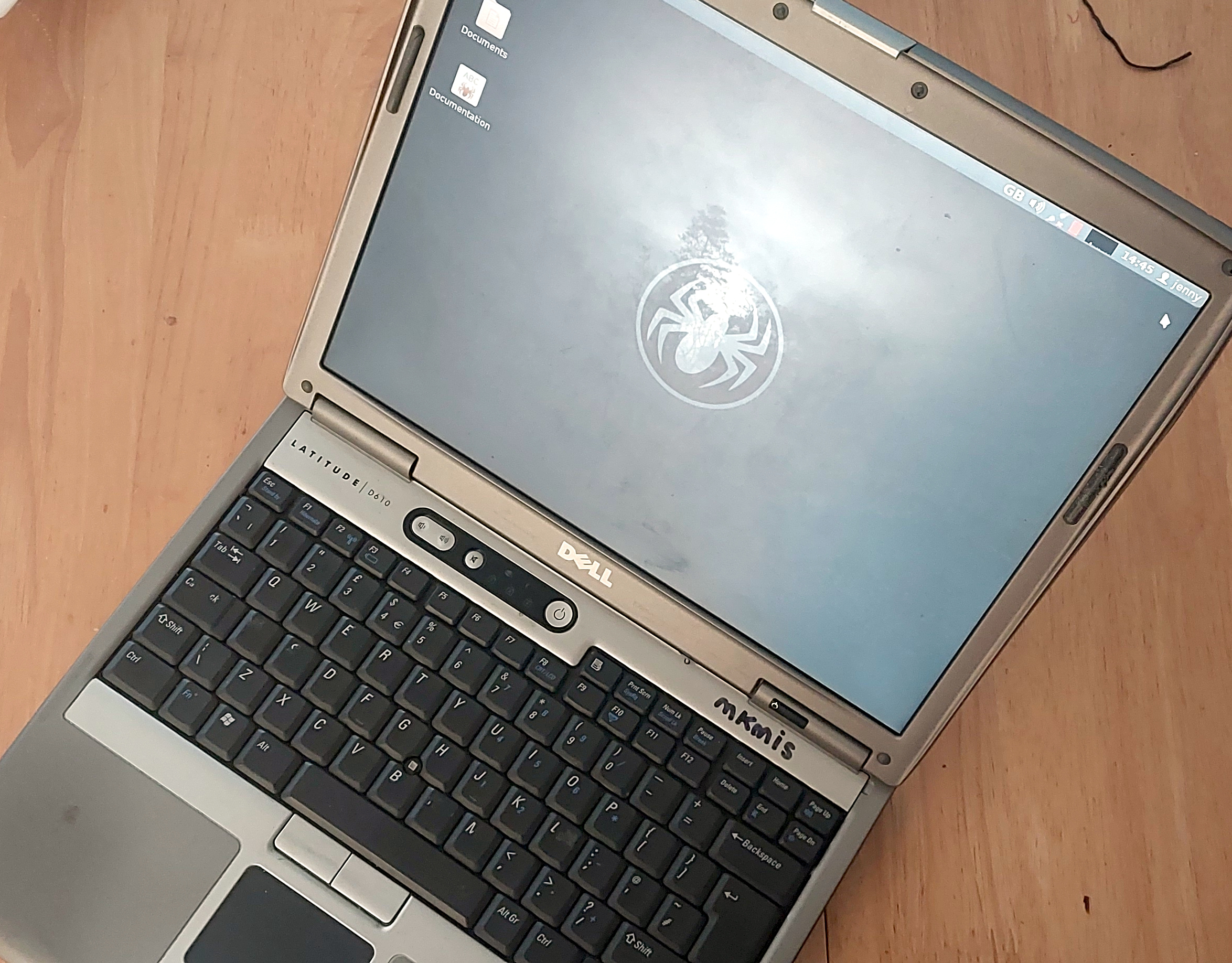
Not looking too bad for a 21 year old laptop.
On my desk I have a Dell Latitude D610. It was made in about 2005 in the days when Dells were solidly made, and with its 1.6GHz Pentium M and 2Gb of memory it represents roughly the final throw of the dice for a 32-bit Intel laptop. Just over a year later it would have been replaced by one of the Intel Core series with the 64-bit instructions grudgingly adopted from AMD, but at the time it was a respectably useful machine.
It came into my possession about eight years ago when I used it to test the Revbank bar tab software for my hackerspace, and for the past six years it’s languished unloved in my box there. It’s got an ancient Ubuntu distro on it, so my first task is to pick a 32-bit replacement from 2026. That’s now a dwindling selection, so it’s time to start digging though some minimalist distros. With the supply of those based on mainstream distros drying up as they drop 32-bit support, it’s time to look into more esoteric offerings. This fits well with the ethos of this series, we’re all about the unusual here.
Cutting out the mainstream based distros certainly narrows the field, and out of the promising contenders in the minimalist field, I went for SliTaz. It uses Busybox and the Openbox desktop, that runs from RAM. I was looking for good application support in the repos, and this distro has the things I need. Download it, stick it on a USB stick, and let’s see what it can do. I know one thing, I wouldn’t have been able to download that ISO in five seconds with the internet connection I had in 2005. Continue reading “Jenny’s Daily Drivers: Going 32-Bit With SliTaz In 2026”→
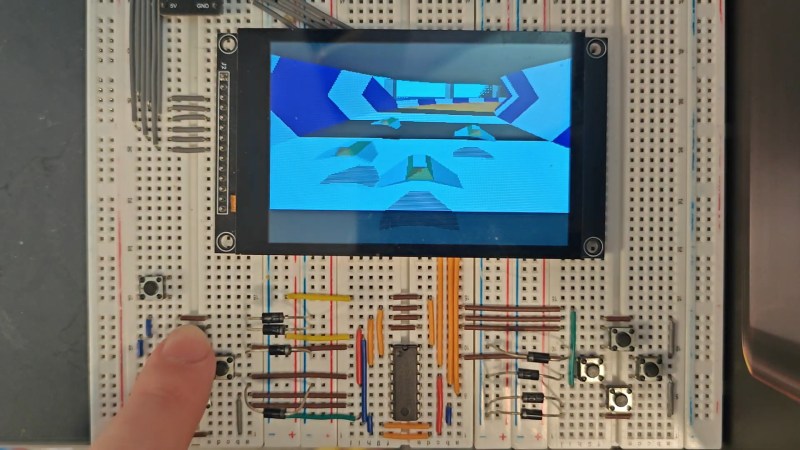
Psygnosis’s 1995 game Wipeout is remembered for two things: being one of the greatest games of all time, and taking advantage of the then-new PlayStation’s capacity for 3D graphics. The ESP32-S3 might not be your first choice to replace Sony’s iconic console, but [Michael Biggins] a.k.a. [PhonicUK] is working on doing just that, with his own clone of Wipeout on the Expressif MCU.
It’s actually not that crazy when you think about it. The PlayStation had a 32-bit RISC processor, and the ESP32-S3 is a 32-bit RISC processor. The PlayStation’s was only good for about 30 Million Instructions Per Second (MIPS) but it had a graphics co-processor to help out with the polygons — the ESP32-S3 has two cores that can help each other, which combine to about 300 MIPS. In terms of RAM, the board in use has 8 MB of PSRAM, while the faster 512 kB on the chip is used, in effect, as video ram.
The demo is very impressive, especially considering he’s fit in three computer players. He’s also got it blasting out 60 frames per second, which is probably double what the original Wipeout ran on the PS1. Part of that is the two cores in action: he’s got them working together on the interlaced video output, one sending while the other finishes the second half of the frame. Each half of the video gets dedicated space in the internal memory. Using a 480×320 pixel display doesn’t hurt for speed, either. Sure, it’s paltry by modern standards, but the original Wipeout got by with even fewer pixels — and it didn’t run on a microcontroller. Granted it’s a beefy micro, but we really love how [Michael] is pushing its limits here.
Right now there’s just the Reddit thread and the demo video below. [Michael] is considering sharing the source code for his underlying 3D engine under an open license. We do hope he shares the code, as there are surely tricks in there some of us here could learn from. If it’s all old hat to you, perhaps you’d rather spend a weekend learning raytracing.
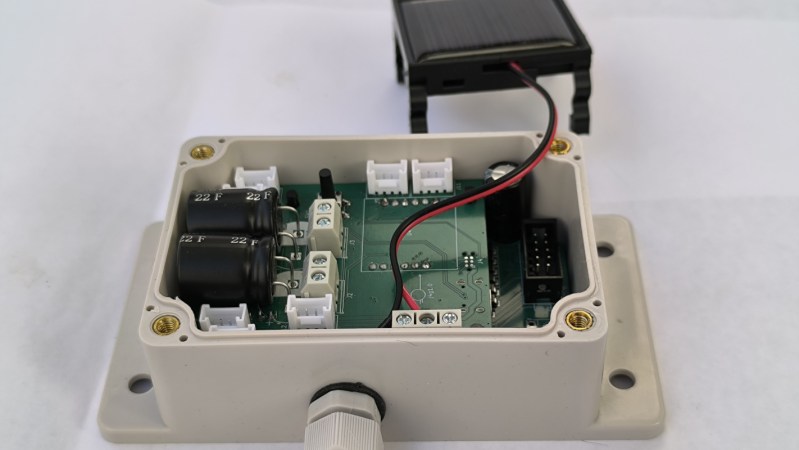
With all the battery technologies and modern low-current sleep modes in most microcontrollers, running a sensor and microcontroller combo off-grid and far away from any infrastructure is usually not too difficult a task. Often these sorts of systems can go years without maintenance or interaction. But for something that still has to be off-grid but needs to do some amount of work every now and then like actuating a solenoid or quickly turning a servo, these battery-based systems can quickly run out of juice. To solve that problem, [Nelectra] has come up with this high-power capacitor-based IoT system.
Although supercapacitors don’t tend to have the energy density of batteries, they’re perfectly capable of powering short tasks in off-grid situations like this. They’re also typically able to tolerate lower voltages, extreme temperatures, and shock better than most batteries as well. A small solar cell on the top of this device keeps it topped up, and when running in deep sleep mode can hold a charge for up to six days. In more real-world applications supporting sensors, relays, or other actuators, [Nelectra] has found that it can hold a charge for around three days. When a quick burst of power is needed, it can deliver 1.5 A at 9 V or 500 mA at 24 V.
[Nelectra]’s stated goal for this build is to bridge low-power energy harvesting and practical field actuation, enabling maintenance-free systems such as irrigation control and remote switching without batteries, going beyond simple sensor applications while not relying on always-on power from somewhere else. Something like this would work really well in applications like this automated farm, which has already provided some unique solutions to intermittent power and microcontroller applications that need very high reliability.