Hackaday Podcast Episode 368: A Pen That Draws Against You, 3D Printing Stuff, And Tablet, Shmablet!

This week, Hackaday’s Elliot Williams and Kristina Panos met up over the international tubes to bring you the latest news, mystery sound results show, and of course, a big bunch of hacks from the previous seven days or so.

A Bulbasaur pencil sharpener from 1999.Regarding Hackaday Europe, we announced the last round of speakers and opened up the workshop ticket sales. In other news, the Green-Powered Challenge has wrapped, and judging will begin quite soon.

On What’s That Sound, we can score another one for Kristina, which brings her record to approximately four wins and sixty-eight losses. She knew without a doubt that this was a guillotine paper cutter, probably because she recorded the sound herself. Hey, don’t take this away from her.

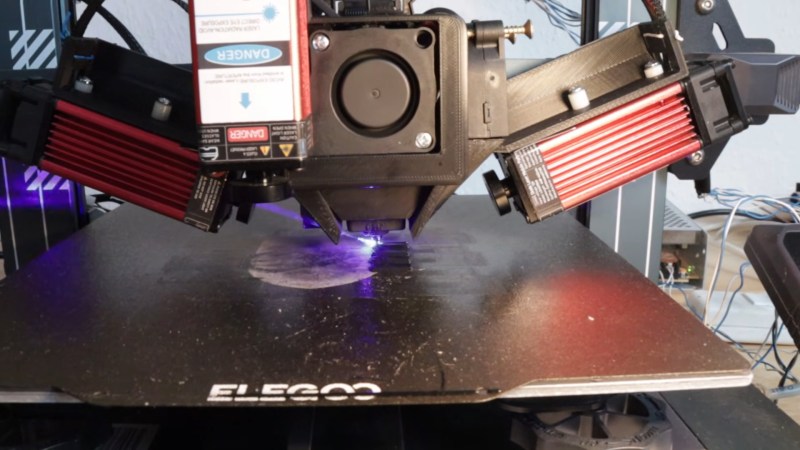
After that, it’s on to the hacks, beginning with a really cool laser-powered mist-and-mirrors multi-view display, a robotic drawing assistant of questionable utility, and a new slicer that enables horizontal overhangs without supports.

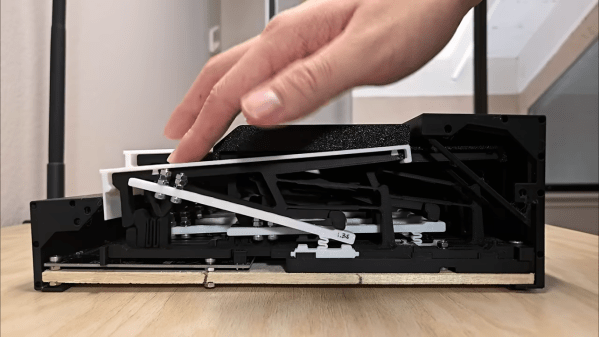
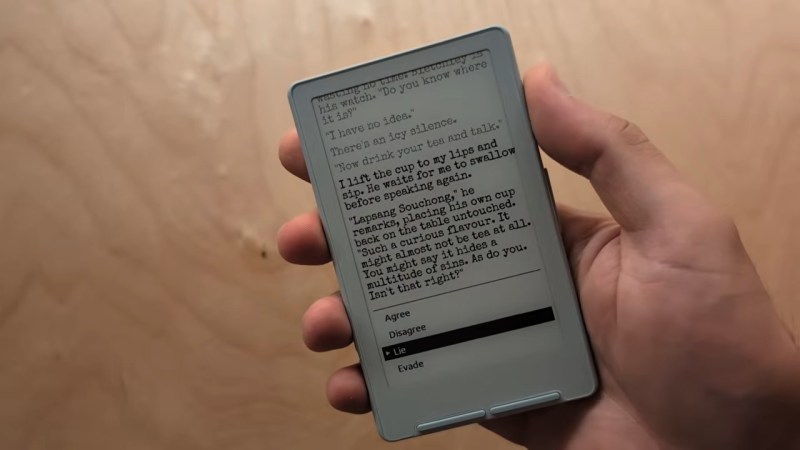
We also look at a trackball 3D controller, a 3D-printed pinball machine, and a good way to kill humidity sensors with humidity. Finally, we’re both shocked to learn that we’ve been on GPS mk. II for some time now. But then once we get over that, we talk tablets and their usefulness, or lack thereof.

Check out the links below if you want to follow along, and as always, tell us what you think about this episode in the comments!

Download in DRM-free MP3 and savor at your leisure.

Continue reading “Hackaday Podcast Episode 368: A Pen That Draws Against You, 3D Printing Stuff, And Tablet, Shmablet!”

Jenny’s Daily Drivers: Going 32-Bit With SliTaz In 2026

We’re used to seeing technologies move with the times, and it’s likely among Hackaday readers are the group who spend the most time doing that and are most aware of it. There’s one which we’ll all be aware of which has quietly slipped away for most of us almost without a word, I speak of course of 32-bit computing. For most of us that means 32-bit computing on x86 machines, and since the 64-bit x86 instruction set we all now use has been around for nearly a quarter century, its 32-bit ancestor is now ancient history.

In the world of software that means we’re now in an era of operating systems and browsers dropping 32-bit support, so increasingly keeping a 32-bit machine up to date will become a challenge. That sounds like something just painful and difficult enough to subject to a Daily Drivers piece, so just how practical is it to use a 32-bit machine for my daily work in 2026?

2005 Just Gave Me A Computer

My trusty Dell, showing the SliTaz desktop
Not looking too bad for a 21 year old laptop.

On my desk I have a Dell Latitude D610. It was made in about 2005 in the days when Dells were solidly made, and with its 1.6GHz Pentium M and 2Gb of memory it represents roughly the final throw of the dice for a 32-bit Intel laptop. Just over a year later it would have been replaced by one of the Intel Core series with the 64-bit instructions grudgingly adopted from AMD, but at the time it was a respectably useful machine.

It came into my possession about eight years ago when I used it to test the Revbank bar tab software for my hackerspace, and for the past six years it’s languished unloved in my box there. It’s got an ancient Ubuntu distro on it, so my first task is to pick a 32-bit replacement from 2026. That’s now a dwindling selection, so it’s time to start digging though some minimalist distros. With the supply of those based on mainstream distros drying up as they drop 32-bit support, it’s time to look into more esoteric offerings. This fits well with the ethos of this series, we’re all about the unusual here.

Cutting out the mainstream based distros certainly narrows the field, and out of the promising contenders in the minimalist field, I went for SliTaz. It uses Busybox and the Openbox desktop, that runs from RAM. I was looking for good application support in the repos, and this distro has the things I need. Download it, stick it on a USB stick, and let’s see what it can do. I know one thing, I wouldn’t have been able to download that ISO in five seconds with the internet connection I had in 2005. Continue reading “Jenny’s Daily Drivers: Going 32-Bit With SliTaz In 2026”

Noctua Releases 3D Models, But Please Don’t Try To Dupe The Products

Noctua wants to make life easier for fans of its…fans. To that end, the company has released a bevy of 3D models across its various product lines, all available to download for free.

If you’re not familiar with the company, Noctua specializes in high-quality cooling systems for the PC market. Its hope is that by freely providing 3D models of its components, it will aid aftermarket companies and DIYers that wish to integrate Noctua fans into their gear. In the company’s own words, these files are made available for “mechanical design, rendering, or animations.” They will let people check things like mountings and fitment without having to have the parts on hand, or to create demo visuals featuring the company’s products.

Don’t get too excited, though, because Noctua has already thought ahead. The company has specifically noted these parts aren’t intended for 3D printing, and critical components like fan blades have modified geometry so as to not compromise the companies IP. You could try and print these models, but they won’t perform like the real thing, and Noctua notes they shouldn’t be used for simulation purposes either. They’re intentionally not accurate to what the company actually sells in that regard.

That isn’t to say Noctua is totally against 3D printing. They have lots of parts available on Printables that they’d love you to try—everything from fan grilles to ducts to anti-vibration pads. Most are useful accessories—the kind of little bits of plastic that make using the products easier—that don’t threaten Noctua’s core product line in the marketplace.

If you’re whipping up a custom PC case and you want to kit it out with Noctua goodies, these models might help you refine your design. It’s funny how it’s such an opposite tactic to that taken by Honda, in terms of embracing the free exchange of 3D models on the open Internet. It’s a move that will surely be appreciated as a great convenience, and we’d love to see more companies follow this fine example.

Thanks to [irox] for the tip!

Wipeout Clone Runs Native On ESP32-S3

Psygnosis’s 1995 game Wipeout is remembered for two things: being one of the greatest games of all time, and taking advantage of the then-new PlayStation’s capacity for 3D graphics. The ESP32-S3 might not be your first choice to replace Sony’s iconic console, but [Michael Biggins] a.k.a. [PhonicUK] is working on doing just that, with his own clone of Wipeout on the Expressif MCU. 

It’s actually not that crazy when you think about it. The PlayStation had a 32-bit RISC processor, and the ESP32-S3 is a 32-bit RISC processor. The PlayStation’s was only good for about 30 Million Instructions Per Second (MIPS) but it had a graphics co-processor to help out with the polygons — the ESP32-S3 has two cores that can help each other, which combine to about 300 MIPS. In terms of RAM, the board in use has 8 MB of PSRAM, while the faster 512 kB on the chip is used, in effect, as video ram.

The demo is very impressive, especially considering he’s fit in three computer players. He’s also got it blasting out 60 frames per second, which is probably double what the original Wipeout ran on the PS1. Part of that is the two cores in action: he’s got them working together on the interlaced video output, one sending while the other finishes the second half of the frame. Each half of the video gets dedicated space in the internal memory. Using a 480×320 pixel display doesn’t hurt for speed, either. Sure, it’s paltry by modern standards, but the original Wipeout got by with even fewer pixels — and it didn’t run on a microcontroller. Granted it’s a beefy micro, but we really love how [Michael] is pushing its limits here.

Right now there’s just the Reddit thread and the demo video below. [Michael] is considering sharing the source code for his underlying 3D engine under an open license. We do hope he shares the code, as there are surely tricks in there some of us here could learn from. If it’s all old hat to you, perhaps you’d rather spend a weekend learning raytracing.

Continue reading Wipeout Clone Runs Native On ESP32-S3″

Can You 3D Print A Pinball Machine That’s Fun To Play?

It seems fair to say that pinball machines are among the most universally loved gaming systems known today, yet the full-sized ones are both very expensive and very large, while even the good quality table-sized ones tend to be on the expensive side. That raises the question of whether a fully 3D printed pinball machine could at all be fun and not just feel like a cheapo toy? A recent video by [Steven] from [3D Printer Academy] on YouTube makes here a compelling argument that it might actually be worth something to consider.

In addition to being fully modular and customizable the most compelling element is probably that the design supports two- and four-player multiplayer. This sees the metal balls leaving at the rear and from there entering the playing field of another player’s machine, which can probably get pretty chaotic.

Unfortunately this is part of a Kickstarter campaign, so you’ll have to either shell out some cash to get access to the print files or DIY your own version. We’d also be remiss to not address the durability concerns of a 100% plastic pinball machine like this, plus the lack of serious heft to compensate for more enthusiastic playing styles.

If you are more into traditional DIY pinball machines, we have covered these as well, along with small screen-based machines, and their miniature brethren for when space is really at a premium.

Continue reading “Can You 3D Print A Pinball Machine That’s Fun To Play?”

The Challenges Of 3D Printing Reliable Springs

Springs are great, but making them out of plastic tends to come with some downsides, for fairly obvious reasons. Creating a compliant mechanism that can be 3D printed and yet which doesn’t permanently deform or wear out after a few uses is therefore a bit of a struggle. The compliant toggle mechanism that [neotoy] designed is said to have addressed those issues, with the model available on Printables for anyone to give a shake.

The model in question is a toggle, which is the commonly seen plastic or metal device that clamps down on e.g. rope or cord and requires you to push on it to have it release said clamping force. Normally these use a metal spring inside, but this version is fully 3D printable and thus forms a practical way to test this particular compliant mechanism with a variety of materials.

The internal spring is a printed spiral spring, with the example in the video printed in PETG. You can of course also print it in other materials for different durability and springiness properties. As noted in the video, PLA makes for a very poor spring material, so you probably want to skip that one.

We covered compliant mechanisms in the past for purposes like blasters, including some that you can only see under a microscope.

Continue reading “The Challenges Of 3D Printing Reliable Springs”

A Trackball 3D Controller

We use CAD packages in our 3D work, and it’s likely that many of us have become annoyed by the limitations of controlling the view of a 3D object using a 2D interface, our mouse. Joystick-like 3D controllers exist for this purpose, but [David Liu] found them inconvenient. He tried a trackball, but that didn’t improve matters. His response was to take the trackball and change the way it controlled the software, turning it from the equivalent of a ball rolling over a surface to a ball representing the object on the screen itself. He can turn and rotate the object intuitively just by moving the ball.

He started with a Kensington off-the-shelf trackball and adapted its electronics and handy twin optical sensors such that it worked in the required fashion. There was a lot of iterating and tuning to get the control feeling right, but he’s ended up with a peripheral that replaces both mouse and 3D joystick, and leaves the other hand free for those keyboard shortcuts.

Continue reading “A Trackball 3D Controller”