Run A RepRap On An ESP8266

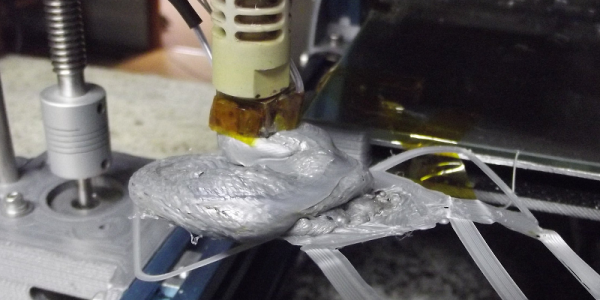
What can’t the little $5 WiFi module do? Now that [lhartmann] has got an ESP8266 controlling the motors of a 3D printer, that’s one more item to check off the list.

What’s coolest about this project is the way that [lhartmann] does it. The tiny ESP8266 has nowhere near the required number of GPIO pins, the primary SPI is connected to the onboard flash memory, and the secondary SPI is poorly documented and almost nobody uses it. So, [lhartmann] chose to use the I2S outputs.

I2S is most often an audio protocol, so this might at first seem like a strange choice. Although I2S sounds like I2C, it’s really essentially an SPI protocol with a fourth wire that alternates to designate the right or left channel. It’s actually just perfect for sending 16×2 bits of data at high data rates.

[lhartmann] takes these 32 bits and feeds them into four shift registers, producing 32 outputs from just the four I2S data lines. That’s more than enough signals to run the stepper motors. And since it updates at 192 kHz sample rate, it’s plenty fast enough to drive them.

The other side benefit of this technique is that it can work on single-board computers with just a little bit of software. Programming very complicated stepper movements then becomes just a matter of generating the right “audio” file and playing it out. [lhartmann] demonstrated this earlier with an Orange Pi. That’s pretty cool, too.

The code for turning the ESP8266 and a short handful of 74HC595s into a 3D printer controller are up on GitHub, so go check it out.

Thanks [CNLohr] for the tip!

Full Color 3D Printer Upgrade Leaves Competition In The Dust

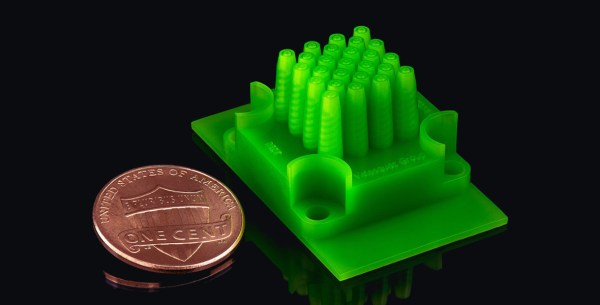
Most hobby 3D printers are based on FDM, extruding a single-color noodle of melted plastic to build up an object. Powder-based inkjet 3D printing allows you to print detailed, full-color models from a plaster-like material. The process uses ink and water droplets, dispensed from an inkjet print head to selectively fuse and color layers of a powdered binder material. When you see an offer for a 3D printed miniature version of yourself (or someone else), they are made with powder. [Aad van der Geest] wants to put this technology on your desktop with ColorPod, a kit that converts your FDM printer into a powder printer.

Continue reading “Full Color 3D Printer Upgrade Leaves Competition In The Dust”

Nuka-Cola PC Case Really Glows

It’s hard to imagine a video game series with more potential for cool prop projects than Fallout. The Fallout series has a beautiful and unique art style that is chock full of potential for real-world builds. Pip-Boys, Fat Mans, and power armor projects abound. But, most of these projects are purely aesthetic: something to stick on a shelf and show off to your fellow geeks.

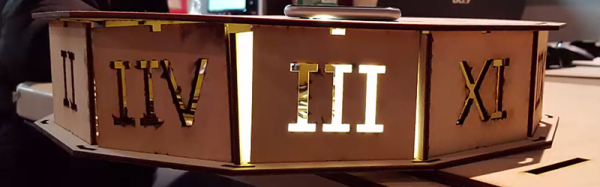
[themitch22] wanted something he could actually use, and what does a geek use more than their computer? Thus, he set out to create a Fallout-themed PC case, and a Nuka-Cola vending machine was the perfect choice for inspiration.

The attention to detail on the build is astounding, with a functional display (powered by a Raspberry Pi), glowing Nuka-Cola Quantum bottles, and weathering to make it feel like it has survived a nuclear apocalypse. He was also kind enough to post pictures of the entire process, which shows how all of the parts were 3D-printed and assembled.

Need some more Fallout goodness to inspire you next build? Check out this amazing Pip-Boy replica we featured last year.

[thanks to Nils Hitze for the tip]

A Trove Of 3D Printer Filament Test Data

We’re not sure what a typical weekend at [Walter]’s house is like, but we can probably safely assume that any activity taking place is at minimum accompanied by the hum of a 3D printer somewhere in the background.

Those of us who 3D print have had our experiences with bad rolls of filament. Anything from filament that warps when it shouldn’t to actual wood splinters mixed in somewhere in the manufacturing process clogging up our nozzles. There are lots of workarounds, but the best one is to not buy bad filament in the first place. To this end [Walter] has spent many hours cataloging the results of the different filaments that have made it through his shop.

We really enjoyed his comparison of twleve different yellow filaments printed side by side with the same settings on the same printer. You can really see the difference high dimensional tolerance, the right colorant mix, and good virgin plastic stock makes to the quality of the final print. Also, how transparent different brands of transparent actually are as well as the weight of spools from different brands (So you can weigh your spool to see how much is left).

The part we really liked was his list every filament he’s experienced in: PLA, ABS, PETG, Flexible, Nylon, Metal, Wood, and Other. This was a massive effort, and while his review is naturally subjective, it’s still nice to have someone else’s experience to rely on when figuring out where to spend your next thirty dollars.

In Paris Buying A 3D Printer Is Cheaper Than Renting Machine Time

As many of the members of the Brian Benchoff hate/fan club know, the life of a Hackaday writer is nomadic and filled with exciting adventures. Jenny List is actually crime fighting cyborg (think Bond); it’s why she knows so much about electronics. James Hobson is Iron Man. The list goes on. There are lots of unnecessary details, but to summarize: Last month I was living in Washington State, this month I am in Paris, France. It’s really nice here, the buildings are beautiful, the cathedrals stunning, and the food significantly tastier. 

However, as a contracting engineer with a project involving a deadline; I found myself in dire need of a significant amount of quick turn-around 3D printing during my working vacation to France. Through a lot of trial and tribulation, I eventually discovered that the most cost-effective way to get the prints done… was to just buy a cheap 3D printer and run it into the ground.

Appropriately, LVL1 is also home to the world's largest 3D printed trashcan (full of failed 3D prints).
Appropriately, LVL1 is also home to the world’s largest 3D printed trashcan (full of failed 3D prints).

I was spoiled by my hackerspace in Louisville, KY. They had enough 3D printers to go around and the pricing was fixed at 10 cents a gram. For the amount of printing I needed, this would be a perfectly economical arrangement. So, I set out to find a hackerspace in Paris. Whereupon I reached my first and obvious problem; I speak very little French.

Most of the hackerspaces listed in Paris are, as far as I can tell, illegally squatting in a scary part of town, exclusive to a university, exclusive to a business, or closed down.

So, I googled a bit harder. Wow! Apparently a Techshop opened up in Paris. It’s about an hour away from where I live, but having toured a Techshop before, I knew they would have the nice version of the tool I need. So, one morning bright and early I got on the metro and headed over to get a tour of the place.

What I’ve discovered is this: If you need things like a water jet cutter, welding station, or a 50 grand CNC machine, Techshop is a really economical way to get access to and play with tools like that. However, if all you want is access to a laser cutter and a 3D printer, it will set you back five-hundred dollars and you’ll have to jump through some incredibly annoying hoops just to get access to them.

Only a small fee of 400 euros to used these badboys.
Only a small fee of 400 euros to used these bad boys.

See, most pieces of equipment at a Techshop need to be reserved. Only the 150 euro and 300 euro a month membership tiers can reserve equipment. The 150 tier can reserve something for two hours, the 300, four. If you’ve ever 3D printed you can immediately spot the problem with that. For small prints this could be workable, but if you have a lot of large prints four hours is just not enough. However, there is a work around. If you’re willing to take a metro ride late at night, arriving at the Techshop at 10:00pm, you can, of course, run a print overnight.

There were two more glitches in the Techshop plan. To be able to touch the printers required a two-hour course with a 100 euros fee. The filament also ran 65 euro per 500 g. My printing needs would easily cost me tens of hours in travel and had a starting fee of 400 euros to be workable.

The entrance to Usine.io is terrifying. It's this massive pitch black hallway. I had no idea if I was in the right place until I got to the desk.
The entrance to Usine.io is terrifying. It’s this massive pitch black hallway. I had no idea if I was in the right place until I got to the desk.

Now, I’m not saying Techshop isn’t absolutely wonderful when it comes to more advanced tools. It’s probably the only Hackerspace in the world where you’re entitled to expect that the CNC machine is in working order, properly trammed, and there are actually cutting bits for it. However, if all you need is a 3D printer, don’t bother.

Now, I asked around some more and found that there was a competing space in Paris called Usine.io. It had a flat fee of 180 euros a month and the training was free. I actually did end up getting a membership here for access to a CNC and basic tools, but for 3D printing it was a bust. They only had three printers serving a sizable membership base. This left the printers with a 48 hour line to get your print started and a maximum of 40 hours of printing a month. A die-hard user of 3D printing can easily use 40 hours in 3 days. Because I had to test many iterations for my project, my need the next month was easily triple that number.

However, the shop itself is really nicely outfitted.

The last avenue available to me aside from 3D printer ownership was contracting someone with a 3D printer to run my prints for me. However, after asking around I found the service to be quite expensive. Rent isn’t cheap in Paris after all. If I just needed a single small print it would be worth it, but if I needed lots of printing it would quickly add up to be more money than I had.

That left me with one option. Which, honestly, sounded absolutely insane for someone visiting a country for a few months. Buy a printer. It’s an indication of the state of 3D printing that the price has come down so far that buying a printer is more economical than having someone do it for you. Even a few years ago this was not possible. However, European Amazon Prime had a workable enough import printer to my doorstep faster than any commercially available service could even process my order. We’ve come a long way since the Darwin. That’s for sure.

Featured Photo From Famous Paris buildings by LeFabShop

Homemade EDM Can Cut Through Difficult Materials Like Magnets With Ease

Many years ago [ScorchWorks] built an electrical-discharge machining tool (EDM) and recently decided to write about it. And there’s a video embedded after the break.

The build is based on the designs described in the book “Build an EDM” by Robert Langolois. An EDM works by creating lots of little electrical discharges between an electrode in the desired shape and a material underneath a dielectric solvent bath. This dissolves the material exactly where the operator would like it dissolved. It is one of the most precise and gentle machining operations possible.

His EDM is built mostly out of found parts. The power supply is a microwave oven transformer rewired with 18 gauge wire to drop the voltage to sixty volts instead of the oven’s original boost to 1.5kV.  The power resistor comes from a dryer element robbed from a unit sitting beside the road. The control board was etched using a hand traced schematic on the copper with a Sharpie.

The linear motion element are two square brass tubes, one sliding inside the other. A stepper motor slowly drives the electrode into the part. Coolant is pumped through the electrode which is held by a little 3D printed part.

The EDM works well, and he has a few example parts showing its ability to perform difficult cuts. Things such as a hole through a razor blade., a small hole through a very small piece of thick steel, and even a hole through a magnet.

Continue reading “Homemade EDM Can Cut Through Difficult Materials Like Magnets With Ease”

A Crash Sensor For Delta 3D Printers

It doesn’t happen that often, but this is the last time that [Lucas] comes back from hours of unattended 3D printing to find a large portion of plastic spaghetti mess and a partly disassembled Kossel. The crash sensor he designed will now safely halt the printer if it detects that something went wrong during the print.

Continue reading “A Crash Sensor For Delta 3D Printers”