The Most Inexpensive Apple Computer Possible

If Apple has a reputation for anything other than decent hardware and excellent industrial design, it’s for selling its products at extremely inflated prices. But there are some alternatives if you want the Apple experience on the cheap. Buying their hardware a few years out of date of course is one way to avoid the bulk of the depreciation, but at the extreme end is this working Mac clone that cost just $14.

This build relies on the fact that modern microcontrollers absolutely blow away the computing power available to the average consumer in the 1980s. To emulate the Macintosh 128K, this build uses nothing more powerful than a Raspberry Pi Pico. There’s a little bit more to it than that, though, since this build also replicates the feel of the screen of the era as well. Using a “hat” for the Pi Pico from [Ron’s Computer Videos] lets the Pico’s remaining system resources send the video signal from the emulated Mac out over VGA, meaning that monitors from the late 80s and on can be used with ease. There’s an option for micro SD card storage as well, allowing the retro Mac to have an incredible amount of storage compared to the original.

The emulation of the 80s-era Mac is available on a separate GitHub page for anyone wanting to take a look at that. A VGA monitor is not strictly required, but we do feel that displaying retro computer graphics on 4K OLEDs leaves a little something out of the experience of older machines like this, even if they are emulated. Although this Macintosh replica with a modern e-ink display does an excellent job of recreating the original monochrome displays of early Macs as well.

Continue reading “The Most Inexpensive Apple Computer Possible”
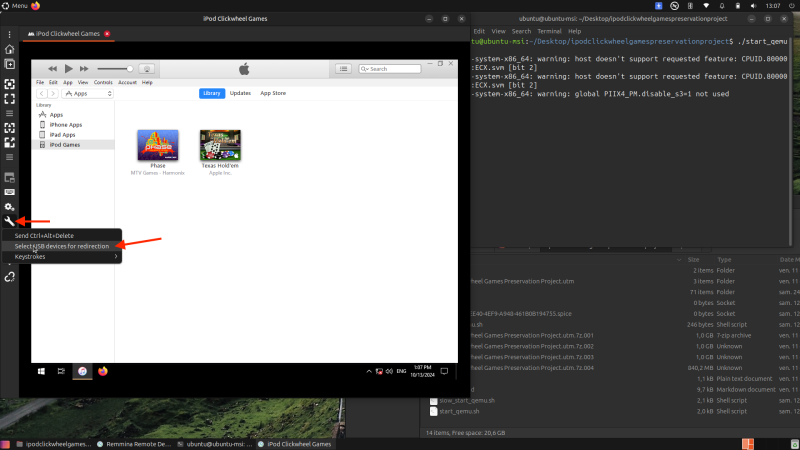
An image of a dark mode Linux desktop environment. A white iTunes window stands out in a virtualized Windows 10 environment. Two iPod games, "Phase" and "Texas Hold 'Em" are visible in the "iPod Games" section of the library.

IPod Clickwheel Games Preservation Project

The iPod once reigned supreme in the realm of portable music. Hackers are now working on preserving one of its less lauded functions — gaming. [via Ars Technica]

The run of 54 titles from 2006-2009 may not have made the iPod a handheld gaming success, but many still have fond memories of playing games on the devices. Unfortunately, Apple’s Fairplay DRM has made it nearly impossible to get those games back unless you happened to backup your library since those games can’t be downloaded again and are tied to both the account and iTunes installation that originally purchased the game.

Continue reading “IPod Clickwheel Games Preservation Project”

Apple Forces The Signing Of Applications In MacOS Sequoia 15.1

The dialogue that greets you when you try to open an unsigned application in MacOS Sequoia 15.1.

Many MacOS users are probably used by now to the annoyance that comes with unsigned applications, as they require a few extra steps to launch them. This feature is called Gatekeeper and checks for an Apple Developer ID certificate. Starting with MacOS Sequoia 15, the easy bypassing of this feature with e.g. holding Control when clicking the application icon is now no longer an option, with version 15.1 disabling ways to bypass this completely. Not unsurprisingly, this change has caught especially users of open source software like OpenSCAD by surprise, as evidenced by a range of forum posts and GitHub tickets.

The issue of having to sign applications you run on MacOS has been a longstanding point of contention, with HomeBrew applications affected and the looming threat for applications sourced from elsewhere, with OpenSCAD issue ticket #880 from 2014 covering the saga for one OSS project. Now it would seem that to distribute MacOS software you need to have an Apple Developer Program membership, costing $99/year.

So far it appears that this forcing is deliberate on Apple’s side, with the FOSS community still sorting through possible workarounds and the full impact.

Thanks to [Robert Piston] for the tip.

A screen capture from Portal 2 running in Asahi Linux. The Asahi Linux logo is in the bottom right of the image as a watermark. The environment is a concrete and glass building with elements of nature taking over the room on the other side of the glass from the character. A red circle with a grey cube above it is in the foreground.

Asahi Linux Brings Better Gaming To Apple Silicon

For those of you longing for better gaming on an Apple Silicon device, Asahi Linux is here to help.

While Apple’s own line of CPUs are relatively new kids on the block, they’ve still been around for four years now, giving hackers ample time to dissect their innards. The team behind Asahi Linux has now brought us “the only conformant OpenGL®, OpenCL™, and Vulkan® drivers” for Apple’s M1 and M2.

The emulation overhead of the system means that most games will need at least 16 GB of RAM to run. Many games are playable, but newer titles can’t yet hit 60 frames per second. The developers are currently focused on “correctness” and hope to improve performance in future updates. Many indie titles are reported to already be working at full speed though.

You can hear more about some of the fiddly bits of how to “tessellate with arcane compute shaders” in the video below. Don’t worry, it’s only 40 minutes of the nine hour video and it should start right at the presentation by GPU dev [Alyssa Rosenzweig].

If you want to see some of how Linux on Apple Silicon started or some of the previous work on hacking the M1 GPU, we have you covered.

Continue reading “Asahi Linux Brings Better Gaming To Apple Silicon”

A stack of Activation Locked MacBooks destined for the shredder in refurbisher [John Bumstead]’s workshop.

Apple IOS 18’s New Repair Assistant: Easier Parts Pairing Yet With Many Limitations

Over the years, Apple has gone all-in on parts pairing. Virtually every component in an iPhone and iPad has a unique ID that’s kept in a big database over at Apple, which limits replacement parts to only those which have their pairing with the host system officially sanctified by Apple. With iOS 18 there seems to be somewhat of a change in how difficult getting a pairing approved, in the form of Apple’s new Repair Assistant. According to early responses by [iFixit] and in a video by [Hugh Jeffreys] the experience is ‘promising but flawed’.

As noted in the official Apple support page, the Repair Assistant is limited to the iPhone 15+, iPad Pro (M4) and iPad Air (M2), which still leaves many devices unable to make use of this feature. For the lucky few, however, this theoretically means that you can forego having to contact Apple directly to approve new parts. Instead the assistant will boot into its own environment, perform the pairing and calibration and allow you to go on your merry way with (theoretically) all functionality fully accessible.

Continue reading “Apple IOS 18’s New Repair Assistant: Easier Parts Pairing Yet With Many Limitations”

Access The Information Superhighway With A Mac Plus

For some time now, Apple has developed a reputation for manufacturing computers and phones that are not particularly repairable or upgradable. While this reputation is somewhat deserved, especially in recent years, it seems less true for their older machines. With the second and perhaps most influential computer, the Apple II, being so upgradable that the machine had a production run of nearly two decades. Similarly, the Macintosh Plus of 1986 was surprisingly upgradable and repairable and [Hunter] demonstrates its capabilities by bringing one onto the modern Internet, albeit with a few tricks to adapt the old hardware and software to the modern era.

The Mac Plus was salvaged from a thrift store, and the first issue to solve was that it had some rotten capacitors that had to be replaced before the computer could be reliably powered on at all. [Hunter] then got to work bringing this computer online, with the only major hardware modification being a BlueSCSI hard drive emulator which allows using an SD card instead of an original hard disk. It can also emulate an original Macintosh Ethernet card, allowing it to fairly easily get online.

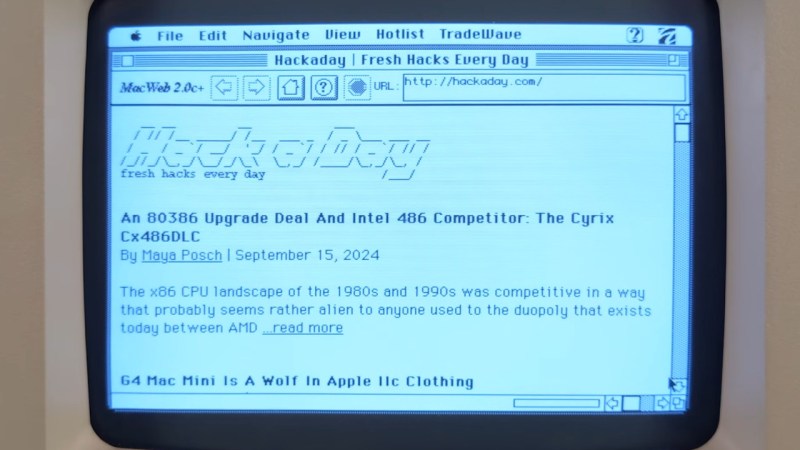
The original operating system and browser don’t support modern protocols such as HTTPS or scripting languages like Javascript or CSS, so a tool called MacProxy was used to bridge this gap. It serves simplified HTML from the Internet to the Mac Plus, but [Hunter] wanted it to work even better, adding modular domain-specific handling to allow the computer to more easily access sites like Reddit, YouTube, and even Hackaday, although he does call us out a bit for not maintaining our retro page perhaps as well as it ought to be.

[Hunter] has also built an extension to use the Wayback Machine to serve websites to the Mac from a specific date in the past, which really enhances the retro feel of using a computer like this to access the Internet. Of course, if you don’t have original Macintosh hardware but still want to have the same experience of the early Internet or retro hardware this replica Mac will get you there too.

Continue reading “Access The Information Superhighway With A Mac Plus”

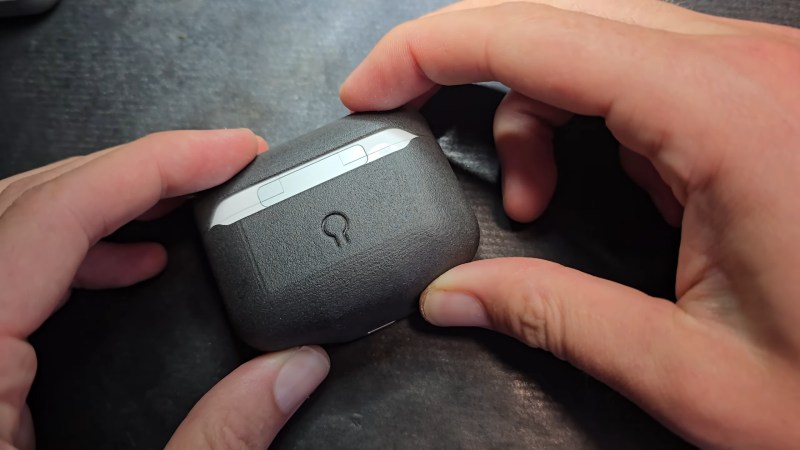
Two hands hold a rounded rectangular case with a small lollipop-shaped cutout. The case is dark grey with a bit of white protruding between the two halves in the middle.

Add USB-C To Your AirPods The Easy Way

While the death of Apple’s Lightning Connector can’t come soon enough, swapping the ports on their products as “category-defining innovations” seems a bit of a stretch. [Ken Pillonel] has designed a set of streamlined, repairable, USB-C adapters for the AirPods, AirPods Pro, and AirPods Max that show Apple what innovation really means.

If you’ve followed [Pillonel]’s work in the past, you’ll know he’s as a big a fan of repairability as we are here, so this isn’t just a cheap knockoff dongle that’ll be in the trash as fast as your counterfeit wireless earbuds. In the video below, he walks us through his quest start-to-finish to design something compact that gives you all the joys of USB-C without the pain of buying a whole new set of headphones.

We like the iteration on the connector, showing that flexible circuits can do some amazing things, but are still subject to failure at extreme angles. Using a combination of 3D printing, a cool robot sandblasting machine, a pick-and-place, and some old fashioned hand soldering, [Pillonel] treats us to a polished final product that’s put together with actual screws and not adhesive. His designs are all open source, so you can DIY, or he sells finished copies in his shop if you want to give one to your less-than-techy relatives.

[Pillonel] may seem familiar as he’s the guy who added USB-C to the iPhone before Apple and redesigned the AirPods Pro case for repairability. Apple is getting better about repair in some of its devices, for sure, but unsurprisingly, hackers do it better.

Continue reading “Add USB-C To Your AirPods The Easy Way”