Echo, Meet Mycroft

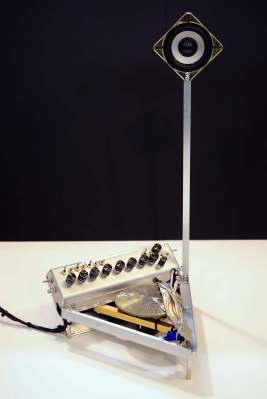
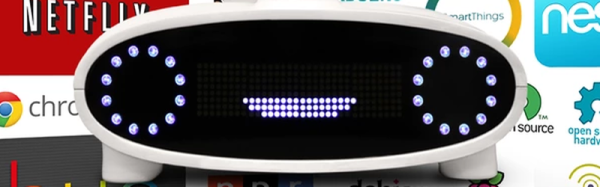
The Amazon Echo is an attempt to usher in a new product category. A box that listens to you and obeys your wishes. Sort of like Siri or Google Now for your house. Kickstarter creator [Joshua Montgomery] likes the idea, but he wants to do it all Open Source with a Raspberry Pi and an Arduino.

The Kickstarter (which reached its funding goal earlier this month) claims the device will use natural language to access media, control IoT devices, and will be open both for hardware and software hacking. The Kickstarter page says that Mycroft has partnerships with Lucid and Canonical (the people behind Ubuntu). In addition, they have added stretch goals to add computer vision and Linux desktop control to Mycroft.

Continue reading “Echo, Meet Mycroft”

HC-SR04 Isn’t The Same As Parallax PING))) But It Can Pretend To Be!

“It’s only software!” A sentence that strikes terror in the heart of an embedded systems software developer. That sentence is often uttered when the software person finds a bug in the hardware and others assume it’s going to be easier for fix in software rather than spin a new hardware revision. No wonder software is always late.

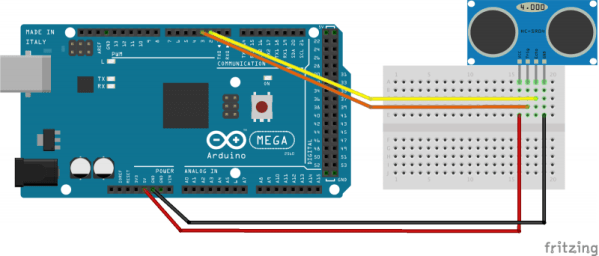
[Clint Stevenson] is his own hardware and software guy, as are most of us. He wanted to use the less expensive HC-SR04 ultrasonic rangefinder in a prototype. Longer term he wanted to have the choice of either a Parallax PING or MaxBotix ultrasonic sensor for their better performance outdoors. His hardware hack of the SR04 made this a software problem which he also managed to solve!

[Clint] was working with the Arduino library, based on the Parallax PING, which uses a single pin for trigger and echo. The HC-SR04 uses separate pins. Originally he modified the Arduino library to accept the two pin approach. But with his long term goal in mind, he also modified the HC-SR04 sensor by removing the on-board pull-up resistor and adding a new one on the connector side to combine the signals. That gave him an SR04 that worked with the single-pin based library.

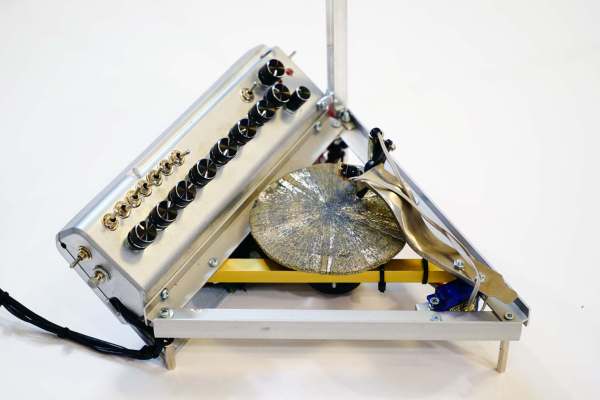
We’ve seen Parallax PING projects for sensing water depth and to generate music. These could be hacked to use the HC-SR04 using [Clint’s] techniques.

[Arduino and HC-SR04 photo from Blax Lab]

Arduino Masters Ham Radio Digital Mode

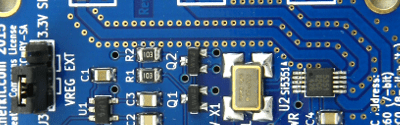
[jmilldrum] really gets a lot of use out of his Si5351A breakout board. He’s a ham [NT7S], and the Si5351A can generate multiple square waves ranging from 8 kHz to 160 MHz, so it only stands to reason that it is going to be a useful tool for any RF hacker. His most recent exploit is to use the I2C-controllable chip to implement a Fast Simple QSO (FSQ) beacon with an Arduino.

FSQ is a relatively new digital mode that uses a form of low rate FSK to send text and images in a way that is robust under difficult RF propagation. There are 32 different tones used for symbols so common characters only require a single tone. No character takes more than two tones.

Continue reading “Arduino Masters Ham Radio Digital Mode”

Want A Low-cost ARM Platform? Grab A Prepaid Android Phone!

What would you pay for a 1.2Ghz dual-core ARM computer with 1GB RAM, 4GB onboard flash, 800×600 display, and 5 megapixel camera? Did we mention it also has WiFi, Bluetooth, and is a low power design, including a lithium battery which will run it for hours? Does $15 sound low enough? That’s what you can pay these days for an Android cell phone. The relentless march of economies of scale has finally given us cheap phones with great specs. These are prepaid “burner” phones, sold by carriers as a loss leader. Costs are recouped in the cellular plan, but that only happens if the buyer activates said plan. Unlike regular cell phones, you aren’t bound by a contract to activate the phone. That means you get all those features for $15-$20, depending on where you buy it.

android-logo-transparent-backgroundThe specs I’m quoting come from the LG Optimus Exceed 2, which is currently available from Amazon in the USA for $20. The same package has been available for as little as $10 from retail stores in recent weeks. The Exceed 2 is just one of several low-cost Android prepaid phones on the market now, and undoubtedly the list will change. How to keep up with the current deals? We found an unlikely place. Perk farmers. Perk is one of those “We pay you to watch advertisements” companies. We’re sure some people actually watch the ads, but most set up “farms” of drone phones which churn through the videos. The drones earn the farmer points which can be converted to cash. How does this all help us? In order to handle streaming video, Perk farmers want the most powerful phones they can get for the lowest investment. Subreddits like /r/perktv have weekly “best deals” posts covering prepaid phones. There are also tutorials on rooting and debloating current popular phones like the Whirl 2 and the Exceed 2.

Continue reading “Want A Low-cost ARM Platform? Grab A Prepaid Android Phone!”

Simple USB Power Meter

The USB interface is being increasingly used as a power supply and charging port for all kinds of devices, besides data transfer. A meter to measure the electrical parameters of devices connected to a USB socket or charger would be handy on any hacker workbench. The folks at [electro-labs] designed this simple USB power meter which does just that.

The device measures voltage and current and displays them, along with the calculated power, on the small 0.5″ OLED display. The circuit is built around an ATmega328. To keep the board size small, and reduce component count, the microcontroller is run off its internal 8MHz clock. A low-resistance shunt provides current sensing which is amplified by the LT6106 a high side current sense amplifier before being fed to the 10 bit analog port of the ATmega. A MCP1525 precision voltage reference provides 2.5V to the Analog reference pin of the microcontroller, resulting in a 2.44mV resolution. Voltage measurement is via a resistive divider that has a range of up to 6V. An Arduino sketch reads voltage and current data on the analog ports and displays measurements on the display. The measured data is averaged to filter out noise.

The OLED display has a SPI interface and requires the u8glib library. The project uses all SMD parts, but is fairly easy to assemble by hand and could be a nice starter project if you want to wet your feet on surface mount assembly techniques. It’s designed using SolaPCB EDA software, and the source files for schematic and board layout are available as a ZIP archive. Download the BoM and Arduino code and you have everything needed to build this nifty device.

Thanks to [Abdulgafur] for sending in this tip. And if you are looking for a more comprehensive solution, check the awesome Friedcircuits USB Tester which we reviewed earlier and is available in the Hackaday Store.

Transformers, Birthday Cakes In Disguise

[Russel Munro] decided to go all-out for his son’s birthday cake: he made a Transformers robot cake that, well, transforms from a truck into a robot, Optimus Prime style. His impressive build has the actions of the original: first, the front rears up to lift the head, then the back lifts to form the body and the head and arms pop out of the top. Underneath the thin fondant exterior is a 3D printed body, driven by a mechanism in the base. He used fishing line to lift the parts, which is pulled by a motor salvaged from a CD player, being driven by an EasyDriver board from Sparkfun.

The main issue he had to overcome was weight: apparently he underestimated the weight of the fondant that covers the cake, and had to do some last-minute work to strengthen the drive mechanism, and skip plans for the more ornately decorated version that his wife had planned. But the look of glee on his son’s face when he operates it at the party is the best bit. In these days of CGI and computer games, it is good to remind the kids that there is still a lot of fun to be found in ingenuity and liberal quantities of hot glue.

Continue reading “Transformers, Birthday Cakes In Disguise”

Arduino Video Over 2 Wires For Under $50: Mesa-Video

If you want video support on your project, you might start from a device like a Raspberry Pi that comes with it built in. [Kevinhub88] doesn’t accept such compromises, so he and his Black Mesa Labs have come up with a whole new way to add video support to devices like the Arduino and other cheap controllers. This project is called Mesa-Video, and it can add digital video at a resolution of up to 800 by 600 pixels to any device that has a single serial output.

The video is created by an FT813, a low cost GPU from FTDI that offers a surprising amount of video oomph from a cheap, low power chip (he has demoed it running from a lemon battery), meaning that he is hoping to be able to sell the Mesa-Video for under $50.

UPDATE: [KevinHub88] let us know that he didn’t actually power the device from a lemon battery, as you would need a lot of lemons to make 50mA at 5V. Apologies for any confusion!

However, Mesa-Video is just the beginning. [Kevinhub88] wanted to get around the problem of stacking shields on Arduinos: add more  than one and you get problems. He wanted to create an interface that would be simpler, faster and more open, so he created the Mesa-Bus. This effectively wraps SPI and I2C traffic together over a simple, fast serial connection that doesn’t require much decoding. This means that you can send power and bi-directional data over a handful of wires, and still connect multiple devices at once, swapping them out as required. You could, for instance, do your development work on a PC talking to the prototype devices over Mesa-Bus, them swap the PC out for an Arduino when you have got the first version working in your dev environment. Is the Arduino not cutting it? Because Mesa-Bus is cross-platform and open source, it is easy to swap the Arduino for a Raspberry Pi without having to change your other devices. And, because all the data is going over a simple serial connection in plain text, it is easy to debug.

It’s an ambitious project, and [Kevinhub88] has a way to go: he is currently working on getting his first prototype Mesa-Bus devices up and running, and finalizing the design of the Mesa-Video. But it is an impressive start and we’ll be keeping a close eye on this work. Hopefully he can avoid that head crab problem as well because those things are as itchy as hell.