Retro Calculator Design Has Creative Tactile Touchscreen

We’ve all heard it a thousand times – they don’t make ’em like they used to. Sometimes, that’s for good reason, but there is a certain build quality to electronics of the mid-20th century that is hard to find in hardware today. This inspires great nostalgia and dedication in some, like [Michael Park], who set out to build a calculator reminiscent of the best HP designs from yesteryear.

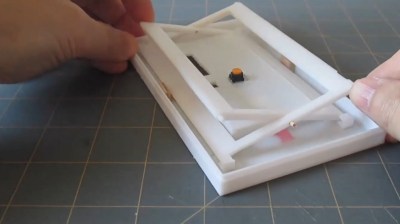
The scissor mechanism allows the touch screen to move linearly and activate the tactile switch without twisting, no matter where along its surface it is pressed.

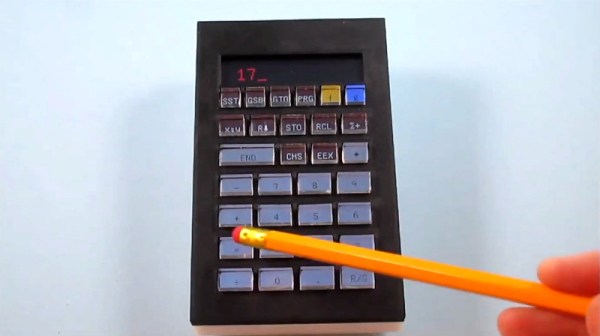
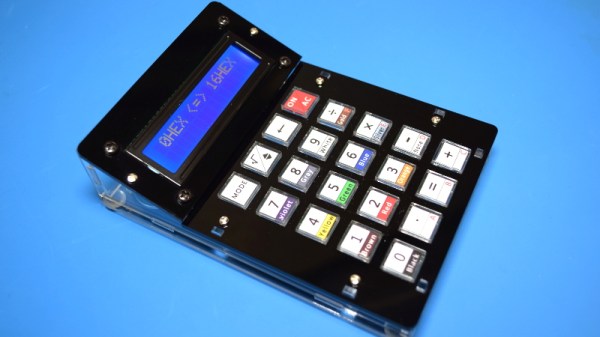
One of the major factors for [Michael] was the great feel of the keys on these classic units. Wanting to experiment with different layouts without a lot of rewiring, the idea of keys with individual displays became attractive. Existing parts on the market were prohibitively expensive, however. Instead, [Michael] used a single touchscreen with a switch mounted underneath to provide tactile feedback with a nifty scissor-arm guide mechanism. Combined with individual see-through plastic overlays, the MP-29 has a fully reconfigurable pad of 30 keys with dynamically updatable labels.

It’s a creative choice, and one that looks highly satisfying to use. It has all the tactile benefits of individual keys, both in the keypresses and being able to navigate the keypad without looking. Combined with the benefit of reconfigurable keys thanks to the touch screen underneath, it’s a great way to build a user-interface.

The rest of the calculator design closely mimics the HP-29, though [Michael] is also experimenting with alternative layouts too. There are plenty of religious wars in the calculator community over usability, after all – mostly over which side of the pad has the arithmetic functions.

We’ve lamented the demise of the standalone calculator recently; with so many smart devices around, it’s hard to see it making a major comeback anytime soon. Of course, if you’re opinionated on the topic, sound off in the comments below. Video after the break.

Continue reading “Retro Calculator Design Has Creative Tactile Touchscreen”

Retrotechtacular: The $5,000 40 Pound HP Classroom Computer

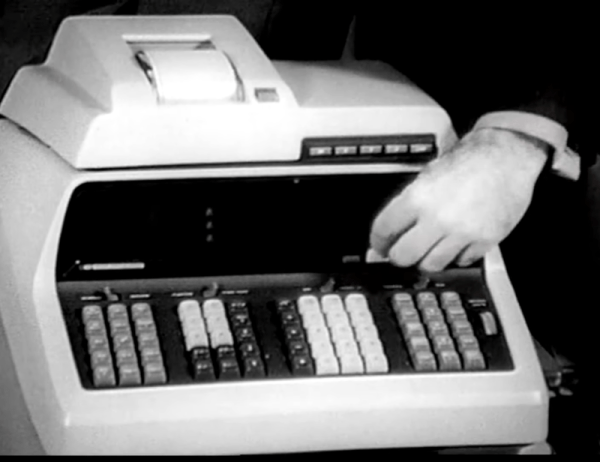
See if you can talk your local school district into buying a computer that costs about $5,000 and weighs 40 pounds. That was HP’s proposition to schools back in 1968 so really it is more like $35,000 today. The calculator had a CRT display for the RPN stack that you could mirror on a big screen. You could also get a printer or plotter add-on. Pretty hot stuff for the ’60s.

The 1970 videos promoting the HP 9100, posted by the [Computer History Archive Project], shows something we’d think of as a clunky calculator, although by the standards of the day it was a pretty good one with trig functions and a crude programming capability.

Continue reading “Retrotechtacular: The $5,000 40 Pound HP Classroom Computer”

Casio Computer Rebuild Puts New Wine In An Old Bottle

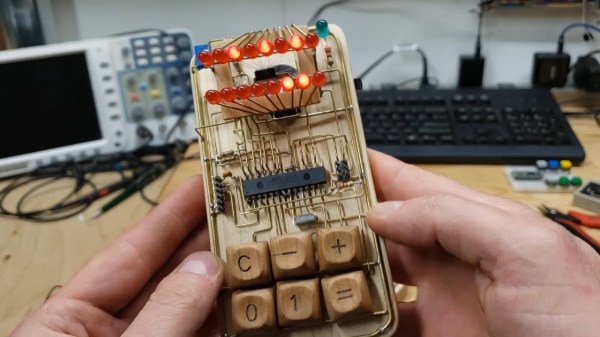
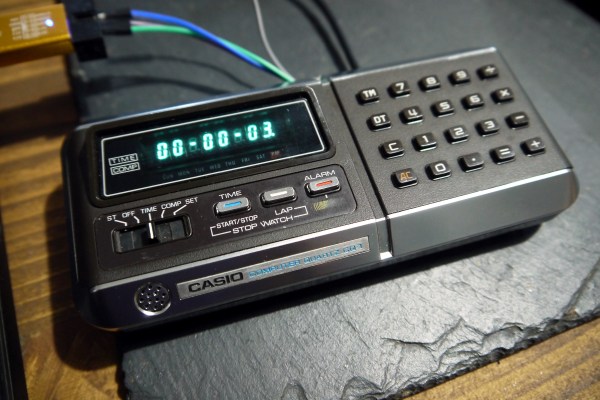
With a glut of vintage consumer electronics available from eBay it should be easy to relive your glory days, right? Unfortunately the march of time means that finding gear is easy but finding gear that works is not. So was the case when [Amen] acquired not one, but two used calculator/computer units hoping to end up with one working device. Instead, he went down the rabbit hole of redesigning his own electronics to drive the Casio QT-1 seen here.

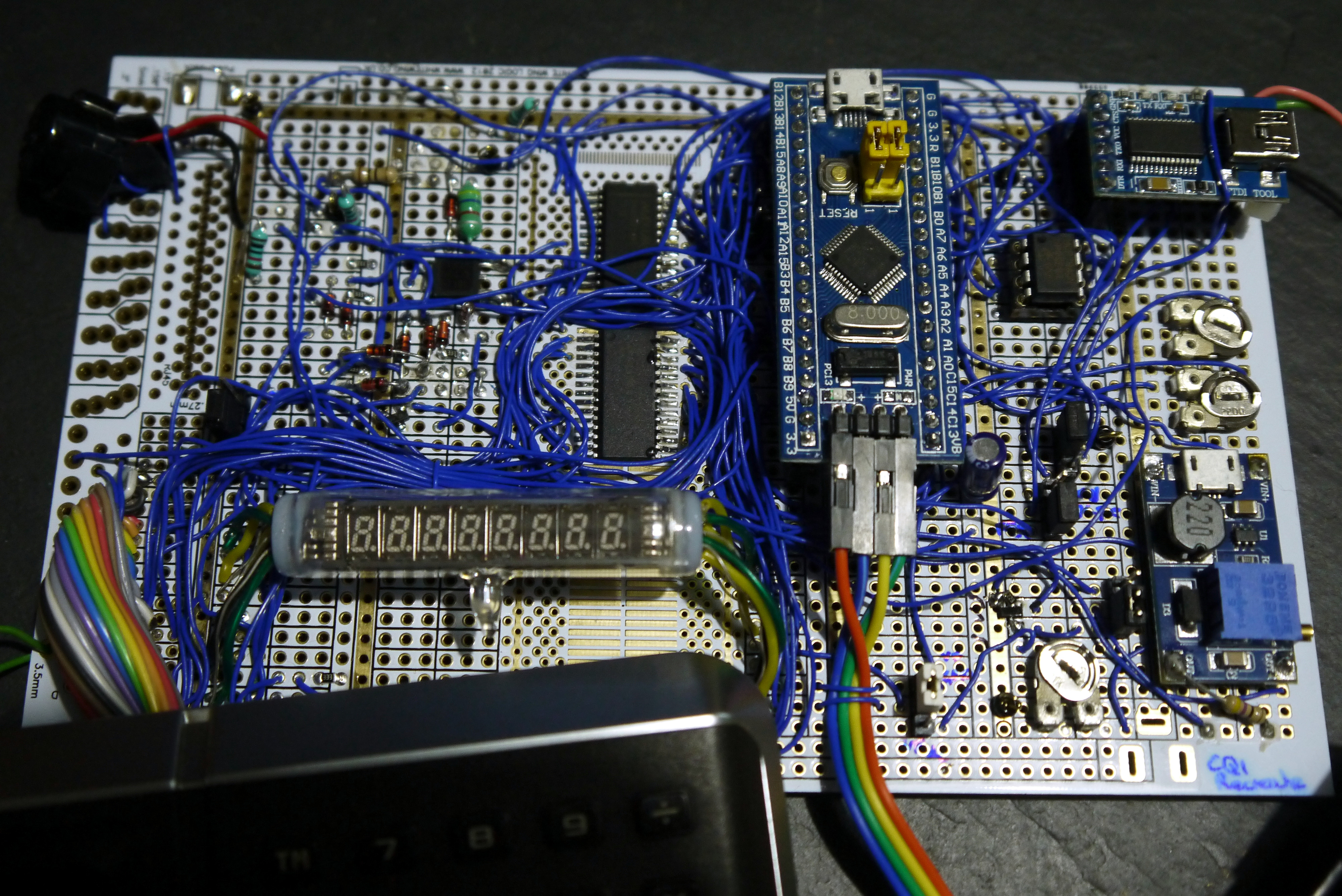
Especially interesting is the prototyping process for the replacement board. [Amen] used a “BluePill” STM32 microcontroller board at its heart, and used point-to-point soldering for the rest of the circuitry on a rectangle of protoyping board. That circuit is non-trivial, needing a 23 V source to drive the original VFD from the computer, a battery-backed real-time-clock (MCP7940), and a GPIO expander to scan the keys on the keypad.

It worked great, but couldn’t be cut down to fit in the case. The solution was a PCB designed to fit the footprint of the original. The modern guts still need more firmware work and a couple of tweaks like nudging that 23 V rail a bit higher to 26 V for better brightness, but the work already warrants a maniacal cry of “It’s Alive!”.

This isn’t [Amen’s] first rodeo. Back in March we looked in on another vintage Casio refurb that sniffed out the display protocol.

An Old Calculator Lives Again

There was a time when any electronics student would have a slide rule hanging off their belt. By the 1970s, the slide rule changed over to an electronic calculator which was a pricy item. Today you can buy calculators at the dollar store. [JohnAudioTech] pulled out an old Radio Shack vacuum fluorescent display (VFD) calculator and found it didn’t work. Obviously, that means it is time to open it up.

It is fun to see one of these old devices opened up again. Consumer electronics with big through-hole ICs! Troubleshooting the device wound up being anti-climatic, as a broken wire to the battery compartment explained the whole thing.

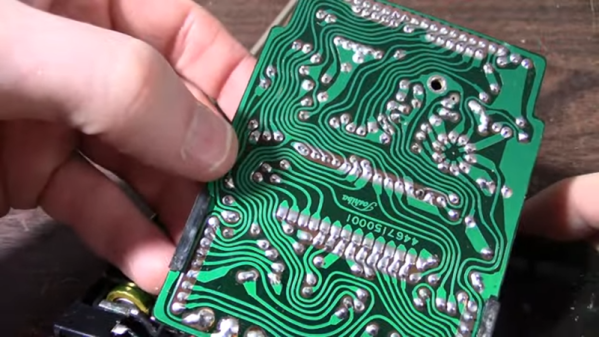
As a teardown, though, this is a fun video. Not only are all the parts through-hole, but the PCB is clearly a manual layout with serpentine traces flowing across the board like some sort of art piece. Continue reading “An Old Calculator Lives Again”

Review: Calculator Kit Is Just A Few Hacks From Greatness

While most people are satisfied with a calculator application on their smartphone these days, there’s still something to be said for the old fashioned desk calculator. Maybe it’s the fact the batteries last long enough that you can’t remember the last time you changed them, or the feel of physical buttons under your fingers. It could even be the fact that it keeps your expensive smartphone from needing to sit out on the workbench. Whatever the reason, it’s not uncommon to see a real-life calculator (or two) wherever solder smoke tends to congregate.

Which is precisely the idea behind this DIY calculator kit. Available from the usual overseas retailers for about $15 USD, it has some hobbyist-oriented features such as the ability to decode resistor color bands, convert hexadecimal numbers, and calculate resistor values for driving LEDs. If you’re going to keep a knock-around calculator on your bench, why not build the thing yourself?

Given the dual nature of this product, a DIY electronics kit and a functional desk calculator for electronic hobbyists, it seems only appropriate to review both aspects of it individually. Which is good, since there may be more to this product than just the sum of its parts.

Continue reading “Review: Calculator Kit Is Just A Few Hacks From Greatness”

Calcuino Is An Arduino Calculator

All by itself, a calculator based on an Arduino isn’t necessarily very novel. However, [Danko Bertović] of Volos Projects has a nice board that, of course, looks like a calculator. There are 16 keys and an LED display. But it seems to us the real value would be using this as a base for other projects.

As an inexpensive development board, it’s handy to have a simple processor with a keyboard and a display. There’s some extra I/O pins and the first example in the video below shows using the setup as a simple organ, for example. We’d love to see an option to replace the LED with an LCD and maybe even some different CPU options, as well.

The board is essentially an Arduino with a standard USB to serial chip and a MAX7219 display driver. Of course, you could breadboard up all of these things, but it wouldn’t be as neat looking. One unusual thing about the keyboard is that it is not multiplexed. Each button has a label that indicates what Arduino pin it connects with. So key 6 connects to pin 6 and pin A2 connects to the key marked =/A2.

With the availability of inexpensive PC boards, we’re seeing many nice designs out there that would be easy to repurpose for other things. For example, we thought this board would easily run the Kim Uno, with some modifications to the I/O routines. Might even be able to work out a clone of an even older computer to fit on the board.

Continue reading “Calcuino Is An Arduino Calculator”

21st Century Cheating: WiFi In A Calculator

Obviously, we would never endorse cheating on an exam, but sometimes a device is just too tempting to be left untouched. For [Neutrino], it was an old Casio calculator that happened to have a perfectly sized solar panel to fit a 128×32 OLED as replacement. But since the display won’t do much on its own, he decided to connect it to an ESP8266 and mount it all inside the calculator’s housing, turning it into a spy-worthy, internet-connected cheating device, including a stealthy user interface controlled by magnets instead of physical buttons. (Video, embedded below.)

Editor’s Update: Please read our follow-up coverage to the copyright claims made against this project. The video linked above and embedded below are unavailable due to these claims, despite widespread belief that this project does not violate copyright. For now, the original video is available via the Internet Archive.

To achieve the latter, [Neutrino] added two Hall effect sensors and a reed switch inside each end of the calculator. Placing a magnet — possibly hidden in a pen cap — near the reed switch will turn the display on, and placing another magnet near the Hall-effect sensors will navigate through the display’s interface, supporting two inputs with long, short, and multi-tap gestures each. To obtain information through WiFi, the ESP8266 connects to Firebase as backend, allowing to set up predefined content to fetch, as well as a possibility to communicate with your partner(s) in crime through a simple chat program.

As the main idea was to keep visible modifications to a minimum, one shortcoming is that charging the additional battery that powers the whole system would require an additional, external charging circuit. But [Neutrino] had a solution for that as well, and simply exposed two wires to the back, which could easily be mistaken for random solder splatters. And well, of course, requiring WiFi might also be tricky in some situations, so maybe you might want to consider a mobile network upgrade for yourself.

Continue reading “21st Century Cheating: WiFi In A Calculator”