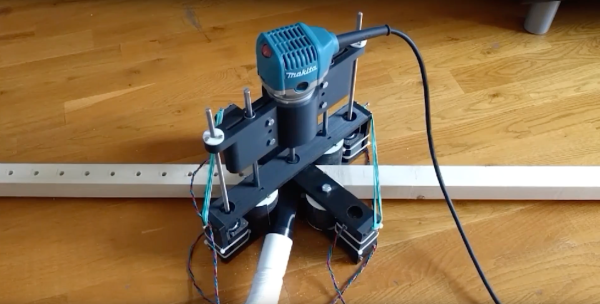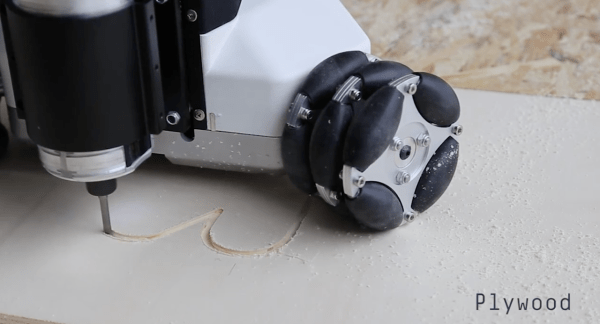
Another day, another Kickstarter. While we aren’t often keen on touting products, we are keen on seeing robotics and unusual mechanisms put to use. The Goliath CNC has long since surpassed its $90,000 goal in an effort to put routing robots in workshops everywhere.
Due to their cost and complexity, you often only find omni-wheels on robots scurrying around universities or the benches of robotics hobbyists, but the Goliath makes use of nine wheels configured as three sets in a triangular pattern. This is important as any CNC needs to make compound paths, and for wheeled robots an omni-wheel base is often the best bet for compound 2D translation.
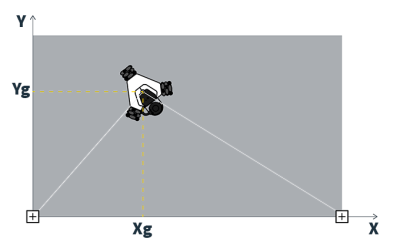 What really caught our eye is the Goliath’s unique positioning system. While most CNC machines have the luxury of end-stops or servomotors capable of precise positional control, the Goliath has two “base sensors” that are tethered to the top of the machine and mounted to the edge of the workpiece. Each sensor connects to the host computer via USB and uses vaguely termed “Radio Frequency technology” that provides a 100Hz update for the machine’s coordinate system. This setup is sure to beat out dead-reckoning for positional awareness, but details are scant on how it precisely operates. We’d love to know more if you’ve used a similar setup for local positioning as this is still a daunting task for indoor robots.
A re-skinned DeWalt 611 router makes for the core of the robot, which is a common option for many a desktop milling machine and other bizarre, mobile CNCs like the Shaper Origin. While we’re certain that traditional computer controlled routers and proper machining centers are here to stay, we certainly wouldn’t mind if the future of digital manufacturing had a few more compact options like these.


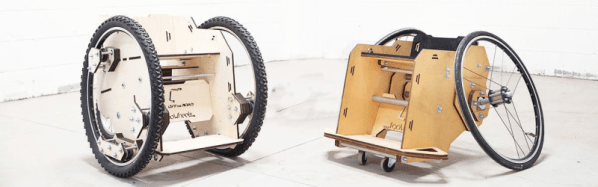
 Originally conceived as a sport wheelchair, it has now evolved to answer different needs, due to feedback from the users and the community involved in the project. [Alessio] designed the project to be built from materials and resources easily available to any DIY maker at today’s Fab Labs and Makerspaces. The team have provided a detailed BOM to help procure all the required materials, instruction manual and drawings for assembly, and all the CAD files with customization instructions. Already, teams in Ecuador, India and Italy have replicated and built their own version of the TooWheel wheelchair. This confirms that the project is well documented and allows anyone around the world to download the plans and follow instructions to build their own wheelchair.