How I 3D Printed My Own Lego-Compatible Train Bridges

Lego train sets have been available for decades, now. The Danish manufacturer long ago realized the magic of combining its building block sets with motors and plastic rails to create real working railways for children and adults to enjoy. Over the years, Lego has innovated through several generations of trains, from classic metal-rail systems to the more modern IR and later Bluetooth-controlled versions. The only thing largely missing over all that time, though…? A bridge!

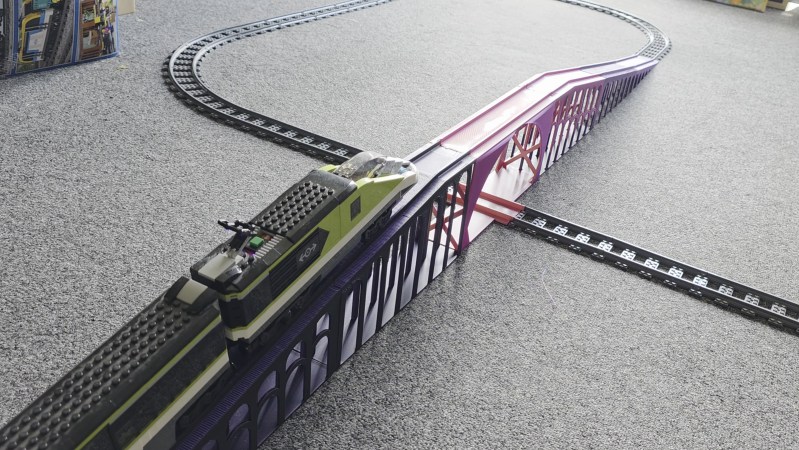
Yes, Lego has largely neglected to build any bridges for its mainstream train lineup. There are aftermarket solutions, and innovative hacks invented by the community, all with their own limitations and drawbacks. This glaring oversight, though, seemed like a perfect opportunity to me. It was time to fire up the 3D printer and churn out a fully-realized Lego rail bridge of my very own.

Bridges Are Hard

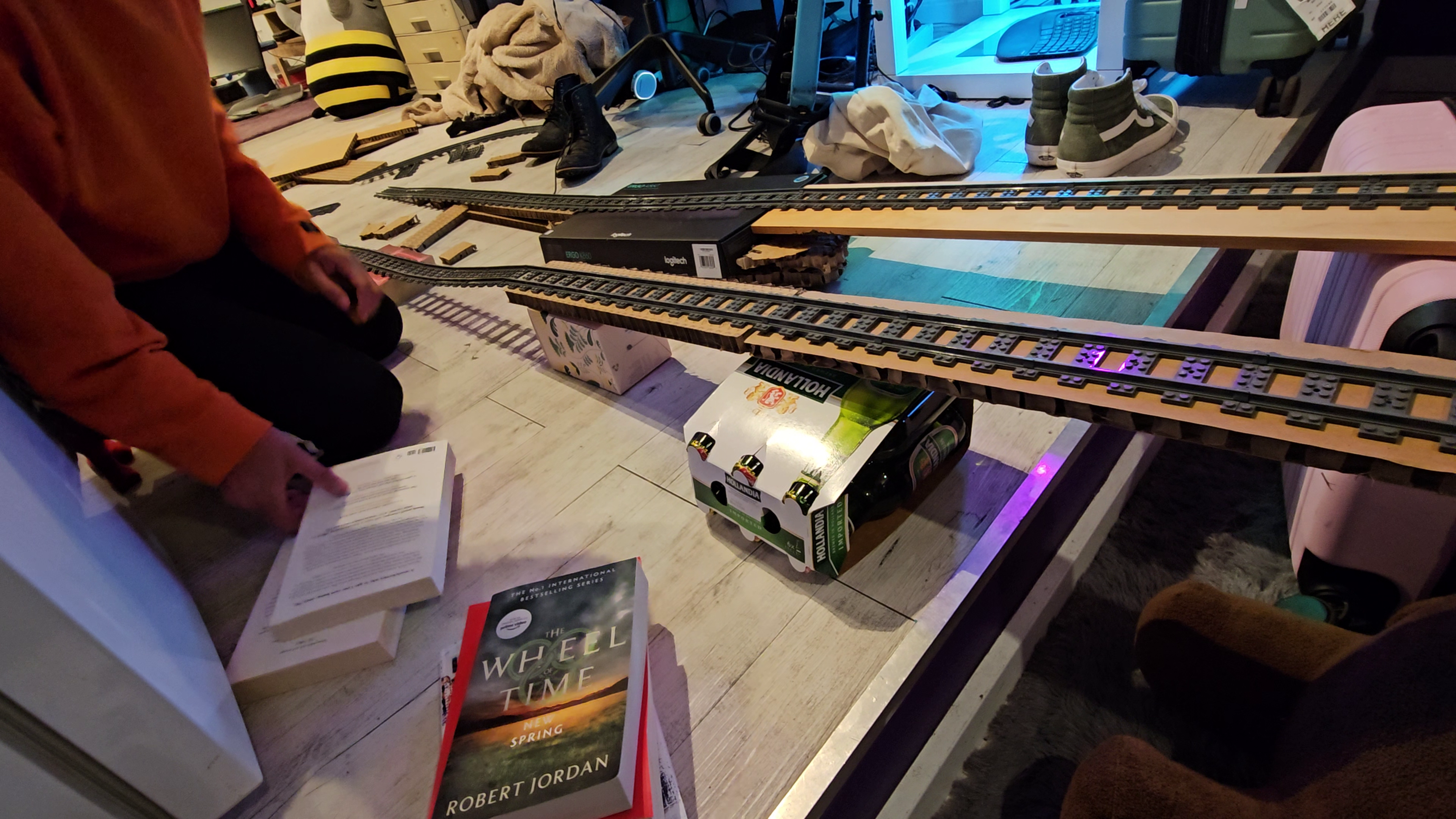
I’ve experimented with building Lego rail bridges before, using standard track and household objects like cardboard, books, and beer. Unfortunately, it can be very difficult to support the track evenly at the joints which occur every 150mm, and derailments are common. Credit: author

There’s actually a good reason Lego bridges aren’t a big thing in the company’s own product lineup, beyond a few obscure historical parts. This is probably because they aren’t very practical. Lego locomotives are not particularly strong haulers, nor do they have excellent grip on the rails, and this makes them very poor at climbing even mild grades. Any official Lego bridge would have to be very long with a shallow slope just to allow a train to climb high enough to clear a locomotive on a track below. This would end up being an expensive set that would probably prove unpopular with the casual Lego train builder, even if the diehard enthusiasts loved it. 

There are third-party options available out there. However, most rely on standard Lego track pieces and merely combine them with supports that hold them up at height. This can work in some cases, but it can be very difficult to do cool things like passing a Lego train under a bridge, for example. It can be hard to gain enough height, and the short length of Lego track pieces makes it hard to squeeze a locomotive between supports. Continue reading “How I 3D Printed My Own Lego-Compatible Train Bridges”

LEGO Machine Plays Tic-Tac-Toe Without Electronics

Tic-Tac-Toe is a relatively simple game, and one of the few which has effectively been solved for perfect play. The nature of the game made it possible for [Joost van Velzen] to create a LEGO machine that can play the game properly in an entirely mechanical fashion.

The build features no electronics to speak of. Instead, it uses 52 mechanical logic gates and 204 bits of mechanical memory to understand and process the game state and respond with appropriate moves in turn. There are some limitations to the build, however—the game state always begins with the machine taking the center square. Furthermore, the initial move must always be played on one of two squares—given the nature of the game though, this doesn’t really make a difference.

It’s also worth heading over to the Flickr page for the project just to appreciate the aesthetics of the build. It’s styled in the fashion of an 18th-century automaton or similar. It’s also been shared on LEGO Ideas where it’s raised quite a profile.

If you’ve ever wanted to think about computing in a mechanical sense, this build is a great example of how it can be done. We often see some fun LEGO machines around these parts, from massive parts sorters to somewhat-functional typewriters.

Continue reading “LEGO Machine Plays Tic-Tac-Toe Without Electronics”

Making A Bladeless Tesla Turbine Generator In LEGO

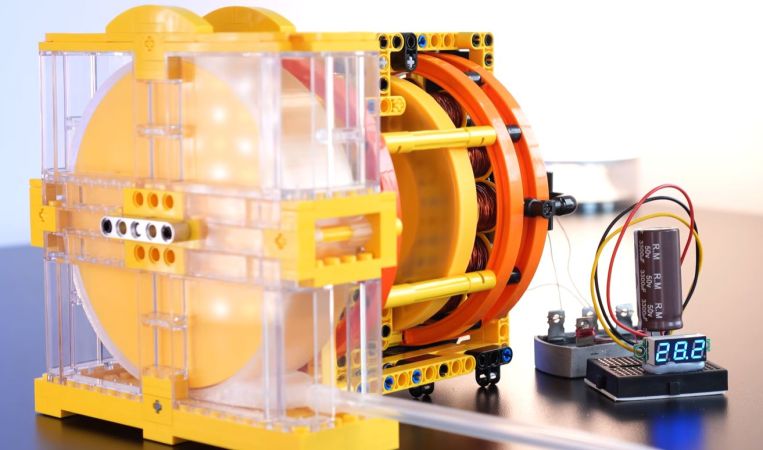
The Tesla turbine is a bladeless centripetal-flow turbine invented by Nikola Tesla in 1913, using the boundary-layer effect rather than having a stream of gases or a fluid impinge on blades. Recently [Jamie’s Brick Jams] constructed one using LEGO to demonstrate just how well these turbines work compared to their bladed brethren.

Since it uses the boundary-layer effect, the key is to have as much surface area as possible. This means having many smaller discs stacked side by side with some spacing between them.

Interestingly, the air that is directed against the turbine will travel inwards, towards the axle of the discs and thus requiring some way to vent the air. In the video a number of design prototypes are tested to see how they perform before settling on a design suitable for a functional generator.

The first discs are printed in PLA with an FDM printer, which are put on a shaft with 1 mm spacers. What becomes clear during testing is that these turbines can reach ridiculous speeds, but torque is really quite weak until you hit very high RPMs, well beyond 10,000 RPM. This is a bit of an issue if you want to drive any load with it, especially on start-up, but managed to propel a walker robot as a quick torque test.

Continue reading “Making A Bladeless Tesla Turbine Generator In LEGO”

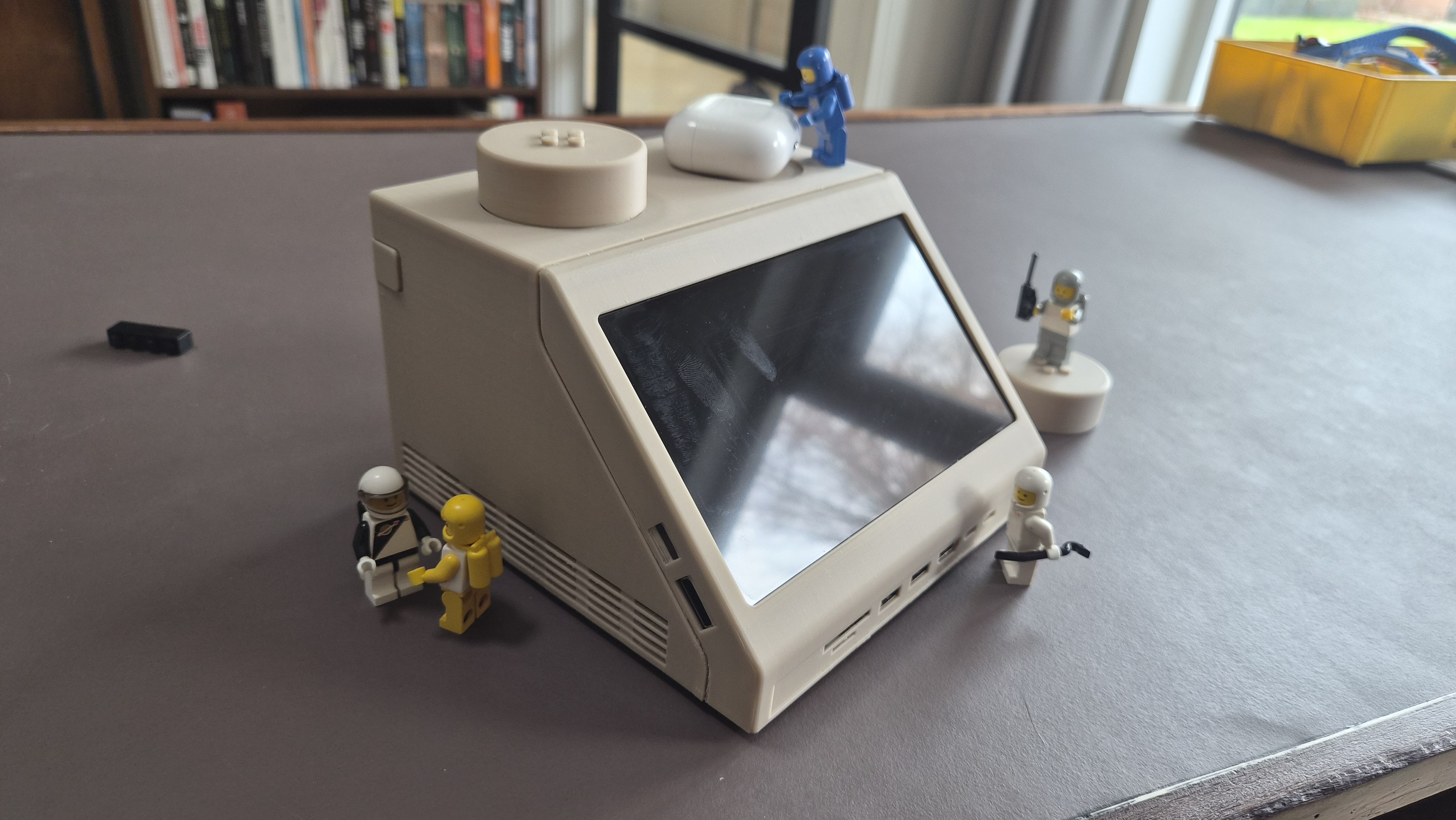
The LEGO-lookalike displaying [Paul]'s dashboard

LEGO Space Computer Made Full Size, 47 Years On

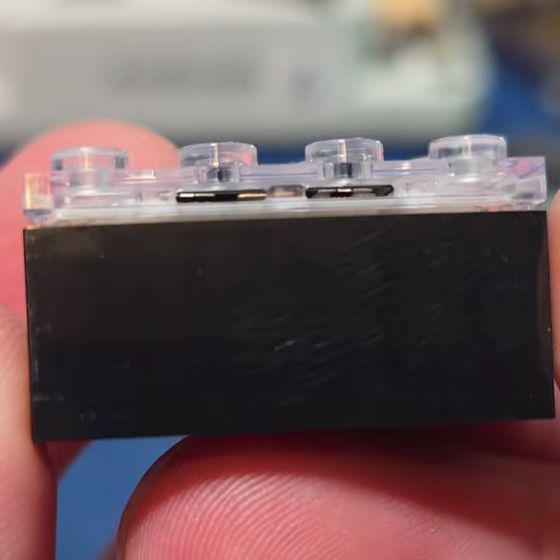
There’s just something delightful about scaled items. Big things shrunk down, like LEGO’s teeny tiny terminal brick? Delightful. Taking that terminal brick and scaling it back to a full-sized computer? Even better. That’s what designer [Paul Staal] has done with his M2x2 project.

In spite of the name, it actually has a Mac Mini M4 as its powerful beating heart. An M2 might have been more on-brand, but it’s probably a case of wanting the most horsepower possible in what [Paul] apparently uses as his main workstation these days. The build itself is simple, but has some great design details. As you probably expected, the case is 3D printed. You may not have expected that he can use the left stud as a volume control, thanks to an IKEA Symfonisk remote hidden beneath. The right stud comes off to allow access to a wireless charger.

The minifigs aren’t required to charge those airpods, but they’re never out of place.

The 7″ screen can display anything, but [Paul] mostly uses it either for a custom home assistant dashboard, or to display an equalizer, both loosely styled after ‘screen’ on the original brick. We have to admit, as cool as it looked with the minifigs back in the day, that sharp angle to the screen isn’t exactly ergonomic for humans.

Perhaps the best detail was putting LEGO-compatible studs on top of the 10:1 scaled up studs, so the brick that inspired the project can sit securely atop its scion. [Paul] has provided a detailed build guide and the STLs necessary to print off a brick, should anyone want to put one of these nostalgic machines on their own desk.

We’ve covered the LEGO computer brick before, but going the other way–putting a microcontroller and display in the brick it to run DOOM. We’ve also seen it scaled up before, but that project was a bit more modest in size and computing power.

Building The Most Simple Motor In Mostly LEGO

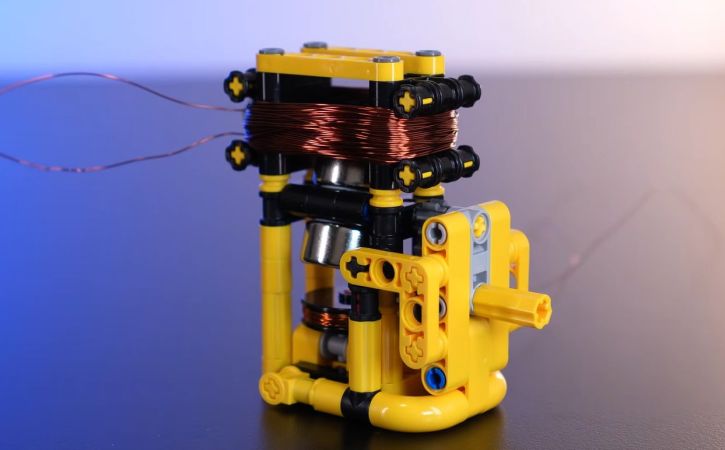
Although [Jamie’s Brick Jams] has made many far more complicated motor design in the past, it’s nice to go back to the basics and make a motor that uses as few parts as possible. This particular design starts off with a driver coil and a magnetic rotor that uses two neodymium magnets. By balancing these magnets on both sides of an axis just right it should spin smoothly.

The circuit for the simple motor. (Credit: Jamie's Brick Jams, YouTube)
The circuit for the simple motor. (Credit: Jamie’s Brick Jams, YouTube)

First this driver coil is energized with a 9 V battery to confirm that it does in fact spin when briefly applying power, though this means that you need to constantly apply pulses of power to make it keep spinning. To this end a second coil is added, which senses when a magnet passes by.

This sense coil is connected to a small circuit containing a TIP31C NPN power transistor and a LED. While the transistor is probably overkill here, it’ll definitely work. The circuit is shown in the image, with the transistor pins from left to right being Base-Collector-Emitter. This means that the sensor coil being triggered by a passing magnet turns the transistor on for a brief moment, which sends a surge of power through the driver coil, thus pushing the rotor in a typical kicker configuration.

Obviously, the polarity matters here, so switching the leads of one of the coils may be needed if it doesn’t want to spin. The LED is technically optional as well, but it provides an indicator of activity. From this basic design a larger LEGO motor is also built that contains many more magnets in a disc along with two circular coils, but even the first version turns out to be more than powerful enough to drive a little car around.

Continue reading “Building The Most Simple Motor In Mostly LEGO”

Lego Typewriter Writes Plastic Letters

Some time ago, Lego released a beautiful (and somewhat pricey) typewriter set that was modeled after one used by company founder Ole Kirk Kristiansen. To the disappointment of some, it doesn’t actually work—you can’t really write a letter with it. [Koenkun Bricks] decided to rectify this with their own functional design.

Right away, we’ll state that this is not a traditional typewriter. There are no off-the-shelf Lego components with embossed letters on them, so it wasn’t possible to make Lego type bars that could leave an impression on paper with the use of an inked ribbon. Instead, [Koenkun Bricks] decided to build a design that was Lego all the way down, right to the letters themselves. The complicated keyboard-actuated mechanism picks out flat letter tiles and punches them on to a flat Lego plate, creating a plastic document instead of a paper one.

It’s not perfect in operation. It has some issues unique to its mode of operation. Namely, the round letter tiles sometimes rotate the wrong way as they’re feeding through the typewriter’s mechanisms, so you get sideways letters on your finished document. It looks kind of cool, though. Outside of that, sometimes the letter pusher doesn’t quite seat the letter tiles fully on the document plate.

Overall, though, it’s a highly functional and impressive build. We’ve seen some other great DIY typewriters before, too, like this 3D printed build. Video after the break.

Continue reading “Lego Typewriter Writes Plastic Letters”

A computer monitor which was formerly an iMac G4 with a hemispherical white base sits on a table. The table and wall are likely white, but pink light is washing the scene making them and the monitor base appear pink. An iPhone sits above a piece of rounded plastic jutting out from the monitor base.

G4 IMac Becomes A Monitor With A MagSafe Secret

The G4 iMac is one of the more popular computers in the restomodding scene given its charm and unparalleled ergonomics. Most modern machines that people squeeze in don’t have a disc drive anymore though, so [EasternBloc Engineering] has fitted a retractable MagSafe charger into the drive bay of the machine.

In this example, the iMac has become simply a monitor, instead of an entire all-in-one computer, and the original 15″ display has been replaced with a lightweight 22″ monitor on a 3D printed VESA mount. The narrow confines of the iMac neck meant [EasternBloc Engineering] had to sever the connectors from the HDMI and power cable before reconnecting them once they were fed through.

The really novel part of this restomod is the engineering of the retractable MagSafe charger mount that pops out of the drive bay. [EasternBloc Engineering] started by looking at repurposing an original disc drive, but quickly turned to a bespoke 3D printed solution. Using a LEGO motor and gears for the drive, the system can stick its tongue out at you in a more modern way. A straight in-and-out mechanism like on an original disc drive would’ve been easier to implement, but we appreciate the extra time for angling the phone that respects the ergonomics of the machine. We hope the files will become available soon for this part of the mod since electromechanical components are more interesting than the VESA mount.

We’ve taken a look at how to implement MagSafe (or Qi2) into your own projects and also a few different G4 iMac restomods whether you prefer Apple Silicon or a PC-based approach.

Continue reading “G4 IMac Becomes A Monitor With A MagSafe Secret”