Kodak MC3: Everything But A Phone In 2001

One of the constants in consumer electronics is that designers will try to put as many features into a single device as possible, whether it’s a Walkman with a radio tuner or a new class of devices that crams a photo and video camera in the same enclosure as a music player. At the time that the Kodak MC3 was released this made it a rather unique device, with it in hindsight being basically a smartphone without the phone, as [Tech Tangents] aptly notes in his recent video on the device.

Six years before Apple’s iPhone would be announced, and eight years before the first iPod with a video camera, the Kodak MC3 was in many respects bleeding edge technology targeted straight at tech enthusiasts. For less than $300 you got VGA-quality images, CompactFlash storage, and MP3 playback capability. The videos it produced were 320×240 resolution, h.263 encoded MOVs with a maximum length of 4 seconds at 20 FPS, or 4 minutes with a 64 MB CF card.

The unit that [Tech Tangents] got used came with a 128 MB CF card, but couldn’t use a 2 GB CF card, which is a shame. The screen on it got a lot of flak for not not having a backlight, but this was common for the era, as were the poor viewing angles. Ditto for the poor video quality, as anyone who invested in consumer digital cameras in the early 2000s can attest to. In that respect this Kodak device was probably a bit too ambitious with its features for the era, maybe to compensate for it completely missing the boat on the rise of digital camera technology around the time.

Continue reading “Kodak MC3: Everything But A Phone In 2001”

Playing YouTube From The Command Line

Generally, one opens a web browser or an app to use YouTube. However, if you’re looking to just listen to the audio, you can actually do that right from the terminal. You just need Shellbeats from [lalo-space].

Shellbeats is primarily intended for playing music from YouTube, and is well equipped for this task. It allows searching YouTube directly from the terminal, as well as streaming tracks or entire playlists from the command line interface. You can also make and edit playlists from within the tool, and even download the whole lot as MP3s if so desired. It’s all keyboard-operated and nicely lightweight. The overall experience isn’t dissimilar from operating a simple LCD-based MP3 player from 20 years ago.

There’s plenty of other fun stuff you can do in the terminal, too, as we’ve explored previously. If you’re working on your own media player hacks, be sure to notify us on the tipsline!

DIY MP3 Player Inspired By The IPod

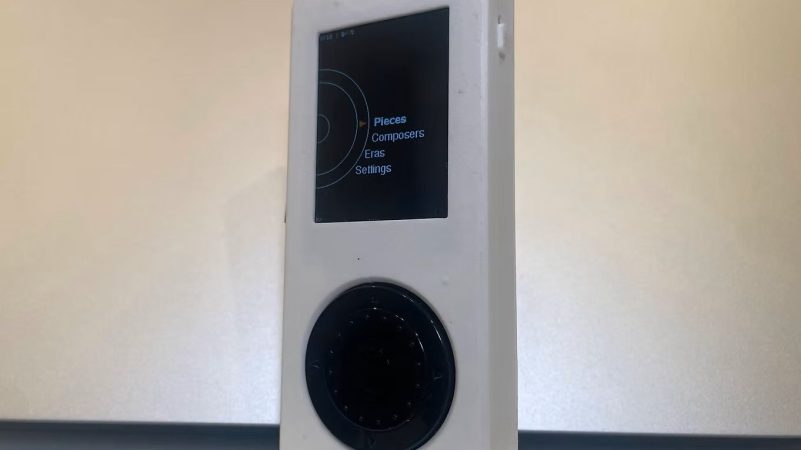
These days, the personal MP3 player has been largely replaced by the the smartphone. However, [Justinas Petkauskas] still appreciates the iPod for its tactility and portability, and wanted to bring that vibe back. Enter JPL.mp3

The build is based around the ESP32-S3 microcontroller. It’s hooked up with a PCM5102 DAC hooked up over I2S to provide quality audio, along with a micro SD card interface for music storage, and a small IPS LCD. The best feature, though? The mechanical click-wheel which provides a very tactile way to scroll and interact with the user interface. Everything is assembled into a neat 3D printed case, with a custom four-layer PCB lacing all the electronics together.

On the software side, [Justinas] cooked up some custom software for organizing music on the device using a SQLite database. As he primarily listens to classical music, the software features fields for composer/piece and conductor, orchestra, or performer.

[Justinas] calls the final build “chunky, but nevertheless functional” and notes it is “vaguely reminiscent of classic iPods.” We can definitely see the fun in building your own personalized version of a much-enjoyed commercial product, for sure. Meanwhile, if you’re cooking up your own similar hardware, we’d certainly love to hear about it.

This is the Rockbox logo banner.

Rockbox 4.0 Released

It’s traditional to launch new software on April Fool’s Day, which is when we heard that Rockbox 4.0 has been released. But, in this case, the venerable MP3 firmware actually did update after a long absence. It’s great to see that good old Rockbox is still kicking along. We first mentioned Rockbox here at Hackaday approaching 20 years ago. How time flies. There used to be a whole ‘scene’ around hacking Personal Media Players (PMPs), also known as “MP3 Players”.

We tracked down Rockbox contributor [Solomon Peachy] to ask for some simple advice: If someone wants to install Rockbox on a personal media player today, what hardware should they buy? [Solomon] referred us to the AIGO EROS Q / EROS K, which is the only compatible hardware still being manufactured and sold. Beyond that, if you want to buy compatible hardware, you’ll need to find some secondhand somewhere, such as eBay. See the Rockbox Wiki for supported hardware.

Smartphones and streaming services have subsumed the single-purpose personal media player. Will you put the new Rockbox on something? Let us know in the comments.

A Music Box Commanded By NFC Tags

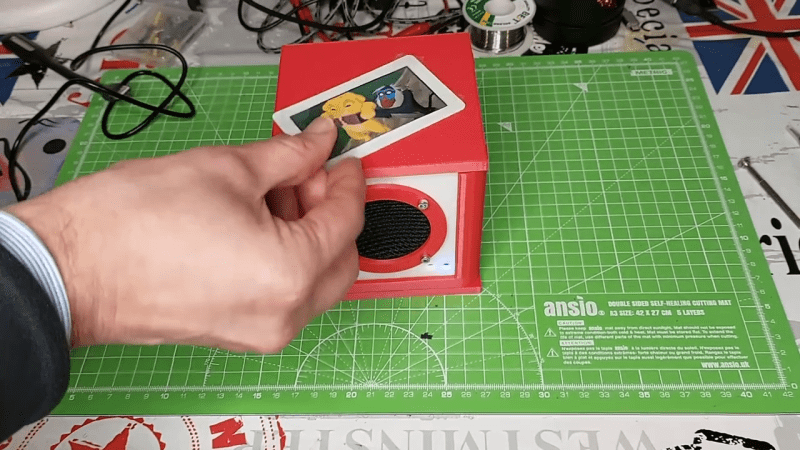
[Luca Dentella] recently encountered a toy, which was programmed to read different stories aloud based on the figurine placed on top. It inspired him to build an audio device using the same concept, only with music instead of children’s stories.

The NFC Music Player very much does what it says on the tin. Present it with an NFC card, and it will play the relevant music in turn. An ESP32 WROOM-32E lives at the heart of the build, which is hooked up over I2S with a MAX98357A Class D amplifier for audio output. There’s also an SD card slot for storing all the necessary MP3s, and a PN532 NFC reader for reading the flash cards that activate the various songs. Everything is laced up inside a simple 3D-printed enclosure with a 3-watt full range speaker pumping out the tunes.

It’s an easy build, and a fun one at that—there’s something satisfying about tossing a flash card at a box to trigger a song. Files are on Github for the curious. We’ve featured similar projects before, like the Yaydio—a fun NFC music player for kids. Video after the break.

Continue reading “A Music Box Commanded By NFC Tags”

More Things To Do With Your Cheap Yellow Display

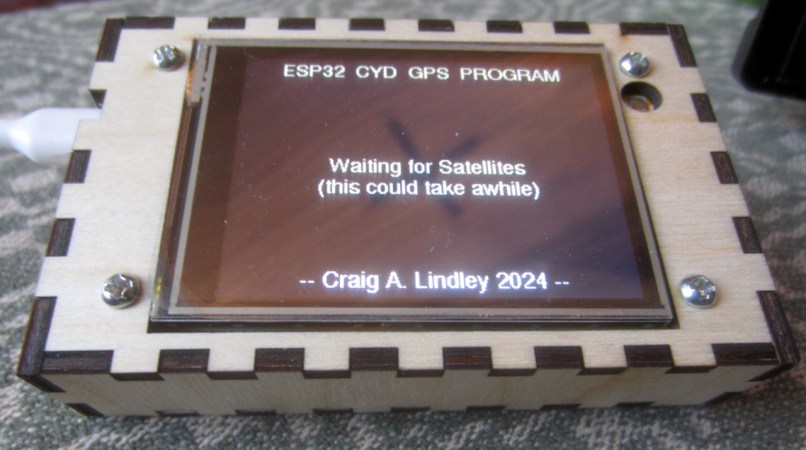
The Cheap Yellow Display (CYD) is an ESP32 development board that’s been making the rounds for a while now, thanks to its value and versatility. For around $10 USD, you get a nicely integrated package that’s perfect for a wide array of projects and applications. Toss a couple in on your next AliExpress order, and all you need to do is come up with an idea. [Craig Lindley] had two ideas, and maybe they will help get those gears turning in your head. Even if you don’t need a network-connected MP3 player or GPS information display, we bet browsing the source code would be useful.

Continue reading “More Things To Do With Your Cheap Yellow Display”

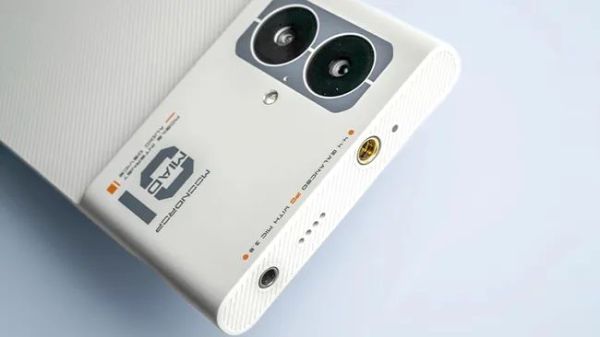
The Moondrop MIAD 01: A Smartphone With Balanced Audio Output

Over the past several years we have seen smartphones regrettably lose features which were once standard, such as FM radios, IR blasters, status LEDs, physical buttons, micro SD card slots, and of course headphone jacks. An interesting counterpoint here regarding the latter is the newly released Moondrop MIAD 01 smartphone.

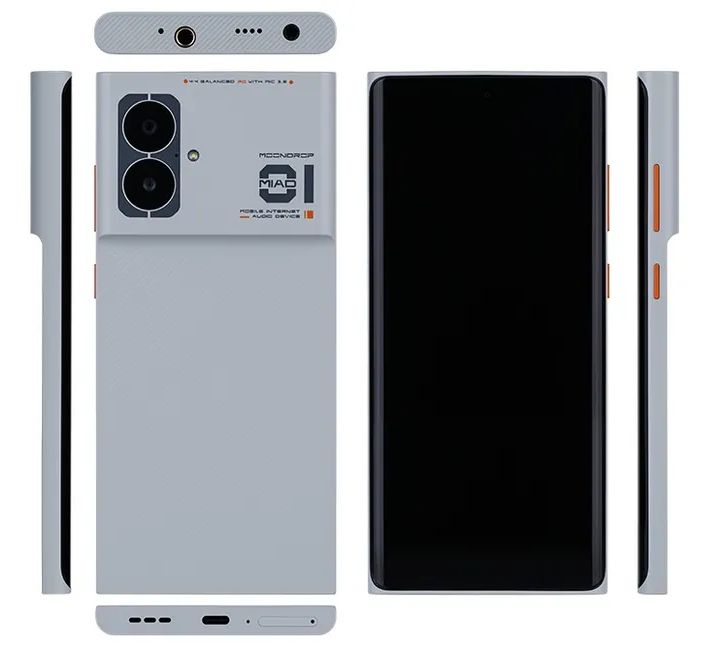
As a relatively well-known manufacturer of audio equipment including in-ear monitors (IEMs), the announcement of a smartphone came out of left field, but the specifications make sense. Of particular interest are the dual audio jacks: one 3.5 mm TRRS and one 4.4 mm balanced TRRS, making it a good match for high-end headphones that support balanced audio.

The Moondrop MIAD 01 smartphone from all sides. (Credit: Moondrop)

While the smartphone hardware is your average mid-range selection, featuring a MediaTek Dimensity 7050 SoC — its main selling point are the dual Cirrus Logic MasterHiFi DACs, that power the dual audio jacks. It’s also the reason behind the name: Mobile Internet Audio Device, or MIAD for short.

Given Moondrop’s audio enthusiast market, this tracks. These are people for whom the mere mentioning of ‘Bluetooth Audio’ or ‘USB-C-to-audio jack dongle’ is likely to evoke a less than favorable response.

In terms of software, Moondrop says the phone will offer a “native” Android 13 experience, which hopefully means it will be free from manufacturer-specific changes and bloatware. You’ll need to manually install Google Mobile Services though, as is often the case with Android devices that aren’t from the major players in the industry.

As reported by Android Authority, the MIAD 01 is available via select outlets for $399. Details like software updates remain to be clarified, but this might be the most over the top audio-centric smartphone we have seen so far. It definitely gives Sony’s current range of Android-based Walkmans a run for their money, while even having phone functionality in the package.