Comparing A Clone Raspberry Pi Pico 2 With An Original One

Although [Thomas] really likes the Raspberry Pi Pico 2 and the RP2350 MCU, he absolutely, totally, really doesn’t like the micro-USB connector on it. Hence he jumped on the opportunity to source a Pico 2 clone board with the same MCU but with a USB-C connector from AliExpress. After receiving the new board, he set about comparing the two to see whether the clone board was worth it after all. In the accompanying video you can get even more details on why you should avoid this particular clone board.

In the video the respective components of both boards are analyzed and compared to see how they stack up. The worst issues with the clone Pico 2 board are an improper USB trace impedance at 130 Ω with also a cut ground plane below it that won’t do signal integrity any favors.

There is also an issue with the buck converter routing for the RP2350 with an unconnected pin (VREG_FB) despite the recommended layout in the RP2350 datasheet. Power supply issues continue with the used LN3440 DC-DC converter which can source 800 mA instead of the 1A of the Pico 2 version and performed rather poorly during load tests, with one board dying at 800 mA load.

Continue reading “Comparing A Clone Raspberry Pi Pico 2 With An Original One”

Driving A DAC Real Fast With A Microcontroller

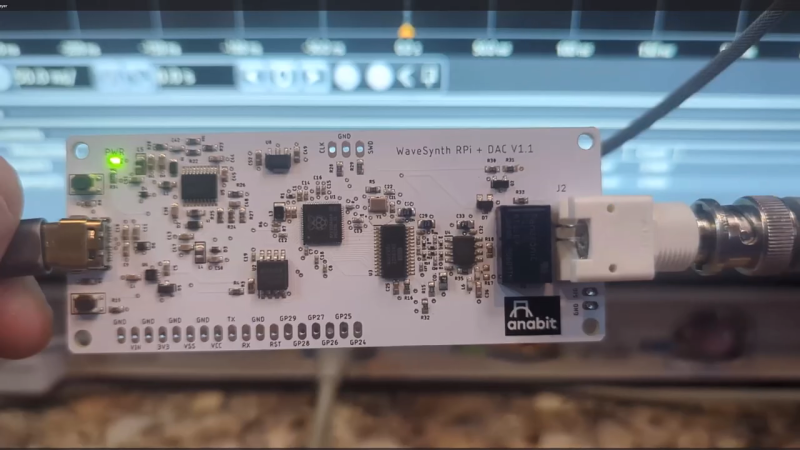
Normally, if you want to blast out samples to a DAC in a hurry, you’d rely on an FPGA, what with their penchant for doing things very quicky and in parallel. However, [Anabit] figured out a way to do the same thing with a microcontroller, thanks to the magic of the Raspberry Pi Pico 2.

The design in question is referred to as the PiWave 150 MS/s Bipolar DAC, and as the name suggests, it’s capable of delivering a full 150 million samples per second with 10, 12, or 14 bits of resolution. Achieving that with a microcontroller would normally be pretty difficult. In regular linear operation, it’s hard to clock bits out to GPIO pins at that sort of speed. However, the Raspberry Pi Pico 2 serves as a special case in this regard, thanks to its Programmable I/O (PIO) subsystem. It’s a state machine, able to be programmed to handle certain tasks entirely independently from the microcontroller’s main core itself, and can do simple parallel tasks very quickly. Since it can grab data from RAM and truck it out to a bank of GPIO pins in a single clock cycle, it’s perfect for trucking out data to a DAC in parallel at great speed. The Pi Pico 2’s clock rate tops out at 150 MHz, which delivers the impressive 150 MS/s sample rate.

The explainer video is a great primer on how this commodity microcontroller is set up to perform this feat in detail. If you’re trying for accuracy over speed, we’ve explored solutions for that as well. Video after the break.

Continue reading “Driving A DAC Real Fast With A Microcontroller”

Building A Wall-Mounted Sound Visualizer

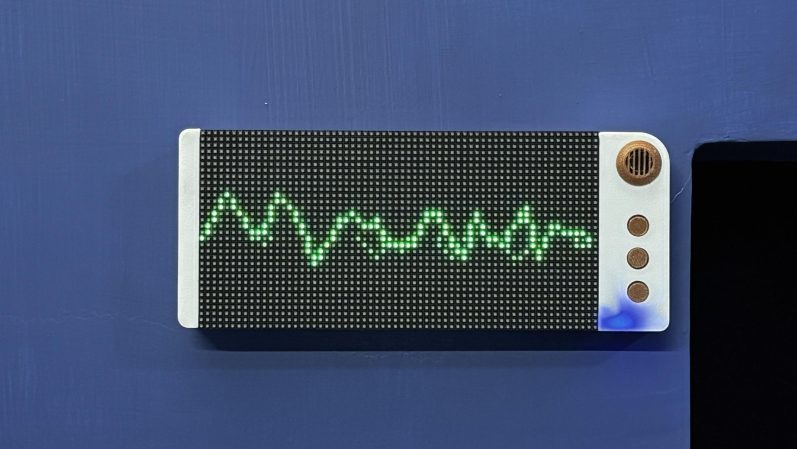
Visualizers used to be very much in vogue, something you’d gasp in at amazement when you’d fire up Winamp or Windows Media Player. They’re largely absent from our modern lives, but [Arnov Sharma] is bringing them back. After all, who doesn’t want a cool visualizer hanging on the wall in their living room?

The build is based around the Raspberry Pi Pico 2. It’s paired with a small microphone hooked up to a MAX9814 chip, which amplifies the signal and offers automatic gain control to boot. This is a particularly useful feature, which allows the microphone to pick up very soft and very loud sounds without the output clipping. The Pi Pico 2 picks up the signals from the mic, and then displays the waveforms on a 64 x 32 HUB75 RGB matrix. It’s a typical scope-type display, which allows one to visualize the sound waves quite easily. [Arnov] demonstrates this by playing tones on a guitar, and it’s easy to see the corresponding waveforms playing out on the LED screen.

It’s a fun project, and it’s wrapped up in a slick 3D printed housing. This turns the visualizer into a nice responsive piece of wall art that would suit any hacker’s decor. We’ve featured some other great visualizers before, too. Continue reading “Building A Wall-Mounted Sound Visualizer”

Build a $35 400 MHz Logic Analyzer

Build A 400 MHz Logic Analyzer For $35

What do you do when you’re a starving student and you need a 400 MHz logic analyzer for your digital circuit investigations? As [nanofix] shows in a recent video, you find one that’s available as an open hardware project and build it yourself.

The project, aptly named LogicAnalyzer was developed by [Dr. Gusman] a few years back, and has actually graced these pages in the past. In the video below, [nanofix] concentrates on the mechanics of actually putting the board together with a focus on soldering. The back of the build is the Raspberry Pi Pico 2 and the TXU0104 level shifters.

If you’d like to follow along at home, all the build instructions and design files are  available on GitHub. For your convenience the Gerber files have been shared at PCBWay

Of course we have heaps of material here at Hackaday covering logic analyzers. If you’re interested in budget options check out $13 Scope And Logic Analyzer Hits 18 Msps or how to build one using a ZX Spectrum! If you’re just getting started with logic analyzers (or if you’re not sure why you should) check out Logic Analyzers: Tapping Into Raspberry Pi Secrets.

Continue reading “Build A 400 MHz Logic Analyzer For $35”

Command And Conquer Ported To The Pi Pico 2

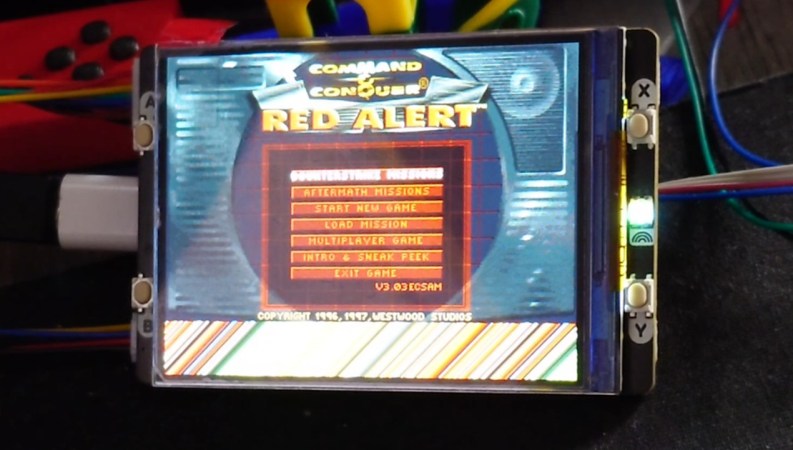
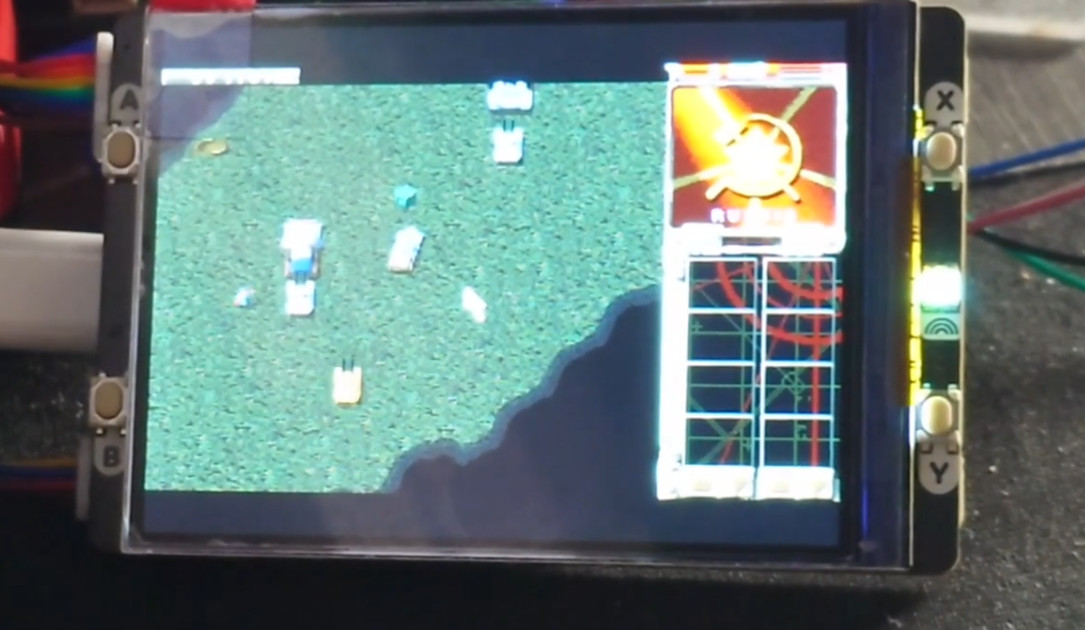
A couple of months back, Electronic Arts did something uncharacteristically benevolent and released several of the old Command and Conquer games under the GPLv3. Logically, we knew that opened the doors up to the games being ported to new operating systems and architectures, but we admit that it was still a little surprising to see Command and Conquer: Red Alert running on the Raspberry Pi Pico 2.

[Charlie Birks] documented the process of getting the 1996 game up and running on the microcontroller in a series of Mastodon posts spanning a few days in March. Seeing the incremental progress made each day makes for interesting reading, as he moves from the game just barely starting up to being able to complete missions and eventually even get multiplayer going between two Picos.

As [Charlie] clarifies, he’s technically using the Pimoroni Pico Plus 2 W, which takes the RP2350B from the official Pico 2, adds 8 MB of PSRAM, and bumps the onboard flash to 16 MB. The upgraded specs and an SD card are required to get the game running, as content that would have originally been held in RAM on the computer must instead be pulled from flash.

For an even more streamlined experience, he eventually slaps the Pico Plus 2 W into the Pimoroni Pico VGA Demo Base — which provided not only an integrated SD card slot, but (as the name implies) VGA output.

It’s still early days, but [Charlie] has been pushing all of his code changes into his fork of Red Alert on GitHub for anyone who wants to play along at home. If you get his fork compiled and running on your own Pico, we’d love to hear about it in the comments.

A RISC-V LISP Compiler…Written In Lisp

Ah, Lisp, the archaic language that just keeps on giving. You either love or hate it, but you’ll never stop it. [David Johnson-Davies] is clearly in the love it camp and, to that end, has produced a fair number of tools wedging this language into all kinds of nooks and crannies. The particular nook in question is the RISC-V ISA, with their Lisp-to-RISC-V compiler. This project leads on from their RISC-V assembler by allowing a Lisp function to be compiled directly to assembly and then deployed as callable, provided you stick to the supported language subset, that is!

The fun thing is—you guessed it—it’s written in Lisp. In fact, both projects are pure Lisp and can be run on the uLisp core and deployed onto your microcontroller of choice. Because who wouldn’t want to compile Lisp on a Lisp machine? To add to the fun, [David] created a previous project targeting ARM, so you’ve got even fewer excuses for not being able to access this. If you’ve managed to get your paws on the new Raspberry Pi Pico-2, then you can take your pick and run Lisp on either core type and still compile to native.

The Lisp-Risc-V project can be found in this GitHub repo, with the other tools easy enough to locate.

We see a fair few Lisp projects on these pages. Here’s another bare metal Lisp implementation using AVR. And how many lines of code does it take to implement Lisp anyway? The answer is 42 200 lines of C, to be exact.

Raspberry Pi RP2350-E9 Erratum Redefined As Input Mode Leakage Current

Although initially defined as an issue with GPIO inputs when configured with the internal pull-downs enabled, erratum RP2350-E9 has recently been redefined in the datasheet (page 1341) as a case of increased leakage current. As it is now understood since we previously reported, the issue occurs when a GPIO (0 – 47) is configured as input, the input buffer is enabled, and the pad voltage is somewhere between logic LOW and HIGH. In that case leakage current can be as high as 120 µA with IOVDD = 3.3 V. This leakage current is too much for the internal pull-up to overcome, ergo the need for an external pull-down: 8.2 kΩ or less, per the erratum. Disabling the input buffer will stop the leakage current, but reading the input requires re-enabling the buffer.

GPIO Pad leakage for IOVDD=3.3 V (Credit: Raspberry Pi)

The upshot of this issue is that for input applications, the internal pull-downs are useless, and since PIO applications cannot toggle pad controls, the input buffer toggling workaround is not an option. ADC usage requires one to clear the GPIO input enable. In general any circuit that relies on floating pins or an internal pull-down resistor will be affected.

Although this should mean that the affected A2 stepping of the RP2350 MCU can still be used for applications where this is not an issue, and external pull-downs can be used as a ‘fix’ at the cost of extra power usage, it makes what should have been a drop-in replacement a troubled chip at best. At this point there have still been no definite statements from Raspberry Pi regarding a new (B0) stepping, leaving RP MCU users with the choice between the less flashy RP2040 and the buggy RP2350 for the foreseeable future.

Header: Thomas Amberg, CC BY-SA 2.0.