Hackaday Links: November 22, 2015

There’s a new documentary series on Al Jazeera called Rebel Geeks that looks at the people who make the stuff everyone uses. The latest 25-minute part of the series is with [Massimo], chief of the arduino.cc camp. Upcoming episodes include Twitter co-creator [Evan Henshaw-Plath] and people in the Madrid government who are trying to build a direct democracy for the city on the Internet.

Despite being a WiFi device, the ESP8266 is surprisingly great at being an Internet of Thing. The only problem is the range. No worries; you can use the ESP as a WiFi repeater that will get you about 0.5km further for each additional repeater node. Power is of course required, but you can stuff everything inside a cell phone charger.

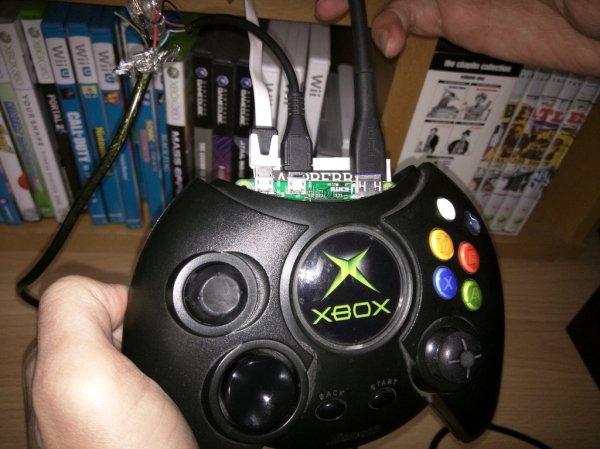
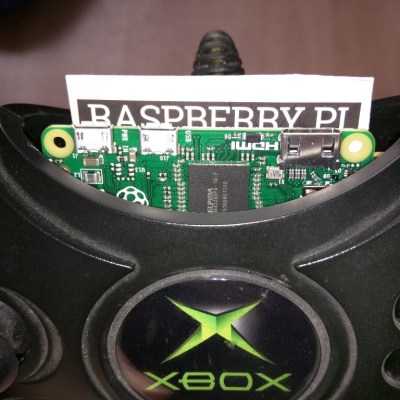
I’ve said it before and I’ll say it again: the most common use for the Raspberry Pi is a vintage console emulator. Now there’s a Kickstarter for a dedicated tabletop Raspi emulation case that actually looks good.

Pogo pins are the go-to solution for putting firmware on hundreds of boards. These tiny spring-loaded pins give you a programming rig that’s easy to attach and detach without any soldering whatsoever. [Tom] needed to program a few dozen boards in a short amount of time, didn’t have any pogo pins, and didn’t want to solder a header to each board. The solution? Pull the pins out of a female header. It works in a pinch, but you probably want a better solution for a more permanent setup.

Half of building a PCB is getting parts and pinouts right. [Josef] is working on a tool to at least semi-automate the importing of pinout tables from datasheets into KiCad. This is a very, very hard problem, and if it’s half right half the time, that’s a tremendous accomplishment.

Last summer, [Voja] wrote something for the blog on building enclosures from FR4. Over on Hackaday.io he’s working on a project, and it’s time for that project to get an enclosure. The results are amazing and leave us wondering why we don’t see this technique more often.

Inferno OS On Raspberry Pi

Unix isn’t the only operating system that came out of Bell Labs. In an effort to decouple hardware from user interfaces over a network, Bell also developed an OS named Plan 9 (named after the famously bad Ed Wood movie).  While Plan 9 is still in use, it never got the momentum that Unix did. In 1996, Bell Labs (now AT&T) decided to shift its focus to Inferno, an operating system  that was meant to challenge Java as a cross-platform virtual machine environment. Now LynxLine Labs has ported Inferno to the Raspberry Pi.

Not only did they do the work, they documented it in 26 labs if you want to follow along. Or, you can just head over to the project page and get the results along with updates (judging from the commit log, the project is under active development).

Continue reading “Inferno OS On Raspberry Pi”

DOE Announces A High Performance Computing Fortran Compiler Agreement

The U.S. Department of Energy’s National Nuclear Security Administration (NNSA) and its three national labs this week announced they have reached an agreement for an open-source Fortran front-end for Higher Performance Computing (HPC). The agreement is with IBM? Microsoft? Google? Nope, the agreement is with NVIDIA, a company known for making graphics cards for gamers.

The heart of a graphics card is the graphics processor unit (GPU) which is an extremely powerful computing engine. It’s actually got more raw horsepower than the computer CPU, although not as much as many claim. A number of years ago NVIDIA branched into providing compiler toolsets for their GPUs. The obvious goal is to drive sales. NVIDIA will use as a starting point their existing Fortran compiler and integrate it with the existing LLVM compiler infrastructure. That Fortran, it just keeps chugging along.

You can try out GPU programming on your Raspberry Pi. Yup! Even it has one, a Broadcom. Just follow the directions from Raspberry Pi Playground. You’re going to get your hands dirty with assembly language so this is not for the faint hearted. One of the big challenges with GPUs is exchanging data with them which gets into DMA processing. You could also take a look at [Pete Warden’s] work on using the Pi’s GPU.

Still wondering about the performance of CPU vs GPU? Here’s Adam Savage taking a look…

Continue reading “DOE Announces A High Performance Computing Fortran Compiler Agreement”

Code Craft-Embedding C++: Hidden Activities?

What is an embedded system? The general definition is a computer system dedicated to a specific purpose, i.e. not a general purpose system usable for different tasks. That is a very broad definition. I was just skimming the C++ coding guidelines for the Joint Strike Fighter. That’s a pretty big embedded system and the first DOD project that allowed C++! When you use an ATM to get money you’re using an embedded system. Those are basically hardened PCs. Then at the small end we have all the Internet of Things (IoT) gadgets.

The previous articles about embedding C++ discussing classes, virtual functions, and macros garnered many comments. I find both the positive and critical comments rewarding. More importantly, the critical comments point me toward issues or questions that need to be addressed, which is what got me onto the topic for this article. So thank you, all.

Let’s take a look at when embedded systems should or should not use C++, taking a hard look at the claim that there may be hidden activities ripe to upset your carefully planned code execution.

Continue reading “Code Craft-Embedding C++: Hidden Activities?”

Processing For Raspberry Pi

You know Processing? It is the programming language and IDE aimed at the electronic arts, new media art, and visual design communities. [Gottfried Haider] recently got Processing working on the Raspberry Pi and included a hardware input/output library to manipulate the Pi’s I/O pins.

If you want to experiment with Processing, you can download it right on your Pi with the following command:

curl https://processing.org/download/install-arm.sh | sudo sh

You can also download it from the download page. There’s a specific tutorial available or you can watch some general videos on Processing (see below).

Continue reading “Processing For Raspberry Pi”

Gravity Pong Reaches Into The Sky

For a recent event [Norwegian Creations] decided to make something fun. They built what might just be the tallest free-standing gravity pong game out there. It’s 4.5m tall, and the LEDs in it draw over 100 amps!

What is Gravity Pong anyway? Well it’s a single person game where you get three “bounces”. A ball of light will drop from the top of the tube and the closer to the bounce-line you hit the button, the higher it will bounce. Your high score consists of how high you get the light — but if you miss the bounce line, you lose!

The structure itself is quite impressive. They’ve wrapped acrylic tubes with 1792 individually controllable RGB LEDs, in groups of four. Each section requires a power supply capable of putting out 27A @ 5V! The game is controlled by a Raspberry Pi 2 which controls a Pixelpusher to manipulate the LEDs. It’s connected to the Internet, so high scores can be automatically uploaded!

When it comes to pong though, we quite enjoy playing it with $5,000 construction crane controllers — because why not?

Continue reading “Gravity Pong Reaches Into The Sky”

RPiTX Turns Rasberry Pi Into Versatile Radio Transmitter

Since the discovery that some USB TV tuner dongles could be used to monitor radio waves across a huge amount of spectrum, the software-defined radio world has exploded with interest. The one limiting factor, though, has been that the dongles can only receive signals; they can’t transmit them. [Evariste Okcestbon, F5OEO] (if that is his real name! Ok c’est bon = Ok this is good) has written some software that will get you transmitting using SDR with only a Raspberry Pi and a wire.

There have been projects in the past that use a Pi to broadcast radio (PiFM), but this new software (RPiTX) takes it a couple steps further. Using just an appropriately-sized wire connected to one of the GPIO pins, the Raspberry Pi is capable of broadcasting using FM, AM, SSB, SSTV, or FSQ signals. This greatly increases the potential of this simple computer-turned-transmitter and anyone should be able to get a lot of use out of it. In the video demo below the break, [Evariste] records a wireless doorbell signal and then re-transmits it using just the Rasbperry Pi.

The RPiTX code is available on GitHub if you want to try it out. And it should go without saying that you will most likely need an amateur radio license of some sort to use most of these features, depending on your locale. If you don’t have a ham radio license yet, you don’t need one to listen if you want to get started in the world of SDR. But a ham license isn’t hard to get and at this point it shouldn’t take much convincing for you to get transmitting.

Continue reading “RPiTX Turns Rasberry Pi Into Versatile Radio Transmitter”