Hackaday Podcast 056: Cat Of 9 Heads, Robot Squats, PhD In ESP32, And Did You Hear About Sonos?

Hackaday editors Elliot Williams and Mike Szczys gab on great hacks of the past week. Did you hear that there’s a new rev of the Pi 4 out there? We just heard… but apparently it’s release into the wild was months ago. Fans of the ESP8266 are going to love this tool that flashes and configures the board, especially for Sonoff devices. Bitluni’s Supercon talk was published this week and it’s a great roadmap of all the things you should try to do with an ESP32. Plus we take on the Sonos IoT speaker debacle and the wacky suspension system James Bruton’s been building into his humanoid robot.

Take a look at the links below if you want to follow along, and as always tell us what you think about this episode in the comments!

Take a look at the links below if you want to follow along, and as always, tell us what you think about this episode in the comments!

Direct download (60 MB or so.)

Continue reading “Hackaday Podcast 056: Cat Of 9 Heads, Robot Squats, PhD In ESP32, And Did You Hear About Sonos?”

Raspberry Pi Slips Out New PCB Version With USB C Power Fix

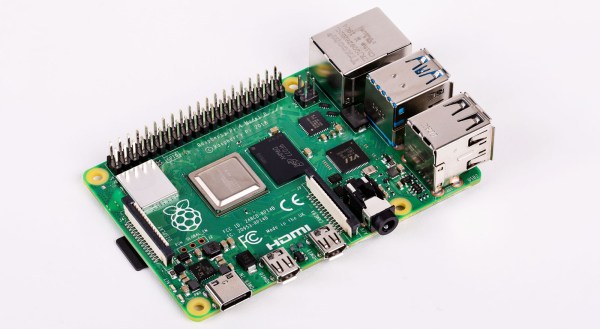
When the Raspberry Pi people release a fresh model in their line of fruity single board computers, it’s always an event of great interest. The Raspberry Pi 4 brought some significant changes to the formula: they moved to mini micro HDMI and USB-C power sockets, for instance. The early adopters who scored one of those Pi 4s were in for a shock though, if they had all but the most basic USB C power cables the device wouldn’t power up. Now the Register has news that they have slipped out with little fanfare an updated version of the board containing a fix for this problem.

Our colleague Maya Posch delved deeply into the USB C specification and delivered a pithy analysis at the time which demonstrated that the fault lay with the configuration of the sense resistors used by intelligent USB C power sources to determine what power to supply. For the addition of a single surface mount resistor the problem need never have existed, and we’re guessing that’s how they fixed it.

There’s no need to despair should you have one of the older boards, though. They will still work as they always have done with the so-called “dumb” power supplies and cables, and meanwhile we’re sure that future Pi boards will have had a lot of attention paid to their USB power circuitry.

Adding USB-C To The TS100, But Not How You Think

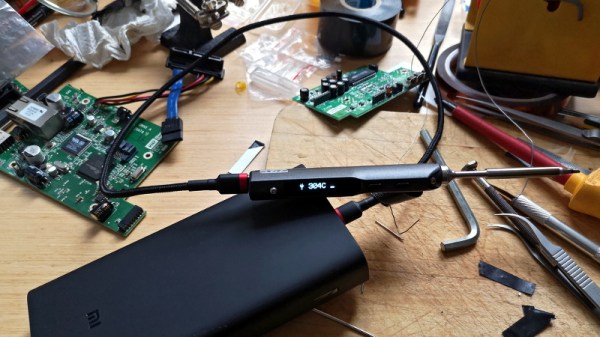
USB-C has its special Power Delivery standard, and is capable of delivering plenty of juice to attached hardware. This has led many to modify their TS-100 soldering irons to accept the connector. [Jana Marie] is the latest, though she’s taken rather a different tack than you might expect.

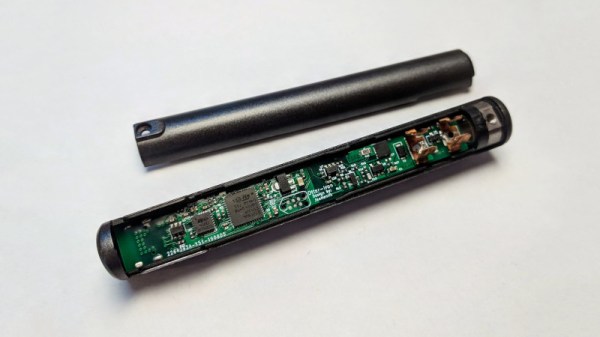
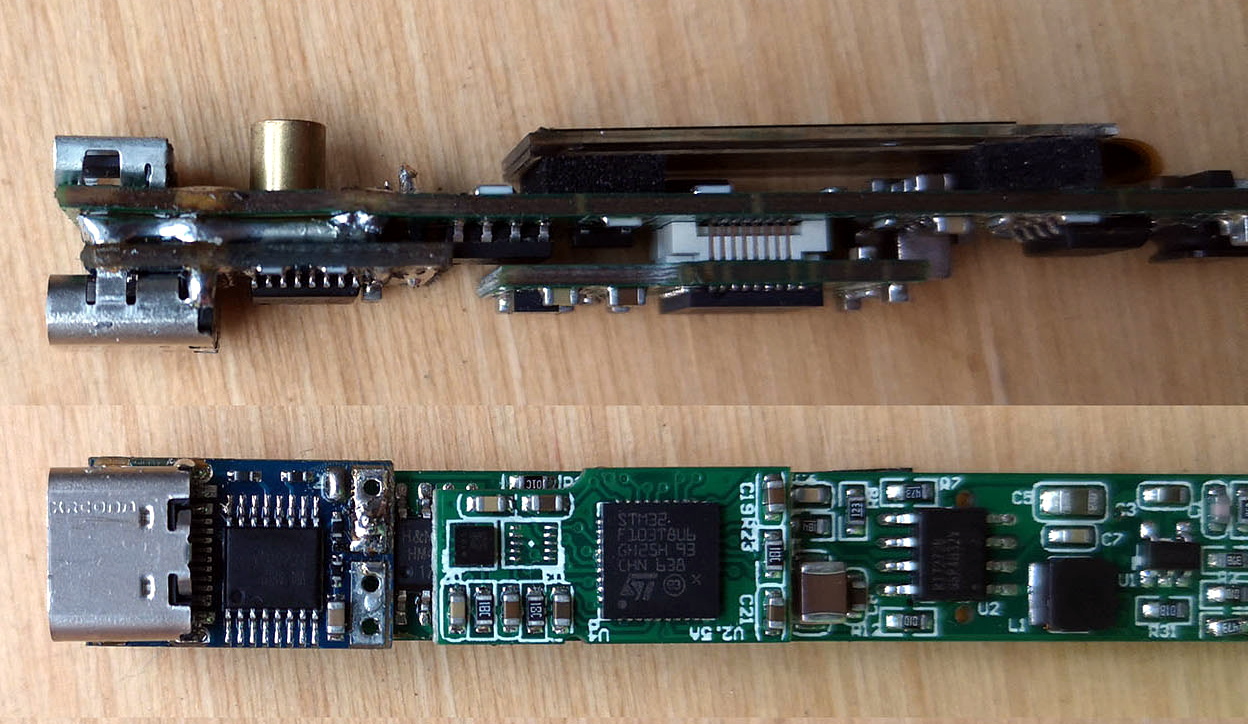
[Jana] didn’t want to modify the original hardware or hack in an adapter. Instead, she struck out on her own, developing an entire replacement PCB for the TS-100 iron. The firmware is rough and ready, and minimal work has been done on the GUI and temperature regulation. However, reports are that functionality is good, and [Jana]’s demonstration shows it handling a proper desoldering task with ease.

Files are on Github for those that wish to spin their own. The PCB is designed to snap neatly inside the original case for a nice fit and finish. Power is plentiful too, as the hardware supports USB Power Delivery 2.0, which is capable of running at up to 100 W. On the other hand, the stock TS-80 iron, which natively supports USB-C, only works with Quick Charge 3.0, and thus is limited to a comparatively meager 36 W.

We’ve seen plenty of TS-100 hacks over 2019. Some have removed the standard barrel jack and replaced it with a USB-PD board. Meanwhile, others have created adapters that plug in to the back of the iron. However, [Jana] is dictating her own terms by recreating the entire PCB. Sometimes it pays to go your own way!

[Thanks to elad for the tip!]

A USB-C Bench Power Supply

A bench power supply is one of those things that every hacker needs, and as the name implies, it’s intended to occupy a place of honor on your workbench. But with the addition of USB-C support to his DPH5005 bench supply, [Dennis Schneider] is ready to take his on the road should the need ever arise.

The build started with one of the common DPH5005 bench power supply kits, which [Dennis] says he was fairly happy with aside from a few issues which he details in the post on his blog. Even if you aren’t looking to modify your own kit with the latest and greatest in the world of Universal Serial Bus technology, it’s interesting to read his thoughts on the power supply kit if you’ve been considering picking one up yourself.

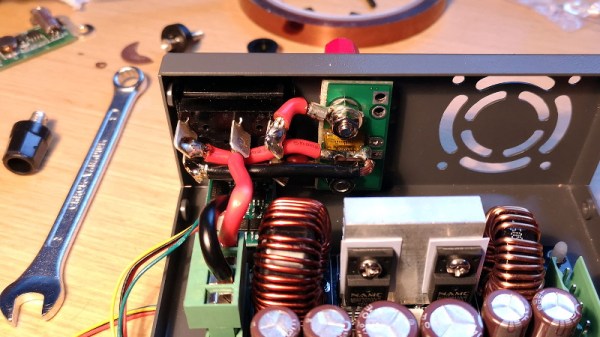
Under normal circumstances you are supposed to give the DPH5005 DC power via the terminals on the back panel of the supply, which in turn is regulated and adjusted via the front panel controls. To add support for USB-C, all [Dennis] had to do was install a USB-PD trigger module configured to negotiate 20 VDC in the back of the case and connect it to the DC input. To hold it in place while isolating it from the metal case, he used a piece of scrap PCB carefully cut and wrapped in Kapton tape.

This actually isn’t the first portable bench power supply we’ve seen. Last year we saw one that got its input power from Makita portable tool batteries, but we think all things considered, the USB-C option is probably a bit more convenient.

Adding USB-C To The TS100

The TS100 is a popular entry into the new breed of small temperature-controlled soldering irons that, at least for some of us, have started to replace the bulky soldering stations of old. Unfortunately, one downside of this particular model is the need to plug it into a fairly ungainly laptop-style power supply, which certainly hinders its otherwise portable nature. But [Dennis Schneider] has come up with a very slick solution to that problem by adding a USB-PD module to his TS100.

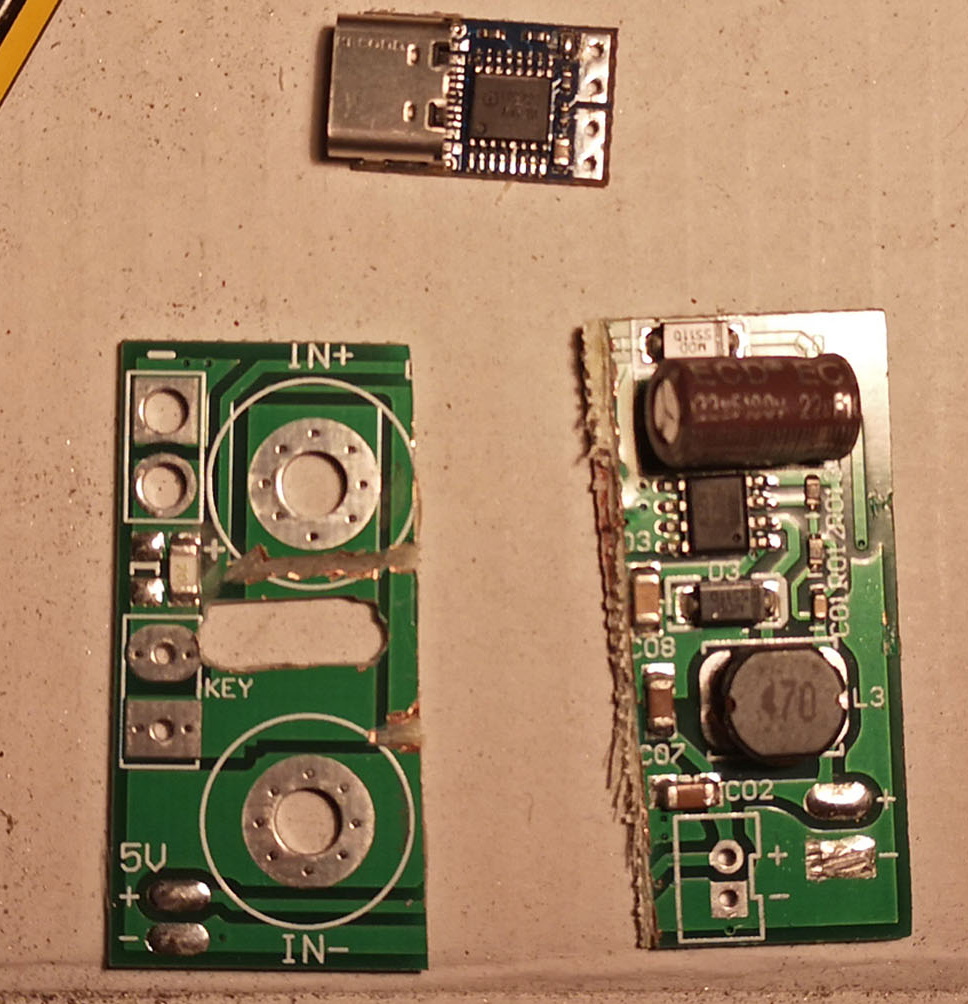
The idea here is very simple: just remove the original DC barrel connector, and in its place install a USB-PD trigger module. In practice it took more than a little fiddling, cutting, persuasion, and creative soldering (ironically, with a soldering station), but the end result does look quite professional.

It helps that the USB-PD module [Dennis] used was almost the exact same width as the TS100 PCB, meaning that the modified iron could go back into its original case. Though as we saw not so long ago, there’s a growing community of 3D printed replacement cases should you select a trigger module that doesn’t so neatly fit the footprint of the original board. Or if you didn’t want to modify the iron at all, you could always just make an external adapter.

Those that have some experience with these irons might be wondering what the point of modifying the TS100 to take USB-C is when we already have the TS80. As it turns out, while the TS80 is using a USB-C connector it doesn’t actually use USB-PD, so its not taking advantage of the enhanced power delivery capabilities. We know, it’s all kind of confusing.

USB Power Delivery For All The Things

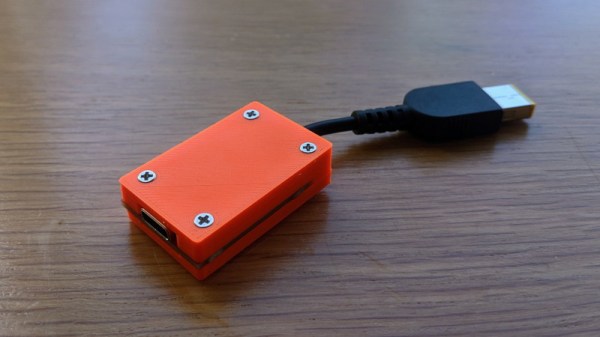
The promise of USB Power Delivery (USB-PD) is that we’ll eventually be able to power all our gadgets, at least the ones that draw less than 100 watts anyway, with just one adapter. Considering most of us are the proud owners of a box filled with assorted AC/DC adapters in all shapes and sizes, it’s certainly a very appealing prospect. But [Mansour Behabadi] hasn’t exactly been thrilled with the rate at which his sundry electronic devices have been jumping on the USB-PD bandwagon, so he decided to do something about it.

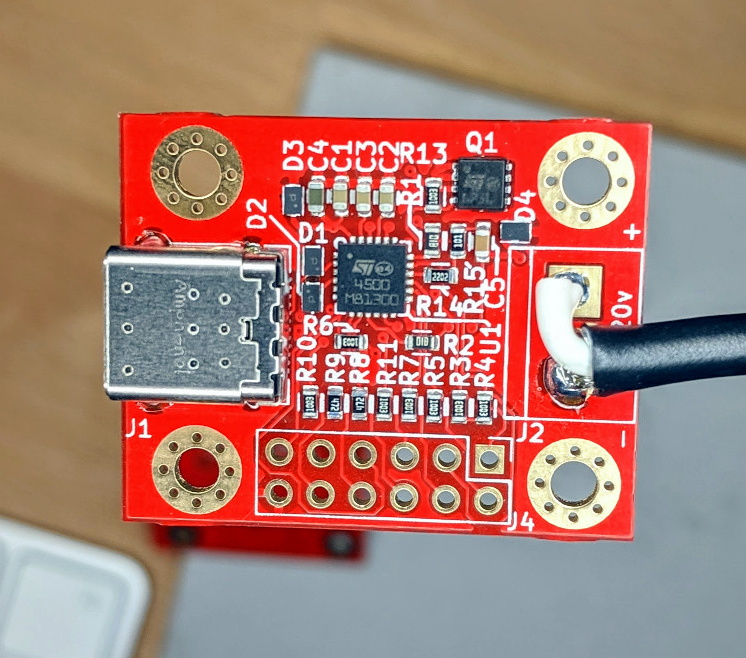
[Mansour] wanted a simple way to charge his laptop (and anything else he could think of) with USB-PD over USB-C, but none of the existing options on the market was quite what he wanted. He looked around and eventually discovered the STUSB4500, a a USB power delivery controller chip that can be configured over I2C.

With a bit of nonvolatile memory onboard, it can retain its settings so he didn’t have to include a microcontroller in his design: just program it once and it can be used stand-alone to negotiate the appropriate voltage and current requirements when its plugged in.

The board that [Mansour] came up with is a handy way of powering your projects via USB-C without having to reinvent the wheel. Using the PC configuration tool and an Arduino to talk to the STUSB4500 over I2C, the board can be configured to deliver from 5 to 20 VDC to whatever device you connect to it. The chip is even capable of storing three seperate Power Delivery Output (PDO) configurations at once, so you can give it multiple voltage and current ranges to try and negotiate for.

In the past we’ve seen a somewhat similar project that used USB-PD to charge lithium polymer batteries. It certainly isn’t happening overnight, but it looks like we’re finally starting to see some real movement towards making USB-C the standard.

USB Armory MkII: A USB-C Thumb Drive Based Linux Computer For Pentesters

While it might look like a disrobed flash drive or RTL-SDR dongle, the USB Armory Mk II is actually a full-fledged open hardware computer built into the ubiquitous USB “stick” format. But more than just that, it’s optimized for security research and boasts a list of features that are sure to get the attention of any pentesters in the audience. Fine tuned thanks to the feedback developer [Inverse Path] received about the original version of the hardware, the Mk II promises to be the last word in secure mobile computing.

Compared to the original hardware, the most obvious change is the switch to USB-C. The previous USB Armory used traces on the PCB to plug directly into a USB Type-A port, but this time around [Inverse Path] has put a proper male connector on the front of the board. Nominally, the USB Armory is plugged into a host computer to provide it with power and a network connection, though it also has the ability to disguise itself as a storage or input device for more stealthy applications. There’s also a female USB-C port on the Mk II, which can be used to connect additional devices, a feature the previous version lacked.

The USB Armory Mk II is powered by an upgraded 900 MHz ARM Cortex-A7 processor, though it retains the same 512 MB of RAM from the previous version. Like the original, there’s a micro SD slot to hold the Linux operating system, but this time it’s supplemented with an onboard 16 GB eMMC chip. There’s even a physical switch that allows the user to choose which storage device they want to boot from. Other additions for the Mk II include Bluetooth connectivity, and a hardware true random number generator (TRNG).

We first brought you word of the original USB Armory back in 2014, and it’s always good to see an open hardware project thriving and iterating years later. While the $149 price tag arguably puts the MKII out of the tinkering budget for many of us, there’s clearly a market for niche devices like this and we can’t wait to see what [Inverse Path] comes up with next.