Custom Controllers For PlayStation 3

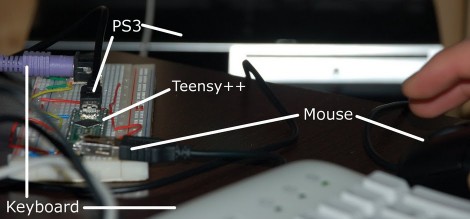
[Matlo] worked out a way to use a PS/2 Keyboard and USB mouse with a PlayStation3. The hard work is handled by a Teensy board, which is becoming a popular choice with controller hacks. It interfaces with the keyboard and mouse, translates their input, and sends joystick button commands to the PS3. He is limited to mapping the inputs from a PS3 controller but that is still enough options to work beautifully with first person shooters, especially if you’re used to gaming on a PC instead of a console. If you want to give this one a try, head over to the google code page to download the source code.
USB VU-meter

[youtube http://www.youtube.com/watch?v=jsg24MGNpRc&feature=player_embedded%5D

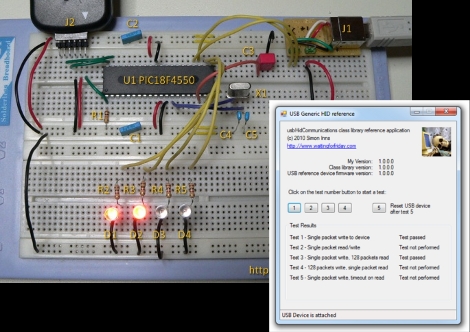
WaitingForFriday’s [Simon Inns] is quite possibly the USB interface and PIC master. This week he let us know about his VU-meter repurposed as a computer performance monitor using a PIC18F2550 and his open source USB Generic HID communication class. With PWM the meter’s needles and RGB LED can be accurately set and even dampened for CPU usage, network usage, HDD utilization, and even memory usage. Oddly enough, in his software we didn’t find the ability to use the device as a VU-meter – go figure.

Just The Right Controller For Any Game

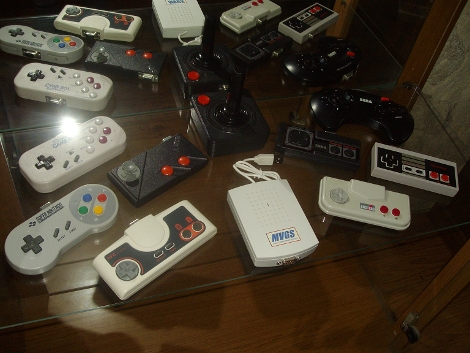
[Patrice] hacked all of his classic controllers for use when playing games on an emulator. He made the base station starting with a USB gaming controller. From there he soldered wires connecting the PCB pads for all of the buttons to the pins of a d-sub connector. The same is done on the classic controller, allowing him to switch them out at will. If you do the wiring correctly you only need to configure your emulator buttons once. This is a lot easier than trying to find and use classic controller connectors but you do have to alter that vintage hardware.

PICMAN, A Diy Prototyping Setup

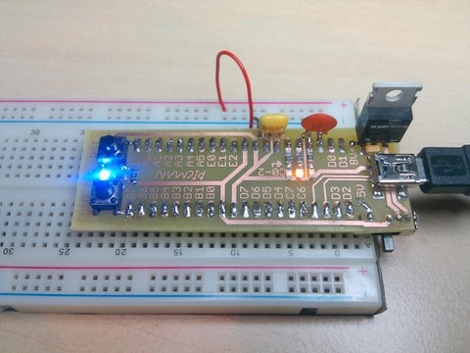
[Ytai Ben-Tsvi] wanted a rapid prototyping tool that could be easily and cheaply built at home. He came up with the PICMAN, a breadboard compatible PIC based board that has everything you need to get the ball rolling. He’s using a PIC18LF4553 which has built-in USB support that can be used with a bootloader for programming. The board also features a voltage regulator for non-USB power sources, some indicator LEDs, a user-defined button, and a reset button. The chip is on the underside and a combination of through-hole and surface-mount parts make for a one-sided PCB that can easily be etched using the toner transfer method. You will need a PIC programmer to burn the bootloader firmware the first time but once that’s done this becomes a self-contained package.

SNES Controller + USB + Accelerometer

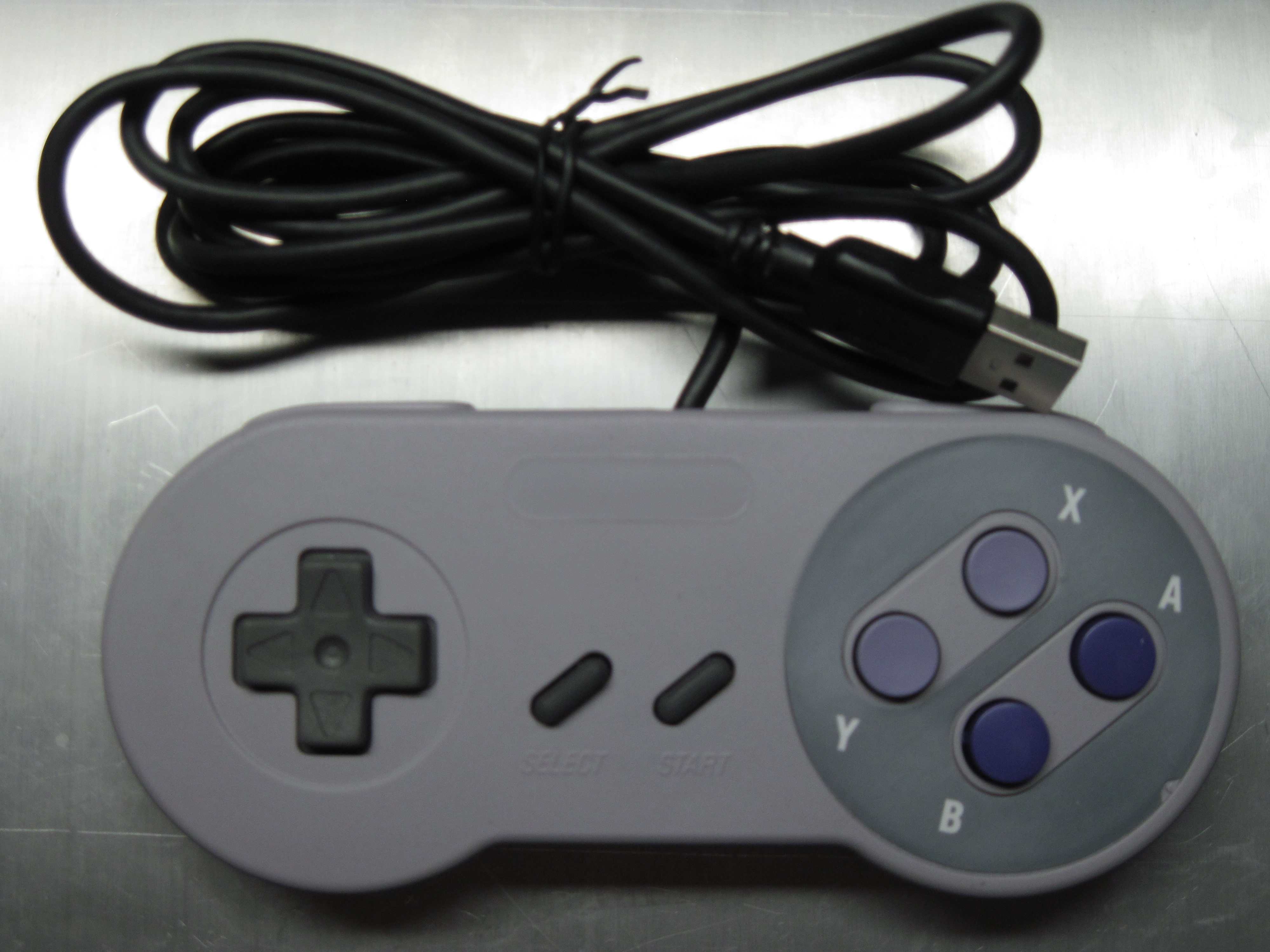
As we posted about [Atarity]’s XBMC hiding in an SNES controller, we were finishing work on a tutorial for [Adafruit]. The tutorial combines a Teensy USB development board with a 3D accelerometer inside of an SNES controller. The Teensy is programmed to poll the SNES controller buttons and read the accelerometer values. The buttons are set to keystrokes and mouse buttons, and the accelerometer values are processed into mouse movement. Programmed to play Portal, we created a video showing how to use the device. You can see it after the break.

It was not quite as easy or quick as the typical PC gamer left hand: WASD, right hand: mouse stance. However, we can think of a number of other games that could be improved with the use of a device that, with a bit of hacking, could time keystrokes as the user needed. With a bit more hacking, the device could be made to brute-force passwords. What else would you do with this?

Continue reading “SNES Controller + USB + Accelerometer”

PIC USB Host Shortcuts

[Simon Inns] is still hard at work making USB connectivity for PIC microcontrollers easier for the hobbiest. He’s released a framework for PIC based USB devices under Windows. It includes the firmware needed for USB compatible 18F PIC chips as well as a C# class library and example programs for the Windows side of things. This goes quite a bit further than his PIC-USB tutorial but with little added effort on your end of things.

We do our USB prototyping on a breadboard just like [Simon] did in this example. He’s got a nice little USB-B connector breakout that is easy to plug into the breadboard. If you prefer to have a more stable development area, check out the one he designed. It’s a single-sided PCB made for through-hole components with just a handful of jumper wires.

Program Your Own Mayhem-causing USB Dongle

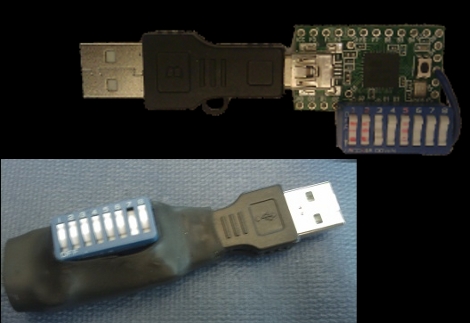
[Adrian Crenshaw] is up to no good with this programmable USB device. [Adrian’s] creation identifies itself as a USB keyboard and can be programmed to do whatever you want. That’s because it’s based around the Teensy board which sports an ATmega32 that will cost you only $18. He’s added a set of DIP switches for easy in-field changes to the firmware. There’s also a light sensor that can be used to activate a command once an unknowing victim has shut off the lights in the office and left for the day. Check out his talk after the break to see his proposed uses for such a device.

Continue reading “Program Your Own Mayhem-causing USB Dongle”