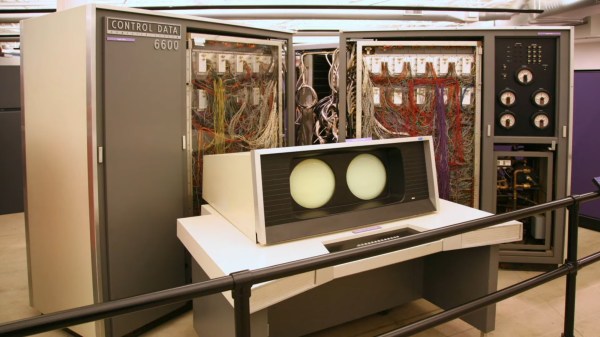
A vintage supercomputer with unique dual screen display

VCF East 2021: The Early Evolution Of Personal Computer Graphics

The evolution of computer graphics is something that has been well documented over the years, and it’s a topic that we always enjoy revisiting with our retrocomputing readers. To wit, [Stephen A. Edwards] has put together an impressively detailed presentation that looks back at the computer graphics technology of the 1960s and 70s.

The video, which was presented during VCF East 2021, goes to great lengths in demystifying some of the core concepts of early computer graphics. There’s a lot to unpack here, but naturally, this retrospective first introduces the cathode-ray tube (CRT) display as the ubiquitous technology that supported computer graphics during this time period and beyond. Building from this, the presentation goes on to demonstrate the graphics capabilities of DEC’s PDP-1 minicomputer, and how its striking and surprisingly capable CRT display was the perfect choice for playing Spacewar!

As is made clear in the presentation, the 1960s featured some truly bizarre concepts in regards to cutting edge computer graphics, such as Control Data Corporation’s 6600 mainframe and accompanying vector-based dual-CRT video terminal, which wouldn’t look out of place on the Death Star. Equally strange at the time was IBM’s 2260 video data terminal, which used a ‘sonic delay line’ as a type of rudimentary video memory, using nothing but coiled wire, transducers and sound itself to store character information following a screen refresh.

These types of hacks were later replaced by solid state counterparts during the microcomputer era. The video concludes with a look back at the ‘1977 trinity’ of microcomputers, namely the Apple II, Commodore PET and TRS-80. Each of these microcomputers handled graphics in a slightly different way, and it’s in stark contrast to today’s largely homogenised computer graphics landscape.

There’s a lot more to this great retrospective, so make sure to check out the video below. When you’re finished watching, make sure to check out our other coverage of VCF 2021, including some great examples of computer preservation and TTL-based retrocomputing.

Continue reading “VCF East 2021: The Early Evolution Of Personal Computer Graphics”
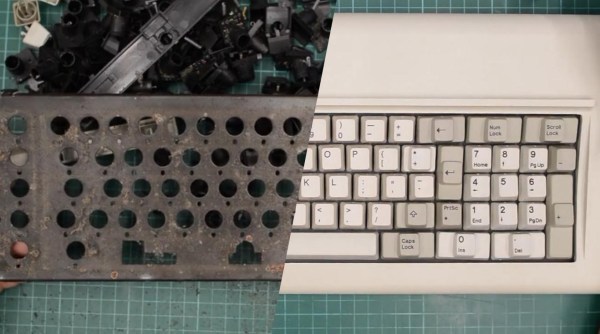
A composite of a disassembled and reassembled Model F keyboard

Model F Keyboard Restoration Goes The Extra Mile

The IBM Model F keyboard should need no introduction. Famed for its buckling spring key mechanisms, the Model F is lusted over for its satisfying typing experience and Armageddon-proof build quality. First introduced in 1981, many of these keyboards will now naturally require basic maintenance. However, [Epictronics] recently went a step further and restored a Model F to like-new condition.

Missing keycaps were the least of his worries, as both new and old replacements are relatively easy to come by. [Epictronics] was more concerned about the forty-year-old foam sandwiched tight inside the keyboard, most likely having long since degraded. Apart from being plain gross, the decaying foam has the potential to foul the buckling spring switches. After taking apart the body and removing the ‘disgusting’ foam pad, a replacement was forged from neoprene and a handy-dandy hole punch.

Disassembly of the keyboard case required the gentle touch of a mallet, and reassembly needed similarly inappropriate tools. As demonstrated in this vintage clip from IBM, keyboard assembly was (and still is) performed automatically by robots, driven by an IBM Series/1 minicomputer. These robots were equally impressive for their precision and strength. Without access to IBM’s aptly named ‘closing tool’ and various other robotic helpers, [Epictronics] had to settle for pool noodles and a comically large clamp during reassembly, mixed with sheer determination.

Other neat tricks in the video include applying heat to reform the coiled keyboard cable, and using car polish to clean the case plastics. The latter has the potential to make things worse, so a delicate hand is needed to maintain the textured plastic.

We recently covered another Model F restoration, and it’s exciting to see so many dedicated hackers keeping these keyboards clickety-clacking well into the 21st century.

Continue reading “Model F Keyboard Restoration Goes The Extra Mile”

2:3 Scale VT100 Is A Perfect Pairing For PDP-8/I Replica

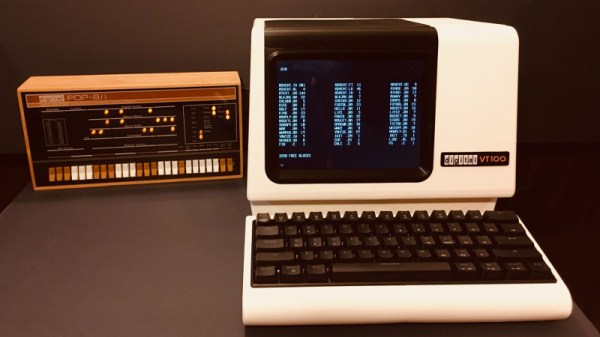
When he went shopping for a vintage serial terminal to go along with his reproduction PDP-8/I computer, [Michael Gardi] came down with a bad case of sticker shock. But rather than be discouraged, he reasoned that if his “retro” computer could stand to have modern components at its heart, so could the terminal he used to talk to it. Leaning on his considerable experience in designing 3D printed replica hardware, he’s built an absolutely gorgeous scaled down DEC VT100 terminal that any classic computer aficionado would be happy to have on their desk.

Now to be clear, [Michael] hasn’t created a true serial terminal. Since the faux PDP-8/I is running on a Raspberry Pi, all he needed to do was come up with something that could connect to its HDMI and USB ports. Put simply, he’s essentially just made a 3D printed enclosure for the Pi’s monitor and keyboard. Oh, but what a gorgeous enclosure it is.

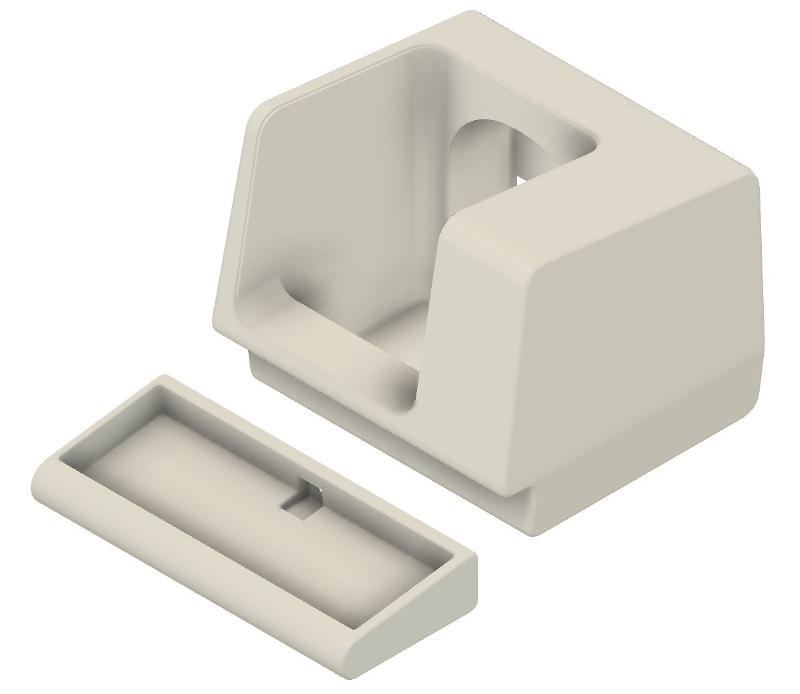
Recreating the VT100 in CAD was made more difficult by the fact that [Michael] couldn’t get his hands on the authentic hardware. But of course, that’s never stopped him before. It turns out DEC provided some very detailed dimensions for the terminal in their original documentation, and while comparing them to photographs of the actual terminal did uncover a few key differences, the overall look is spot on. Once the design was done, he reports it took two rolls of filament and more than 200 hours to print out all the parts for the enclosure.

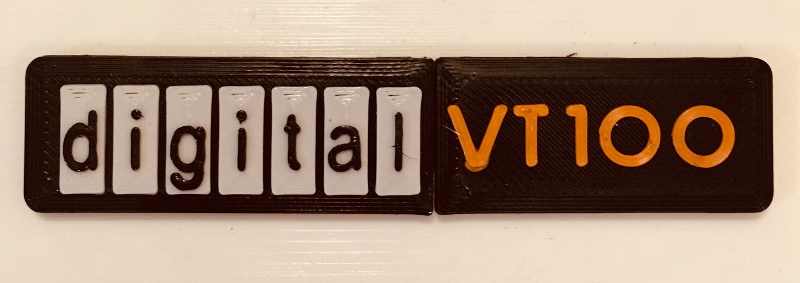
To help sell the authentic look [Michael] tracked down a 4:3 LCD of the appropriate size, and the use of an off-the-shelf portable mechanical keyboard should make text entry a pleasure. For a little fun, he even came up with a themed arcade controller for the VT100 that can be used with RetroPie. The printed logo plate is an especially nice touch, and we’re more than willing to forgive the fact that he had to print it at a larger scale than the rest of the terminal to get all the detail in with his printer’s 0.4 mm nozzle.

On a technical level, this is perhaps the most straightforward replica we’ve ever seen from [Michael]. But even on a relatively simple project like this, his signature attention to detail and craftsmanship is on full display. It’s always a good day when he’s got a new build to show off with, and we’re eager to see what he comes up with next.

Altair Front Panel Tutorials

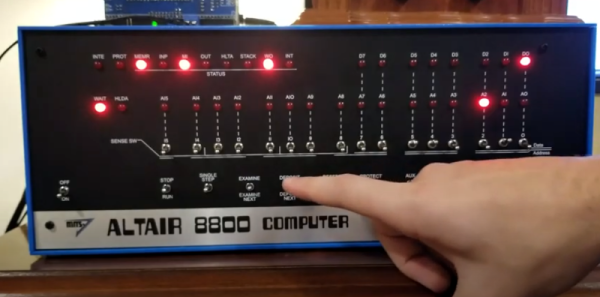
If you aren’t old enough to remember when computers had front panels, as [Patrick Jackson] found out after he built a replica Altair 8800, their operation can be a bit inscrutable. After figuring it out he made a pair of videos showing the basics, and then progressing to a program to add two numbers.

Even when the Altair was new, the days of front panels were numbered. Cheap terminals were on their way and MITS soon released a “turnkey” system that didn’t have a front panel. But anyone who had used a minicomputer from the late 1960s or early 1970s really thought you needed a front panel.

Continue reading “Altair Front Panel Tutorials”

Bare Metal Programming With Only Three Buttons

For anyone who’s seen a 1970’s era microcomputer like the Altair 8800 doing its thing, you’ll know the centerpiece of these behemoths is the array of LEDs and toggle switches used as input and output. Sure, computers today are exponentially more capable, but there’s something undeniably satisfying about developing software with pen, paper, and the patience to key it all in.

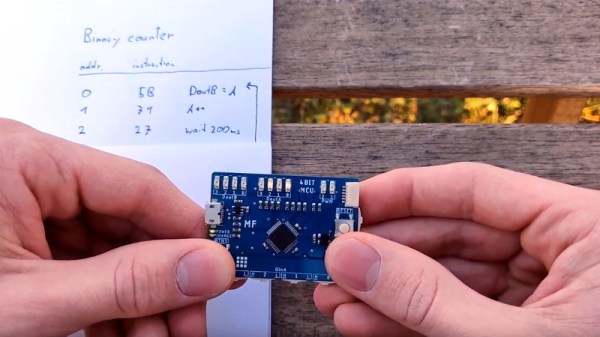
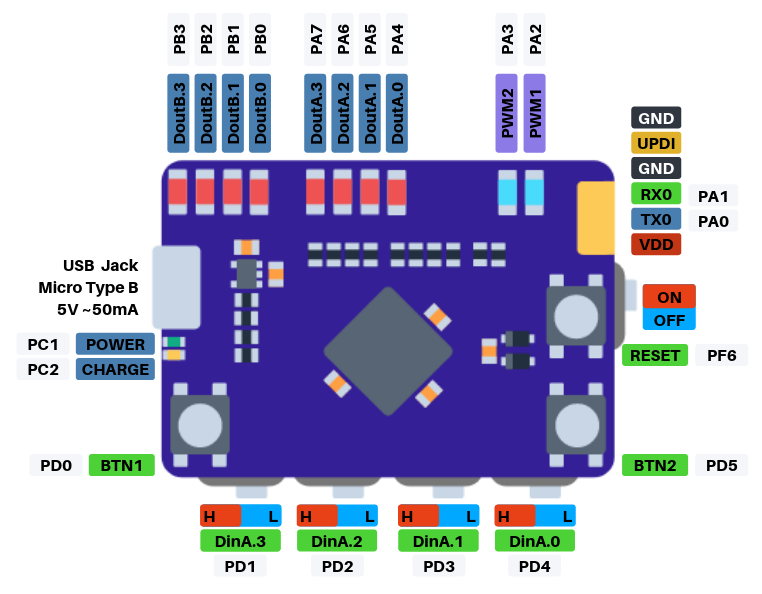
If you’d like to get a taste of old school visceral programming, but aren’t quite ready to invest in a 40 year old computer, then [GClown25] might have the answer for you. He’s developed a pocket sized “computer” he’s calling the BIT4 that can be programmed with just three tactile switches. In reality it’s an ATMega4809 running C code, but it does give you an idea of how the machines of yesteryear were programmed.

In the video after the break, [GClown25] demonstrates the BIT4 by entering in a simple binary counter program. With a hand-written copy of the program to use as a reference, he steps through the memory addresses and enters in the command and then the value he wishes to operate on. After a few seconds of frantic button pushing, he puts the BIT4 into run mode and you can see the output on the array of LEDs along the top edge of the PCB.

All of the hardware and software is open source for anyone who’s interested in building their own copy, or perhaps just wants to take a peak at how [GClown25] re-imagined the classic microcomputer experience with modern technology. Conceptually, this project reminds us of the Digirule2, but we’ve got to admit the fact this version isn’t a foot long is pretty compelling.

Continue reading “Bare Metal Programming With Only Three Buttons”

World’s Oldest Computer Festival Is This Weekend

There was a time when owning a home computer was kind of a big deal. In the days before the popularization of the Internet, so-called “computer shows” were the best way to meet with others to swap advice, information, and hardware. Of course today, things are very different. The kind of people who are building their computers just buy the parts online, and everyone else is probably using a $200 laptop from Walmart that isn’t worth spending the time or money on to upgrade.

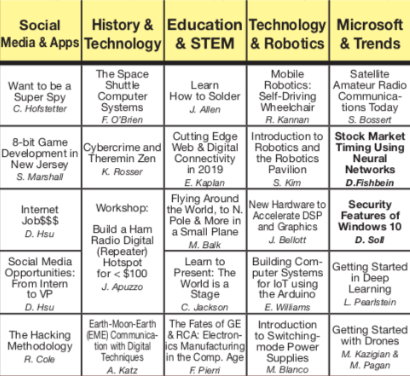
Small sampling of the talks at TCF 2019

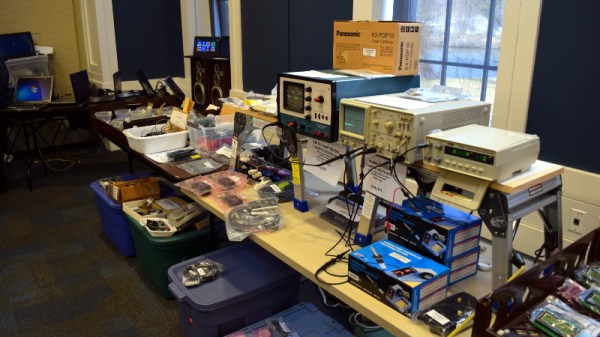
So while the Trenton Computer Festival (TCF) may have started in 1976 as a way for people to buy early computers like the Altair 8800, over the years it has morphed into something much closer to the modern idea of a “con”. Those who visit the 44th TCF on March 23rd at the College of New Jersey will likely spend most of their time at the festival attending the 40+ talks and workshops that will be happening in a span of just six hours. But anyone who’s got some cash to burn can still head over to the flea market area where they’ll be able to buy both modern and vintage hardware.

Talks run the gamut from Arduino to quantum computing, and if you don’t see something that piques your interest in this year’s program, one might wonder how you found yourself reading Hackaday in the first place. If you manage to find some spare time between all the talks, the New Jersey chapter of the The Open Organisation Of Lockpickers (TOOOL) will be there giving a hands-on lock picking class, and if you don’t mind taking the crash course, you can even get your ham radio license. All for the princely sum of just $20 at the door.

In fact, there’s so much going on at TCF that it can be somewhat overwhelming. As I found out during my visit last year, the number of simultaneous events means you’ll almost certainly have some difficult decisions to make. I’ll be making the trip out to the College of New Jersey campus again this year for TCF, and will have plenty of Hackaday stickers and buttons to give out to anyone who manages to stop me while I dash between talks.

Blowing The Dust Off Of An IBM AS/400 Server

If you’ve never seen an IBM AS/400 machine, don’t feel bad. Most people haven’t. Introduced in 1988 as a mid-range server line, it used a unique object-based operating system and was geared specifically towards business and enterprise customers. Unless you’re a particularly big fan of COBOL you probably won’t have much use for one today, but that doesn’t mean they aren’t worth playing around with if the opportunity presents itself.

So when a local IT company went belly up and was selling their old hardware, including a late 90’s era IBM AS/400e Series, [Rik te Winkel] jumped at the chance to take this unique piece of computing history home. He knew it was something of a risk, as maintenance and repair tasks for these machines were intended to be done by IBM certified technicians rather than the DIYer, leaving little in the way of documentation or even replacement parts. But in the end it worked out, and best of all, he documented the successful process of dragging this 90’s behemoth into the blinding light of the twenty-first century for all the world to see.

After getting the machine home and sitting through its thirty minute boot process, [Rik] was relieved to see the code 01 B N pop on the server’s display. This meant the system passed all the internal checks and was ready to go, he just had to figure out how to talk to the thing. Built to be a pure server, the machine didn’t offer any video output so he’d have to log into it over the network.

[Rik] noted that there was no new DHCP entry in his router for the server, but of course that was hardly surprising as the machine would have certainly had a static IP when it was in use. So he shut the server down, plugged it directly into his laptop’s Ethernet port, and watched the output of Wireshark as it went through its arduous boot sequence. Eventually he started to pick up packets coming from the IP address 10.10.10.9, and he had his target.

There are a few clients out there that allow you to remotely log into an AS/400, so he downloaded one and pointed it to the server’s IP. He was surprised to see the operating system was apparently in Dutch, but at least he was in. He tried a few common usernames and passwords, helped along by the fact that this OS from a somewhat more innocent era will actually tell you if you have the username right or wrong, and eventually managed to hack the Gibson with the classic admin/admin combo.

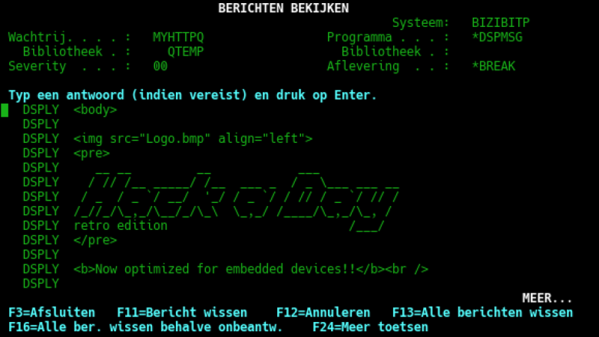
So he was in, but now what? [Rik] decided that he couldn’t truly call this machine bested until he could pull up the Hackaday Retro Edition, so he started work on writing a program to let him pull down the page directly on the AS/400 in IBM’s proprietary Report Program Generator (RPG) programming language. You know, as one does. He didn’t quite feel up to writing a whole HTML parser, but he got as far as generating a HTTP GET request, downloading the page’s source, and opening it up as a local file. That’s good enough for us.

Our very own [Al Williams] documented his adventures poking around an Internet-connected AS/400 machine, which might serve as a helpful primer if you ever find one of these delightfully oddball computers kicking around the local recycling center.