‘Quiet On The Set’ Goes For Objects, Too

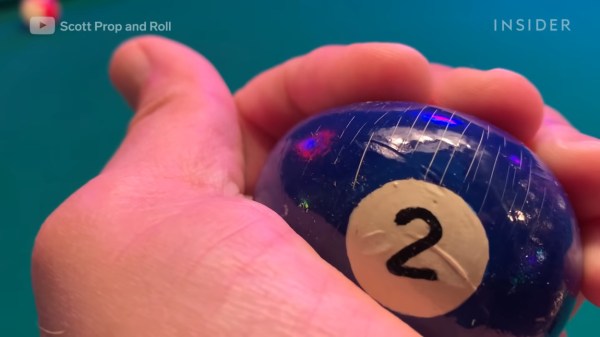
Unless you’re sonically savvy, trying to sleep, or simply on edge, you probably don’t realize just how noisy common items can be. Pretty much everything makes enough racket to ruin a sound man’s day, or at the very least, their chance of picking up the dialogue between two characters. What you need on a set are noiseless but realistic versions of common noisemakers like paper bags, ice cubes, and to a lesser extent, billiard balls.

If you’ve spent any time at all on Reddit, you’ve probably seen frustratingly short GIFs of [Tim Schultz] quickly explaining how this or that noiseless prop is made. Embedded below is a compendium of prop hacks with more information worked in along the way. Talk about dream job! Problem solving and then hacking together a solution for a living sounds terrifying and delightful all at once.

Speaking of terrifying and delightful hacks, there’s still plenty of time to enter our Halloween Hackfest contest, which runs through Monday, October 11th. Halloween is the best time to go all out, so show us what you can do!
Continue reading “‘Quiet On The Set’ Goes For Objects, Too”

A giant, 3D-printed key switch that sends F to pay respects.

Big ‘F’ Key To Pay Big Respects

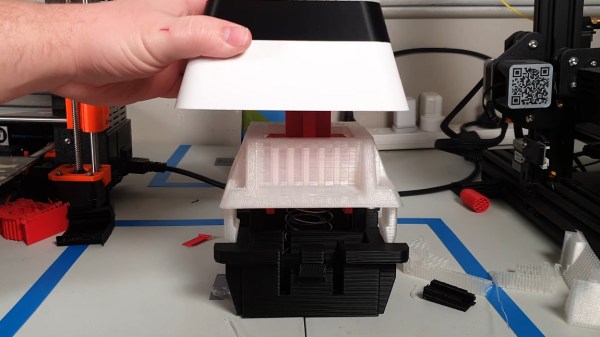
So your ally was slain. Your comrade has fallen. And somehow, that capital F coming from that tiny key is supposed to convey your respect? Please. What you need is a giant, dedicated F key that matches the size of your respect. And [Jaryd_Giesen] is gonna teach you how to build your own. Well, kind of. Between the Thingiverse build guide and the hilarious build video below, you’ll get the gist.

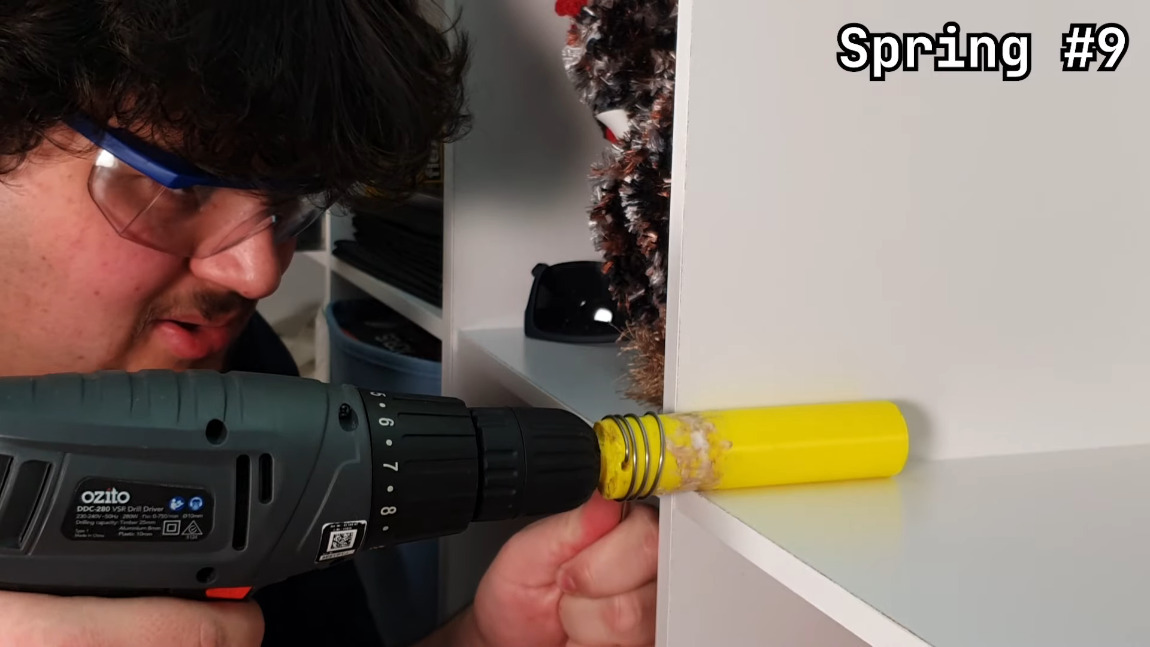
Making a custom spring using a drill and a 3D printed dowel.One of the coolest things about this build is the custom spring. Between a birthday time crunch and lockdown, there was just no way to source a giant spring in two days, so [Jaryd] printed a cylinder with a hole in it to chuck into a drill and stand in for a lathe. Ten attempts later, and the perfect spring was in there somewhere.

We love the level of detail here — making a pudding-style keycap to match the main keyboard is the icing on this clacky cake. But the best part is hidden away inside: the stem of the giant switch actuates a regular-sized key switch because it’s funnier that way. Since it’s a giant Gateron red, it doesn’t exactly clack, but it doesn’t sound linear, either, mostly because you can hear the printed pieces rubbing together. Check out the build video after the break, and hit up the second video if you just want to hear the thing.

Seeing things embiggened is one of our favorite things around here. Some things are just for looks, but other times they’re useful tools.
Continue reading “Big ‘F’ Key To Pay Big Respects”

Simple Tactile Drawing Pad Is Quite Impressive

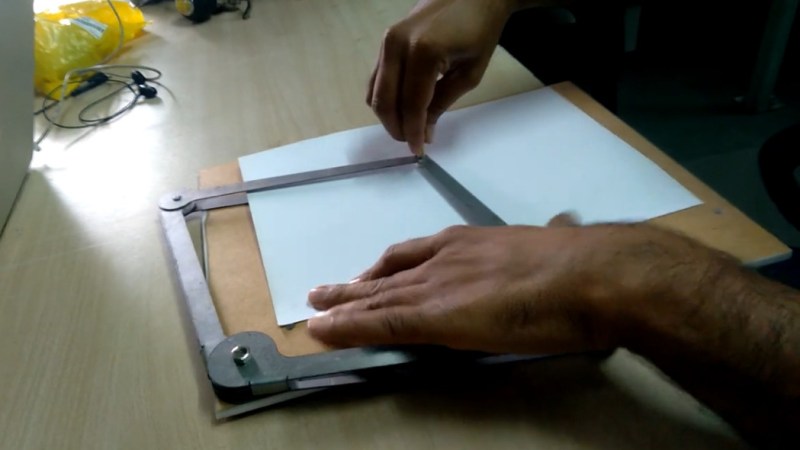
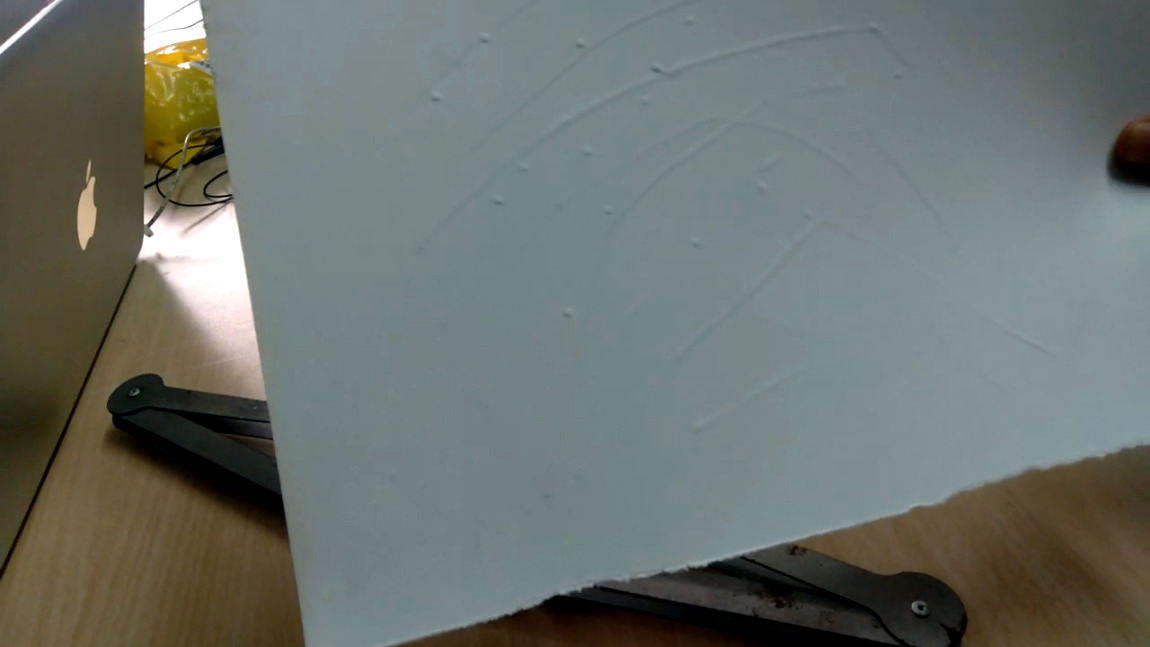
Everyone needs to be able to communicate and express themselves, even people with blindness or low vision. Embossing paper with some kind of stylus is a popular, low-tech option, but there’s one big problem: pressing paper from the top leaves a dent, and so letters have to either be written backwards or else felt-read backwards. For this year’s Hackaday Prize, [Subir Bhaduri] is working on a fantastic tool that embosses positively, and from the top side of the paper.

Positive emboss marks from a clever pantograph and a pair of stylii.Here’s how it works: a pointed stylus pushes upward from the underside and meets up with a concave receiver on the top side through the paper. The two stylii move in concert thanks to the pantograph-inspired parallelogram setup, which we imagine would make it easier for someone with low vision to keep their bearings as they move around the page.

The video below shows prototype #2, which is the first one that worked. Well, it works, but [Subir] says it needs improvement, so prototype #3 is in the sketching stage now. [Subir] is planning to fix the paper in place somehow and also figure out how to keep the pantograph arms out of the user’s way.

Pantographs are used for all sorts of things, but the sweetest use we’ve seen was to carve messages into chocolate hearts.

Continue reading “Simple Tactile Drawing Pad Is Quite Impressive”

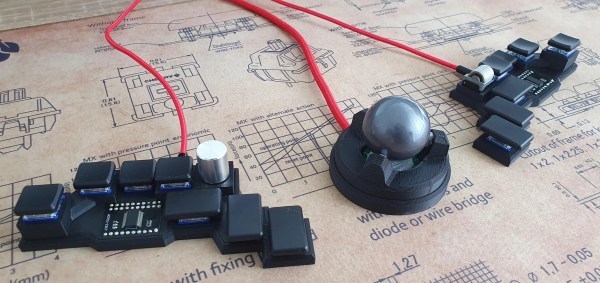
An open-source chording keyboard with trackball support.

Chordie Chording Keyboard Speaks No Qwerty

What is the fastest way to get thoughts out of your brain and into relative permanence? Well, yeah, probably a voice recorder. But after voice recorders comes typing in a distant second. Typing, especially QWERTY-style, has its limitations. The holy grail method it comes to typing quickly has got to be a chording keyboard, hands down. How can court reporters possibly keep up with everything that’s uttered during a trial? When you can press a few keys at the same time and type entire words, it’s not that difficult. It just takes a whole lot of memorization and muscle memory to get to that point.

An open-source chording keyboard with trackball support.So if you’re going to go for the glory, check out Chordie, a snazzy little chording keyboard that does it all with just 14 keys. [kbjunky] based Chordie on the Ginny, a cute little bare-bones bat-wing chording keyboard that uses the ASETNIOP chording engine originally built for soft keyboards.[kbjunky] added open-face trackball support via printed cradle, but it’s not necessary to use a trackball since there’s a pair of rotary encoders and a mouse layer.

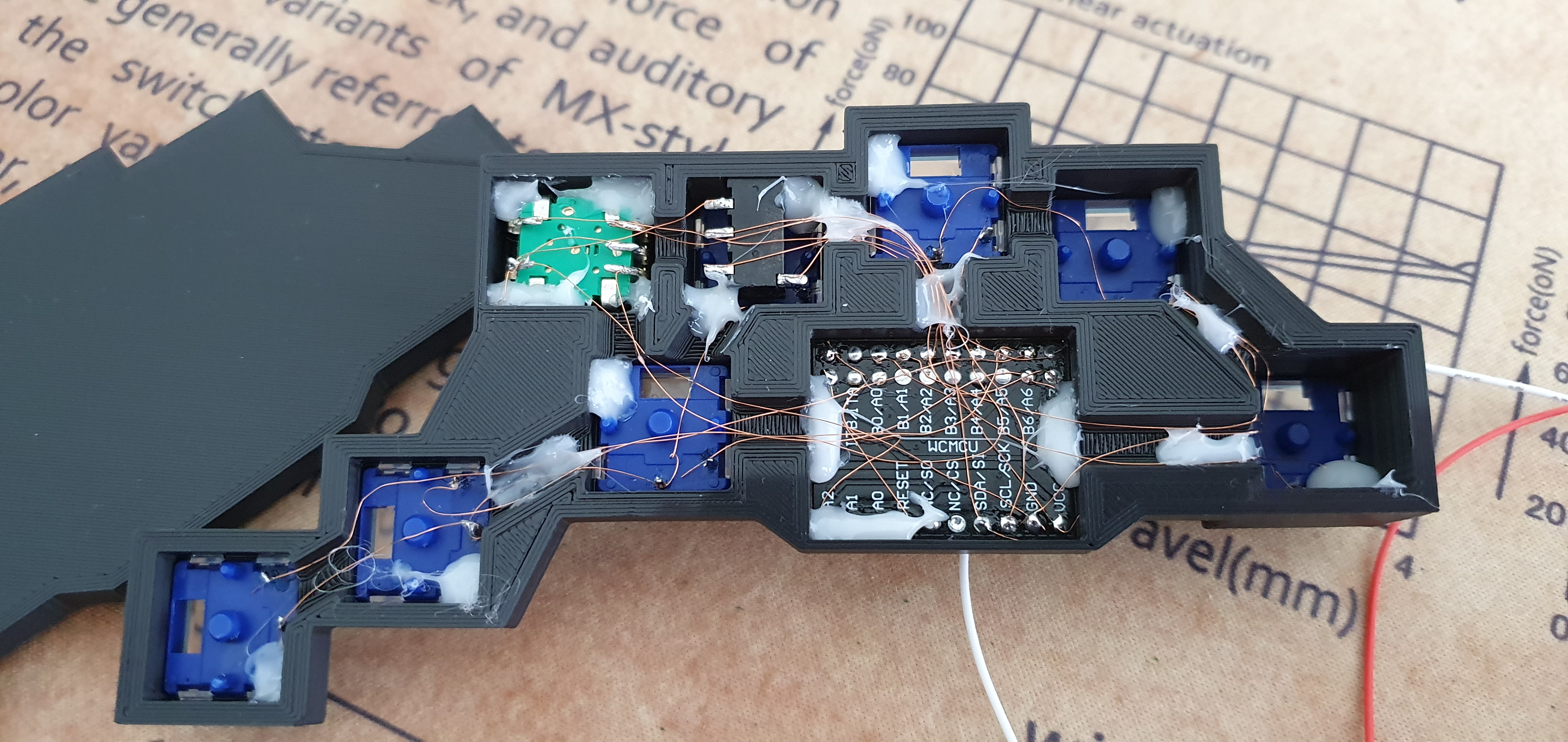
This keyboard looks fantastic with its rocket ship MCU holder and its flush-mounted I/O expander breakout boards. Apparently [kbjunky] used polyimide tape to keep the solder from making blobs. It’s all there in the nice build guide.

We would probably argue that chording is not totally ergonomic. Sure, you barely move your hands or wrists, but chording itself can be hard on the digits, especially the pinkies. To that end, [kbjunky] used low-profile switches with light springs. Totally ergonomic or not, we have to admit that we love the idea of clacking along at 300 WPM someday far, far down the learning curve of ASETNIOP. Take a look at the key map, and check out [kbjunky]’s follow-up post if you want to see a demo.

Maybe you prefer a completely different typing experience. Well, ASETNIOP works with digital pianos, too.

Via r/ErgoMechKeyboards

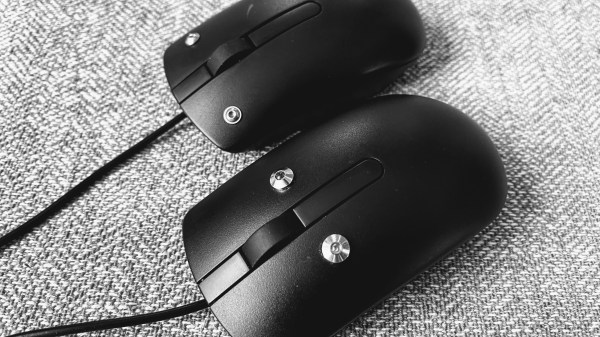
Mice with capactive sensors instead of buttons. Designed for people with low mobility.

Capacitive Mouse Built For A Friend Makes For A Touching Tale

Those tiny switches inside your mouse may be rated for 50 million clicks or more, but your fingers will likely wear out much sooner than that. Trust us — mouse arm and/or hand fatigue is no fun at all. If you’ve never had the displeasure, just try to imagine not being able to click or move the mouse around without extreme discomfort.

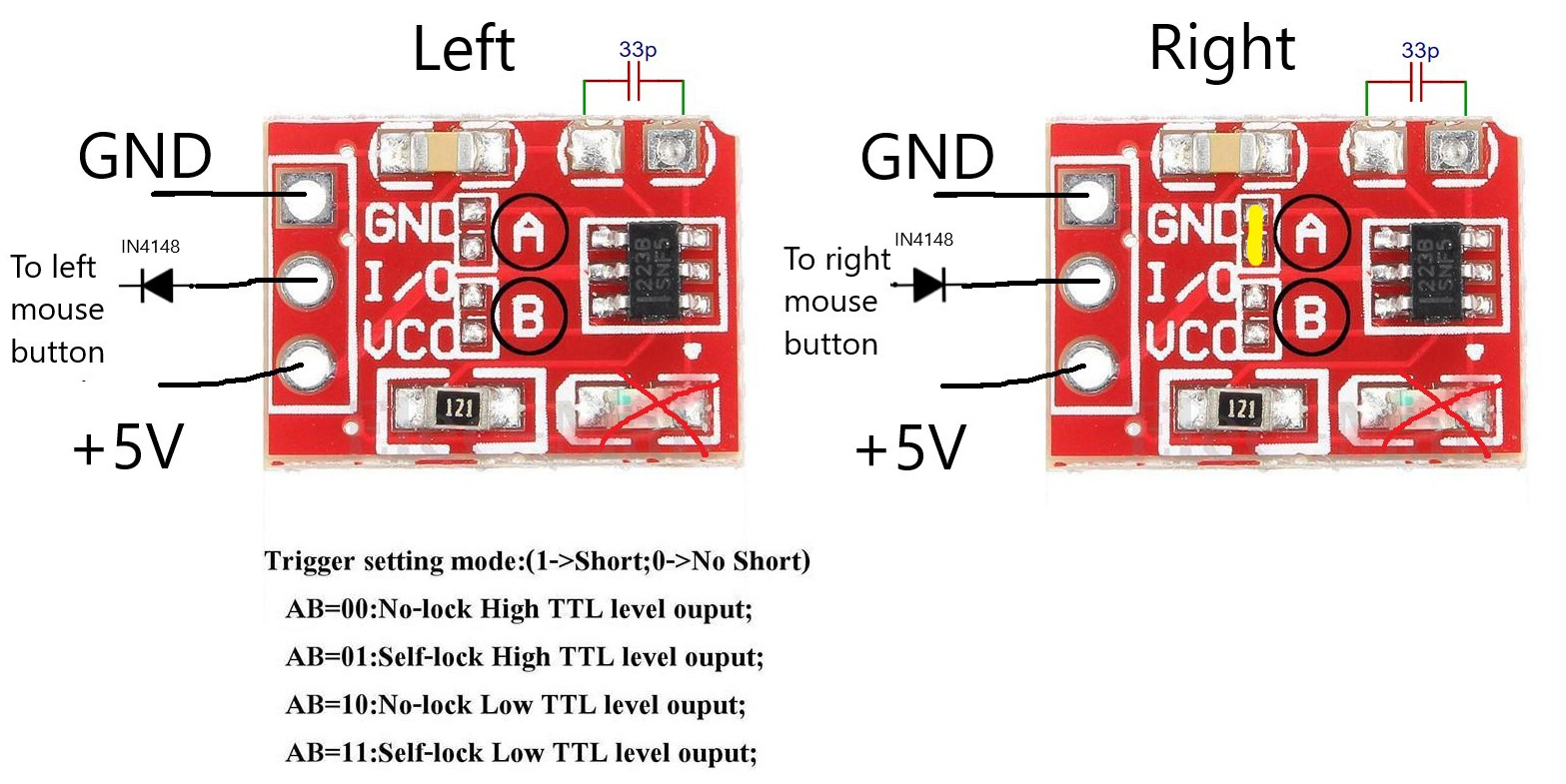
TTP223 touch sensor modules and the modifications necessary for this project.For this year’s Hackaday Prize, [BinSun] hacked together a capacitive mouse for a friend who has ALS. Instead of micro switches, it uses touch sensors to detect left and right clicks and LEDs to indicate when a click has taken place. That makes us think that haptic feedback could be cool, but it might get old quickly, or even worse, you might get used to it after a while and not feel it anymore.

This mouse would be a good alternative for anyone with limited mobility from any condition — ALS, arthritis, trigger finger, or carpal/cubital tunnel syndrome. It would also benefit anyone who wants to mouse much more stealthily, like in a library, a small shared space, or late at night. The only downside we can see is that you’d either have to get used to hovering your fingers, or else learn to rest them out of the way of the capacitive buttons. Otherwise, you’re gonna actuate them more often than you really want to.

If you want to build one of these, you’ll find a nice set of instructions over on IO that includes the minor modifications necessary to make the TTP223 capacitive modules sensitive enough to detect the presence of a finger. All you really have to do is bridge a couple of pads, add a capacitor and remove the SMD LEDs. [Bin Sun] says this is an ongoing project. He’s gotten a handful of beta testers involved at this point, and is planning to make a dedicated PCB pretty soon. Squeak past the break for a couple of brief demonstrations.

The right kind of mouse can save your limbs, sure. Hack together a different type of mouse, and you might be able to save your crops from elephant raids.

Continue reading “Capacitive Mouse Built For A Friend Makes For A Touching Tale”

Ask Hackaday: What Is Amazon Thinking By Entering The Palm-Reading Business?

Have you heard about this One? At least three United States senators have, and they want to know what Amazon plans to do with all the biometric data collected by the Amazon One program. It’s their new contactless payment method that uses your unique palm print instead of cards or phones to make purchases, gain access to venues of work and play, and enter or pay in whatever other spaces Amazon can invade down the line. The idea is that one day, we’ll all be able to leave our homes without any form of money or ID of any kind, because we’ll all be stored away in Bezos’ big biometric file cabinet.

We tossed this one around in the writer’s room back when the Amazon One concept was nothing but a pile of buzzwords and a render or two, but these kiosks are now active in 50+ Whole Foods and Amazon 4-Star locations across the US. Here’s the deal: you can only sign up at a participating store that has a kiosk, because they have to scan your palms into the system. We were worried that the signup kiosk could easily take fingerprint scans at the same time, but according to the gifs in Morning Brew’s review, it just uses another of their point-of-sale palm scanners along with a touch screen and a card reader. But you still have to hover your entire hand over it, so who’s to say that the scan ends where the fingers begin?

Continue reading “Ask Hackaday: What Is Amazon Thinking By Entering The Palm-Reading Business?”

A 3D-printed DIY ambisonic microphone

Ambi-Alice Goes Down The Rabbit Hole Of Ambisonic Microphones

Theoretically, ambisonic microphones allow you to perfectly encode the soundscape around you and recreate it from the focal point of any direction. To do this, you need at least four microphone capsules and some math. Ambisonic microphones have been around for 50 years, but [DJJules] wanted to bring ease of use to these tools and push them into the open source fold.

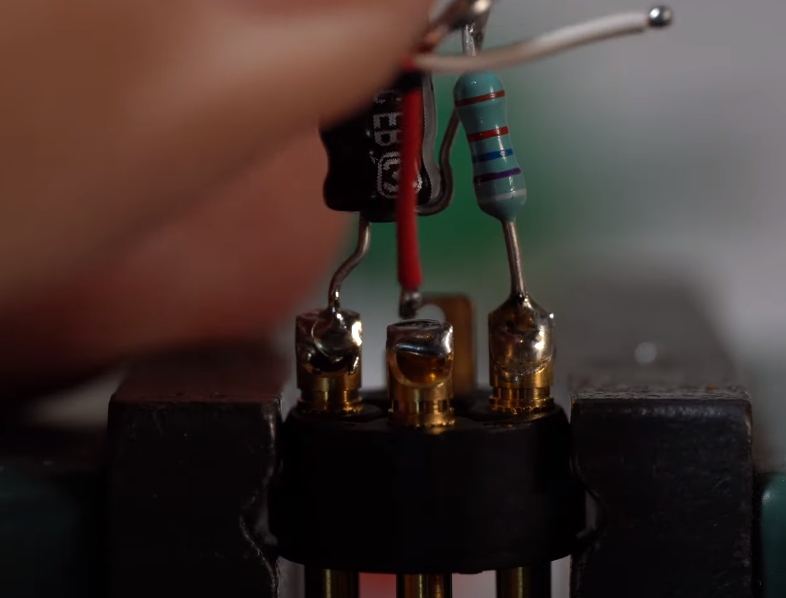
Soldering a 3.3uF capacitor and a 100k-ohm resistor inside each XLR plug.As you’ll see in the video below, there were a few iterations before this one. Everything changed for the better when [DJJules] found out about TSB25905 capsules. These are electret condenser mics with 1″ diaphragms and built-in EMI/RFI-suppressing capacitors. Another big help was deciding to color code everything from the XLR cable boots to the cable sleeves to the electrical tape that’s protecting each of the P48 resistor-capacitor pairs inside the XLR plugs.

[DJJules]’ buddy [Tom] designed and printed a single piece that holds the four capsules in a perfect tetrahedral array, and an elegant two-piece basket that protects the mics and provides a base for a one of those furry windscreens. The mics and the basket are separated with four silicone plugs designed for quadcopters that provide both isolation and vibration dampening.

If you want to make one of these yourself, [DJJules] has STLs for both a normal microphone stand and another for GoPro mounts. Check out the build video after the break and the sound demos on Instructables.

No need for a rich soundscape? Build a USB microphone instead, or if that’s too cold and modern, whittle up a wooden a ribbon mic.

Continue reading “Ambi-Alice Goes Down The Rabbit Hole Of Ambisonic Microphones”